
הקדמה
The GameSir G8 Plus Thanos Edition is a versatile mobile game controller designed to provide a console-like gaming experience across multiple platforms. This manual provides essential information for setting up, operating, maintaining, and troubleshooting your controller.
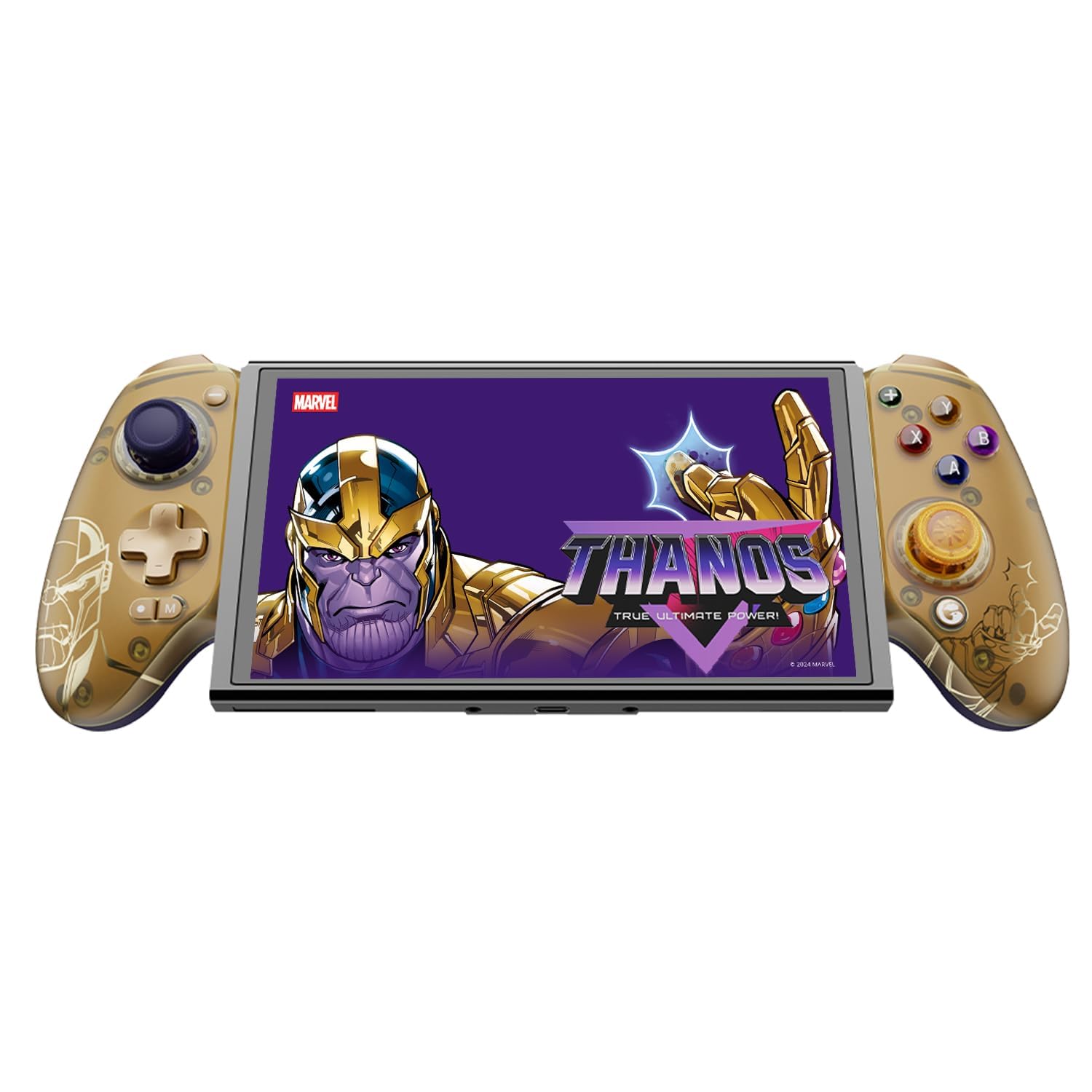
Figure 1: GameSir G8 Plus Thanos Edition Mobile Game Controller.
סעטאַפּ
פּעקל אינהאַלט
באַשטעטיקן אַז אַלע זאכן זענען פאַראַן אין פּעקל:
- GameSir G8 Plus Thanos Edition Mobile Game Controller
- Interchangeable Thumbstick Caps (3 pairs)
- וסב- C קאַבלע
- באַניצער מאַנואַל (דעם דאָקומענט)

Figure 2: Contents of the GameSir G8 Plus Thanos Edition package.
מיטל קאָמפּאַטיביליטי
The GameSir G8 Plus is compatible with a wide range of devices:
- Android devices (Android 8.0 or later)
- יאָס דעוויסעס
- נינטענדאָו סוויטש
- Tablets (4.7 to 8.4 inches)
- PC (via 2.4G receiver, sold separately, or wired)

Figure 3: Universal compatibility of the GameSir G8 Plus.
ערשט קאַנעקשאַן
To connect your GameSir G8 Plus controller to a device:
- For Mobile Devices (Bluetooth): Extend the controller to fit your smartphone or tablet. Ensure Bluetooth is enabled on your device. Press and hold the pairing button on the controller until the indicator light flashes, then select "GameSir G8 Plus" from your device's Bluetooth settings.
- פֿאַר נינטענדאָו סוויטש: Insert the Switch console into the controller. The controller should automatically connect.
- For PC (Wired): Connect the controller to your PC using the provided USB-C cable.
- For PC (2.4G Wireless): Insert the 2.4G receiver (sold separately) into your PC's USB port. The controller should connect automatically.
ווידעא 1: איבערview of the Gamesir G8 Plus Bluetooth Marvel Licensed controller, demonstrating its design and features.
אַפּערייטינג
שליסל פֿעיִקייטן און קאָנטראָלס
- האַל עפֿעקט דזשויסטיקס: Experience precise 360° control with anti-drift technology, ensuring longevity and accuracy.
- האַל עפֿעקט טריגערס: Optimized triggers provide smooth and quick response, ideal for various game genres.
- Mappable Back Buttons: Two additional back buttons (L4/R4) allow for instant button mapping, enhancing gameplay customization.
- באַוועגונג סענסינג: A built-in 6-axis gyroscope enhances motion control, particularly useful for compatible Switch games and motion-sensitive gameplay.
- העפטיק באַמערקונגען: Console-level haptic feedback provides realistic and immersive sensations during gameplay.

Figure 4: Explanation of GameSir Hall Effect Sticks.

Figure 5: Toggle Trigger Modes for different game types.

Figure 6: Motion Control capabilities with built-in 6-axis gyro.

Figure 7: Realistic and immersive haptic sensation.
קוסטאָמיזאַטיאָן
- Magnetic Faceplates: The controller features magnetic faceplates that can be easily removed and swapped for personalized aesthetics or maintenance.
- Interchangeable Thumbstick Caps: Three pairs of thumbstick caps with varying heights are included, allowing users to customize control feel.
- GameSir App: The GameSir app (Android exclusive) allows for real-time customization, including button mapping and sensitivity adjustments, for personalized gameplay.

Figure 8: Free customization options for the controller.

Figure 9: Advanced features of the GameSir G8 Plus.
Video 2: Introduction to the GameHub App, showcasing its features for game management and controller customization.
מאָדע סוויטשינג
The controller supports various modes for different platforms. To switch between modes, press the corresponding key combination:
| מאָדע | היים ינדיקאַטאָר | קשר אופֿן | קאַמפּאַטאַבאַל פּלאַטפאָרמע |
|---|---|---|---|
| אַנדרויד | גרין | Controller + A | אַנדרויד 8.0 אָדער שפּעטער ווערסיעס |
| DS4 | בלוי | Controller + B | יאָס |
| באַשטימען | רויט | Controller + X | באַשטימען |
| G-Touch | סיאַן | Controller + Y | GameSir אַפּ |
* אין ארבעטן סטאַטוס, דריקן די קאָראַספּאַנדינג שליסל קאָמבינאַציע צו באַשטימען צו דער געוואלט מאָדע.
וישאַלט
To ensure the longevity and optimal performance of your GameSir G8 Plus controller, follow these maintenance guidelines:
- רייניקונג: ניצט אַ ווייכע, טרוקענע שטאָף צו ווישן די ייבערפלאַך פון דעם קאָנטראָללער. פֿאַר שווערע שמוץ, אַ ביסל טרוקןampווישט דעם שטאָף מיט וואַסער אָדער אַ מילדער רייניקונג לייזונג. פֿאַרמייַדט שטרענגע כעמיקאַלן אָדער אַברייסיוו מאַטעריאַלן.
- סטאָרידזש: Store the controller in a cool, dry place away from direct sunlight and extreme temperatures. When not in use for extended periods, ensure it is fully charged before storage.
- האַנדלינג: Avoid dropping the controller or subjecting it to strong impacts. Do not attempt to disassemble the controller beyond removing the magnetic faceplates and thumbstick caps.
טראָובלעשאָאָטינג
If you encounter issues with your GameSir G8 Plus controller, refer to the following common troubleshooting steps:
- קאָנטראָללער פֿאַרבינדט זיך נישט: Ensure Bluetooth is enabled on your device and the controller is in the correct mode (Android, DS4, Switch). Try restarting both the controller and your device. For wired connections, ensure the USB-C cable is securely connected.
- Buttons or Joysticks Unresponsive: Check if the controller's battery is charged. If using the GameSir App, verify that button mappings are correctly configured. For Hall Effect Joysticks, recalibration might be necessary if drift occurs (refer to GameSir App for calibration options).
- Device Not Fitting: Ensure your device's dimensions are within the supported range of 4.7 to 8.4 inches. The controller's design accommodates devices with larger cameras.
- GameSir App Issues: Ensure your GameSir App is updated to the latest version. The app is currently exclusive to Android devices.
For further assistance, please contact GameSir customer support.
ספּעסאַפאַקיישאַנז
Detailed specifications for the GameSir G8 Plus Thanos Edition Mobile Game Controller:
| שטריך | דעטאַל |
|---|---|
| קאַמפּאַטאַבאַל דעוויסעס | Android, iOS, Nintendo Switch, PC |
| קאָנטראָללער טיפּ | גאַמעפּאַד |
| קאַנעקטיוויטי טעכנאָלאָגיע | Bluetooth 5.3, USB, 2.4G (receiver sold separately) |
| נאָך פֿעיִקייטן | Multiuse, Wireless, Hall Effect Joysticks & Triggers, 6-axis Gyroscope, Mappable Back Buttons, Magnetic Faceplates, Interchangeable Thumbstick Caps, Pass-through Charging |
| קנעפּל קוואַנטיטעט | 6 (standard face buttons) + D-pad, shoulder buttons, triggers, menu buttons, 2 back buttons |
| ייַזנוואַרג פּלאַטפאָרמע | Smartphone, Tablet, Nintendo Switch, PC |
| מאַכט מקור | Battery Powered (500mAh per side) |
| פּונקט וואָג | 620 גראַמז |
| מאָדעל נאָמען | G8 Plus |
| פאַבריקאַנט | שפילSir |
| קאָליר | Gamesir G8 Plus Thanos Edition (Gold/Purple) |
וואָראַנטי און שטיצן
וואָראַנטי אינפֿאָרמאַציע
The GameSir G8 Plus Thanos Edition Mobile Game Controller comes with a 1-יאָר וואָראַנטי. GameSir provides 12 months replacement service for product issues.
קונה שטיצן
If you experience any problems with your product or require further assistance, please feel free to send a message through Amazon. GameSir aims to reply within 24 hours.