
1. הקדמה
This manual provides comprehensive instructions for the AOBOCAM Mini Security Camera A12. Please read this guide thoroughly before operating the device to ensure proper setup and functionality. This camera is designed for discreet surveillance and monitoring.
2. פּראָדוקט פֿעיִקייטן
- סאָליד פּלאַן: The A12 camera features a small, unobtrusive design for easy placement in various environments.
- ווייַט מאָניטאָרינג: Access live video feeds and recordings directly from your smartphone via a dedicated application.
- באַוועגונג דעטעקשאַן: Receive instant notifications on your mobile device when motion is detected, enhancing security.
- הויך-דעפֿיניציע ווידעא: Records video in 1080P resolution for clear image quality.
- HD Night Vision: Equipped with infrared LEDs for clear video recording in low-light or complete darkness.
- פלעקסאַבאַל סטאָרידזש: Supports local storage via Micro SD card (not included) and optional cloud storage (paid subscription may be required).
- גרינג קאַנעקטיוויטי: Utilizes Bluetooth for initial setup and Wi-Fi for remote access.

Image: The AOBOCAM Mini Security Camera A12 positioned discreetly on a wooden desk, demonstrating its compact size and ease of placement.

Image: A smartphone screen showing a live view from the AOBOCAM A12 camera, illustrating remote monitoring capabilities.

Image: A smartphone displaying a notification from the HIDVCAM app, indicating motion detection and alert functionality.

Image: A split image demonstrating the camera's 1080P daytime image quality and its clear HD night vision capability, showing a sleeping child.
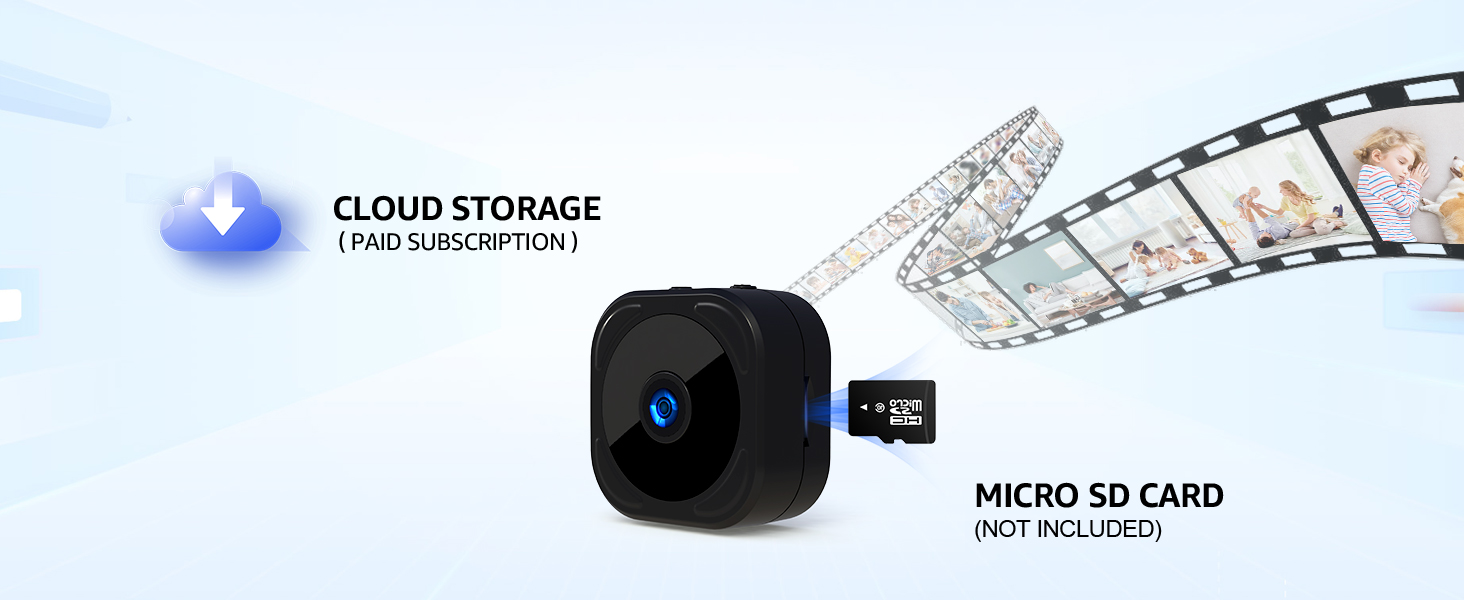
Image: The AOBOCAM A12 camera illustrating its support for both cloud storage (subscription-based) and local storage via a Micro SD card.
3. געטינג סטאַרטעד
3.1 אויפלאָדן די קאַמעראַ
Before first use, fully charge the camera using the provided USB cable. Connect the cable to the camera's charging port and a standard USB power adapter (not included). The charging indicator light will typically change color or turn off when fully charged. For continuous operation, keep the camera plugged into a power source.
3.2 אַפּ ינסטאַלירונג און קאַנעקשאַן
To use the camera's full features, download the companion application (e.g., HIDVCAM) from your smartphone's app store. Follow these steps to connect your camera:
- שריט 1: Sign into the application on your smartphone.
- שריט 2: Turn on the A12 camera. Ensure it is sufficiently charged or connected to power.
- שריט 3: Within the app, add your device. The app will guide you through connecting to your Wi-Fi network and completing the setup process. The camera uses Bluetooth for initial pairing and Wi-Fi for data transmission.
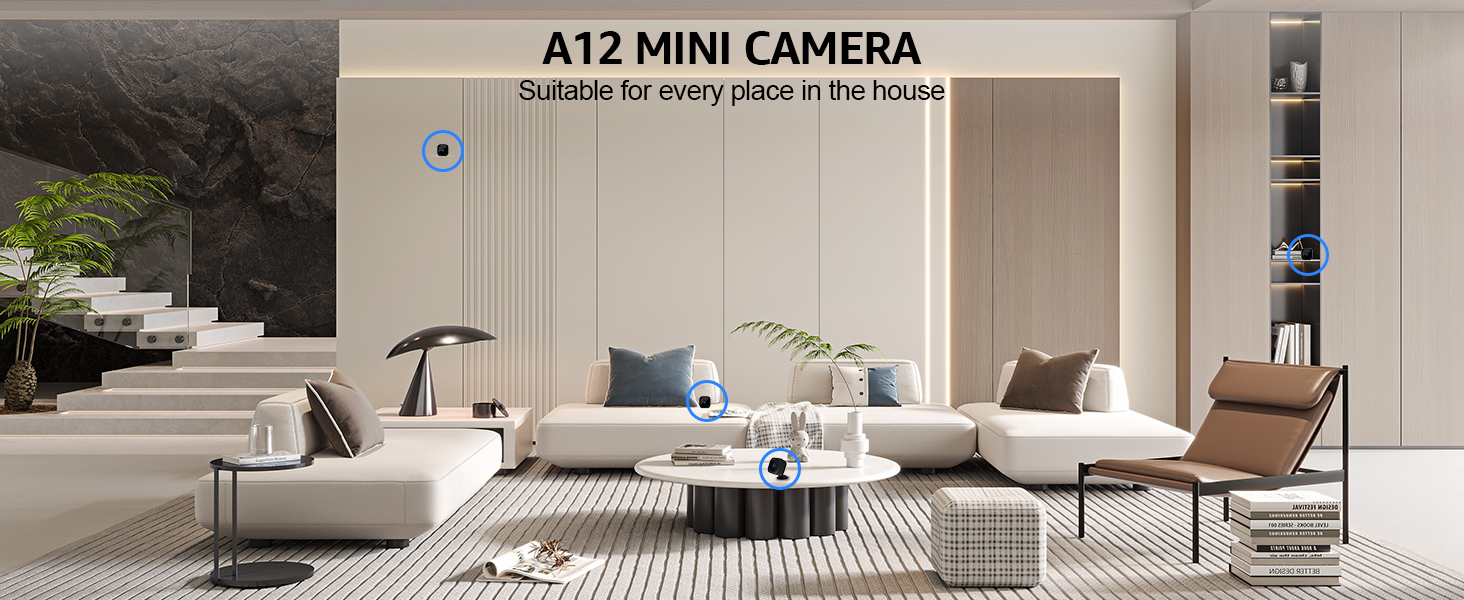
Image: Visual representation of the three-step Bluetooth connection process for the AOBOCAM A12 camera, including app sign-in, camera power-on, and device addition with Wi-Fi connection.
4. אָפּעראַציע גייד
4.1 לעבן View
Once connected, open the app and select your camera to view the live feed. You can monitor your space in real-time from anywhere with an internet connection.
4.2 רעקאָרדינג
The camera supports continuous recording or event-triggered recording (e.g., motion detection). Recordings can be stored on a Micro SD card (if inserted) or in the cloud (if subscribed). Access recorded footagדורך די אַפּ'ס פּלייבאַק פֿונקציע.
4.3 באַוועגונג דעטעקשאַן סעטטינגס
Configure motion detection sensitivity and notification preferences within the app settings. You can set specific areas for motion detection and schedule active times to avoid unnecessary alerts.
4.4 נאַכט זעאונג
The camera automatically switches to night vision mode in low-light conditions. Ensure the camera lens is unobstructed for optimal night vision performance.

Image: The A12 Mini Camera shown in different strategic locations within a living room, highlighting its versatility for home surveillance.

Monitor infants

Observe pets

Care for seniors

אויפפּאַסן אויף קינדער
בילדער: עקסamples of versatile monitoring applications for the AOBOCAM A12 camera, including infants, pets, seniors, and children.
5. וישאַלט
5.1 רייניקונג
Gently wipe the camera lens and body with a soft, dry cloth. Avoid using liquid cleaners or abrasive materials that could damage the device.
5.2 באַטערי קער
To prolong battery life, avoid extreme temperatures. If the camera is not used for extended periods, charge it periodically to prevent deep discharge.
6. טראָובלעשאָאָטינג
- קאַמעראַ פֿאַרבינדט זיך נישט צו Wi-Fi: Ensure your Wi-Fi network is 2.4GHz. This camera does not support 5GHz Wi-Fi networks. Verify your Wi-Fi password and network stability.
- אָפטע דיסקאַנעקשאַנז: If the camera frequently disconnects, try restarting the camera and re-pairing it through the app. Ensure the camera is within optimal range of your Wi-Fi router.
- קורץ באַטאַרייע לעבן: The camera's internal battery is designed for portable use. For continuous monitoring, it is recommended to keep the camera connected to a power source.
- נעבעך בילד קוואַליטעט: Ensure the camera lens is clean and free from obstructions. Check your internet connection speed, as a slow connection can affect streaming quality.
- No motion detection alerts: Verify that motion detection is enabled in the app settings and that notification permissions are granted for the app on your smartphone.
7. ספּעסאַפאַקיישאַנז
| מאָדעל נומער | A12 |
| פּראָדוקט דימענשאַנז | 2.03 X 3.05 X 2.03 סענטימעטער |
| פּונקט וואָג | 90 ג |
| באַטערי טיפּ | Lithium Polymer (1 A battery included) |
| ווידעא האַכלאָטע | 1080P (as per image) |
| קאַנעקטיוויטי | 2.4GHz Wi-Fi, בלועטוט |
| סטאָרידזש אָפּציעס | מיקראָ SD קאַרטל (נישט אַרייַנגערעכנט), וואָלקן סטאָרידזש (אַפּשאַנאַל אַבאָנעמענט) |
8. וואָראַנטי און שטיצן
For warranty information or technical support, please refer to the product packaging or contact AOBOCAM customer service through the official website or your purchase platform. Keep your proof of purchase for warranty claims.