
yobola T9
yobola T9 Wireless Earbuds User Manual
Model: T9 | Brand: yobola
הקדמה
This manual provides instructions for the yobola T9 Wireless Earbuds. These lightweight, mini wireless headphones are designed for various activities, offering deep bass, 25 hours of playtime, a built-in microphone, touch control, and IPX5 waterproof rating.
וואָס איז אין די קעסטל
The yobola T9 Wireless Earbuds package includes:
- ווירעלעסס עאַרבודז
- טשאַרדזשינג קאַסע
- וסב- C קאַבלע
- באַניצער מאַנואַל

Image: yobola T9 Wireless Earbuds in their charging case.
אויפשטעלן און ערשטע באנוץ
The yobola T9 Wireless Earbuds feature full-automatic pairing for an easy setup experience.
ערשט פּאָרינג
- זיכער מאַכן אַז די טשאַרדזשינג קעסטל איז גענוג אויפגעלאָדן.
- Open the charging case. The earbuds will automatically power on.
- On your device (smartphone, laptop, etc.), enable Bluetooth.
- זוכן פֿאַר "T9" in the list of available Bluetooth devices.
- Select "T9" to connect. Once connected, you will hear an audio prompt, and the earbuds are ready for use.

Image: Illustration of the automatic pairing process with a smartphone.

Image: Visual guide demonstrating the simple pairing process by picking up earbuds from the case.
אַפּערייטינג ינסטראַקשאַנז
The yobola T9 Earbuds feature intuitive touch controls for managing your audio and calls.
ריר קאָנטראָלס
- באַנד קאָנטראָל: Tap the left or right earbud to adjust volume (specific tap pattern not detailed in input, common is single tap for volume up/down on different earbuds or long press).
- שפּיל / פּויזע: איין צאַפּן אויף יעדער עאַרבוד.
- אַוטאָ מאַכט אויף / אַוועק: Earbuds automatically power on when removed from the case and off when placed back in.
- פרייַערדיק / ווייַטער שפּור: Double tap or triple tap on either earbud (specific tap pattern not detailed in input).
- אַקטיווירן שטימע אַסיסטאַנט (סירי, גוגל אַסיסטאַנט): Long press on either earbud (specific tap pattern not detailed in input).
- ענטפֿערן/אויפֿהענגען טעלעפֿאָן רוף: איין צאַפּ אויף יעדן אויערקנעפּל בעת אַן אינקאַמינג רוף.

Image: Diagram illustrating various touch control functions including volume, music playback, and call management.

Image: Detailed graphic showing touch control actions for volume, play/pause, power, track skipping, voice assistant, and call handling.
באַטאַרייע לעבן און טשאַרדזשינג
The earbuds provide 5 hours of playtime per charge, with the charging case extending total playtime to 25 hours.
To charge the earbuds, place them back into the charging case. To charge the case, connect the provided USB-C cable to the charging port on the bottom of the case and a power source.
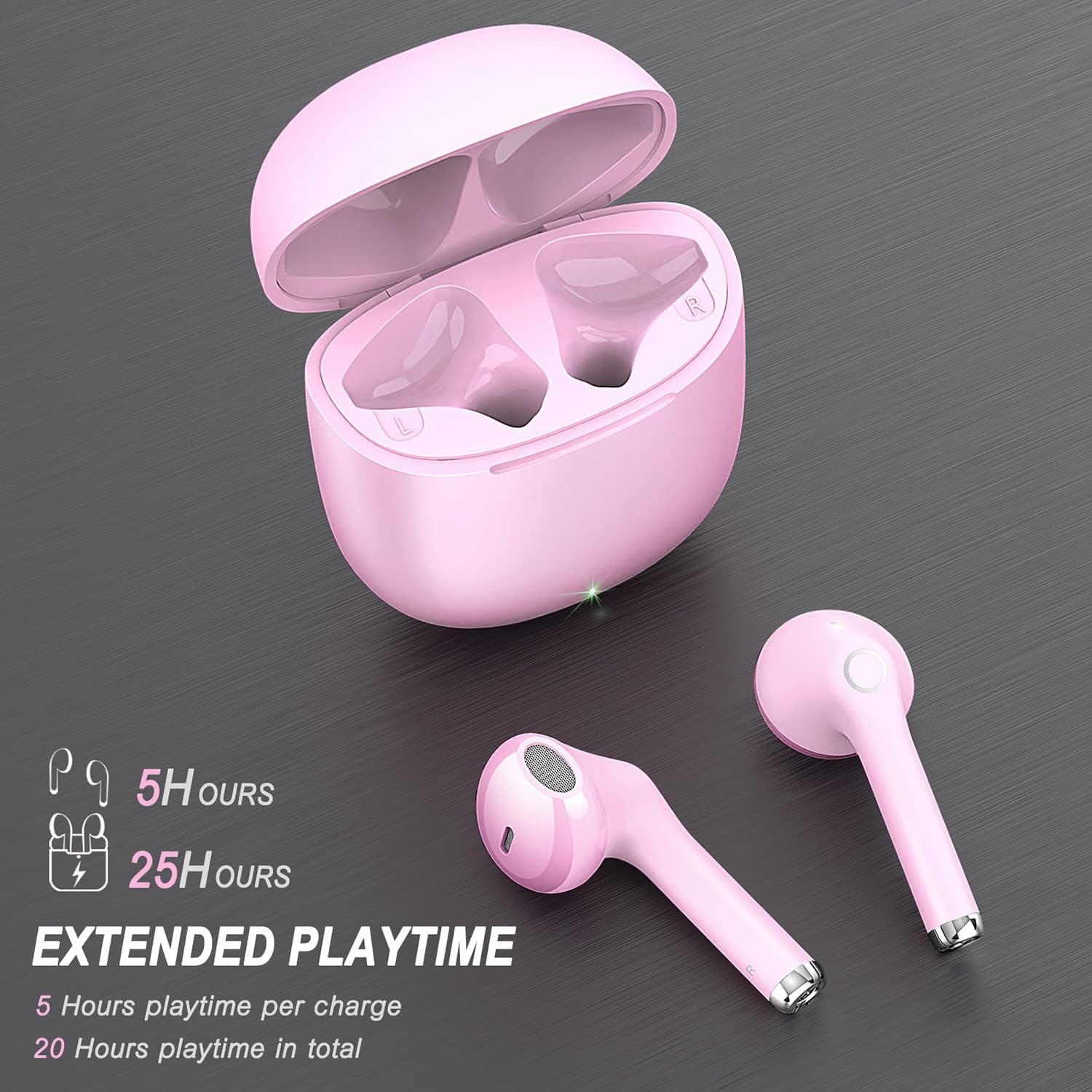
Image: Visual representation of the earbuds' battery life and extended playtime with the charging case.
וישאַלט און זאָרג
וואַסער קעגנשטעל
The yobola T9 Earbuds are IPX5 water-resistant, meaning they can withstand light rain, accidental splashes, and sweat. They are not designed for submersion in water.

Image: Illustration of IPX5 water resistance, indicating protection from light rain, accidental splashes, and sweat.
רייניקונג
Wipe the earbuds and charging case with a soft, dry cloth. Avoid using abrasive materials or harsh chemicals.
טראָובלעשאָאָטינג
פּראָסט ישוז און סאַלושאַנז
- אויערקנעפּלעך נישט פּערינג: Ensure both earbuds are in the charging case, then remove them. Check your device's Bluetooth settings to ensure "T9" is selected. If issues persist, try forgetting the device on your phone and re-pairing.
- נאָר איין אויערקנעפּל אַרבעט: Place both earbuds back into the charging case, close the lid, wait a few seconds, then open and remove them. This often re-syncs them. Ensure both earbuds are charged.
- קיין קלאַנג אָדער נידעריקע באַנד: Check the volume level on both your connected device and the earbuds. Ensure the earbuds are properly seated in your ears.
- טשאַרדזשינג ישוז: Ensure the USB-C cable is securely connected to both the case and the power source. Check the charging indicator light on the case.
ספּעסאַפאַקיישאַנז
| שטריך | דעטאַל |
|---|---|
| מאָדעל נאָמען | T9 |
| סאָרט | יאָבאָלאַ |
| קאַנעקטיוויטי טעכנאָלאָגיע | ווירעלעסס (בלועטאָאָטה) |
| ווירעלעסס קאָמוניקאַציע טעכנאָלאָגיע | בלועטאָאָטה |
| באַטערי לעבן | 5 שעה (אויערקנעפּלעך), 25 שעה (מיט טשאַרדזשינג קעסטל) |
| וואַסער קעגנשטעל מדרגה | IPX5 וואָטערפּרוף |
| קאָנטראָל מעטאָד | ריר |
| כעדפאָונז דזשאַק | וסב-C |
| קאַמפּאַטאַבאַל דעוויסעס | iOS/Android/Windows/Smartphone/Laptops and all devices with Bluetooth connectivity. |
| פּונקט וואָג | 2.46 אונסעס |
| פּראָדוקט דימענשאַנז | 0.67 X 0.67 X 1.57 אינטשעס |
| קאָליר | ראָזעווע |
| ראַש קאָנטראָל | געזונט אפגעזונדערטקייט |
| אָפטקייַט ראַנגע | 20-20000hz |
| ימפּידאַנס | 32 Ohm |
וואָראַנטי און שטיצן
For warranty information, technical support, or further assistance, please refer to the official yobola website or contact their customer service directly. Details are typically provided in the packaging or on the manufacturer's official product page.
Ask a question about this manual
Ask about setup, troubleshooting, compatibility, parts, safety, or missing instructions. Manuals+ will review the question and use this page’s manual context to help answer it.