
הקדמה
This manual provides comprehensive instructions for the safe and effective use of your Andoer 48MP 1080P Digital Camera. This camera features a 48-megapixel sensor, 1080P video recording capabilities, a 2.8-inch IPS screen, auto-focus, 16X digital zoom, and an integrated LED fill light. Please read this manual thoroughly before operating the device.
פּעקל אינהאַלט
באַשטעטיקט אַז אַלע זאכן וואָס זענען אויסגערעכנט אונטן זענען אַרייַנגערעכנט אין אייער פּעקל:
- 1 x Andoer Digital Camera
- קסנומקס רענטגענ וסב קאַבלע
- 1 x האַנטגעלענק רימען
- 1 X 32GB זיקאָרן קאַרד
- קסנומקס רענטגענ קאַרד רידער
- 1 x באַניצער מאַנואַל (ענגליש און כינעזיש)
פּראָדוקט איבערview
Familiarize yourself with the camera's components and layout.

פיגור 1: קייפל views of the Andoer 48MP Digital Camera, illustrating its various angles and button placements.

פיגורע 2: פראָנט view of the Andoer 48MP Digital Camera with dimensions: 103mm (4.1in) length, 65mm (2.6in) height, and 31mm (1.2in) depth.
סעטאַפּ
1. באַטערי טשאַרדזשינג
The camera includes a built-in 3.7V 700mAh Lithium Battery. To charge, connect the camera to a power source using the provided USB Type-C charging cable. The charging indicator will illuminate during charging and turn off when fully charged.
2. זכּרון קאַרטל ינסטאַלירונג
This camera supports TF cards up to a maximum capacity of 128GB. Locate the memory card slot on the side of the camera. Insert the TF card with the gold contacts facing the correct direction until it clicks into place. To remove, press the card gently until it springs out.
3. ערשטע איינשאַלטונג
Press and hold the power button located on the top of the camera until the 2.8-inch IPS screen illuminates. The camera is now ready for use.
אַפּערייטינג ינסטראַקשאַנז
1. גענומען פאָטאָס
In photo mode, frame your shot using the 2.8-inch IPS screen. Press the shutter button to capture an image. The camera supports various photo resolutions including 48M, 40M, 24M, 20M, 18M, 16M, 12M, 10M, 8M, 5M, 3M, 2M, and 1M, saved in JPG format. You can also set a selfie timer for 2s, 5s, or 10s.
2. רעקאָרדינג ווידיאס
Switch to video mode. Press the record button to start and stop video recording. Videos are recorded in AVI format with resolutions of 1080P or 720P. Loop recording can be set for 3, 5, or 10 minutes.
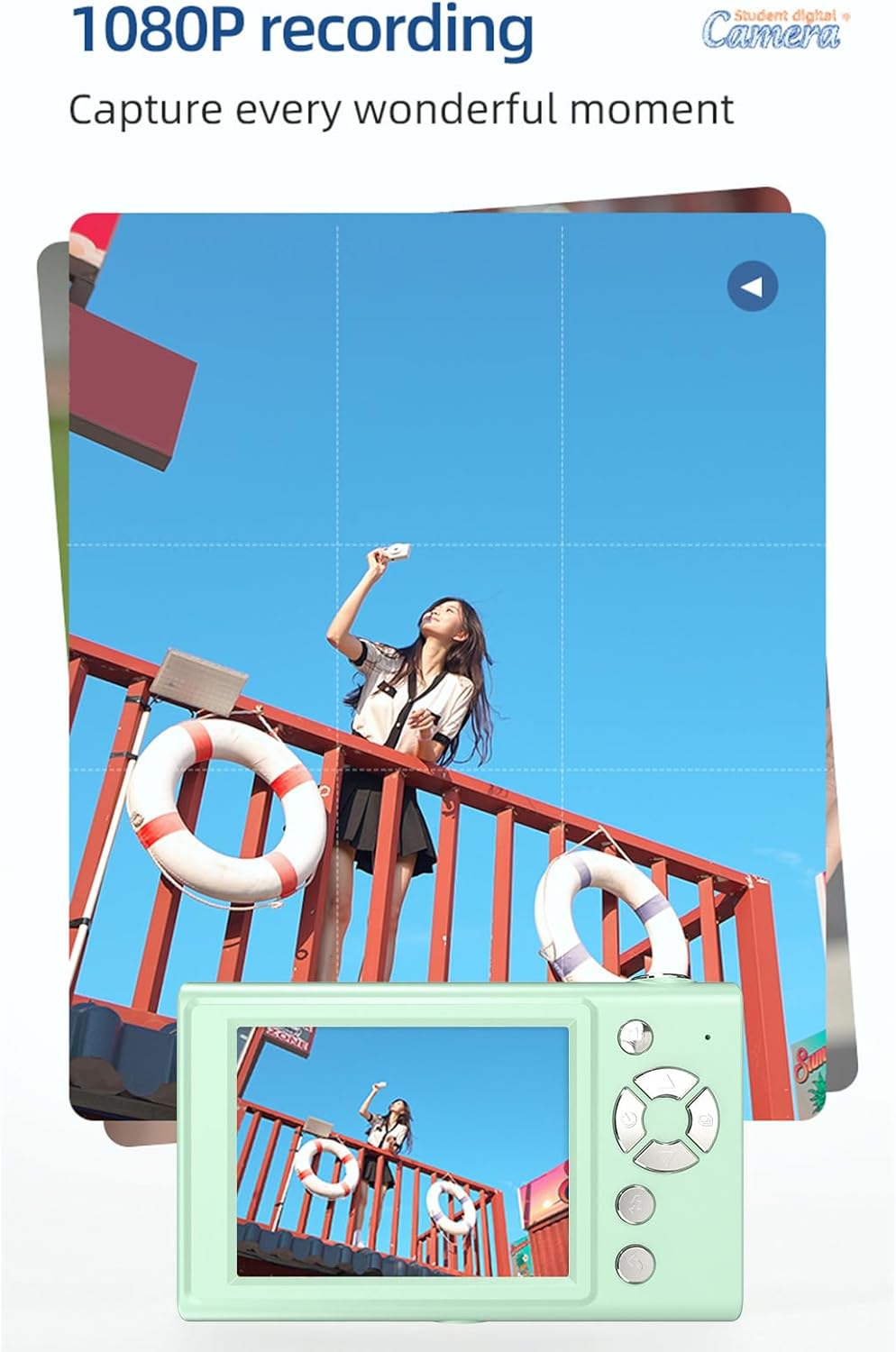
Figure 3: The camera's screen showing a scene being recorded in 1080P resolution.
3. זום פונקציע
The camera features 16X digital zoom. Use the zoom controls to adjust the magnification of your subject. This allows for closer views פון ווייַט אַבדזשעקס.

Figure 4: An illustration demonstrating the effect of 16X digital zoom compared to 1X imaging.
4. LED Fill Light
The camera has a built-in LED fill light with three distinct lighting modes: White light (bright, even, soft), Warm white light (pure natural light, soft, comfortable), and Yellow light (warm color adjustment, warm atmosphere). Select the appropriate mode for your lighting conditions.

Figure 5: The three available LED fill light modes: White, Warm White, and Yellow, as seen on the camera.
5. Selfie Mirror
An electroplated selfie mirror is integrated into the camera's design, allowing for easy self-portraits and video recording without external assistance. This feature aids in framing and expression management.

Figure 6: A user demonstrating the use of the camera's electroplated selfie mirror for taking a selfie.
6. Filter Effects
The camera includes various built-in filter effects to enhance your photos. Experiment with different filters to achieve unique visual styles for your images.

פיגורע 7: עקסamples of different filter effects available on the camera, including Primary, Red, Yellow, and Grey.
7. גאַמעס
For entertainment, the camera features 4 classic puzzle games. These games can be accessed during leisure time.

Figure 8: The camera displaying one of its built-in classic puzzle games.
8. פּלייַבאַקק
צו שייַעךview captured photos and videos, switch to playback mode. Use the navigation buttons to browse through your media on the 2.8-inch IPS screen.
9. Connecting to Computer (OTG Transmission)
The camera supports OTG (On-The-Go) transmission, allowing you to connect it directly to compatible devices, such as a computer, to transfer files. Use the provided USB cable for connection.
10. אַוטאָ פּאָווער אַוועק
To conserve battery life, the camera can be set to automatically power off after a period of inactivity. Options include off, 3 minutes, or 5 minutes.
וישאַלט
רייניקונג
Use a soft, dry cloth to clean the camera body. For the lens and screen, use a specialized lens cleaning cloth and solution if necessary. Avoid abrasive materials or harsh chemicals.
סטאָרידזש
When not in use, store the camera in a cool, dry place away from direct sunlight and extreme temperatures. Ensure the battery is partially charged if storing for extended periods.
טראָובלעשאָאָטינג
- קאַמעראַ טוט זיך נישט אָן: Ensure the battery is charged. Connect the camera to a power source using the USB cable and try again.
- קען נישט נעמען בילדער/רעקארדירן ווידעאס: Check if a memory card is inserted correctly and has sufficient free space. Ensure the camera is in the correct mode (photo or video).
- בילדער זענען פארשוואומען: Ensure the lens is clean. Check lighting conditions and use the LED fill light if needed.
- זכּרון קאַרטל טעות: Reinsert the memory card. If the issue persists, try formatting the card (this will erase all data) or use a different compatible TF card.
ספּעסאַפאַקיישאַנז
| שטריך | באַשרייַבונג |
|---|---|
| ווייַז | 2.8 אינטש IPS פאַרשטעלן |
| פארגרעסער | 16X דיגיטאַל פארגרעסער |
| פאָטאָ פֿאָרמאַט | JPG |
| פאָטאָ האַכלאָטע | 48M, 40M, 24M, 20M, 18M, 16M, 12M, 10M, 8M, 5M, 3M, 2M, 1M |
| ווידעא פֿאָרמאַט | AVI |
| ווידעא האַכלאָטע | 1080P / 720P |
| Selfie Timer | אויסגעלאשן / 2 ס / 5 ס / 10 ס |
| אַוטאָ מאַכט אויסגעלאשן | Off / 3 mins / 5 mins |
| שלייף רעקאָרדינג | 3 מינוט / 5 מינוט / 10 מינוט |
| סטאָרידזש | TF קאָרט, מאַקס. 128 גיגאבייט |
| מאַכט צושטעלן | 1 x Built-in Lithium Battery (3.7V 700mAh) |
| OTG Transmission | געשטיצט |
| פּראָדוקט גרייס | 103 X 31 X 65 מם |
| פּראָדוקט וואָג | 149 ג (5.26 אַז) |
| פאָטאָ סענסאָר טעכנאָלאָגיע | קמאָס |
| פאָטאָ סענסאָר גרייס | 1/2.3-אינטש |
| טיפּ פון ויסשטעלן קאָנטראָל | אָטאַמאַטיק |
| בילד סטאַביליזאַטיאָן | דיגיטאַל |
וואָראַנטי און שטיצן
For warranty information or technical support, please refer to the contact details provided with your purchase documentation or visit the official Andoer webזייטל. האַלט דיין קויפן באַווייַז פֿאַר וואָראַנטי קליימז.