
1. הקדמה
Thank you for choosing the Hivento Smart Tower Fan AT-932. This intelligent tower fan is designed to provide efficient and comfortable air circulation with its WiFi connectivity, multiple speed and mode settings, oscillation, and convenient timer function. Please read this manual carefully before use to ensure proper operation and maintenance.
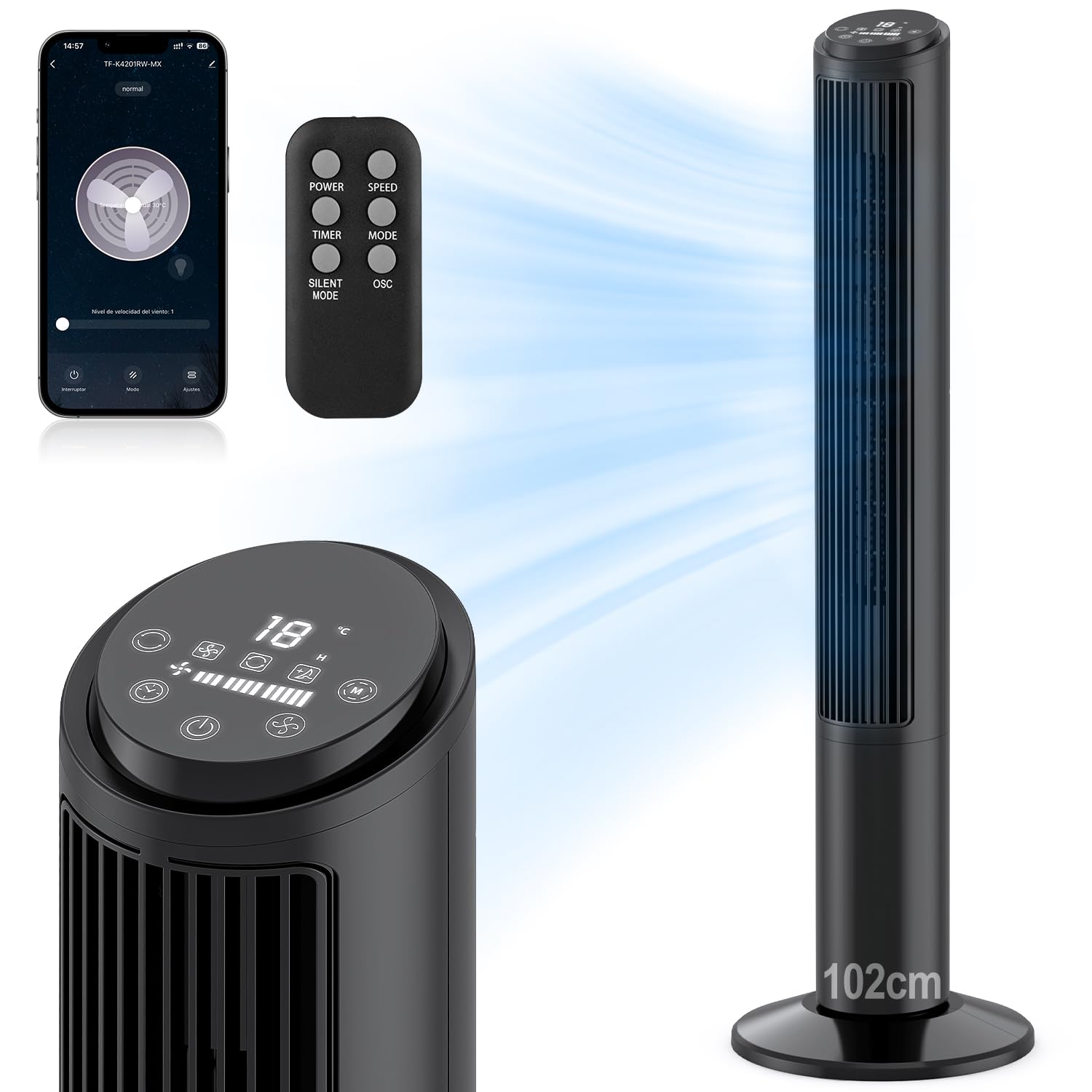
Image: Hivento Smart Tower Fan AT-932, showcasinג זײַן גלאַטן שוואַרצן דיזײַן.
2. זיכערקייַט אינסטרוקציעס
כדי צו רעדוצירן דעם ריזיקע פון פייער, עלעקטרישן שאק, אדער שאדן, ביטע באמערקן די פאלגנדע זיכערהייט מיטלען:
- שטענדיק אויסשטעקן דעם ווענטילאַטאָר איידער איר רייניקט אָדער דורכפירט קיין וישאַלט.
- דו זאלסט נישט אַרבעטן די פאָכער מיט אַ דאַמידזשד שנור אָדער צאַפּן.
- Keep fingers and other objects away from the fan grille when in operation.
- זיכער מאַכן אַז דער ווענטילאַטאָר איז געשטעלט אויף אַ סטאַבילן, גלייכן ייבערפלאַך צו פאַרמייַדן עס צו איבערקערן.
- דו זאלסט נישט נוצן די פאָכער אין נאַס אָדער דamp ינווייראַנמאַנץ.
- This fan features a bladeless design for enhanced safety, especially around children and pets. It also includes a child lock function.

Image: Bladeless design of the fan, highlighting safety features like a safety plug and child lock, with a child nearby.
3. פּעקל אינהאַלט
ביטע טשעק די פּאַקעט פֿאַר די פאלגענדע זאכן:
- Hivento Tower Fan (x1)
- Installation Accessories (Base parts) (x1 set)
- ווייַט קאָנטראָל (קס 1)
- באַניצער מאַנואַל (x1)
4. סעטאַפּ
4.1 באַזע אַסעמבלי
The tower fan requires minimal assembly. The base consists of two identical parts. Simply cross these two parts and attach them to the bottom of the fan unit. Ensure they are securely fastened.
4.2 מאַכט קאַנעקשאַן
צאַפּן די מאַכט שנור אין אַ נאָרמאַל 120 וו אַק עלעקטריקאַל ווענטיל.
4.3 ערשט מאַכט אויף
Press the power button on the control panel or remote control to turn on the fan. The LED display will illuminate.
4.4 WiFi Setup (App Control)
To use the smart features, download the Tuya Smart app on your smartphone. Follow the in-app instructions to pair your fan:
- Download and open the Tuya Smart app.
- רעגיסטרירן אָדער קלאָץ אין צו דיין חשבון.
- צאַפּן אויף 'צולייגן דעווייס' אדער די '+' בילדל.
- Select the fan from the device list or use auto-scan.
- Follow the app's prompts to connect the fan to your 2.4GHz WiFi network. This usually involves resetting the device by pressing and holding the power button until the indicator light flashes.
- Once connected, you can control the fan via the app.

Image: Step-by-step guide on a smartphone screen demonstrating how to pair the Hivento Smart Tower Fan with the Tuya Smart app.
5. אַפּערייטינג ינסטרוקטיאָנס
5.1 קאָנטראָל פּאַנעל און געפירט ווייַז
The fan features an intuitive LED display and touch controls on the top. The display shows ambient temperature, current speed, mode, and timer settings.
- מאַכט קנעפּל: טוט אן/אויסדרייען דעם פען.
- גיכקייַט קנעפּל: אַדזשאַסטירט די ווענטילאַטאָר גיכקייט (נידעריק, מיטל, הויך).
- מאָדע קנעפּל: Cycles through operating modes (Normal, Natural, Sleep).
- טיימער קנעפּל: שטעלט איין דעם אויטאָ-אויס טייַמער.
- אַסאַליישאַן קנעפּל: אַקטיוויזירט/דעאַקטיוויזירט אָסצילאַציע.

Image: Close-up of the fan's LED display and touch control panel, along with the remote control, indicating various functions.
5.2 רימאָוט קאָנטראָל
The included remote control allows convenient operation from a distance. It duplicates all functions available on the control panel.
- מאַכט: טוט אן/אויסדרייען דעם פען.
- SPEED: אַדדזשוס פאָכער גיכקייַט.
- טיימער: שטעלט איין דעם אויטאָ-אויס טייַמער.
- DIRECTIONS: Cycles through operating modes.
- שטיל מאָדע: Activates a quiet operation mode (often the Sleep mode).
- OSC: אַקטיוויזירט/דעאַקטיוויזירט אָסצילאַציע.

Image: The Hivento Smart Tower Fan oscillating, with a remote control shown in the foreground, illustrating remote operation.
5.3 Smart Control (WiFi & Voice)
After successful WiFi setup, you can control your fan from anywhere using the Tuya Smart app. The fan is also compatible with voice assistants like Amazon Alexa and Google Assistant for hands-free operation.
- אַפּ קאָנטראָל: Adjust settings, change modes, set timers, and monitor the fan remotely via your smartphone.
- קול קאָנטראָל: Integrate with Alexa or Google Assistant to control the fan with voice commands (e.g., "Alexa, turn on the fan," "Hey Google, set fan speed to medium").
5.4 Modes and Speeds
The fan offers 3 speed settings and 2 operating modes:
- גיכקייטן: Low, Medium, High. Select the desired airflow intensity.
- נאַטירלעך מאָדע: סימולירט אַ נאַטירלעכע ווינטל דורך ווערייִרן די ווענטילאַטאָר גיכקייט.
- שלאָפן מאָדע: Operates at a low, quiet speed for minimal disturbance during sleep, with a noise level of less than 30 dB.

Image: Graphic illustrating the fan's 2 modes (Natural, Sleep) and 3 speeds (Low, Medium, High), along with 70° oscillation and 6 m/s airflow.
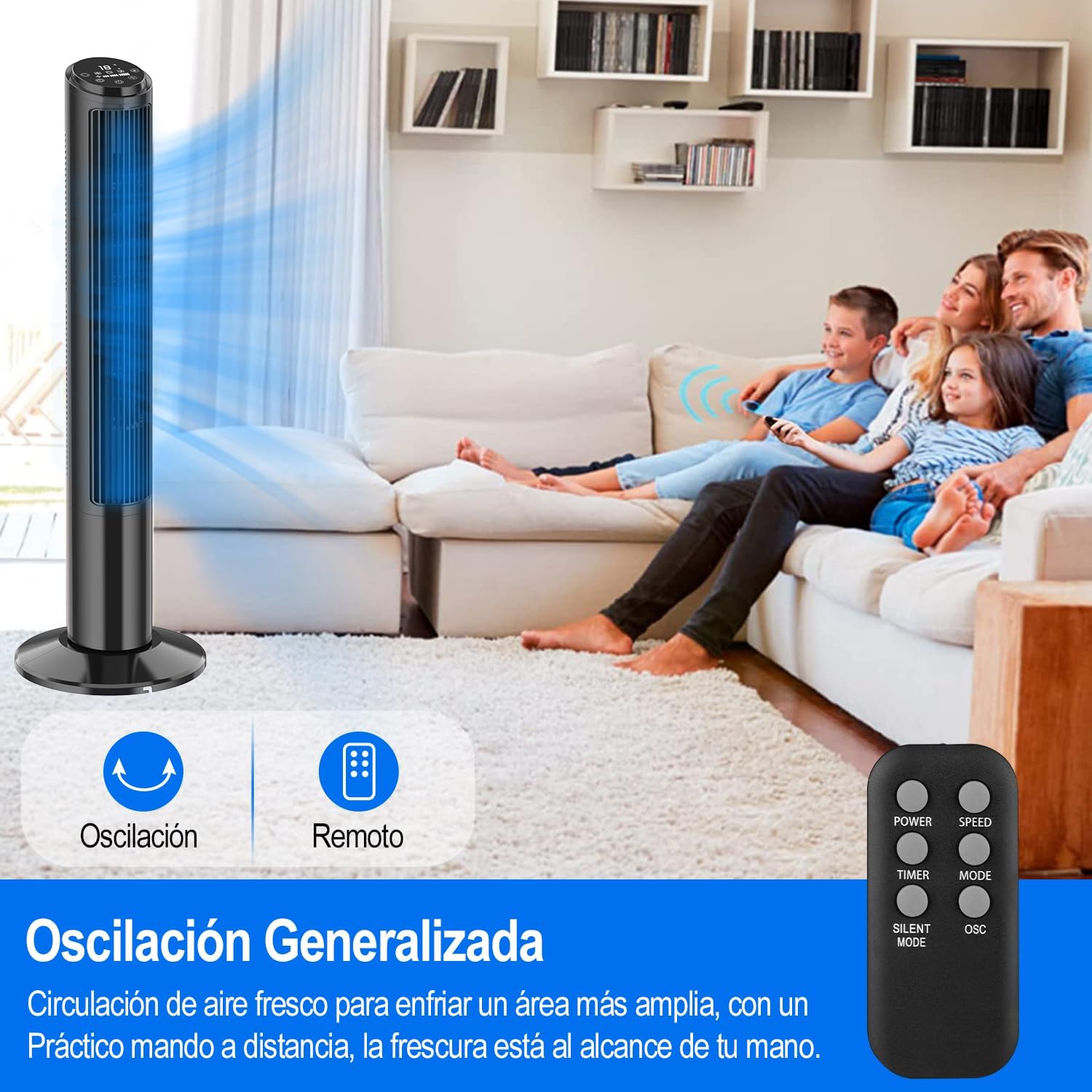
Image: A person sleeping peacefully with the Hivento Smart Tower Fan operating quietly in the background, demonstrating its low noise level for sleep.
5.5 אָסצילאַציע פונקציע
Activate the oscillation function to distribute airflow across a wider area. The fan oscillates up to 70 degrees.
5.6 טייַמער פֿונקציע
Set the fan to automatically turn off after a specified period, from 0 to 15 hours. This is useful for energy saving or for use during sleep.

Image: Graphic showing the fan's timer function, allowing settings from 0 to 15 hours.
6. וישאַלט
רעגולערע רייניקונג העלפט אויפהאלטן די פען'ס פאָרשטעלונג און פארלענגערט זיין לעבנסדויער.
- רייניקונג די יקסטיריער: ווישן די יקסטיריער סערפאַסיז מיט אַ ווייך, דamp שטאָף. דו זאלסט נישט נוצן אַברייסיוו קלינערז אָדער סאָלוואַנץ.
- רייניקונג פון די לופט אריינגאנג/אויסגאנג: Use a soft brush or vacuum cleaner with a brush attachment to remove dust from the air inlet and outlet grilles.
- סטאָרידזש: ווען נישט אין באַנוץ פֿאַר לענגערע פּעריאָדן, נעמט אַרויס דעם ווענטילאַטאָר פֿון דער עלעקטרישער פֿלעכטער און לייגט אים אַוועק אין אַ קילן, טרוקענעם אָרט.
וואָרענען: דו זאלסט נישט ייַנטונקען די פאָכער אין וואַסער אָדער לאָזן וואַסער צו דריפּן אין די מאָטאָר האָוסינג.
7. טראָובלעשאָאָטינג
| פּראָבלעם | מעגלעך סיבה | לייזונג |
|---|---|---|
| דער ווענטילאַטאָר צינדט זיך נישט אָן. | קיין שטראָם צושטעל; שטראָם שנור נישט ריכטיק איינגעשלאָסן. | Ensure the fan is plugged into a working outlet; Check the power cord connection. |
| דער ווענטילאַטאָר שטעלט זיך אָפּ אומגעריכט. | Timer function activated; Overheating. | Check if the timer is set; Unplug and allow the fan to cool down before restarting. |
| ווייַט קאָנטראָל נישט ארבעטן. | באַטעריעס זענען טויט אָדער נישט ריכטיק אַרײַנגעשטעלט; אַ שטערונג צווישן דער ווײַטקאָנטראָלירער און דעם ווענטילאַטאָר. | Replace batteries; Ensure clear line of sight to the fan's receiver. |
| די וויי-פיי קאנעקשאן פיילז. | Incorrect WiFi password; Router too far; Only 5GHz WiFi available. | Verify WiFi password; Move fan closer to router; Ensure you are connecting to a 2.4GHz network. |
8. ספּעסאַפאַקיישאַנז
| שטריך | דעטאַל |
|---|---|
| סאָרט | Hivento |
| מאָדעל נאָמען | Hivento Tower Fan AT-932 |
| מאָדעל נומער | AT-932 |
| קאָליר | שוואַרץ |
| דימענשאַנז (דקסווקסה) | 20 X 20 X 102 סענטימעטער (7.87 X 7.87 X 40.16 אינטשעס) |
| מאַכט מקור | AC (120 וואלטס) |
| מאַכט קאַנסאַמשאַן | 50 וואטס |
| נומער פון ספּידז | 3 |
| אַפּערייטינג מאָדעס | 2 (Natural, Sleep) |
| אַסאַליישאַן | 70° |
| טיימער | אַרויף צו 15 שעה |
| ראַש מדרגה | Minimum 30 Decibels |
| קאָנטראָל טיפּ | App Control, Remote Control, Touch |
| ספּעציעלע פֿעיִקייטן | WiFi Function, Bladeless Design, LED Display, Child Lock |
| מאַטעריאַל | פּלאַסטיק |

Image: The Hivento Smart Tower Fan with its dimensions (102cm height, 32cm base diameter) highlighted, demonstrating its compact and portable design.
9. וואָראַנטי און שטיצן
Specific warranty information is not provided in the product data. For warranty details, technical support, or any product-related inquiries, please contact Hivento customer service through the retailer's platform or the official brand webפּלאַץ.
You can visit the Hivento store for more information: Hivento Store


