
1. הקדמה
This manual provides comprehensive instructions for the Ailgely Digital Thermometer Hygrometer Sensor Meter. This wireless sensor is designed to measure temperature and humidity both indoors and outdoors, transmitting data to a compatible Fanju weather station. Please read this manual thoroughly before use to ensure proper setup and operation.
2. פּעקל אינהאַלט
ביים אויספּאַקן, ביטע באַשטעטיקן אַז אַלע זאכן וואָס זענען ליסטעד אונטן זענען פאַראַן און אין גוטן צושטאַנד:
- 1 x Ailgely Digital Thermometer Hygrometer Sensor Meter
Note: 2 x AA batteries are required for operation and are not included in the package.
3. פּראָדוקט פֿעיִקייטן
- דרינענדיק און דרויסנדיק נוצן: Suitable for monitoring temperature and humidity in various environments.
- ווירעלעסס טראַנסמיסיע: Offers a 60-meter transmission range in open areas for accurate data collection.
- וואָטערפּרוף פּלאַן: IPX4 waterproof rating ensures durability in different weather conditions.
- פלעקסאַבאַל ינסטאַלירונג: Can be easily mounted on a wall or placed on a desktop.
- קאַמפּאַטאַבילאַטי: Specifically designed for use with Fanju weather stations.
4. סעטאַפּ
4.1 באַטאַרייע ייַנמאָנטירונג
- Locate the battery compartment cover on the back of the sensor.
- פֿאָרזיכטיק שלעפּט אָדער עפֿנט דעם דעקל צו עפֿענען דעם אָפּטייל.
- Insert two (2) AA batteries, ensuring correct polarity (+ and - terminals).
- פאַרבייַטן די באַטאַרייע אָפּטייל דעקן סיקיורלי.
4.2 פּלייסמאַנט און מאַונטינג
The sensor offers versatile placement options:
- דעסקטאַפּ פּלייסמאַנט: The sensor can stand upright on any flat surface.
- וואַנט מאָונטינג: Use the integrated hanging hole on the back of the sensor. Secure a screw (not included) into the desired wall location and hang the sensor.

פיגורע 1: צוריק view of the sensor with battery compartment and mounting hole.
4.3 Pairing with Fanju Weather Station
Important: This sensor is designed exclusively for use with Fanju weather stations. It may not be compatible with other brands or models.
To pair the sensor with your Fanju weather station:
- Ensure both the sensor and the Fanju weather station are powered on and within the 60-meter transmission range.
- Refer to your Fanju weather station's instruction manual for specific pairing procedures. Typically, this involves initiating a sensor search function on the weather station.
- The sensor will automatically attempt to transmit data once powered. The weather station should detect and display the sensor's readings.
5. אָפּעראַציע
5.1 ווייַז איבערview
The sensor features a clear LCD display showing current temperature and humidity readings.
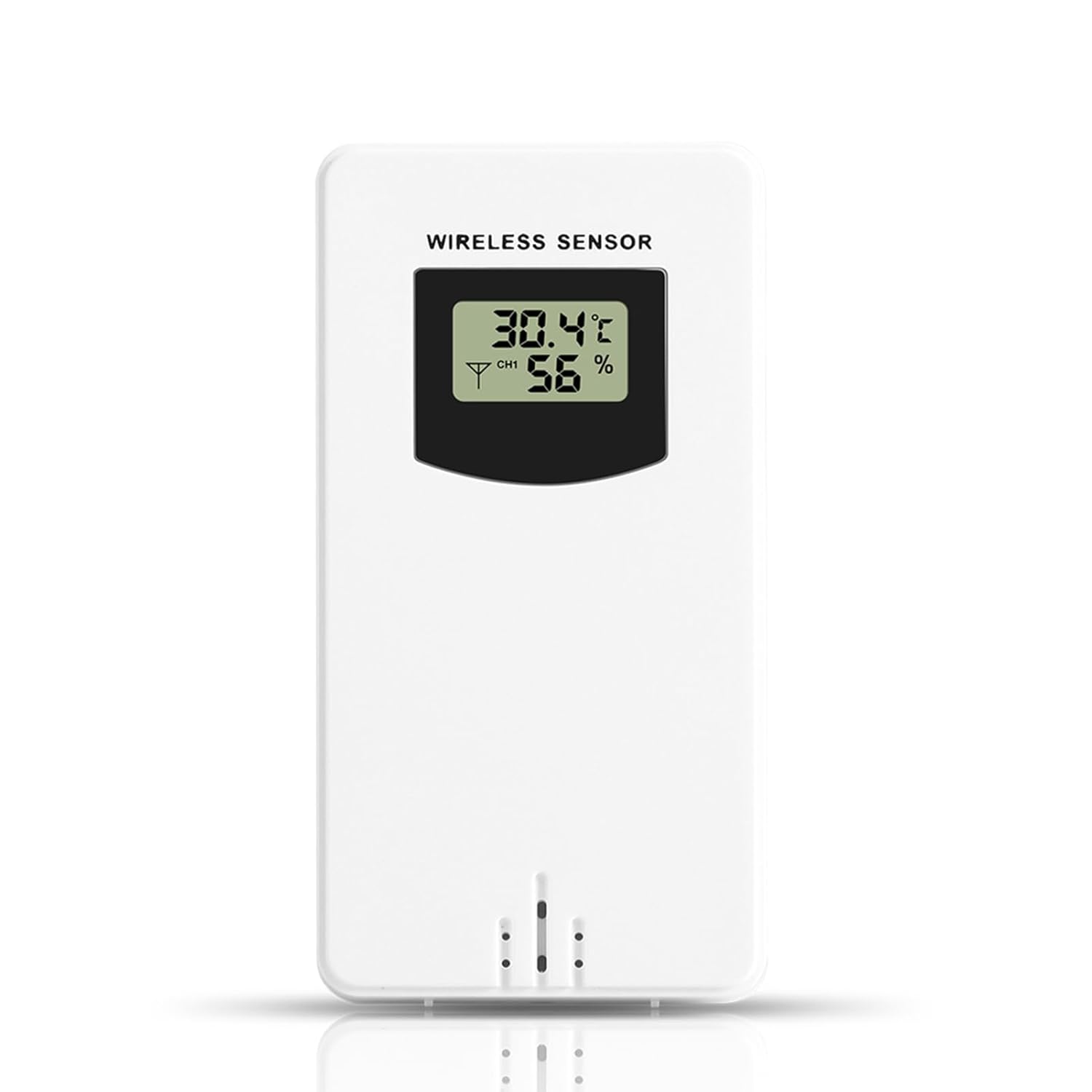
פיגורע 2: פראָנט view of the sensor display.
- טעמפּעראַטור: Displays in Celsius (°C) or Fahrenheit (°F), depending on the setting of the connected Fanju weather station.
- הומידיטי: Displays as a percentagE (%).
- קאַנאַל ינדיקאַטאָר: May show a channel number (e.g., CH1) if the sensor supports multiple channels or if the weather station is configured for multiple sensors.
5.2 טראַנסמיסיע
The sensor wirelessly transmits temperature and humidity data to the paired Fanju weather station. Ensure there are no significant obstructions (e.g., thick walls, large metal objects) between the sensor and the weather station to maintain optimal signal strength and transmission range.
6. וישאַלט
6.1 באַטערי פאַרבייַט
When the display becomes dim or the sensor stops transmitting data, it is time to replace the batteries. Follow the battery installation steps in Section 4.1. Always use fresh AA batteries.
6.2 רייניקונג
To clean the sensor, wipe it with a soft, damp cloth. Do not use abrasive cleaners, solvents, or immerse the unit in water. Ensure the battery compartment is dry before closing.
7. טראָובלעשאָאָטינג
- קיין ווייַז: קאָנטראָלירט די באַטעריע אינסטאַלאַציע און זיכערט זיך אַז די באַטעריעס זענען פריש.
- No Data on Weather Station:
- Verify the sensor is within the 60m transmission range of the weather station.
- Ensure there are no major obstructions blocking the signal.
- Re-pair the sensor with the weather station according to the weather station's manual.
- Replace batteries in the sensor.
- ומפּינקטלעך רידינגז: Ensure the sensor is placed in a location free from direct sunlight, heat sources, or excessive moisture that could skew readings.
8. ספּעסאַפאַקיישאַנז
| שטריך | באַשרייַבונג |
|---|---|
| מאָדעל נומער | Ailgelyvwcdo75mzp-5W |
| מאַטעריאַל | ABS |
| קאָליר | ווייַס |
| וואָטערפּרוף רייטינג | IPX4 |
| טראַנסמיסיע ראַנגע | אַרויף צו 60 מעטער (עפענען שטח) |
| מאַכט צושטעלן | 2 קס אַאַ באַטעריז (ניט אַרייַנגערעכנט) |
| דימענסיעס (בעערעך) | 9.6cm (H) x 5cm (W) x 3.4cm (D) / 3.78in (H) x 1.97in (W) x 1.34in (D) |
| וואָג (בעערעך) | 73 ג / 2.57 אַז |
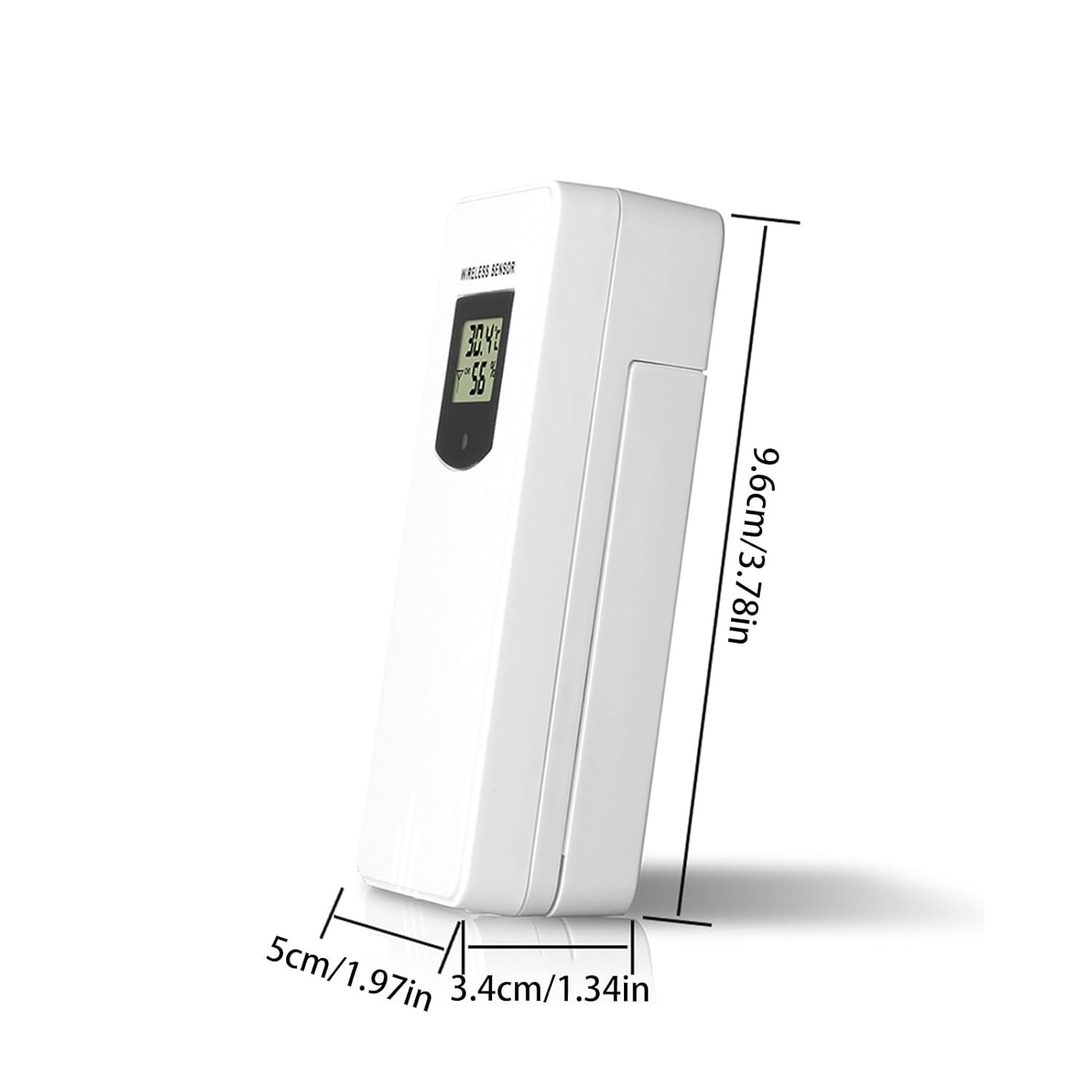
Figure 3: Sensor dimensions.
9. וואָראַנטי און שטיצן
For warranty information or technical support, please refer to the documentation provided with your purchase or contact the retailer. Keep your purchase receipt as proof of purchase.