
Ergear EGESD7W-CA
ErGear עלעקטריש שטייענדיק טיש באַניצער מאַנואַל
Model: EGESD7W-CA | Brand: ErGear
הקדמה
Thank you for choosing the ErGear Electric Standing Desk. This manual provides detailed instructions for assembly, operation, maintenance, and troubleshooting to ensure optimal performance and longevity of your desk. Please read this manual thoroughly before installation and use, and retain it for future reference.
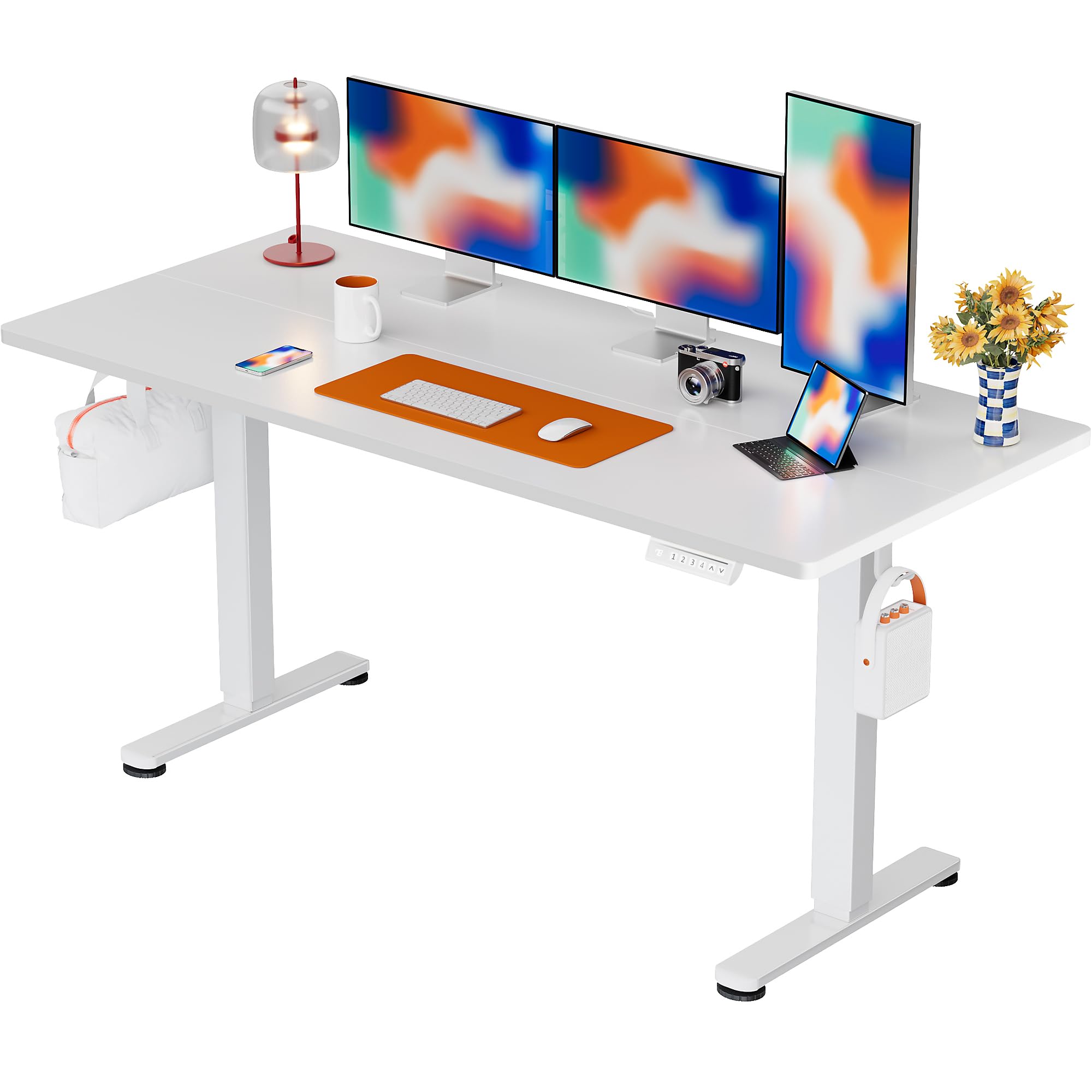
The ErGear Electric Standing Desk, 63x28 inch, in a white finish, featuring a spacious desktop and electric height adjustment capabilities.
זיכערקייַט אינפֿאָרמאַציע
- זיכער מאַכן אַז אַלע קאָמפּאָנענטן זענען פאַראַן און נישט געשעדיגט איידער איר אַסעמבלט עס. ניצט עס נישט אויב עס פעלט אָדער זענען דעפעקטיוו.
- האַלט קינדער און חיות אַוועק פון די טיש בעת די אָפּעראַציע צו פאַרמייַדן שאָדן.
- Do not overload the desk. The maximum weight recommendation is 176 pounds (80 kg).
- Ensure the power cord is not pinched or damaged. Connect to a grounded outlet.
- פֿאַרמײַדן צו שטעלן פֿליסיקייטן גלייך אויף דער קאָנטראָל פּאַנעל אָדער לעבן עלעקטרישע קאָמפּאָנענטן.
- קאָנטראָלירט רעגולער אַלע שרויפן און פֿאַרבינדונגען צו זיכער מאַכן אַז זיי זענען פֿעסט און זיכער.
- דעם שרייַבטיש איז דיזיינד בלויז פֿאַר דרינענדיק נוצן.
פּעקל אינהאַלט
איידער איר הייבט אן צוזאמענשטעלן, ביטע זיכער מאכן אז אלע פאלגנדע קאמפאנענטן זענען אריינגערעכנט אין אייער פעקל:
- Desktop Boards ×2
- Leg with Motor ×1
- פוס × 1
- Leg Bases ×2
- Crossbar & Transmission Rod
- Controller & Power Cable
- כל נייטיק מכשירים און ייַזנוואַרג פֿאַרזאַמלונג
אַסעמבלי אינסטרוקציעס
Follow these steps carefully to assemble your ErGear Electric Standing Desk. An assembly video is also provided for visual guidance.
Official ErGear Electric Standing Desk Assembly Video. This video demonstrates the step-by-step process for setting up your desk.
Step 1: Assemble the Desk Legs
Attach the leg bases to the desk legs using the provided screws. Ensure they are securely fastened.

The stable T-shaped desk legs provide a sturdy foundation for the electric standing desk.
Step 2: Attach Side Plates and Transmission Rod
Connect the side plates to the desk legs. Insert the transmission rod fully into the left leg and secure it. If the two desk legs are not at the same height, insert the rod into the left leg and turn to adjust.
Step 3: Assemble and Attach the Desktop
Place the two desktop boards together, aligning the dowels. Secure the desktop to the assembled frame using the provided screws and brackets. Ensure all connections are tight.
שריט 4: קאָננעקט די קאַבלעס
Connect the motor and control panel cables to the main control box. Ensure all connections are firm and correctly oriented.
Step 5: Install Cable Hole Covers
Place the cable hole covers into the designated openings on the desktop to manage wires neatly.

Ergonomic guidelines for using the standing desk, showing optimal monitor and arm positions for both sitting and standing.
אַפּערייטינג ינסטראַקשאַנז
קאָנטראָל פּאַנעל איבערview
The desk features an intuitive control panel with height adjustment buttons and memory presets.
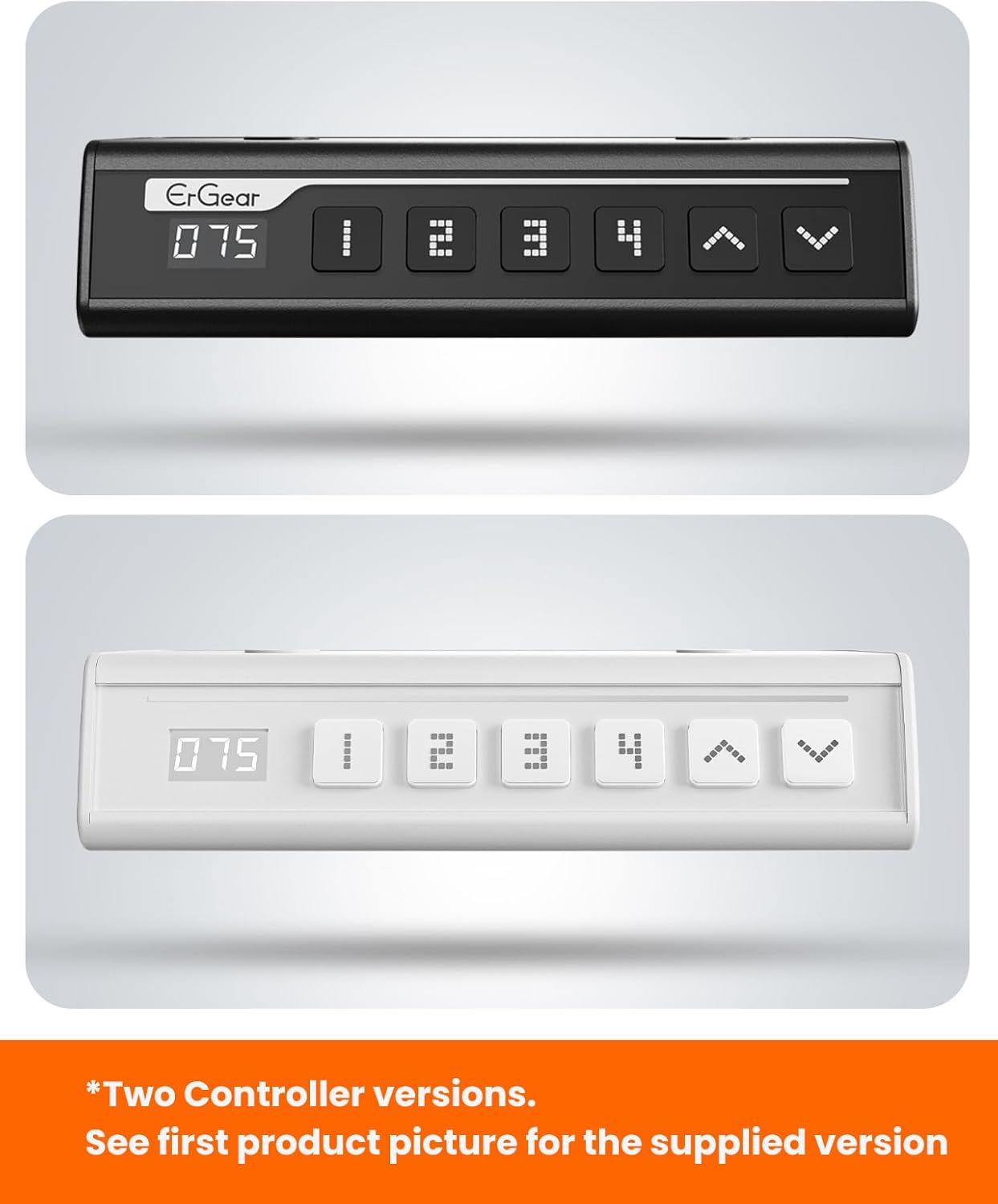
The ErGear control panel, available in two versions, features a digital height display and four programmable memory settings.
הייך אַדזשאַסטמאַנט
- ניצן די אַרויף (^) און אַראָפּ (v) arrows to smoothly adjust the desk height between 28.35 inches and 46.46 inches.
- Release the button at your desired height.
זכּרון פּרעסעץ
The desk allows you to save up to 4 preferred height settings.
- שטעל דעם טיש צו אייער געוואונטשענע הייך מיט די אַרויף/אַראָפּ פײַלן.
- דרוק די M button (or equivalent memory set button). The display will flash.
- דריק איינעם פון די נומערירטע פאָרגעשטעלטע קנעפּלעך (1, 2, 3 אָדער 4) within 3 seconds to save the current height to that preset.
- כדי צוריקצורופן א געשפארטע הייך, דריקט פשוט דעם קארעספאנדירנדיקן נומערירטן פרעסעט קנעפל. דער טיש וועט זיך אויטאמאטיש באוועגן צו דער געשפארטער פאזיציע.
This video demonstrates the smooth and quiet operation of the ErGear Electric Standing Desk, showcasing its height adjustment and memory preset features.
וישאַלט
- רייניקונג: ווישט דעם דעסקטאַפּ און ראַם מיט אַ ווייכן, דamp שטאָף. פֿאַרמײַדט שאַרפֿע כעמיקאַלן אָדער אַברייסיוו רייניגער.
- דורכקוק: Periodically check all screws and connections for tightness. Re-tighten if necessary.
- קאַבלע פאַרוואַלטונג: Ensure cables are neatly organized and not tangled or pinched to prevent damage.
טראָובלעשאָאָטינג
If you encounter any issues with your ErGear Electric Standing Desk, please refer to the following common problems and solutions:
| פּראָבלעם | מעגלעך סיבה | לייזונג |
|---|---|---|
| טיש רירט זיך נישט | Power cable disconnected, motor error, overloaded desk. | Check power connections. Unplug for 30 seconds and plug back in. Reduce weight on the desk. |
| אַניוואַן הייך | Transmission rod not fully inserted or adjusted. | Refer to Step 2 of assembly to ensure the transmission rod is correctly installed and adjusted. |
| ראַש בעשאַס אָפּעראַציע | Normal operation sound, loose screws. | א לייכטער מאָטאָר גערויש איז נאָרמאַל. קאָנטראָלירט און פֿעסטשטעלט אַלע לויזע שרויפֿן אויף דער ראַם. |
| זכּרון פּרעסעטס אַרבעטן נישט | אומרעכטע שפּאָר־פּראָצעדור. | Follow the memory preset instructions carefully (press M, then the number within 3 seconds). |
ספּעסאַפאַקיישאַנז
| שטריך | דעטאַל |
|---|---|
| סאָרט | ErGear |
| מאָדעל נומער | EGESD7W-CA |
| דעסק פּלאַן | שטייענדיק דעסק |
| פאָרעם | רעקטאַנגגיאַלער |
| פּראָדוקט דימענשאַנז (ד רענטגענ וו רענטגענ ה) | 71.1D x 160W x 118H סענטימעטער |
| גרייס | 63 * 28 אינטש |
| קאָליר | ווייַס |
| מינימום הייך | 28.35 אינטשעס |
| מאַקסימום הייך | 46.46 אינטשעס |
| טאַבלעטאָפּ גרעב | 1.5 סענטימעטער |
| באַזע מאַטעריאַל | אַללוי סטיל |
| שפּיץ מאַטעריאַל טיפּ | אינזשענירטע האָלץ (וואָלנאַט האָלץ ענדיקן) |
| ספּעציעלע פֿעיִקייטן | אַדזשאַסטאַבאַל הייך, עלעקטריש, ערגאָנאָמיש |
| מאַקסימום וואָג רעקאָממענדאַטיאָן | 176 פונט (80 קג) |
| אַסעמבלי פארלאנגט | יא (אינקלודירט אלע פֿאַרזאַמלונג מכשירים) |
וואָראַנטי און שטיצן
ErGear is committed to providing high-quality products and customer satisfaction. This product comes with:
- 5-יאָר שוץ on the desktop and desk frame.
- 2-יאָר שוץ on motors and electrical components.
For any questions, concerns, or warranty claims, please contact ErGear customer support. You can typically find contact information on the product packaging or the official ErGear website. Please have your model number (EGESD7W-CA) and purchase details ready when contacting support.

The ErGear Electric Standing Desk seamlessly integrates into various home office environments.
Ask a question about this manual
Ask about setup, troubleshooting, compatibility, parts, safety, or missing instructions. Manuals+ will review the question and use this page’s manual context to help answer it.