
ZZB WP-03C
ZZB WP-03C Bluetooth Speaker User Manual
Model: WP-03C
1. הקדמה
א דאנק פארן קויפןasing the ZZB WP-03C Bluetooth Speaker. This portable wireless speaker is designed to deliver clear, loud stereo sound with dynamic lighting effects, suitable for various indoor and outdoor environments. It features IPX5 water resistance, Bluetooth 5.3 connectivity, and multiple playback options.
2. פּעקל אינהאַלט
ביטע טשעק די פּאַקעט פֿאַר די פאלגענדע זאכן:
- ZZB WP-03C Bluetooth Speaker
- מאַכט קאַבלע
- באַניצער מאַנואַל (דעם דאָקומענט)
3. פּראָדוקט איבערview
מאַכט זיך באַקאַנט מיט די רעדנער'ס קאָמפּאָנענטן און קאָנטראָלס.

פיגורע 3.1: פראָנט view of the ZZB WP-03C Bluetooth Speaker, showcasing its compact design and integrated light bar.

פיגורע 3.2: The speaker demonstrating its IPX5 water resistance, with water splashing around it.
3.1 קאָנטראָלן און פּאָרטן
- מאַכט קנעפּל: דריקן און האַלטן צו קער אויף / אַוועק.
- באַנד אַרויף/נעקסטע ליד קנעפּל: קורץ דריקן צו פארגרעסערן די קול, לאנג דריקן פארן נעקסטן ליד.
- באַנד אַראָפּ/פֿריִערדיקע ליד קנעפּל: קורץ דריקן צו פארמינערן די קול, לאנג דריקן פארן פריערדיגן ליד.
- שפּיל / פּויזע קנעפּל: Press to play or pause music, answer/end calls.
- מאָדע קנעפּל: Press to switch between Bluetooth, FM Radio, AUX, and TF/SD card modes.
- ליכט קנעפּל: דריקן צו דורכגיין ליכט מאָדעס אָדער אויסלעשן ליכט.
- טשאַרדזשינג פּאָרט: USB-C פּאָרט פֿאַר טשאַרדזשינג.
- AUX-אין פּאָרט: 3.5 מ״מ אַודיאָ אַרייַנגאַנג פֿאַר דראָטיקע פֿאַרבינדונגען.
- TF/SD קאַרטל שפּעלטל: For playing music directly from a memory card.
- מיקראָפאָן: פֿאַר הענט-פריי קאַללס.
4. סעטאַפּ
4.1 אויפלאָדן דעם רעדנער
- Connect the provided power cable to the speaker's charging port.
- פֿאַרבינדט דעם אַנדערן עק פֿונעם קאַבל צו אַ USB מאַכט אַדאַפּטער (נישט אַרייַנגערעכנט) אָדער אַ קאָמפּיוטער'ס USB פּאָרט.
- די טשאַרדזשינג אינדיקאַטאָר ליכט וועט זיך אָנצינדן. עס וועט זיך אויסלעשן אָדער טוישן קאָליר אַמאָל עס איז גאָר אָנגעלאָדן.
- א פולע אויפלאדונג נעמט געווענליך בערך 2-3 שעה.
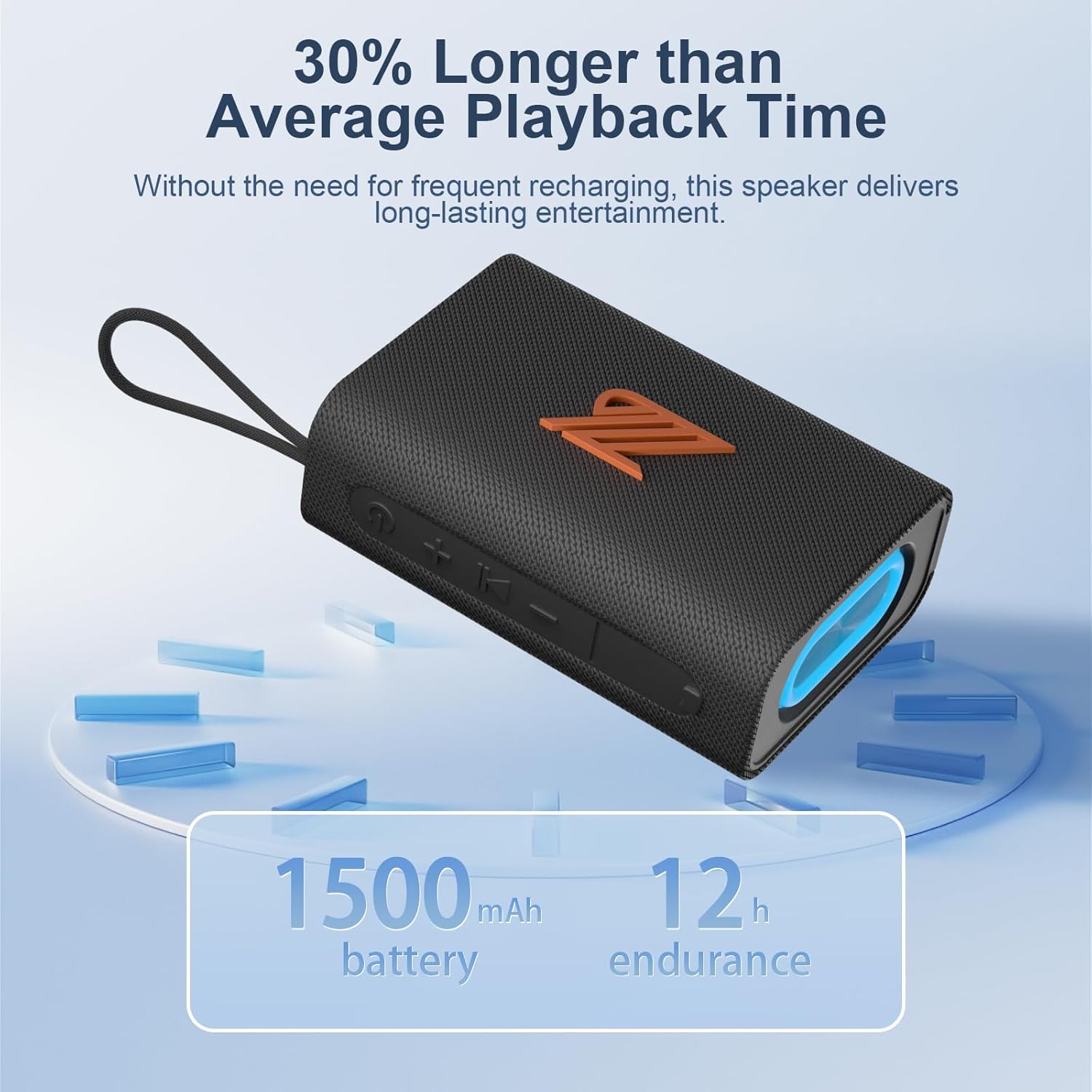
פיגורע 4.1: The speaker highlighting its 1500mAh battery, providing up to 12 hours of playback.
4.2 פּאַוערינג אויף / אַוועק
- צו מאַכט אויף: דריק און האלט דעם פּאַוער קנעפּל פֿאַר 2-3 סעקונדעס ביז איר הערט אַן אָובארן פּראָמפּט און די אינדיקאַטאָר ליכט צינדט זיך אָן.
- צו מאַכט אַוועק: דריק און האלט דעם פּאַוער קנעפּל פֿאַר 2-3 סעקונדעס ביז איר הערט אַן אָודאַבאַלן פּראָמפּט און די אינדיקאַטאָר ליכט וועט זיך אויסלעשן.
5. אַפּערייטינג ינסטרוקטיאָנס
5.1 בלועטאָאָטה פּערינג
- Ensure the speaker is powered on and in Bluetooth mode (indicated by a flashing blue light). If not, press the Mode button to switch to Bluetooth mode.
- אויף אייער דעווייס (סמאַרטפאָן, טאַבלעט, אאז"וו), אַקטיווירט בלועטוט און זוכט פֿאַר פֿאַראַן דעווייסעס.
- Select "ZZB WP-03C" from the list of devices.
- Once paired, the speaker will emit an audible confirmation, and the blue indicator light will stop flashing and remain solid.
- דער רעדנער וועט זיך אויטאָמאַטיש ווידער פֿאַרבינדן צום לעצטן פֿאַרבונדענעם מיטל ווען עס ווערט אָנגעצונדן, אויב דער מיטל'ס בלועטוט איז אַקטיוו און אין דער געגנט.

פיגורע 5.1: Demonstrating Bluetooth connection between a smartphone and the ZZB WP-03C speaker for music playback.
5.2 אמתע ווירעלעס סטערעאָ (TWS) פּאָרינג
To achieve a true stereo sound experience, you can pair two ZZB WP-03C speakers together.
- זיכער מאַכן אַז ביידע רעדנערס זענען אנגעצונדן און נישט פארבונדן צו קיין בלוטוט דעווייס.
- On one speaker (this will be the primary speaker), double-press the Power button (or a dedicated TWS button if available, refer to physical controls). You will hear a prompt indicating TWS pairing mode.
- דער הויפּט רעדנער וועט זוכן דעם צווייטן רעדנער. אַמאָל פֿאַרבונדן, וועלן ביידע רעדנערס אַרויסלאָזן אַ באַשטעטיקונגס־קלאַנג.
- Now, connect your device to the primary speaker via Bluetooth as described in Section 5.1.
- אַודיאָ וועט איצט שפּילן אין סטעריאָו דורך ביידע רעדנערס.

פיגורע 5.2: Two ZZB WP-03C speakers positioned to illustrate True Wireless Stereo (TWS) functionality.
5.3 Playing Music from TF/SD Card
- Insert a TF/SD card (with MP3 audio files) into the designated slot on the speaker.
- The speaker will automatically switch to TF/SD card mode and begin playing music. If not, press the Mode button to select TF/SD card mode.
5.4 AUX-in Mode
- Connect one end of a 3.5mm audio cable (not included) to the speaker's AUX-in port.
- Connect the other end to the audio output jack of your non-Bluetooth device.
- The speaker will automatically switch to AUX-in mode. If not, press the Mode button to select AUX-in mode.
5.5 עפעם ראַדיאָ מאָדע
- Press the Mode button repeatedly until you enter FM Radio mode.
- To auto-scan and save available stations, press the Play/Pause button. The speaker will scan and store stations.
- Use the Volume Up/Down buttons (short press) to navigate between saved stations.
- For better reception, ensure the speaker is in an open area.
5.6 רופן פֿונקציע
- When connected via Bluetooth, incoming calls will be announced.
- ענטפער רופן: דריקן די שפּיל / פּויזע קנעפּל אַמאָל.
- סוף רופן: דריק דעם שפּיל/פּויזע קנעפּל איין מאָל בעת אַ רוף.
- אָפּוואַרפן רופן: דריקן און האַלטן די שפּיל / פּויזע קנעפּל פֿאַר 2 סעקונדעס.
- ריאַל די לעצטע נומער: טאָפּל דריקן די שפּיל / פּויזע קנעפּל.
5.7 ליכט מאָדעס
The speaker features dynamic LED lights. Press the Light button to cycle through different light patterns or to turn the lights off.
6. וישאַלט
- רייניקונג: ווישן די רעדנער מיט אַ ווייך, דamp שטאָף. דו זאלסט נישט נוצן אַברייסיוו קלינערז אָדער סאָלוואַנץ.
- וואַסער קעגנשטעל: The speaker is IPX5 water-resistant, meaning it can withstand splashes and light rain. Do not submerge the speaker in water. Ensure the charging port cover is securely closed when exposed to water.
- סטאָרידזש: האַלט דעם רעדנער אין אַ קיל, טרוקן אָרט אַוועק פון דירעקט זונשייַן און עקסטרעמע טעמפּעראַטורן.
- באַטערי זאָרגן: כדי צו פארלענגערן די לעבן פון די באַטעריע, זאָל מען גאָר אויפלאָדן דעם רעדנער איידער מען ניצט עס צום ערשטן מאָל, און אויפלאָדן עס כאָטש איין מאָל יעדע דריי חדשים אויב מען ניצט עס נישט רעגולער.
7. טראָובלעשאָאָטינג
| פּראָבלעם | מעגלעך סיבה | לייזונג |
|---|---|---|
| דער רעדנער לאָזט זיך נישט אָנ. | נידעריק באַטאַרייע. | לאָדט דעם רעדנער גאָר אויף. |
| קען נישט פארבינדן דורך בלוטוט. | בלועטוט נישט איינגעשטעלט אויף דעם אפאראט; רעדנער נישט אין פארבינדונג מאָד; צו ווייט פון דעם אפאראט. | Ensure Bluetooth is on; put speaker in pairing mode; move device closer (within 40 feet). |
| קיין געזונט. | Volume too low; incorrect mode selected; device not playing. | Increase volume; check mode (Bluetooth, AUX, TF/SD); ensure device is playing. |
| שלעכטע FM ראַדיאָ אָפּנאַם. | שוואַך סיגנאַל; שטערונג. | Move speaker to an open area; try rescanning stations. |
| TWS פּאָרינג פיילז. | Speakers already paired to another device; too far apart. | Disconnect speakers from other devices; ensure speakers are close to each other during TWS pairing. |
8. ספּעסאַפאַקיישאַנז
| מאָדעל נאָמען: | וופּ -03 ק |
| סאָרט: | זזב |
| קאַנעקטיוויטי: | Bluetooth 5.3, AUX-in, TF/SD Card |
| אַודיאָ רעזולטאַט מאָדע: | סטערעאָ |
| רעדנער רעזולטאַט מאַכט: | 20 וואטס |
| וואַסער קעגנשטעל: | IPX5 |
| באַטאַרייע קאַפּאַציטעט: | 1500 מאַה ליטהיום יאָן |
| שפּיל צייט: | ביז 12 שעה (ביי מיטלמעסיגע באַנד) |
| טשאַרדזשינג אַרייַנשרייַב: | 5 וואלטס |
| בלועטאָאָטה ראַנגע: | אַרויף צו 40 פֿיס (12 מעטער) |
| פּראָדוקט דימענשאַנז: | 4.92"D x 3.34"W x 1.77"H (12.5cm x 8.5cm x 4.5cm approx.) |
| נומער וואָג: | 0.34 קילאָגראַמס (12 אונסעס) |
| אַרייַנגערעכנט קאַמפּאָונאַנץ: | מאַכט קאַבלע |
9. וואָראַנטי אינפֿאָרמאַציע
The ZZB WP-03C Bluetooth Speaker comes with a limited warranty. Please refer to the warranty card included in your package or contact customer support for details regarding warranty coverage and terms.
10. קונה שטיצן
If you encounter any issues or have questions regarding your ZZB WP-03C Bluetooth Speaker, please contact our customer support team. Contact information can typically be found on the product packaging or on the official ZZB webפּלאַץ.
Ask a question about this manual
Ask about setup, troubleshooting, compatibility, parts, safety, or missing instructions. Manuals+ will review the question and use this page’s manual context to help answer it.