
1. הקדמה
The MiBOXER K3S Rotating Wheel Remote provides intuitive control over LED lighting systems, allowing for precise adjustment of both color temperature and brightness. Utilizing 2.4GHz wireless technology, this remote ensures stable and responsive operation. Its ergonomic design facilitates easy handling and accurate adjustments, making it suitable for various lighting applications.
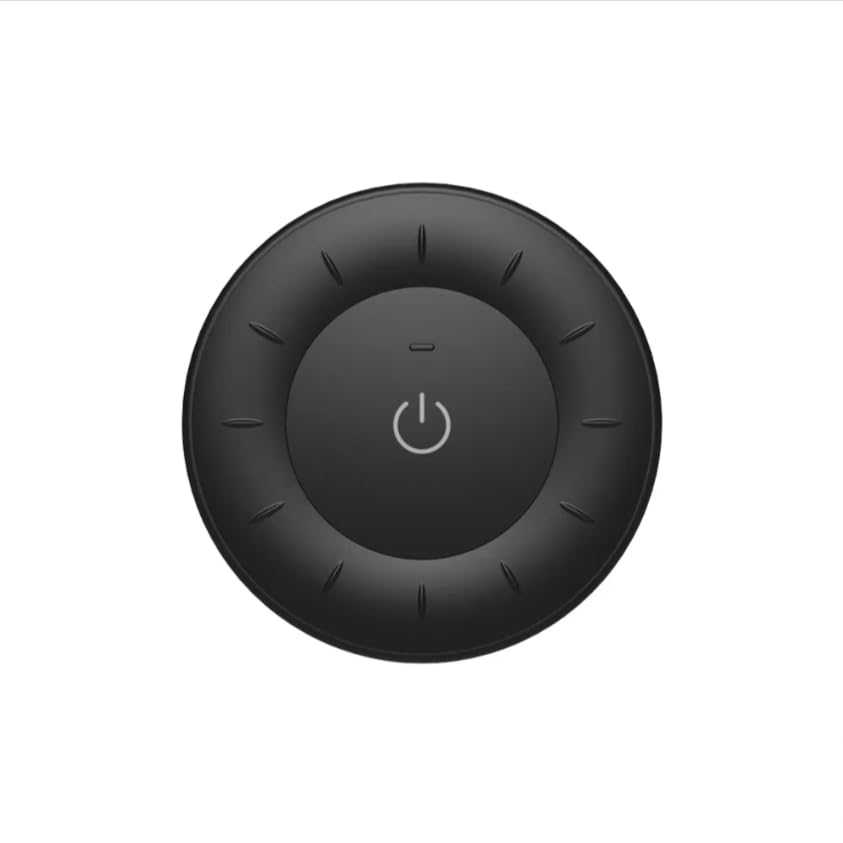
Image 1.1: MiBOXER K3S Rotating Wheel Remote (Black)
This image displays the MiBOXER K3S remote control in black, highlighting its circular design and central power button.
2. פּראָדוקט פֿעיִקייטן
- Adjustable Brightness & Color Temperature: Allows fine-tuning of lighting intensity and warmth.
- Rotating Wheel Design: Provides smooth and intuitive control for easy adjustments.
- 2.4GHz ווירעלעסס טעכנאָלאָגיע: Ensures stable, interference-free connectivity with compatible devices.
- ערגאָנאָמיק פּלאַן: באַקוועם צו האַלטן און אַרבעטן.
- Multi-Environment Compatibility: Suitable for various settings including homes, offices, and commercial spaces.
3. פּעקל אינהאַלט
ביים עפענען דעם פעקל, זיכער מאכן אז אלע קאמפאנענטן זענען דא:
- MiBOXER K3S ראָוטייטינג ראָד רימאָוט
- באַניצער מאַנואַל
Note: CR2032 battery is purchased separately and is not included in the package.
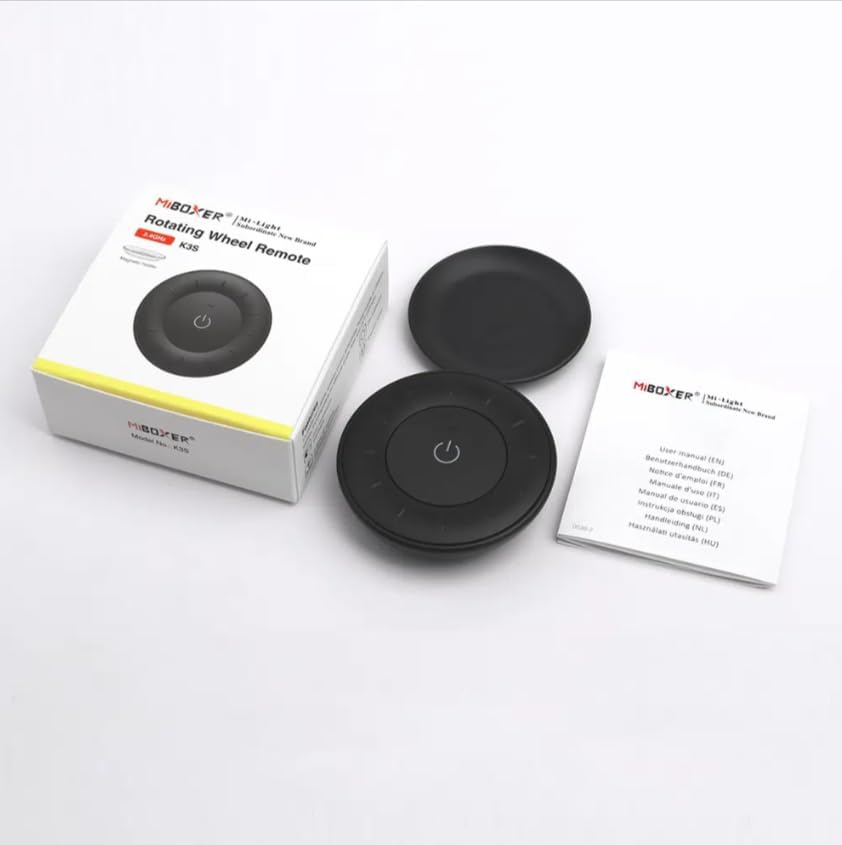
Image 3.1: Package Contents Overview
This image shows the MiBOXER K3S remote, its packaging box, and the included user manual, laid out on a surface.
4. פּראָדוקט דיאַגראַמע

Image 4.1: Remote Control Components
This diagram illustrates the main components of the MiBOXER K3S remote, including the ON/OFF button, brightness/color temperature rotating wheel, and the battery compartment with Link/Unlink button.
- ON/OFF קנעפּל: Central button to power the connected light on or off.
- Brightness / Color Temperature Rotating Wheel: The outer ring used to adjust brightness by default. Long press the ON/OFF button for 3 seconds to switch to color temperature adjustment mode.
- Link / Unlink Button: Located inside the battery compartment, used for pairing the remote with compatible lighting devices.
5. סעטאַפּ
5.1 באַטאַרייע ייַנמאָנטירונג
- געפֿינען די באַטאַרייע אָפּטייל אויף די צוריק פון די ווייַט קאָנטראָל.
- עפענען די באַטאַרייע אָפּטייל דעקן.
- אַרײַנשטעלן איין CR2032 באַטעריע, און זיכער מאַכן אַז די ריכטיקע פּאָלאַריטעט (+/-).
- פאַרמאַכן די באַטאַרייע אָפּטייל דעקן סיקיורלי.
Image 5.1: Battery Installation Area
This image shows the underside of the remote, indicating the location for the CR2032 battery and the Link/Unlink button.
5.2 Linking / Unlinking the Remote
The K3S remote uses 2.4GHz RF wireless technology to communicate with compatible MiBOXER lighting devices.
Linking Procedure:
- Ensure the light fixture you wish to control is powered off.
- מאַכט אן די ליכט פיקסטשער.
- Within 3 seconds of powering on the light, press the "Link/Unlink" button (located inside the battery compartment) on the K3S remote דרײ מאל.
- The light should flash three times slowly, indicating successful linking.
Unlinking Procedure:
- Ensure the light fixture you wish to unlink is powered off.
- מאַכט אן די ליכט פיקסטשער.
- Within 3 seconds of powering on the light, press the "Link/Unlink" button (located inside the battery compartment) on the K3S remote פינף מאל.
- The light should flash ten times quickly, indicating successful unlinking.
6. אַפּערייטינג ינסטרוקטיאָנס
6.1 מאַכט אויף / אַוועק
- Press the central ⏻ (ON/OFF) button once to turn the connected light on or off.
6.2 אַדזשאַסטינג ברייטנאַס
- By default, rotating the outer wheel adjusts the brightness of the light.
- דרייען קלאַקווייז צו פאַרגרעסערן ברייטנאַס.
- Rotate counter-clockwise to decrease brightness.
6.3 אַדזשאַסטירן קאָליר טעמפּעראַטור
- To switch to color temperature adjustment mode, לאַנג דריקן the central ⏻ (ON/OFF) button for 3 seconds.
- Once in color temperature mode, rotate the outer wheel to adjust the color temperature.
- Rotate clockwise for cooler (bluer) light.
- Rotate counter-clockwise for warmer (yellower) light.
- To switch back to brightness adjustment, long press the ⏻ (ON/OFF) button for another 3 seconds.
7. ספּעסאַפאַקיישאַנז
| מאָדעל נאָמען | K3S |
| סאָרט | מיבאָקסער |
| קאַנעקטיוויטי טעכנאָלאָגיע | 2.4G RF Wireless |
| קאָנטראָל טיפּ | ברייטנאַס, קאָליר טעמפּעראַטור |
| מאַקסימום קייט | 30 מעטער |
| באַטערי טיפּ | CR2032 (purchased separately) |
| דימענסיעס (דיאַמעטער X הייך) | Ø60mm x 15mm (approx.) |
| Weight (Gross Weight per box) | 0.05 KGS (approx.) |

Image 7.1: Remote Control Dimensions
This diagram provides the physical dimensions of the MiBOXER K3S remote, showing a diameter of 60mm and a thickness of 15mm (or 19.5mm with the base).
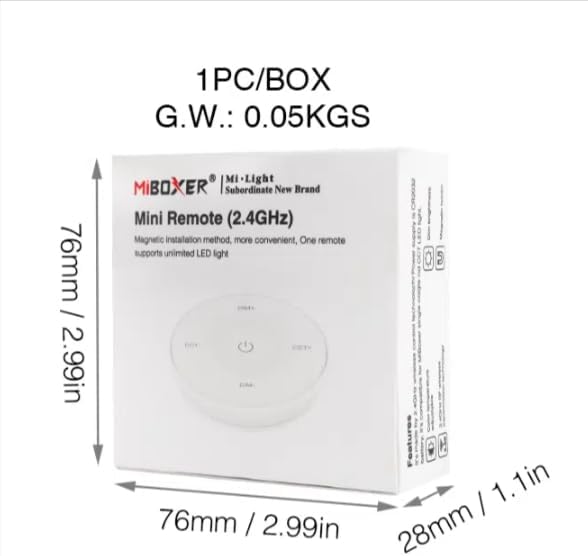
Image 7.2: Packaging Dimensions
This image displays the dimensions of the product packaging, indicating it is 76mm x 76mm x 28mm with a gross weight of 0.05 KGS.
8. וישאַלט
- האַלט די ווײַטקאָנטראָל ריין דורך עס ווישן מיט אַ ווייכן, טרוקענעם שטאָף.
- Avoid exposing the remote to moisture, extreme temperatures, or direct sunlight.
- If the remote is not used for an extended period, remove the battery to prevent leakage.
- Replace the battery when the remote's performance degrades or it stops responding.
9. טראָובלעשאָאָטינג
| פּראָבלעם | מעגלעך סיבה | לייזונג |
|---|---|---|
| רימאָוט נישט ריספּאַנדינג | נידעריק אָדער טויט באַטאַרייע | פאַרבייַטן די CR2032 באַטאַרייע. |
| Light not linking | Incorrect linking procedure or light not compatible | Ensure the light is powered on within 3 seconds of pressing the link button. Verify light compatibility with MiBOXER 2.4G RF remotes. |
| לימיטעד קייט | אַבסטראַקשאַנז אָדער ינטערפיראַנס | Reduce distance between remote and light. Remove obstructions. Avoid areas with strong 2.4GHz interference. |
| Brightness/Color Temp adjustment not working | ווײַט־ראַם אין אומרעכטן מאָדע | Long press the ON/OFF button for 3 seconds to switch between brightness and color temperature adjustment modes. |
10. וואָראַנטי און שטיצן
The product comes with a manufacturer's warranty. For specific warranty details and duration, please refer to the documentation included with your purchase or contact MiBOXER customer support.
For technical support or inquiries, please visit the official MiBOXER webפּלאַץ אָדער קאָנטאַקט זייער קונה סערוויס אָפּטיילונג.
פאַבריקאַנט: מיבאָקסער