
SuperRC L500 Pro
SuperRC L500 Pro 4K GPS Drone User Manual
מאָדעל: L500 פּראָ
1. הקדמה
This manual provides essential instructions for the safe operation and maintenance of your SuperRC L500 Pro 4K GPS Drone. Please read this manual thoroughly before operating the drone to ensure proper usage and to prevent damage or injury. Keep this manual for future reference.
2. זיכערקייַט גיידליינז
Operating a drone requires responsibility. Adhere to all local regulations and guidelines for drone usage. Failure to do so may result in legal penalties or property damage.
- פאַר-פלי טשעק: Always inspect the drone, remote controller, and batteries for any damage before each flight. Ensure propellers are securely attached.
- פלי סוויווע: Fly in open areas, away from people, animals, buildings, and power lines. Avoid flying in strong winds, rain, or fog. Maintain a clear line of sight with the drone.
- באַטערי זיכערקייַט: Use only approved batteries and chargers. Do not overcharge or puncture batteries. Discontinue use if batteries show signs of swelling or damage.
- ויסמיידן מכשול: While the drone features 360° laser obstacle avoidance, it is not foolproof. Always exercise caution and maintain awareness of your surroundings.
- עלטער רעקאָמענדאַציע: This product is intended for adults.
3. פּעקל אינהאַלט
באַשטעטיקן אַז אַלע זאכן זענען פאַראַן אין דיין פּעקל:
- SuperRC L500 Pro Drone
- ווייַט קאָנטראָללער
- קעריינג קאַסע
- Propellers (Spare set included)
- סקרוז
- שרויפנ - ציער
- וסב טיפּע- C קאַבלע
- ליטיום יאָן באַטעריעס (2 אַרייַנגערעכנט)
- באַניצער מאַנואַל (דעם דאָקומענט)

4. דראָון קאָמפּאָנענטן
Familiarize yourself with the key parts of your SuperRC L500 Pro drone:
- פאָלדאַבאַל אָרעמס: פֿאַר קאָמפּאַקט סטאָרידזש און טראַנספּאָרט.
- ברושלעס מאָטאָרן: Provide stable and quiet flight.
- פּראָפּעללערס: שאַפֿן אַ ליפט פֿאַר פֿלוג.
- 4K HD Dual Cameras: Front-facing and downward-facing cameras for aerial photography and video. Electrically adjustable shooting angles.
- 360° Laser Obstacle Avoidance Sensor: Detects obstacles in all directions.
- GPS מאָדולע: Enables precise outdoor positioning and intelligent flight modes.
- Optical Flow Sensor: Provides stable hovering for indoor flight.
- מאָדולאַר באַטאַרייע: Easy to install and replace.


5. ווייַט קאָנטראָללער
The remote controller allows you to operate the drone and access its features. It features a smartphone holder for live video feed and app control.
Refer to the included quick start guide for a detailed diagram of the remote controller buttons and their functions.

6. באַטאַרייע ייַנמאָנטירונג און טשאַרדזשינג
6.1 דראָון באַטערי
- Insert the modular battery into the drone's battery compartment until it clicks into place.
- To remove, press the release button (if present) and slide the battery out.
- Charge the battery using the provided USB Type-C cable and a compatible USB power adapter (not included). The charging indicator will show the charging status.
6.2 Remote Controller Battery
The remote controller typically uses internal rechargeable batteries or standard AA batteries. Refer to the remote controller's specific instructions for battery type and charging/installation procedures.
7. ערשט סעטאַפּ
- טשאַרדזשינג באַטעריז: זיכער מאַכן אַז ביידע די דראָון און ווײַט קאָנטראָללער באַטעריעס זענען גאָר אויפגעלאָדן.
- עפֿנטלעכט דראָון: Carefully unfold the drone arms until they lock into position.
- ינסטאַלירן פּראָפּעלערז: If not pre-installed, attach propellers according to the markings (A/B) on the propellers and motor arms. Ensure they are secure.
- מאַכט אויף: Place the drone on a flat, level surface. Power on the drone, then power on the remote controller.
- פּאָרינג: The drone and remote controller should automatically pair. If not, follow the pairing instructions in the quick start guide.
- אַפּ קשר: Download the SuperRC drone app to your smartphone. Connect your phone to the drone's Wi-Fi network (usually named "SuperRC-XXXX"). Open the app to view דעם לייוו פיד און צוטריט צו פארגעשריטענע פֿונקציעס.
- GPS Calibration: For outdoor flights, ensure the drone acquires sufficient GPS satellites before takeoff. Perform compass calibration as instructed by the app or quick start guide.
8. אַפּערייטינג ינסטרוקטיאָנס
8.1 יקערדיק פלי
- איין-קלאַס אָפּפֿלי/לאַנדינג: דריק דעם באַזונדערן קנעפּל אויף דער ווײַטקאָנטראָל אָדער אין דער אַפּ פֿאַר אויטאָמאַטישן אָפּפֿלי און לאַנדונג.
- מאַנואַל קאָנטראָל: Use the joysticks on the remote controller to control altitude, direction, and rotation.
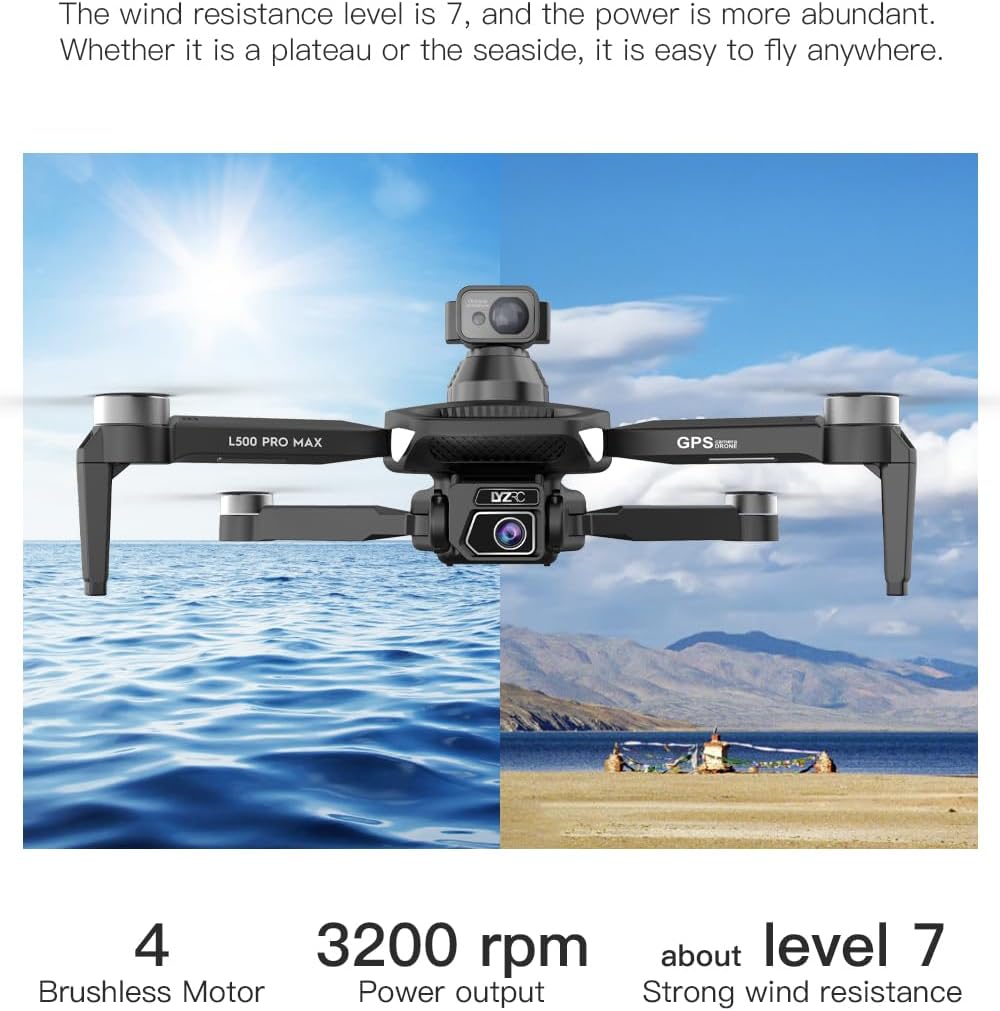
- GPS מאָדע (דרויסנדיק): Provides stable flight and precise positioning, resisting wind.
- Optical Flow Mode (Indoor): ניצט אַ אַראָפּ-פייסינג קאַמעראַ פֿאַר סטאַביל שוועבן אין סביבות אָן GPS סיגנאַל.
8.2 שטערונג אַוווידאַנס
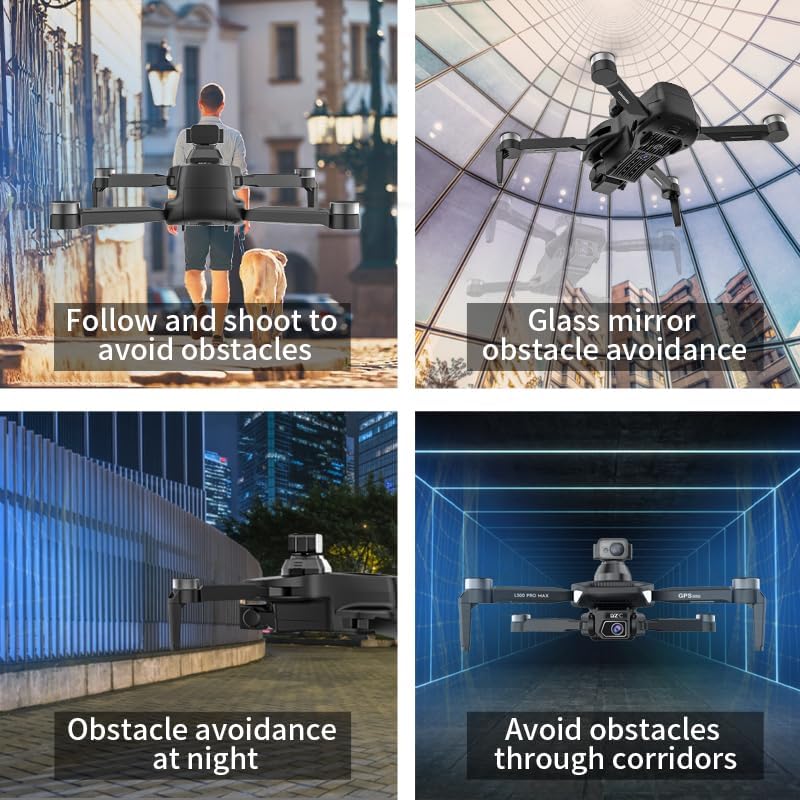
The 360° laser obstacle avoidance system helps prevent collisions by detecting objects in front, rear, left, and right directions. The drone will automatically adjust its flight path to avoid detected obstacles.
8.3 אַפּאַראַט אָפּעראַציע
- 4K HD Dual Cameras: Switch between the front and bottom cameras via the remote controller or app.
- Electrically Adjustable Angles: Adjust the camera's tilt angle remotely for optimal shots.
- פאָטאָ / ווידעא כאַפּן: ניצט די באַזונדערע קנעפּלעך אויף דער ווײַטקאָנטראָל אָדער אין דער אַפּ צו נעמען בילדער אָדער אָנהייבן/אָפּשטעלן ווידעאָ רעקאָרדינג.
8.4 ינטעליגענט פלי מאָדעס
- Waypoint Navigation: Plan a custom flight path by tapping points on the map in the app. The drone will follow the designated route.
- GPS Follow/Smart Follow: The drone can automatically follow a moving subject (e.g., a person or vehicle) using GPS and visual tracking.
- Orbit Flight: The drone will circle a designated point or subject, capturing 360° footage.
- Image Track: Similar to follow mode, but focuses on tracking a specific image or object.
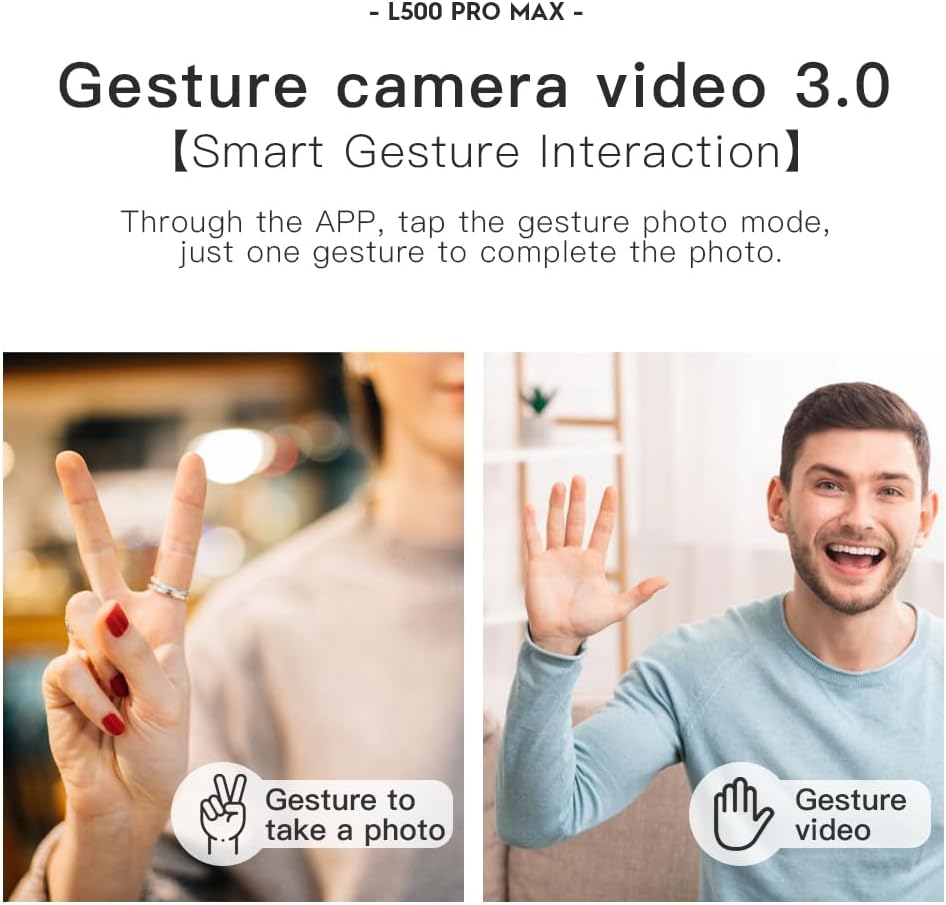
- האַווייַע קאָנטראָל: Use specific hand gestures to trigger photo or video capture.
- 4 Intelligent Return Modes:
- Lost Signal Return: Drone returns to takeoff point if signal is lost.
- נידעריק באַטעריע צוריקקער: Drone returns automatically when battery is low.
- Over-Distance Return: Drone returns if it flies beyond the set range.
- One-Tap Return: Manually initiate return to home with a single button press.
9. וישאַלט
- רייניקונג: Use a soft, dry cloth to clean the drone and remote controller. Avoid water or harsh chemicals.
- פּראָפּעלער דורכקוק: Regularly check propellers for cracks, bends, or damage. Replace damaged propellers immediately using the provided screwdriver and spare parts.
- סטאָרידזש: Store the drone and accessories in the carrying case in a cool, dry place, away from direct sunlight. Remove batteries if storing for extended periods.
- באַטערי זאָרגן: Do not store batteries fully charged or completely depleted. Charge them to about 50-60% for long-term storage.
10. טראָובלעשאָאָטינג
| פּראָבלעם | מעגלעך סיבה | לייזונג |
|---|---|---|
| דראָון גייט נישט אָן. | די באַטאַרייע איז נישט באפוילן אָדער ינקערעקטלי אינסטאַלירן. | זיכער מאַכן אַז די באַטאַרייע איז גאָר אויפגעלאָדן און ריכטיק אַרײַנגעשטעלט. |
| דראָון רעאַגירט נישט אויף ווייַטקאָנטראָל. | Not paired, low remote battery, or interference. | Re-pair drone and remote. Charge remote battery. Move to an area with less interference. |
| נישט-סטאַבילער פלי/דריפטינג. | Improper calibration, strong wind, or damaged propellers. | Perform compass calibration. Fly in calm conditions. Check and replace damaged propellers. |
| No live video feed. | Phone not connected to drone Wi-Fi, or app issue. | Connect phone to drone's Wi-Fi. Restart app and drone. |
| שטערונג אויסמיידונג ארבעט נישט. | Sensor blocked or system malfunction. | Ensure sensors are clean and unobstructed. Contact support if issue persists. |
11. ספּעסאַפאַקיישאַנז
| שטריך | דעטאַל |
|---|---|
| סאָרט | סופּעררק |
| מאָדעל נאָמען | L500 פּראָ |
| ווידעא קאַפּטורע רעסאָלוטיאָן | 1080p (Output), 4K HD (Camera) |
| קאַנעקטיוויטי טעכנאָלאָגיע | Wi-Fi (5G Intelligent System) |
| קאָנטראָל טיפּ | ווייַט קאָנטראָל, אַפּ קאָנטראָל |
| ספּעציעלע פֿעיִקייטן | 360° Laser Obstacle Avoidance, Dual Camera, Brushless Motor, GPS Auto Return, Optical Flow Positioning |
| פּונקט וואָג | 211.6 גראַמז (7.5 אונסעס) |
| באַטאַרייע קאַפּאַציטעט | 2200 מיליamp שעה (ליטיום יאָן) |
| פלי צייט | ביז 25 מינוט (אומגעפער) |
| פּראָדוקט דימענשאַנז | 12.5"ל x 11.4"בר x 3.9"ה |
| מאַטעריאַל | פּלאַסטיק |
12. וואָראַנטי און שטיצן
For warranty information, technical support, or service inquiries, please refer to the contact information provided with your purchase or visit the official SuperRC webזייטל. האַלט דיין קויפן באַווייַז פֿאַר וואָראַנטי קליימז.
איר קענט אויך באַזוכן די יו SuperRC Store on Amazon פֿאַר נאָך פּראָדוקט אינפֿאָרמאַציע און שטיצע רעסורסן.
Ask a question about this manual
Ask about setup, troubleshooting, compatibility, parts, safety, or missing instructions. Manuals+ will review the question and use this page’s manual context to help answer it.