
1. הקדמה
This manual provides comprehensive instructions for the BoxWave AllCharge miniSync Retractable Portable USB Cable. It covers product features, setup, operation, maintenance, troubleshooting, and technical specifications. Please read this manual thoroughly to ensure proper use and longevity of your cable.

2. פּראָדוקט איבערview
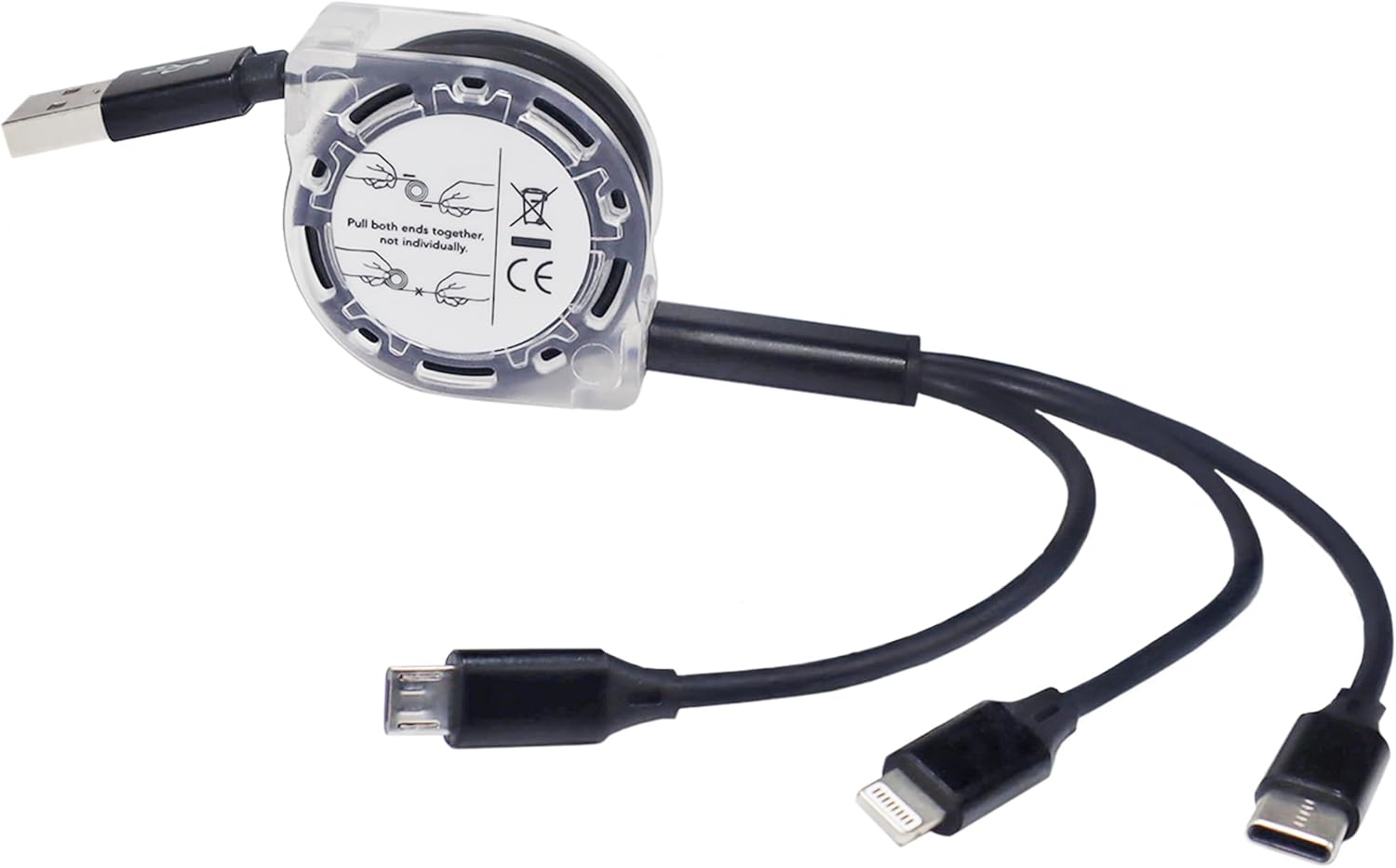
The BoxWave AllCharge miniSync is a versatile retractable USB cable designed for convenience and compatibility. It features a unique retraction mechanism to prevent tangles and offers multiple connector types for various devices.
שליסל פֿעיִקייטן:
- צוריקציעבארע פּלאַן: Innovative mechanism keeps the cable organized and tangle-free.
- וניווערסאַל קאַמפּאַטאַבילאַטי: Includes Micro USB, USB Type-C, and Apple connectors.
- סימולטאַנעאָוס טשאַרדזשינג: Capable of charging up to three devices concurrently.
- אַדזשאַסטאַבאַל לענגקטס: Extends up to 3 feet with multiple pre-set lengths.
- דוראַבאַל קאַנסטראַקשאַן: Made with high-quality polycarbonate and heavy-duty ribbon-style cable.
- פּאָרטאַטיוו: Retracts to a minuscule 3 inches for easy transport.


3. סעטאַפּ
The AllCharge miniSync cable requires minimal setup. Follow these steps to prepare your cable for use:
- אויספּאַקן: Carefully remove the cable from its packaging.
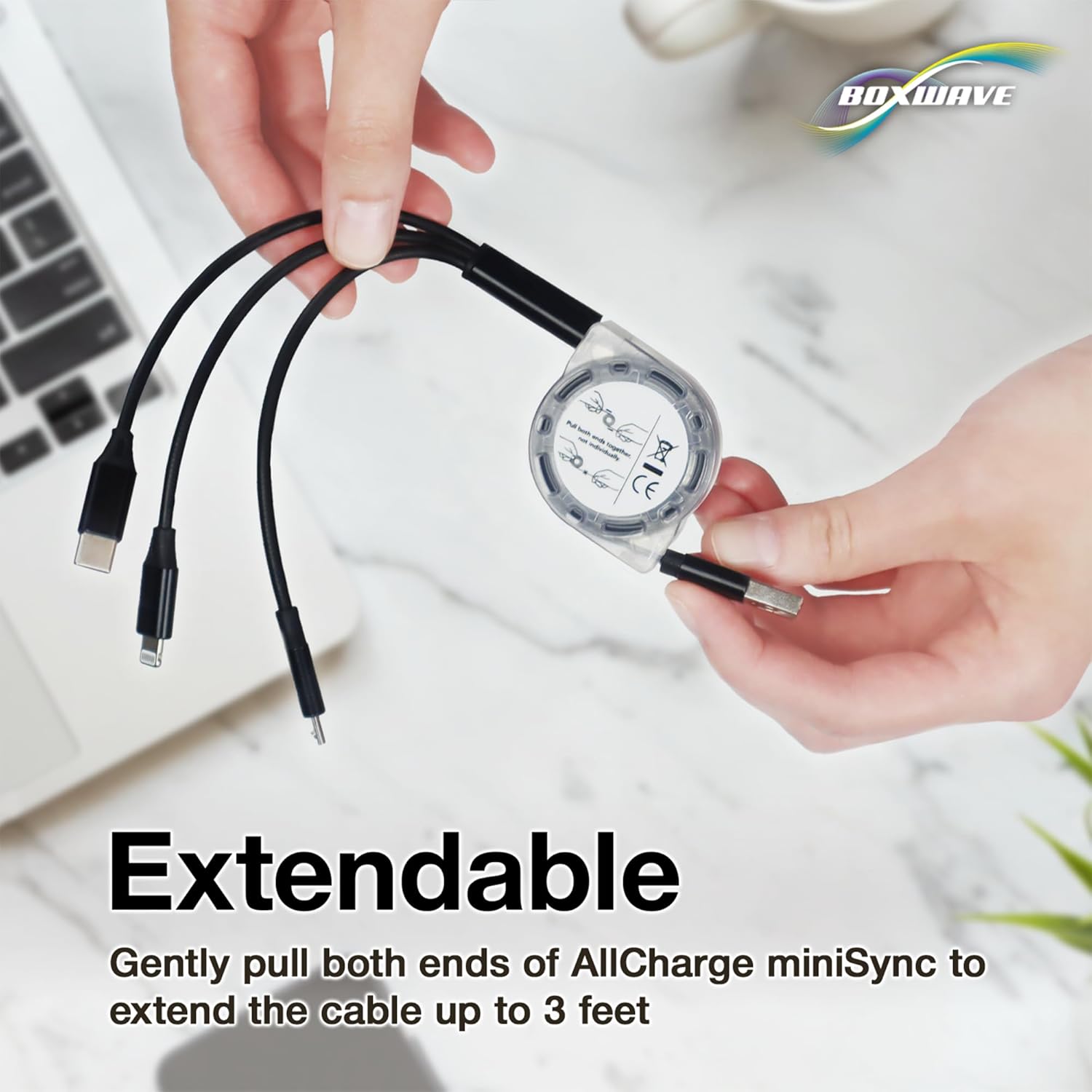
- פארלענגערונג: To extend the cable, gently pull both ends of the cable simultaneously until it reaches your desired length. The cable has 5 pre-set lengths. Do not pull only one end, as this can damage the retraction mechanism.
- צוריקציען: To retract the cable, give a quick, gentle tug on both ends simultaneously. The cable will automatically retract into its compact form.
4. אַפּערייטינג ינסטרוקטיאָנס
The AllCharge miniSync cable is designed for charging and syncing various devices. Ensure your device is compatible with one of the three available connectors.
4.1 טשאַרדזשינג דעוויסעס
- פאַרבינדן צו מאַכט מקור: Plug the standard USB-A end of the AllCharge miniSync cable into a compatible USB power adapter, computer USB port, or power bank.
- פאַרבינדן צו מיטל: Select the appropriate connector (Micro USB, USB Type-C, or Apple Connector) for your device and plug it into the device's charging port.
- סימולטאַנעאָוס טשאַרדזשינג: You can connect up to three devices to the respective connectors and charge them simultaneously from a single power source.

4.2 Data Syncing
When connected to a computer, the AllCharge miniSync cable supports data transfer for compatible devices. Connect the appropriate connector to your device and the USB-A end to your computer's USB port. Your device should then be recognized for data syncing.
4.3 Adjusting Cable Length
The cable offers five pre-set lengths for optimal use. To adjust the length, gently pull both ends of the cable until it clicks into the next desired length. To fully retract, give a quick tug on both ends.

5. וישאַלט
To ensure the longevity and optimal performance of your AllCharge miniSync cable, follow these maintenance guidelines:
- סטאָרידזש: Always retract the cable fully when not in use to prevent tangles and damage.
- רייניקונג: ווישט אָפּ דעם קאַבל און די קאַנעקטאָרן מיט אַ ווייכן, טרוקענעם שטאָף. פֿאַרמייַדט ניצן שאַרפע כעמיקאַלן אָדער אַברייסיוו מאַטעריאַלן.
- האַנדלינג: Avoid excessive force when pulling or retracting the cable. Always pull both ends simultaneously.
- סוויווע: Store the cable in a cool, dry place away from direct sunlight, extreme temperatures, and moisture.
6. טראָובלעשאָאָטינג
6.1 Cable Not Charging
- טשעק קאַנעקשאַנז: Ensure all connectors are securely plugged into both the power source and the device.
- באַשטעטיקן מאַכט מקור: Confirm that the USB power adapter or computer USB port is functioning correctly. Try a different power source if necessary.
- דיווייס קאַמפּאַטאַבילאַטי: Ensure the correct connector type is being used for your specific device.
- דורכקוקן קאַבלע: Check for any visible damage to the cable or connectors. If damaged, discontinue use.
6.2 Cable Not Retracting Properly
- Pull Both Ends: Always pull both ends of the cable simultaneously to initiate retraction. Pulling only one end can cause the mechanism to jam.
- ויסמעקן אַבסטראַקשאַנז: Ensure there are no obstructions preventing the cable from retracting smoothly.
7. ספּעסאַפאַקיישאַנז
| שטריך | דעטאַל |
|---|---|
| מאָדעל נאָמען | AllCharge miniSync |
| סאָרט | BoxWave |
| קאַנעקטערז | USB-A (input), Micro USB, USB Type-C, Apple Connector (outputs) |
| קאַבלע לענג | Up to 3 feet (approx. 91 cm) extended, 5 pre-set lengths |
| Retracted Size | Approx. 3 inches (approx. 7.6 cm) |
| פּונקט וואָג | 0.8 אונס (בעערעך 22.7 גראַמז) |
| פאַבריקאַנט | BoxWave |
8. וואָראַנטי און שטיצן
For warranty information or technical support, please refer to the official BoxWave webזייטל אדער קאנטאקט זייער קאסטומער סערוויס גלייך. האלט אייער קויף קוויטל אלס באווייז פון קויפן.
BoxWave Customer Service:
- באַזוכן www.boxwave.com פֿאַר שטיצע רעסורסן.
- Refer to the product packaging for specific contact details.