
הקדמה
This manual provides detailed instructions for the installation, operation, and maintenance of your Carro 44-inch S_White Smart Ceiling Fan. This fan features a 44-inch blade sweep with three white plywood blades, a flush-mounted white motor case, and an integrated dimmable LED light kit. Control options include a remote, mobile app, and voice commands via Amazon Alexa, Google Assistant, and Siri Shortcuts. Please read this manual thoroughly before installation and use to ensure safe and efficient operation.
זיכערקייַט אינפֿאָרמאַציע
ווארענונג: כדי צו רעדוצירן דעם ריזיקע פון פייער, עלעקטרישן שאק, אדער פערזענליכע שאדן, זאלט איר שטענדיג נאכפאלגן די גרונטלעכע פארזיכערונגען:
- Read all instructions before installing and using the fan.
- Ensure the installation site can support the fan's weight (minimum 35 lbs / 15.9 kg).
- All wiring must be in accordance with national and local electrical codes. Consult a qualified electrician if you are unfamiliar with wiring.
- Disconnect power at the circuit breaker or fuse box before beginning installation or performing maintenance.
- לאָזט נישט אָפּערירן דעם ווענטילאַטאָר מיט אַ צעבראָכענעם עלעקטרישן שנור אָדער פּלאָג.
- ויסמיידן פּלייסינג אַבדזשעקץ אין די דרך פון די פאָכער בלאַדעס.
- Do not use the fan near water or in excessively damp ינווייראַנמאַנץ.
- דער אַפּפּליאַנסע איז נישט בדעה פֿאַר נוצן דורך מענטשן (אַרייַנגערעכנט קינדער) מיט רידוסט גשמיות, סענסערי אָדער גייַסטיק קייפּאַבילאַטיז, אָדער פעלן פון דערפאַרונג און וויסן, סייַדן זיי האָבן באקומען השגחה אָדער לימעד וועגן די נוצן פון דעם אַפּפּליאַנסע דורך אַ מענטש פאַראַנטוואָרטלעך פֿאַר זייער זיכערקייַט.
פּעקל אינהאַלט
Verify that all components are present before beginning installation. If any parts are missing or damaged, contact Carro customer support.
- Ceiling Fan Motor Assembly (Flush Mount)
- Fan Blades (3x White Plywood)
- געפֿירט ליכט קיט
- ווייַט קאָנטראָל מיט וואנט בארג
- מאָונטינג קלאַמער
- האַרדווער פּאַק (שרויף, דראָט ניסלעך, וואַשערס)
- באַניצער מאַנואַל
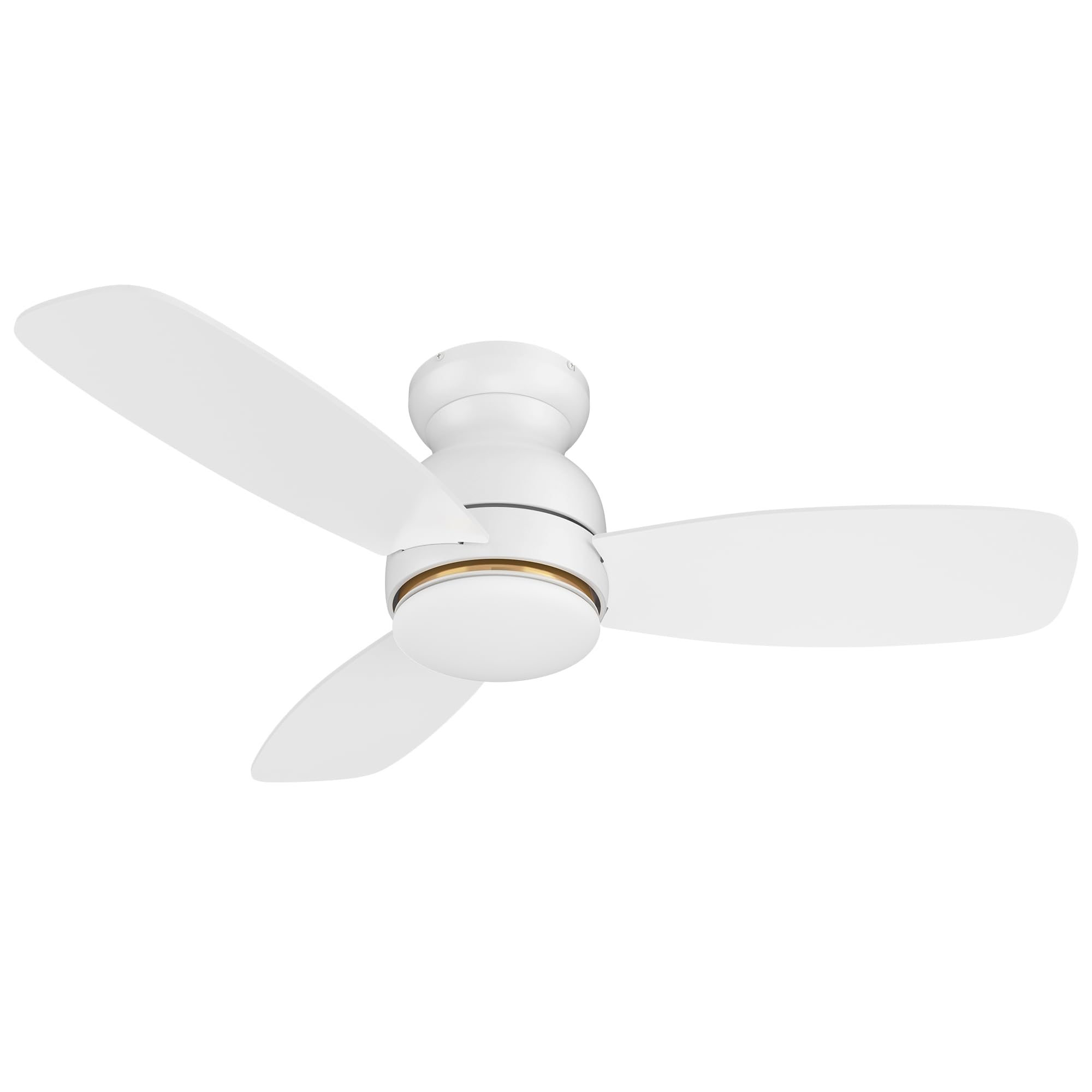
Image: Main components of the Carro 44-inch S_White Smart Ceiling Fan.
סעטאַפּ און ינסטאַלירונג
וויכטיק: Before starting, ensure the power supply is turned off at the circuit breaker.
- מאַונטינג בראַקאַץ ינסטאַלירונג: Secure the mounting bracket to the ceiling junction box. Ensure the junction box is rated for ceiling fan support (at least 35 lbs).
- וויירינג: Connect the fan's electrical wires to the household wiring according to local electrical codes. Typically, this involves connecting live, neutral, and ground wires. Use the provided wire nuts.
- פאָכער אַסעמבלי: Carefully lift the fan motor assembly and attach it to the mounting bracket. Secure all screws.
- בלייד אַטאַטשמאַנט: Attach the three fan blades to the motor housing using the provided screws. Ensure they are securely fastened.
- ינסטאַלירונג פון ליכט קיט: Connect the LED light kit wires and attach the light kit to the bottom of the fan motor assembly. Secure the light diffuser.
- מאַכט אויף: ומקערן מאַכט אין די קרייַז צוימען.
For detailed visual instructions, refer to the installation guide included in your package or visit the Carro support webפּלאַץ.
אַפּערייטינג ינסטראַקשאַנז
קאָנטראָל מעטהאָדס
Your Carro Smart Ceiling Fan offers multiple control options:
- ווייַט קאָנטראָל: Use the included remote to power on/off, adjust fan speed, change light settings, and reverse fan direction.
- מאָביל אַפּ: Download the Carro Home app (or compatible smart home app) to control the fan from your smartphone. This allows for advanced settings like scheduling and grouping.
- קול קאָנטראָל: Integrate with Amazon Alexa, Google Assistant, or Siri Shortcuts for hands-free operation.
פאָכער אָפּעראַציע
- מאַכט אויף / אַוועק: Press the power button on the remote or use the app/voice command.
- פאַן גיכקייַט: The fan features 10 adjustable speeds. Use the speed buttons on the remote or slider in the app to select your desired airflow.

Image: Illustration of the fan operating at different wind speeds.
- Reverse Airflow (Summer/Winter Mode): Change the direction of the fan blades to optimize air circulation for different seasons.
- זומער מאָדע: Downward airflow creates a cooling breeze.
- ווינטער מאָדע: אויפשטייגנדיקע לופט-שטראָם צירקולירט וואַרעמע לופט וואָס איז פֿאַרשפּאַרט לעבן דער סטעליע.

Image: Visual representation of summer and winter fan modes.
ליכט אָפּעראַציע
- ליכט אויף/אַוועק: Control the integrated LED light independently from the fan.
- דימאַבלע ליכט: Adjust the light brightness from 1% to 100% using the remote or app.
- קאָליר טעמפּעראַטור אַדזשאַסטמאַנט: Cycle through different color temperatures:
- קיל ליכט (4000K): Bright white light.
- וואַרעם ליכט (2700K): Soft, yellowish light.
- נאַטירלעך ליכט (3000K): A balanced combination.

Image: Different color temperature settings for the LED light.
סמאַרט פֿעיִקייטן
- אַפּ קאָנטראָל: The mobile app allows for comprehensive control, even when WiFi signal is lost for basic functions.

Image: Remote control and smartphone app for fan operation.
- קול קאָנטראָל ינטעגראַטיאָן: Connect your fan to Amazon Alexa, Google Assistant, or Siri Shortcuts for voice commands. Example: "Alexa, set the white ceiling fan in bedroom to speed 6, set yellow light to 75%, set white light to 65%."

Image: Voice control compatibility with smart home assistants.
- Timers and Schedules: Use the app to set automatic on/off times and create custom schedules for different rooms.

בילד: עקסample of scheduling functions within the mobile application.
וישאַלט
רעגולערע אויפהאלטונג גאראנטירט אפטימאלע פאָרשטעלונג און פארלענגערט די לעבנסדויער פון אייער סופיט ווענטילאַטאָר.
- רייניקונג: שטויב אָפּ די ווענטילאַטאָר בלעטער און מאָטאָר הויזינג פּעריִאָדיש מיט אַ ווייכן, דamp שטאָף. ניצט נישט קיין שרײַבנדיקע רייניגערס אדער סאָלווענטן. מאַכט זיכער אַז די מאַכט איז אויסגעלאָשן איידער איר רייניקט.
- בלייד באַלאַנס: If the fan wobbles, check that all blade screws are tight and that blades are not bent or damaged. A balancing kit (not included) may be used if necessary.
- ליכט קיט: The LED light source is designed for long life and is not user-replaceable. If the light fails, contact customer support.
- טייטן פאַסטענערס: Periodically check and tighten all screws and fasteners on the fan and mounting hardware.
טראָובלעשאָאָטינג
| פּראָבלעם | מעגלעך סיבה | לייזונג |
|---|---|---|
| פאָכער טוט נישט אָנהייבן. | No power to the fan; loose wire connections; remote control battery low. | Check circuit breaker/fuse. Ensure all wire connections are secure. Replace remote control batteries. |
| פאָכער וואָבבלעס. | לויזע בלייד שרויפן; נישט באַלאַנסירטע בליידז; נישט ריכטיקע מאָנטירונג. | Tighten all blade screws. Check for bent blades. Ensure mounting bracket is securely installed. |
| ליכט טוט נישט אַרבעטן. | לויזער דראָט פֿאַרבינדונג; דורכפֿאַל פֿון LED ליכט קיט. | Check light kit wiring. If problem persists, contact customer support. |
| ווייַט קאָנטראָל נישט ארבעטן. | Low battery; remote not paired with fan. | Replace remote batteries. Refer to pairing instructions (usually in a separate remote manual or app guide). |
| App/Voice control not responding. | No Wi-Fi connection; incorrect app settings; device not linked. | Check Wi-Fi router and internet connection. Verify fan is properly linked in the app and smart home assistant. Restart app/fan. |
ספּעסאַפאַקיישאַנז
| סאָרט | קאַרראָ |
| מאָדעל | 44-inch S_White Smart Ceiling Fan |
| פּראָדוקט דימענשאַנז | 44"ד רענטגענ 44"וו רענטגענ 11.7"ה |
| נומער פון בלאַדעס | 3 |
| בלייד מאַטעריאַל | ענדזשאַנירד האָלץ |
| מאָטאָר טיפּ | דק מאָטאָר |
| ליכט טיפּ | Dimmable LED (4000K Cool, 3000K Natural, 2700K Warm) |
| קאָנטראָל מעטהאָדס | Remote Control, Mobile App, Voice Control (Alexa, Google Home, Siri) |
| נומער פון ספּידז | 10 |
| מאַכט מקור | AC/DC |
| Voltage | 120 וואלטס |
| וואָסtage | 65 וואטס |
| לופט פלאָו קאַפּאַסיטי | 2800 קוביק פֿיס פּער מינוט |
| מאַונטינג טיפּ | גלייַך בארג |
| דרינענדיק / דרויסנדיק באַניץ | דרינענדיק |
| Certification | ETL |
וואָראַנטי און שטיצן
For warranty information, please refer to the documentation included with your purchase or visit the official Carro website. If you encounter any issues or require assistance, please contact Carro customer support. Keep your purchase receipt for warranty claims.
קונה שטיצן: For technical assistance or service inquiries, please visit Carro Store on Amazon אדער זעט די קאָנטאַקט אינפֿאָרמאַציע וואָס איז צוגעשטעלט אין אייער פּראָדוקט פּאַקאַדזשינג.