
הקדמה
This manual provides instructions for the HCDZ Replacement Remote Control, designed for use with Vamvo L3600US, L3600, 3600L, and WF-VF320 LCD Home Theater Video Projectors. This remote is an infrared (IR) replacement and requires no programming.
פּעקל אינהאַלט:
- 1 x HCDZ Replacement Remote Control
- Note: Batteries and additional instructions are not included in the package.
סעטאַפּ: באַטעריע אינסטאַלאַציע
To begin using your remote control, you must install two AAA batteries. Ensure correct polarity when inserting the batteries.

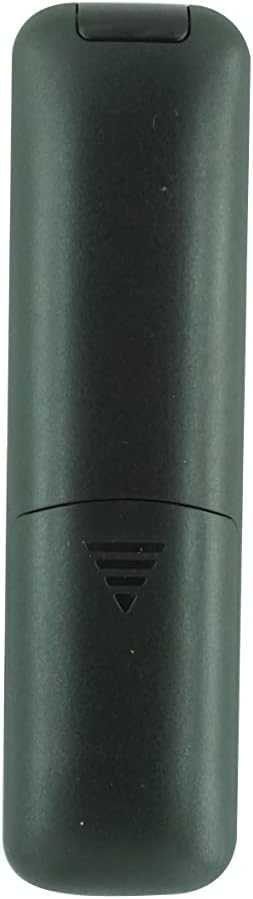
בילד: הינטערשטע view of the remote control with the battery cover removed, showing the two AAA battery slots.
- געפֿינען די באַטאַרייע אָפּטייל אויף די צוריק פון די ווייַט קאָנטראָל.
- רוקט דעם באַטעריע דעקל אַראָפּ אָדער דריק דעם לאַטש און הייבט אויף צו עפֿענען.
- Insert two new AAA batteries, matching the positive (+) and negative (-) terminals as indicated inside the compartment.
- Replace the battery cover, ensuring it clicks securely into place.
Important Battery Safety Information:
- דו זאלסט נישט מישן נייַ באַטעריז מיט אַלט אָנעס.
- אויב די ווײַטקאָנטראָל וועט נישט ווערן גענוצט פֿאַר אַ לענגערע צײַט, נעמט אַרויס די באַטעריעס כּדי צו פֿאַרמײַדן ליקאַדזש און קאָראָזיע.
אַפּערייטינג ינסטראַקשאַנז
This HCDZ replacement remote control is designed for immediate use with compatible Vamvo projectors once batteries are installed. No programming or pairing is required.
בילד: פראָנט view of the HCDZ replacement remote control, showing its button layout.
To operate your projector:
- Point the remote control directly at the infrared (IR) sensor on your Vamvo projector.
- Press the desired function button (e.g., Power, Volume, Menu, Source) to control the projector.
- Ensure there are no obstructions between the remote control and the projector's IR sensor.
וישאַלט און זאָרג
Proper care will extend the life of your remote control:
- סטאָרידזש: Do not leave the remote in extremely hot or humid environments.
- אויסגעשטעלטקייט: Avoid exposing the remote sensor to direct sunlight or strong lighting apparatuses, as this may cause malfunction.
- רייניקונג: Wipe the remote with a soft, dry cloth. Do not use liquid cleaners or abrasive materials.
- באַטערי באַזייַטיקונג: If the remote will not be used for an extended period, remove the batteries to prevent potential damage from leakage and corrosion.
טראָובלעשאָאָטינג
If your remote control is not functioning as expected, try the following steps:
- קיין ענטפער:
- פאַרבייַטן די ווייַט קאָנטראָל באַטעריז מיט פריש אָנעס.
- Check the battery terminals inside the compartment to ensure they are clean and making proper contact.
- Limited Range or Intermittent Function:
- Move closer to the projector. The maximum effective range is approximately 8 meters.
- Remove any physical obstructions (e.g., furniture, objects) between the remote control and the projector's IR sensor.
- Projector Not Responding:
- Ensure the power cord to your projector is securely plugged in and the projector is turned on.
- Verify that the remote control is pointed directly at the projector's IR sensor.
ספּעסאַפאַקיישאַנז
| סאָרט | HCDZ |
| מאָדעל קאַמפּאַטאַבילאַטי | Vamvo L3600US, L3600, 3600L, WF-VF320 Projectors |
| קאַנעקטיוויטי טעכנאָלאָגיע | ינפרערעד (IR) |
| קאָנטראָללער טיפּ | קנעפּל קאָנטראָל |
| ספּעציעלע שטריך | No programming needed; works out of the package |
| מאַקסימום קייט | 8 מעטער (אומגעפער 26 פֿיס) |
| נומער פון געשטיצטע דעוויסעס | 1 (Projector) |
| באַטעריז פארלאנגט | 2 X AAA באַטעריז (ניט אַרייַנגערעכנט) |
| פאַבריקאַנט | HCDZ |
| ASIN | B0DLB2R6PB |
וואָראַנטי אינפֿאָרמאַציע
This HCDZ Replacement Remote Control comes with a 3-חודש וואָראַנטי פֿון דעם קויפֿדאַטום. די וואָראַנטי דעקט פֿאַבריקאַציע־דעפֿעקטן אונטער נאָרמאַלן באַנוץ. עס דעקט נישט קיין שאָדן פֿאַראורזאַכט דורך אומרעכטן באַנוץ, אומגליקן, נישט־אָטעריזירטע מאָדיפֿיקאַציעס, אָדער באַטעריע־ליקאַדזש.
ביטע באַהאַלטן אייער קויפן-באַווייַז פֿאַר יעדע וואָראַנטי-פאָדערונג.
שטיצן
For further assistance or if you encounter issues not covered in this manual, please refer to the support resources provided by your retailer or the HCDZ brand. You may also consult the user manual for your Vamvo projector for specific operational details.
For general inquiries, please visit the HCDZ Store on Amazon.