
1. פּראָדוקט איבערview
The ETOE Seal Pro A1363 is a 1080P Google TV projector designed for home entertainment. It features a built-in Google TV system, native 1080P resolution with 4K UHD decoding, auto-focus, auto-keystone correction, dual 10W speakers, and dual-band Wi-Fi connectivity. Its fully-sealed optical engine ensures a long, maintenance-free lifespan.
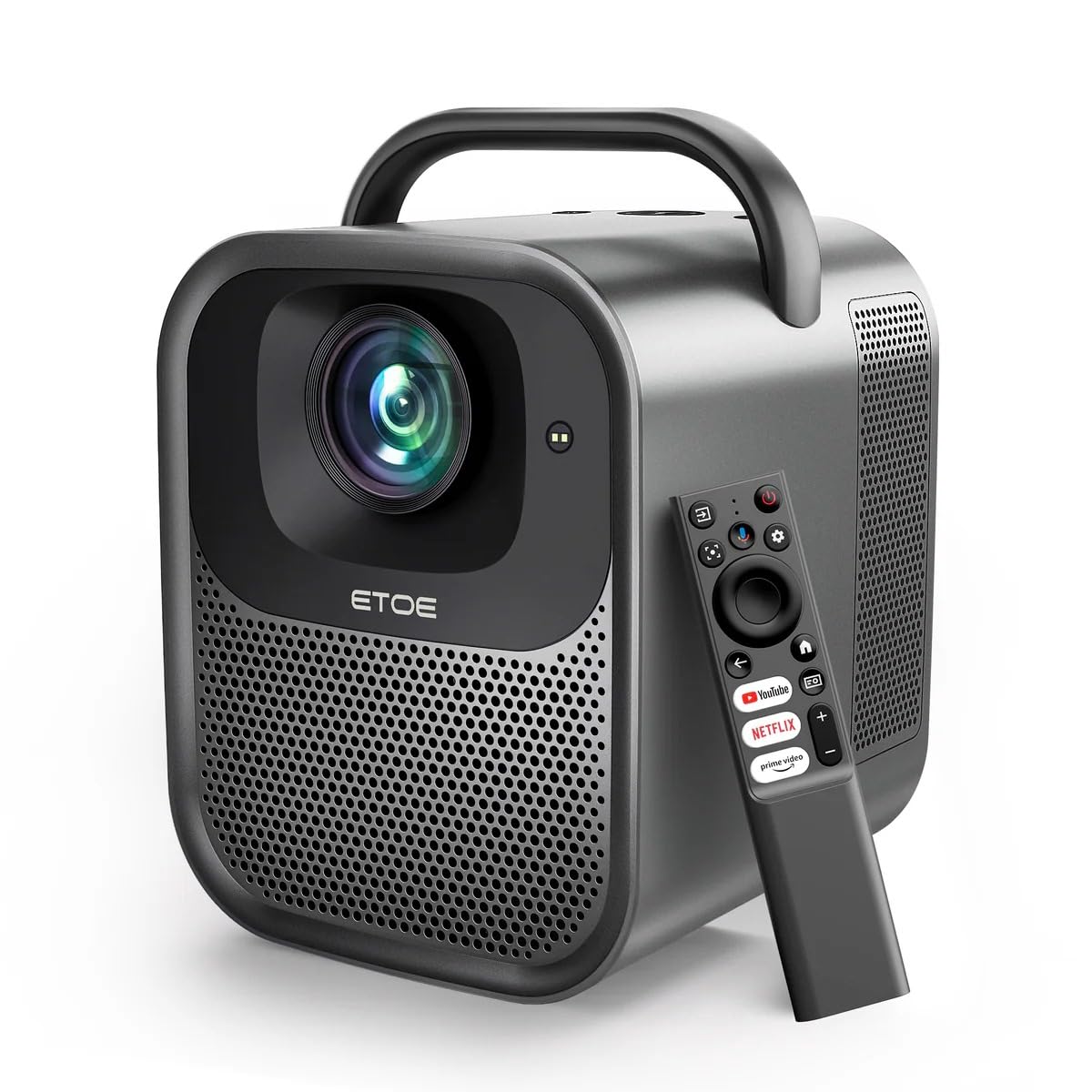
פיגורע 1.1: ETOE Seal Pro A1363 Projector. This image shows the front and side view of the projector, highlighting its compact design and lens.
שליסל פֿעיִקייטן:
- Built-in Google TV System: Access streaming services like Netflix, YouTube, Prime Video, Disney+, and HBO directly.
- Native 1080P & 4K UHD Decoding: Delivers sharp visuals with 1920x1080 resolution and HDR enhancement.
- Auto-Focus and Keystone Correction: Ensures perfectly square and stable images from various angles.
- יממערסיווע סאָונד: Equipped with powerful 2x10W dual speakers and multiple audio modes.
- צוויי-באַנד ווי-פי: Supports 2.4G & 5G for stable wireless projection from Android, iOS, and PC devices.
- דוראַבאַל פּלאַן: Features a dust-proof, fully-sealed optical engine for extended lifespan.
פּראָדוקט ווידעאָ איבערview:
ווידעא 1.1: ETOE Seal Pro Projector Features. This video provides a visual overview of the projector's main features and capabilities, including its Google TV integration, auto-focus, and sound system.
2. וואָס איז אין דער קעסטל
ביטע קאָנטראָלירט דעם אינהאַלט פֿון אייער פּעקל ביים אויספּאַקן:
- ETOE Seal Pro A1363 Projector
- מאַכט אַדאַפּטער
- מאַכט שנור
- ווייַט קאָנטראָל
- באַניצער מאַנואַל (דעם דאָקומענט)
3. סעטאַפּ גייד
3.1 ערשטע פּלאַצירונג
שטעלט דעם פּראָיעקטאָר אויף אַ שטאַרקער, גלאַטער ייבערפלאַך. זאָרגט אַז עס איז גענוג ווענטילאַציע אַרום דעם אַפּאַראַט. פֿאַר אָפּטימאַלן viewינג, שטעלט דעם פּראָיעקטאָר גלייך פֿאַר דעם עקראַן אָדער וואַנט.
3.2 קאַנעקטינג מאַכט
- Connect the power adaptor to the DC IN port on the projector.
- Plug the power cord into the power adaptor.
- אַרייַנלייגן די מאַכט שנור אין אַ וואַנט ווענטיל.
3.3 קאַנעקטינג פונדרויסנדיק דעוויסעס
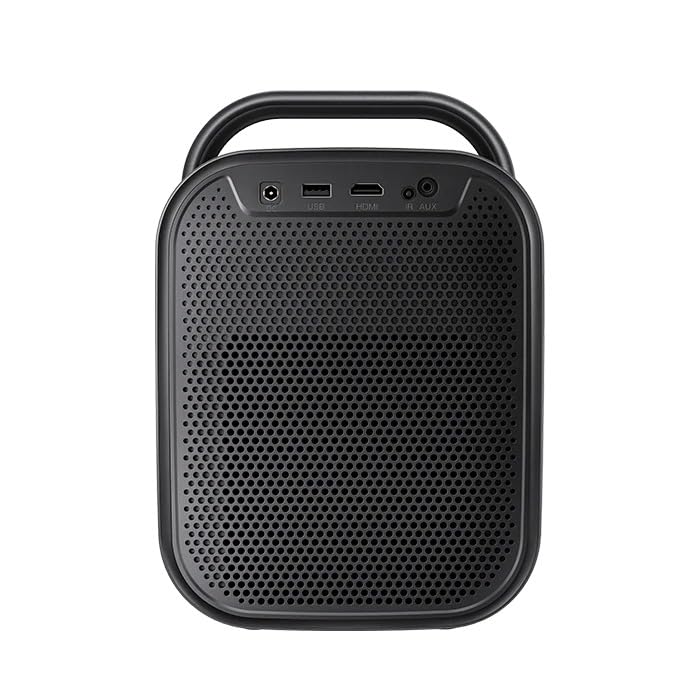
פיגורע 3.1: דערציען view of the ETOE Seal Pro A1363 Projector, showing the DC IN, USB, HDMI, and AUX ports.
די פּראַדזשעקטער אָפפערס פאַרשידן קאַנעקטיוויטי אָפּציעס:
- הדמי: Connect Blu-ray players, gaming consoles, laptops, or other HDMI-enabled devices.
- וסב: פֿאַרבינדט USB דרייווז פֿאַר מעדיע ווידערשפּיל.
- AUX: Connect external audio devices or headphones.
- בלועטאָאָטה: פארבינדט זיך מיט בלועטוט רעדנערס אדער כעדפאָונז פאר ווייערלעס אודיאָ.
- ווי-פי: Connect to your home network for online streaming and wireless projection.
4. אַפּערייטינג ינסטרוקטיאָנס
4.1 מאַכט אויף / אַוועק
- Press the Power button on the projector or the remote control to turn the device on.
- To turn off, press the Power button again and confirm the shutdown prompt on the screen.
4.2 קאָנטראָלס איבערview
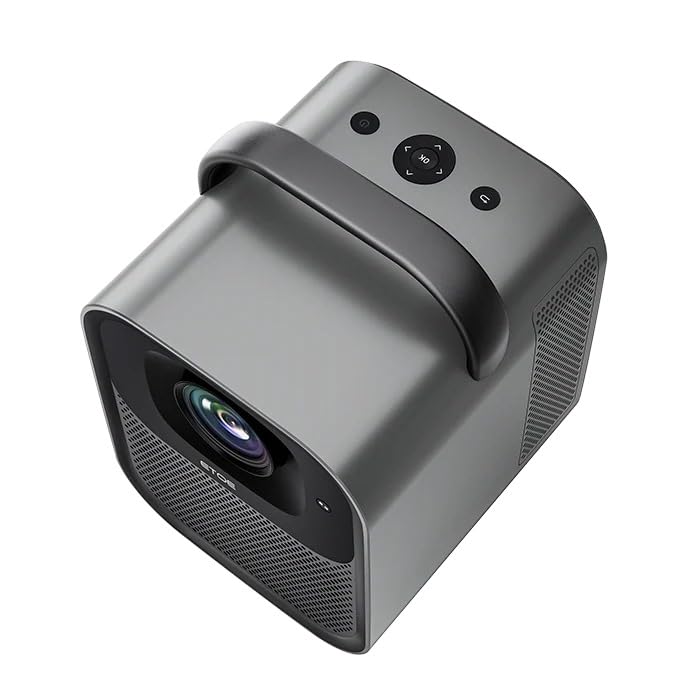
פיגורע 4.1: Top view of the ETOE Seal Pro A1363 Projector, showing the power button, navigation controls, and back button.
דער פּראָיעקטאָר קען קאָנטראָלירט ווערן מיט די קנעפּלעך אויף דער אויבערשטער פּאַנעל אָדער די אַרייַנגערעכנטע ווײַטקאָנטראָל.
- מאַכט קנעפּל: טורנס די פּראַדזשעקטער אויף אָדער אַוועק.
- נאַוויגאַציע קנעפּלעך (אַרויף/אַראָפּ/לינקס/רעכטס): געניצט צו נאַוויגירן מעניוז און אויסקלייבן אָפּציעס.
- OK קנעפּל: קאַנפערמז סאַלעקשאַנז.
- צוריק קנעפּל: קערט צו די פריערדיקע פאַרשטעלן אָדער מעניו.
4.3 גוגל טיווי צובינד
Upon powering on, the projector will display the Google TV home screen. You will need to log in with your Google account to access personalized content and streaming services.
- Follow the on-screen prompts to connect to your Wi-Fi network.
- קלאָץ אין מיט דיין Google חשבון.
- Install or access your preferred streaming applications (Netflix, YouTube, Prime Video, etc.).
- Use the remote control's navigation buttons and OK button to browse content.
- Utilize Google Assistant for voice commands by pressing the dedicated button on the remote.
4.4 Image Adjustment (Auto-Focus & Keystone)
The ETOE Seal Pro A1363 features automatic focus and keystone correction for a clear and properly shaped image.
- אַוטאָ-פאָקוס: The projector automatically adjusts the image focus when powered on or moved.
- אַוטאָ-קיסטאָנע קערעקשאַן: The projector automatically corrects distorted images to a rectangular shape, even if placed at an angle.
- דיגיטאַל פארגרעסער: If further adjustments are needed, navigate to the image settings in the Google TV menu to use the digital zoom feature (50% to 100%) to fine-tune screen size.
5. וישאַלט
געהעריגע אויפהאלטונג גאראנטירט די לאנגעוויטי און אפטימאלע פערפארמאנס פון אייער פראיעקטאר.
5.1 רייניקן דעם פּראָיעקטאָר
- Ensure the projector is powered off and unplugged before cleaning.
- Use a soft, dry cloth to wipe the exterior of the projector.
- פֿאַר דער לענס, ניצט אַ לענס רייניקונג טוך און אַ ספּעציעלע לענס רייניקונג לייזונג. פֿאַרמייַדט אַברייסיוו מאַטעריאַלן.
- Do not spray cleaning liquids directly onto the projector.
5.2 Dust-Free Optical Engine
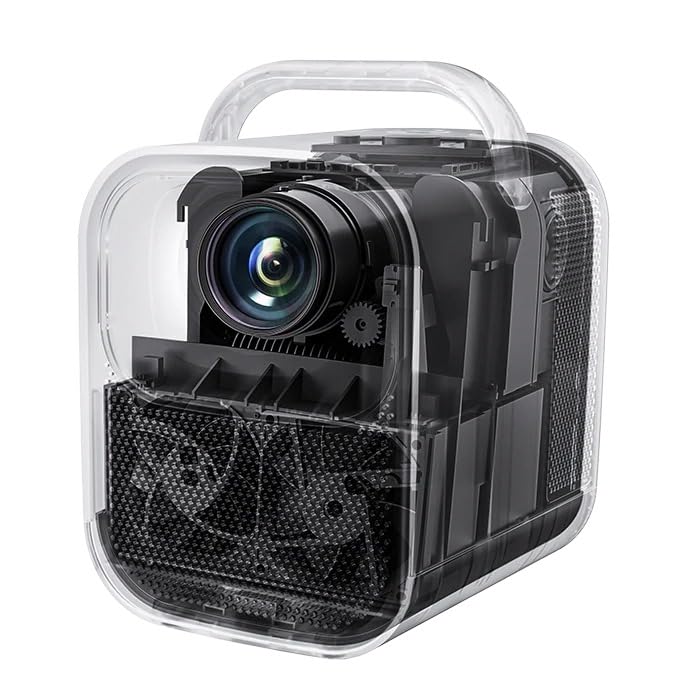
פיגורע 5.1: אינערלעכער view of the ETOE Seal Pro A1363 Projector, highlighting the fully-sealed optical engine designed to prevent dust accumulation.
The ETOE Seal Pro A1363 features a fully-sealed optical engine, which significantly reduces dust accumulation and minimizes the need for internal cleaning. This design contributes to a maintenance-free lifespan of over 30,000 hours.
6. טראָובלעשאָאָטינג
אויב איר טרעפט פּראָבלעמען מיט אייער פּראָיעקטאָר, זעט די פאלגענדע געוויינטלעכע פּראָבלעמען און לייזונגען:
- קיין מאַכט:
- Ensure the power cord is securely connected to the projector and the wall outlet.
- באַשטעטיקן אַז די וואַנט ווענטיל פֿונקציאָנירט.
- קאָנטראָלירן צי די מאַכט אַדאַפּטער איז ריכטיק קאָננעקטעד.
- קיין בילד:
- Check the input source selection. Ensure it matches the connected device (e.g., HDMI).
- Verify the external device is powered on and sending a signal.
- זיכער מאַכן אַז די לענס דעקל איז אַוועקגענומען.
- בלערי בילד:
- The projector has auto-focus. If the image is blurry, try moving the projector slightly or restarting it to trigger auto-focus.
- זיכער מאַכן אַז די פּראַיעקציע־ייבערפלאַך איז פלאַך און גלאַט.
- Distorted Image (Not Rectangular):
- The projector has auto-keystone correction. If distortion persists, try repositioning the projector or restarting it.
- Check for any manual keystone settings in the menu that might override auto-correction.
- קיין קול:
- Increase the volume on the projector and the connected source device.
- Check audio output settings on the source device.
- אויב איר ניצט עקסטערנע רעדנערס, זאָרגט אַז זיי זענען ריכטיק פארבונדן און אנגעצונדן.
- Wi-Fi קאַנעקטיוויטי ישוז:
- Ensure the projector is within range of your Wi-Fi router.
- באַשטעטיקן אַז די Wi-Fi פּאַראָל איז ריכטיק אַרייַנגעגעבן.
- Restart your router and the projector.
7. ספּעסאַפאַקיישאַנז
| שטריך | באַשרייַבונג |
|---|---|
| סאָרט | עטאָע |
| מאָדעל | A1363 |
| געבוירן האַכלאָטע | 1920 רענטגענ 1080 (1080 פּ) |
| דיקאָודינג האַכלאָטע | אַרויף צו 4K UHD |
| בילד ברייטנאַס | 1000 אַנסי לומענס |
| בילד קאַנטראַסט פאַרהעלטעניש | 3000:1 |
| ווייַז טעכנאָלאָגיע | לקד |
| אַספּעקט פאַרהעלטעניש | 16:9 |
| קאַנעקטיוויטי | Dual-Band Wi-Fi (2.4G & 5G), Bluetooth, USB, HDMI, AUX |
| ספּעציעלע פֿעיִקייטן | Auto Focus, Auto Keystone Correction, Portable, Wireless |
| ספּיקערז | 2 x 10W Dual Speakers |
| אָפּטיש מאָטאָר לעבן-שפּאַן | 30,000+ שעה |
| פּראָדוקט דימענשאַנז | 53 X 34 X 59 סענטימעטער |
| פּונקט וואָג | 3 קג |
| Voltage | 240 וואלטס |
| וואָסtage | 20 וואטס |
| דערפרישן קורס | 60 הז |
8. וואָראַנטי און שטיצן
פֿאַר וואָראַנטי אינפֿאָרמאַציע און קונה שטיצע, ביטע זען די וואָראַנטי קאַרטל וואָס איז אַרייַנגערעכנט מיט דיין פּראָדוקט אָדער קאָנטאַקט דעם פאַבריקאַנט גלייך.
פאַבריקאַנט: JVDN International
קאָנטאַקט אינפֿאָרמאַציע: JVDN International (OPC) Private Limited, B-1122 Sun Westbank, Ashram Road, Ahmedabad, Gujarat, India, 380009. Contact person: JAYESH KUMAR JAGETIYA. Tel: +91 91361 87951. Email: jayesh@jvdninternational.com
ביטע האַלטן דיין דערווייַז פון קויפן פֿאַר וואָראַנטי קליימז.