
1. הקדמה
This manual provides detailed instructions for the installation, operation, and maintenance of your ApeStellar Keyless Entry Door Lock, Model DK01MB. This electronic door lock offers convenient keyless access with a keypad and handle, designed for various applications including bedrooms, storage doors, offices, and apartments.
Key features include the ability to create multiple user passcodes, temporary one-time passcodes, anti-peep code protection, a backlit keypad, customizable automatic locking, and a dedicated one-touch lock button. The lock is constructed from heavy zinc alloy for durability and meets ANSI Grade 3 requirements for security.
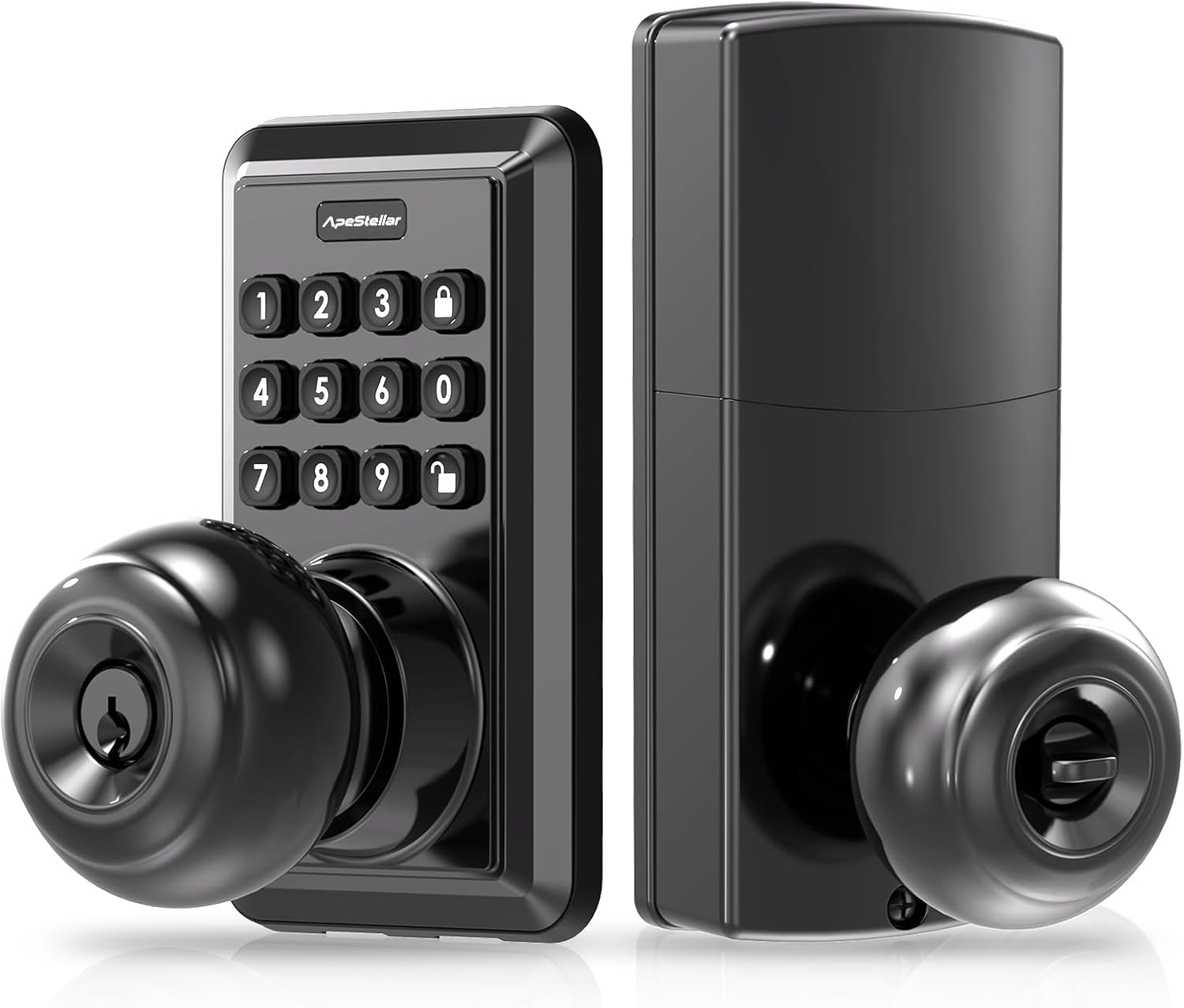
Image 1.1: ApeStellar Keyless Entry Door Lock, Matte Black.
2. פּראָדוקט ספּעסאַפאַקיישאַנז
- סאָרט: ApeStellar
- מאָדעל נאָמען: DK01MB
- לאַק טיפּ: Combination Lock, Keypad, Pin Tumbler
- מאַטעריאַל: צינק צומיש
- קאָליר: מאַט שווארצע
- ענדיקן טיפּ: מאַט שווארצע
- נומער דימענשאַנז (L x W x H): 2.7 X 2.8 X 6.3 אינטשעס (68.58 X 71.12 X 160.02 מם)
- נומער וואָג: 2.94 פונט (1.34 קילאָגראַמס)
- ספּעציעלע שטריך: אַוטאָ-לאַק
- קאָנטראָללער טיפּ: Hand Control, Mechanical knob, Push Button
- קאָנטראָל אופֿן: ריר
- רעקאַמענדיד ניצט: Indoor & Outdoor; Bedroom; Home Office; Garage; Living Room; Storage Room
- באַטעריז פארלאנגט: יא (באַטעריעס נישט אַרייַנגערעכנט)
- אַרייַנגערעכנט קאַמפּאָונאַנץ: ApeStellar Keyless Entry Door Lock, 2 Backup Keys, Latch, Screws, Strike, Mounting Plate, Installation Instructions, Programming Instructions

Image 2.1: Durability features including heavy zinc alloy construction, corrosion resistance, and ANSI Grade 3 certification.

בילד 2.2: איבערview of multi-function capabilities including weather resistance and security features.

Image 2.3: Details of ANSI Grade 3 certification tests for durability and security.

Image 2.4: Weather resistance capabilities, including IP54 rating and extreme temperature tolerance.
3. סעטאַפּ און ייַנמאָנטירונג
The ApeStellar Keyless Entry Door Lock is designed for easy installation, typically taking about 15 minutes with a screwdriver. It is suitable for most standard US door types.
3.1 טיר קאָמפּאַטאַביליטי
- Door Holes: Only suitable for 2-1/8" (54mm) diameter door holes.
- טיר גרעב: 1-3/8" to 1-3/4" (35mm to 45mm).
- באַקקסעט: Adjustable latch to fit 2-3/8" (60mm) or 2-3/4" (70mm) backset.
If your existing deadbolt overlaps with the keypad door knob, move the deadbolt to the bottom hole and install the keypad lock on top.

Image 3.1: Door dimension requirements for proper installation.
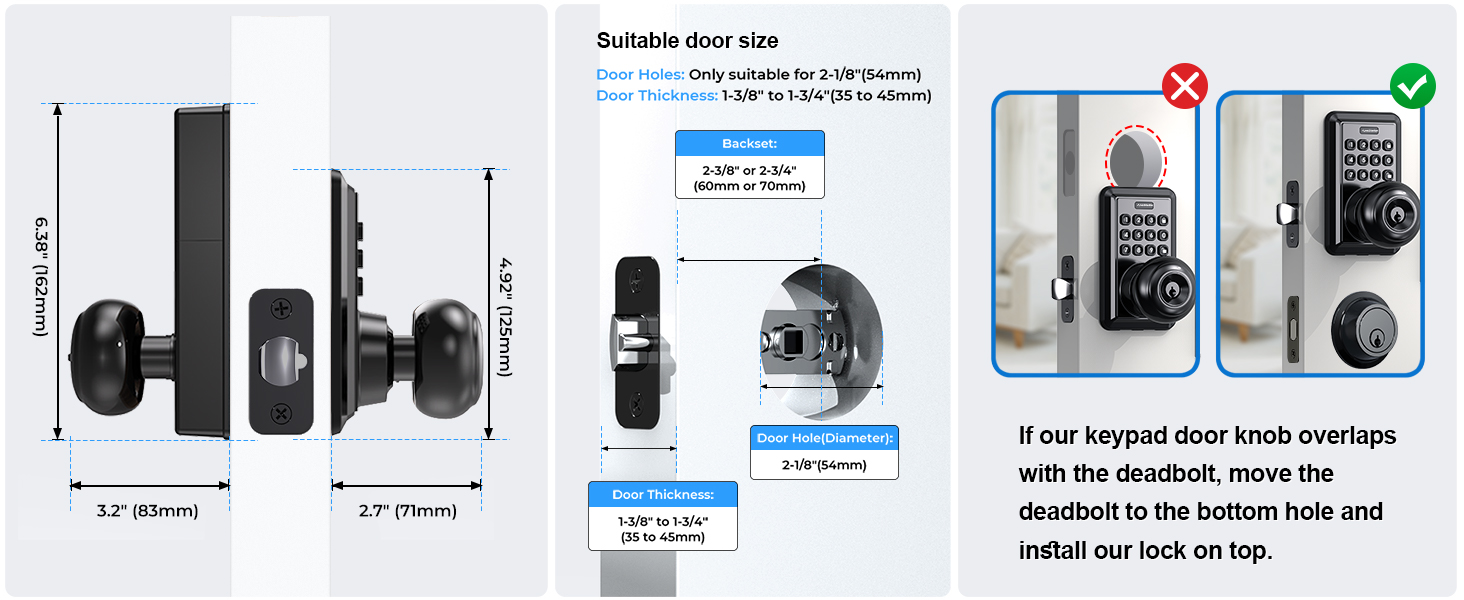
Image 3.2: Comprehensive guide to door measurements and potential adjustments.
3.2 ינסטאַלירונג פּראָצעס
- Prepare your door according to the dimensions specified in Section 3.1.
- Install the latch, ensuring the backset is correctly adjusted to either 2-3/8" or 2-3/4".
- Mount the exterior keypad assembly and interior handle assembly, connecting any necessary cables.
- Secure the components with the provided screws.
- Insert batteries (4x AAA, not included) into the interior assembly.
- Test the lock's functionality before closing the door.
The lock automatically identifies left or right-handed door configurations during installation.

Image 3.3: Visual representation of the straightforward installation process.

Image 3.4: Component breakdown and assembly guide.
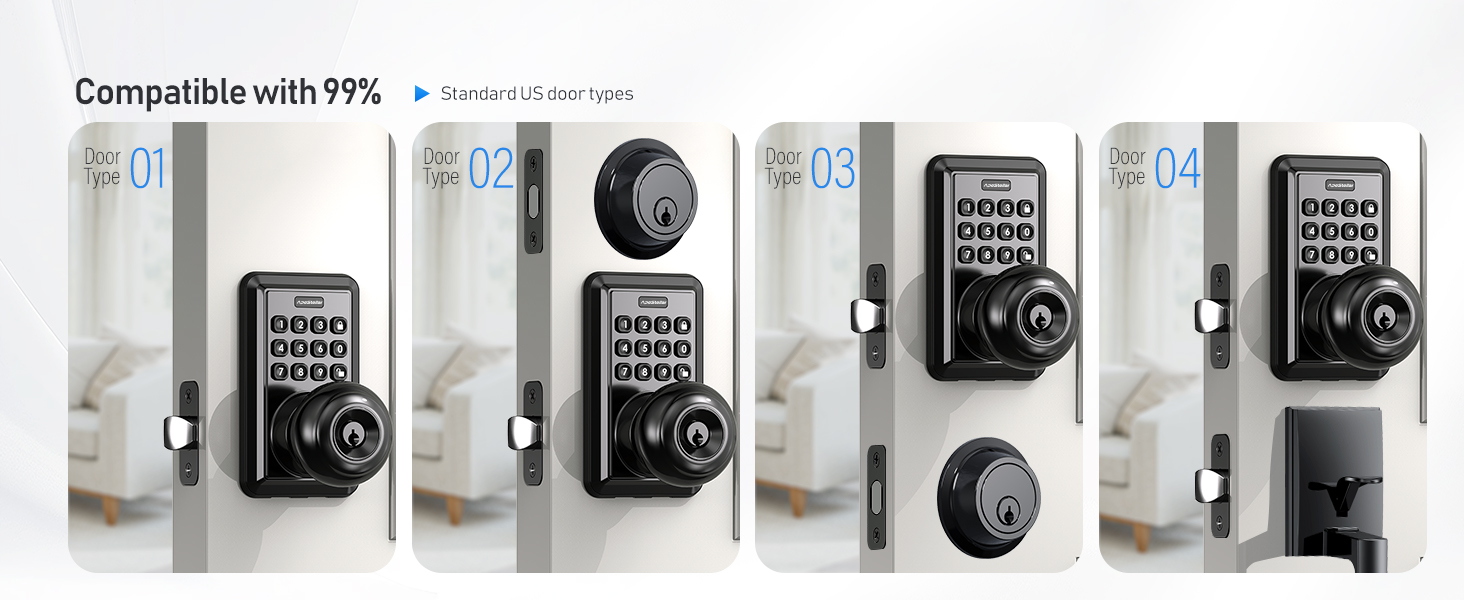
Image 3.5: Compatibility with different door configurations.

Image 3.6: Automatic door orientation detection.
4. אַפּערייטינג ינסטרוקטיאָנס
Your ApeStellar Keyless Entry Door Lock offers multiple convenient ways to secure and access your property.
4.1 פּראָגראַמירן באַניצער קאָודז
The lock supports up to 50 unique user passcodes for regular access. Refer to the included programming instructions for detailed steps on how to add, modify, or delete user codes.
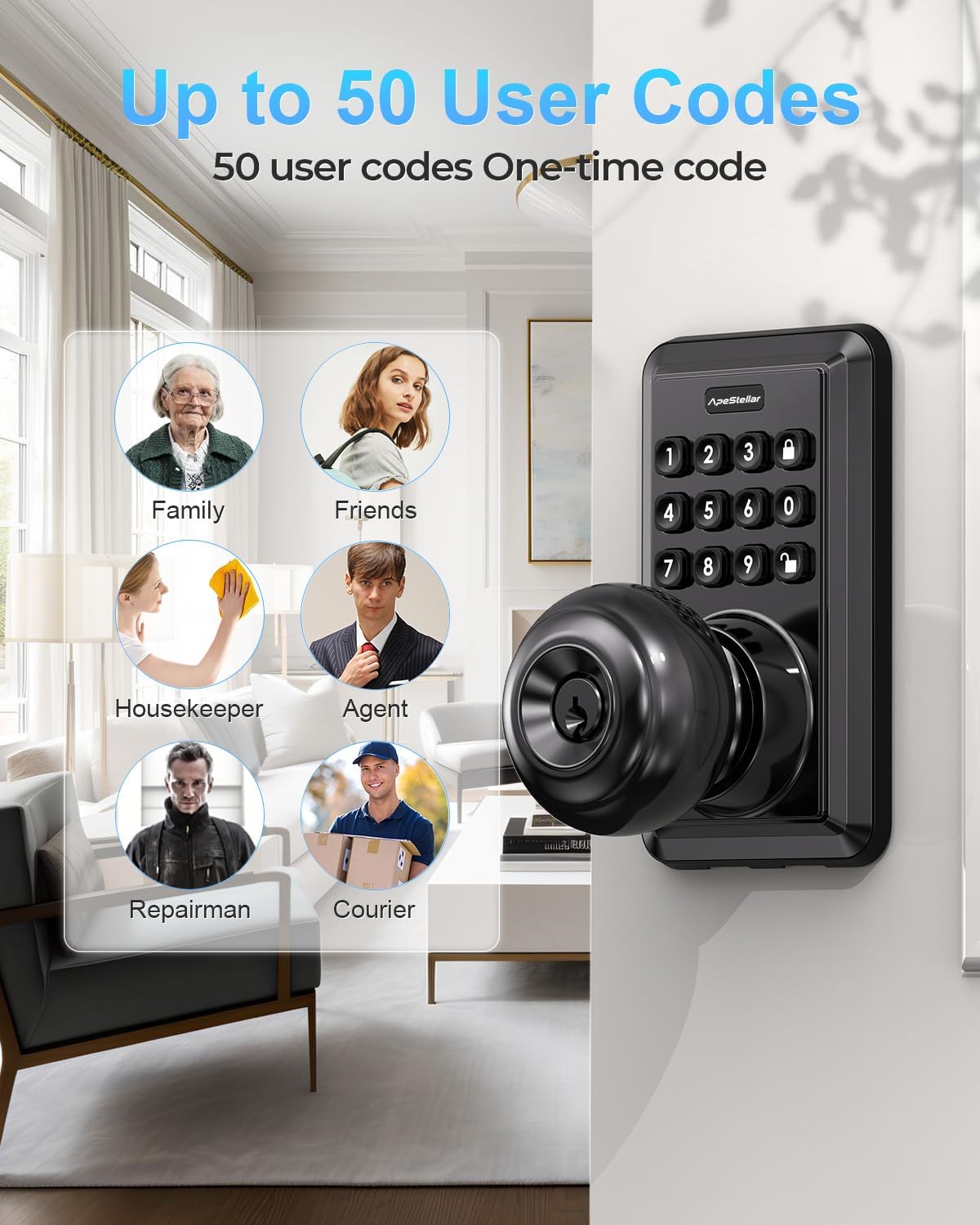
Image 4.1: The lock supports up to 50 distinct user codes.

Image 4.2: Multiple user codes can be programmed for various individuals.
4.2 One-Time Passcodes
Generate temporary one-time passcodes for guests or service providers, which expire after a single use. This provides secure, limited access without compromising your primary codes.

בילד 4.3: עקס.ample of using a one-time code for temporary access.

Image 4.4: A delivery person using a temporary one-time code for access.
4.3 לאַקינג און אַנלאַקינג
- קלאַוויאַטור פּאָזיציע: Enter your programmed passcode on the backlit keypad to unlock.
- Anti-Peep Code Protection: To prevent others from guessing your code, you can enter random digits before or after your actual passcode. The lock will still recognize the correct sequence within the longer entry.
- אַוטאָ-שלאָס: The lock can be configured to automatically lock after a set period, ranging from 5 to 900 seconds. This feature ensures your door is always secured.
- איין-ריר לאַקינג: A dedicated lock button allows for instant locking with a single press.
- גראָבער פינגער: The interior thumb turn can be set to keep the door unlocked for continuous access.

Image 4.5: Auto-lock and one-touch locking features for enhanced convenience.

Image 4.6: Visual guide to auto-lock and one-touch locking functions.

Image 4.7: Anti-peep code protection in action.

Image 4.8: How to use the anti-peep code feature.
4.4 ספּעציעלע מאָדעס
- שטום מאָדע: Activate mute mode to silence keypad tones for quiet entry or exit, ideal for late-night use.
- וואַקאַציע מאָדע: This mode enhances security when you are away for an extended period, disabling all regular user codes until a master code reactivates them.

Image 4.9: Mute mode for silent operation.

Image 4.10: Vacation mode for extended security when away.
5. וישאַלט
Proper maintenance ensures the longevity and reliable performance of your ApeStellar Keyless Entry Door Lock.
5.1 באַטערי פאַרבייַט
The lock is powered by 4 AAA batteries (not included). It features a low battery warning indicator to alert you when batteries need replacement. Battery life is approximately up to 1 year under normal usage conditions.
- When the low battery indicator illuminates or the lock emits a warning sound, replace all four AAA batteries promptly.
- Use high-quality alkaline batteries for optimal performance.

Image 5.1: Low battery alert and estimated battery life.
5.2 רייניקונג
Clean the keypad and handle surfaces with a soft, damp שטאָף. פֿאַרמײַדט ניצן אַברייסיוו רייניגער אָדער סאָלווענטן, ווײַל די קענען שאַטן די ענדיקונג און עלעקטראָנישע קאָמפּאָנענטן.
6. טראָובלעשאָאָטינג
If you encounter issues with your ApeStellar Keyless Entry Door Lock, refer to the following common troubleshooting steps:
- שלאָס ענטפֿערט נישט: Check the batteries. If the low battery indicator is on, replace all four AAA batteries.
- קאָד אַרבעט נישט: Ensure you are entering the correct passcode. Try using the anti-peep feature by entering random digits before or after your code. If the issue persists, reprogram the user code.
- Lock Mechanism Malfunction: If the lock mechanism is not engaging or disengaging properly, or if it locks immediately after unlocking, ensure the latch is installed correctly and moves freely. Check for any obstructions in the door frame or strike plate.
- Wrong Code Attempt Limit: The lock has a built-in security feature that temporarily disables the keypad after multiple incorrect code attempts. Wait for the lockout period to expire before trying again.
- Always Keep Backup Keys: In case of electronic malfunction or battery depletion, always have your physical backup keys accessible to prevent being locked out.
7. וואָראַנטי און שטיצן
The ApeStellar Keyless Entry Door Lock comes with a Lifetime Finish and Mechanical Warranty, ensuring the quality and durability of the product's finish and mechanical components.
For technical support, warranty claims, or further assistance, please contact ApeStellar customer service through the retailer where the product was purchased or refer to the contact information provided in the product packaging.