
SUPVAN E11
SUPVAN E11 בלועטוט לייבל מאַכער מאַשין באַניצער מאַנואַל
הקדמה
This manual provides detailed instructions for the setup, operation, maintenance, and troubleshooting of your SUPVAN E11 Bluetooth Label Maker Machine. Please read this manual thoroughly before using the device to ensure proper function and longevity.
זיכערקייַט אינפֿאָרמאַציע
- האַלטן די מיטל אַוועק פון וואַסער און הויך הומידיטי.
- דו זאלסט נישט ויסשטעלן די מיטל צו עקסטרעם טעמפּעראַטורעס אָדער דירעקט זונשייַן.
- Use only SUPVAN approved label tapes to prevent damage to the print head.
- דו זאלסט נישט פּרווון צו דיסאַסעמבאַל אָדער פאַרריכטן די מיטל זיך. קאָנטאַקט קונה שטיצן פֿאַר הילף.
- האַלטן אויס פון דערגרייכן פון קינדער.
פּעקל אינהאַלט
באַשטעטיקן אַז אַלע זאכן זענען פאַראַן אין דיין פּעקל:
- E11 לאַבעל מאַקער
- באַניצער מאַנואַל
- וסב- C קאַבלע
- 2 Rolls White Continuous Label Tape (15 mm x 6 m)
- 2 Rolls White Die-cut Label Tape (12 mm x 40 mm)

Image: Contents of the SUPVAN E11 Label Maker package, including the label maker, USB-C cable, user manual, and four rolls of label tape.
פּראָדוקט איבערview
The SUPVAN E11 is a portable thermal label maker designed for various labeling needs. It features a QWERTY keyboard for direct input and Bluetooth connectivity for app-based design and printing.
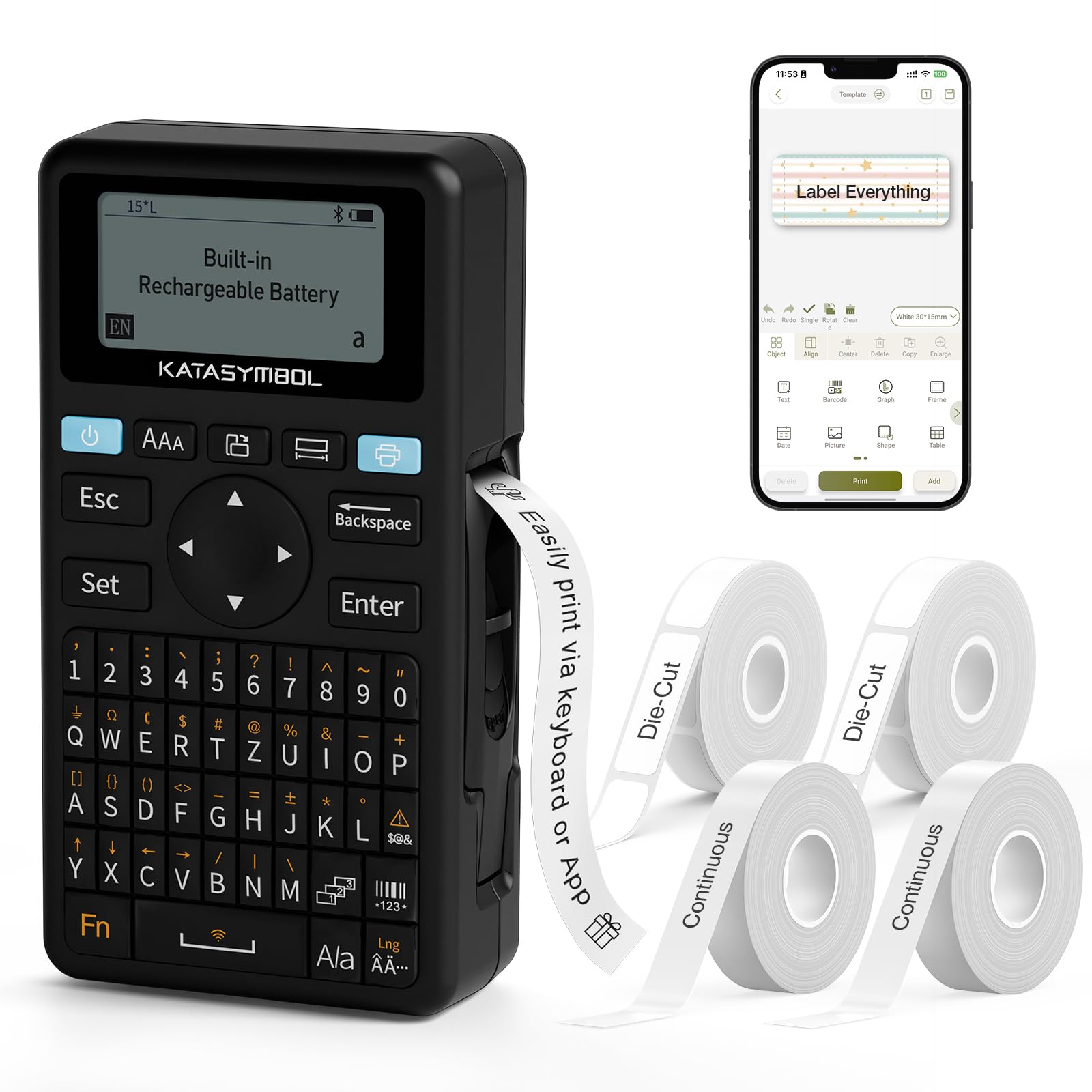
בילד: פראָנט view of the SUPVAN E11 Label Maker, showing the QWERTY keyboard and display screen.
סעטאַפּ
1. טשאַרדזשינג די מיטל
The SUPVAN E11 features a built-in 1200 mAh rechargeable battery. Before initial use, fully charge the device using the provided USB-C cable.
- Connect the USB-C cable to the charging port on the label maker.
- פֿאַרבינדט דעם אַנדערן עק פֿונעם קאַבל צו אַ USB מאַכט אַדאַפּטער (נישט אַרייַנגערעכנט) אָדער אַ קאָמפּיוטער USB פּאָרט.
- The charging indicator on the device will show the charging status.

Image: The SUPVAN E11 Label Maker demonstrating that it uses thermal paper and requires no ink or toner.
2. אינסטאַלירן לייבל טייפּ
The E11 label maker uses thermal label rolls. Follow these steps to install a new roll:
- Open the label compartment cover on the side of the device.
- Insert the label roll into the compartment, ensuring the label tape feeds out from the bottom and through the guide slot.
- פאַרמאַכן די אָפּטייל דעקן סיקיורלי.

Image: A hand demonstrating how to install a label tape roll into the SUPVAN E11 Label Maker.
3. Connecting via Bluetooth (App)
For advanced customization and printing, connect your label maker to the companion app:
- Download the official SUPVAN app from your device's app store.
- Turn on the label maker and ensure Bluetooth is enabled on your smartphone.
- Open the SUPVAN app and follow the on-screen instructions to pair with your E11 device.

Image: A visual guide showing the step-by-step process of connecting the label maker to the mobile app via Bluetooth.
אָפּעראַציע
1. Keyboard Printing
For quick and frequent labeling, use the integrated QWERTY keyboard:
- Turn on the label maker.
- Type your desired text using the keyboard. The text will appear on the LCD display.
- Press the 'Print' button to print the label.
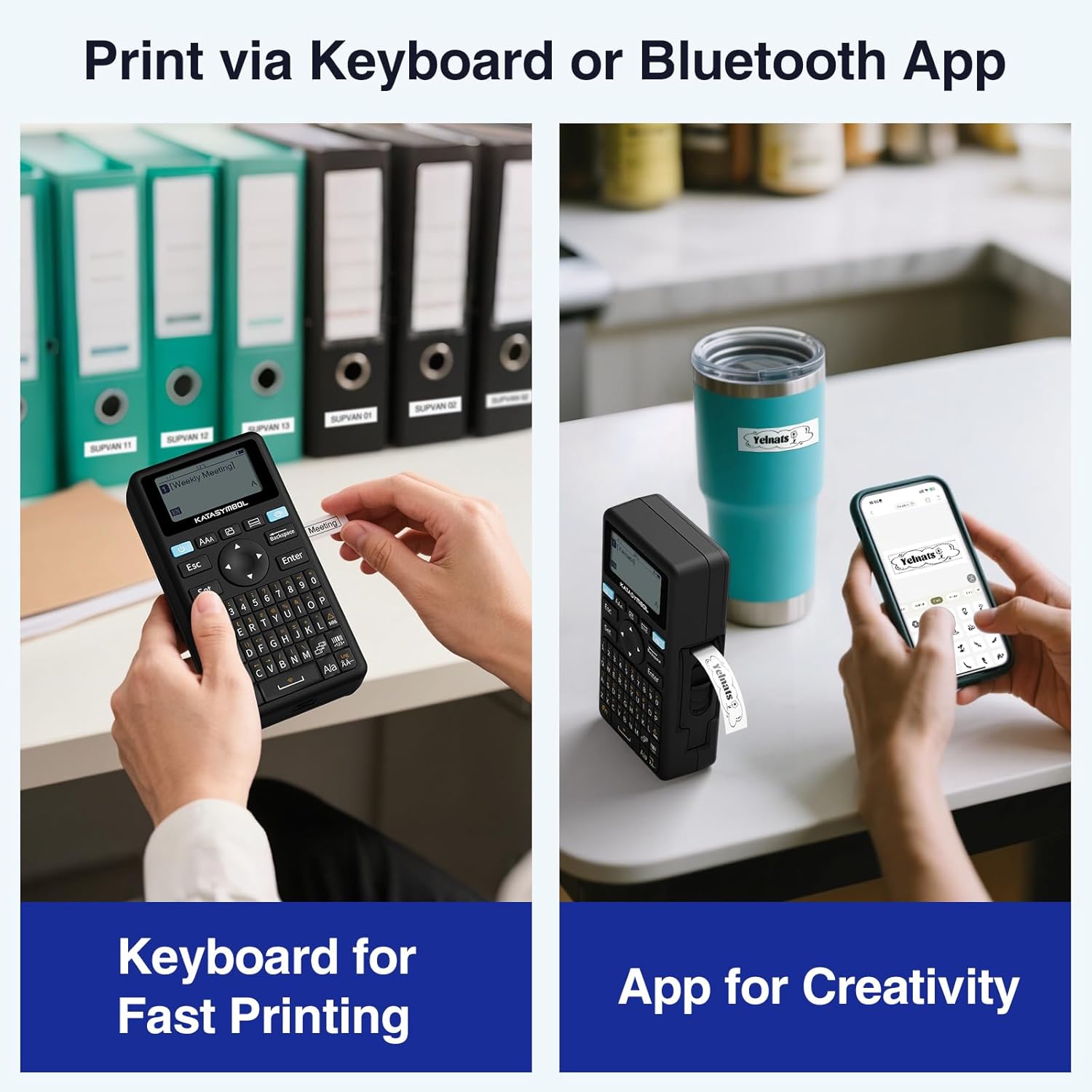
Image: A person using the SUPVAN E11 Label Maker's keyboard to type and print a label.
2. App Printing and Customization
The SUPVAN app offers extensive customization options:
- Ensure your device is connected to the app via Bluetooth.
- Open the app and select your label design.
- Utilize the app's features to customize your label:
- פאַנץ: Choose from over 30 fonts.
- ראַמען: Apply from over 50 frames.
- ייקאַנז: Select from over 660 icons.
- QR Codes & Barcodes: Generate and print QR codes and various barcode types.
- מוסטערן: Create and save your own label templates.
- Once your design is complete, tap the 'Print' button in the app.
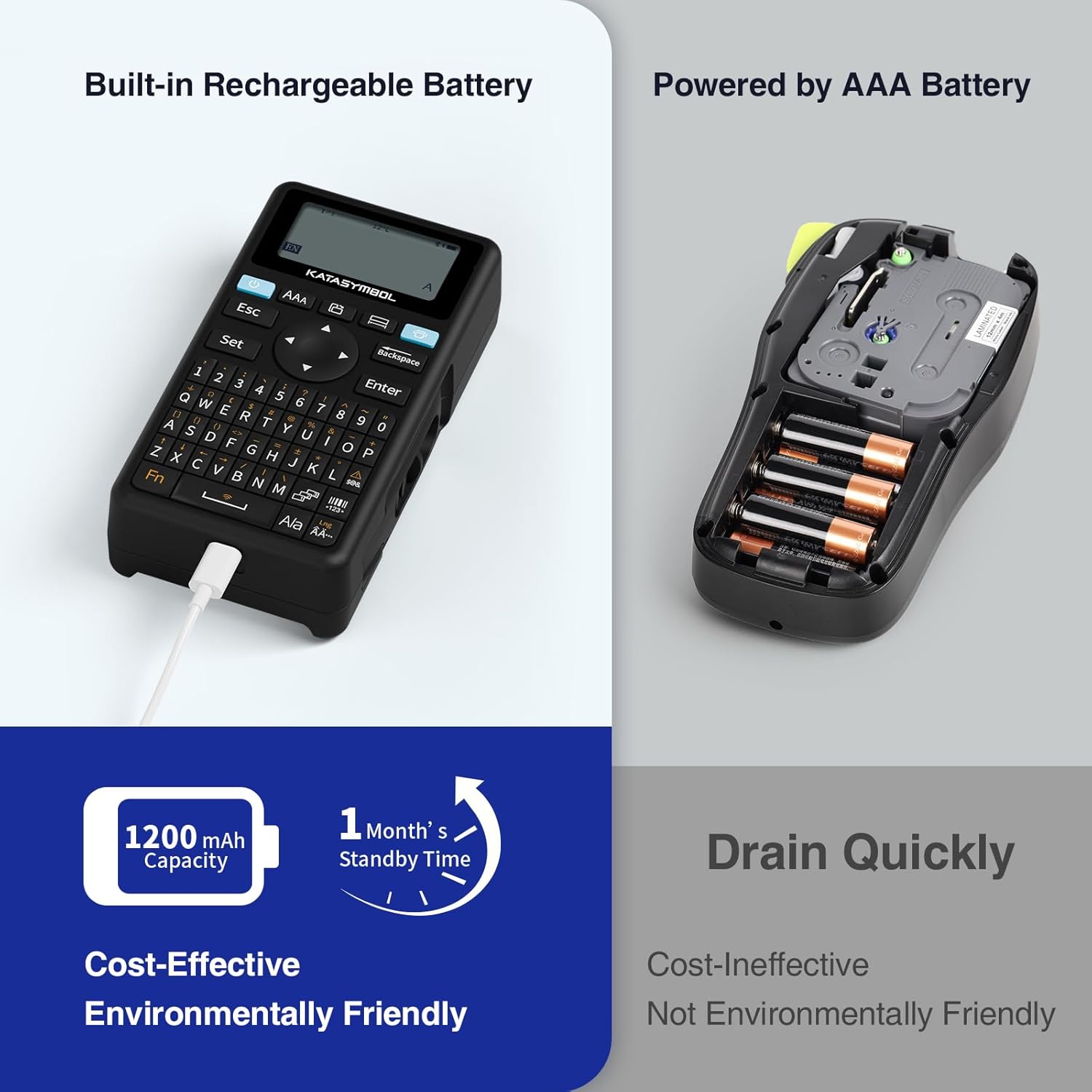
Image: A person using the SUPVAN E11 Label Maker in conjunction with the mobile app to design and print a customized label.

Image: A visual representation of the SUPVAN Label App's features, including a wide selection of fonts, frames, icons, and options for QR codes and barcodes.
Adjusting Label Font Size in the App
Video: This video demonstrates how to adjust the font size of your label text within the SUPVAN mobile application.
Adjusting Font Styles in the App
Video: This video illustrates the process of changing font styles and applying various formatting options to your labels using the SUPVAN mobile application.
3. Label Types and Minimal Margin Printing
The E11 supports both continuous and die-cut labels, offering flexibility for different applications. It also features minimal margin printing, reducing label waste.
- Continuous Labels: Ideal for long text or custom lengths.
- Die-Cut Labels: Pre-sized labels for specific items or standard applications.
- Minimal Margin: The E11 prints with only a 0.2-inch margin, significantly less than many other label makers, saving tape.

בילד: עקסamples of die-cut and continuous labels printed by the SUPVAN E11, showcasing its versatility for different label types.
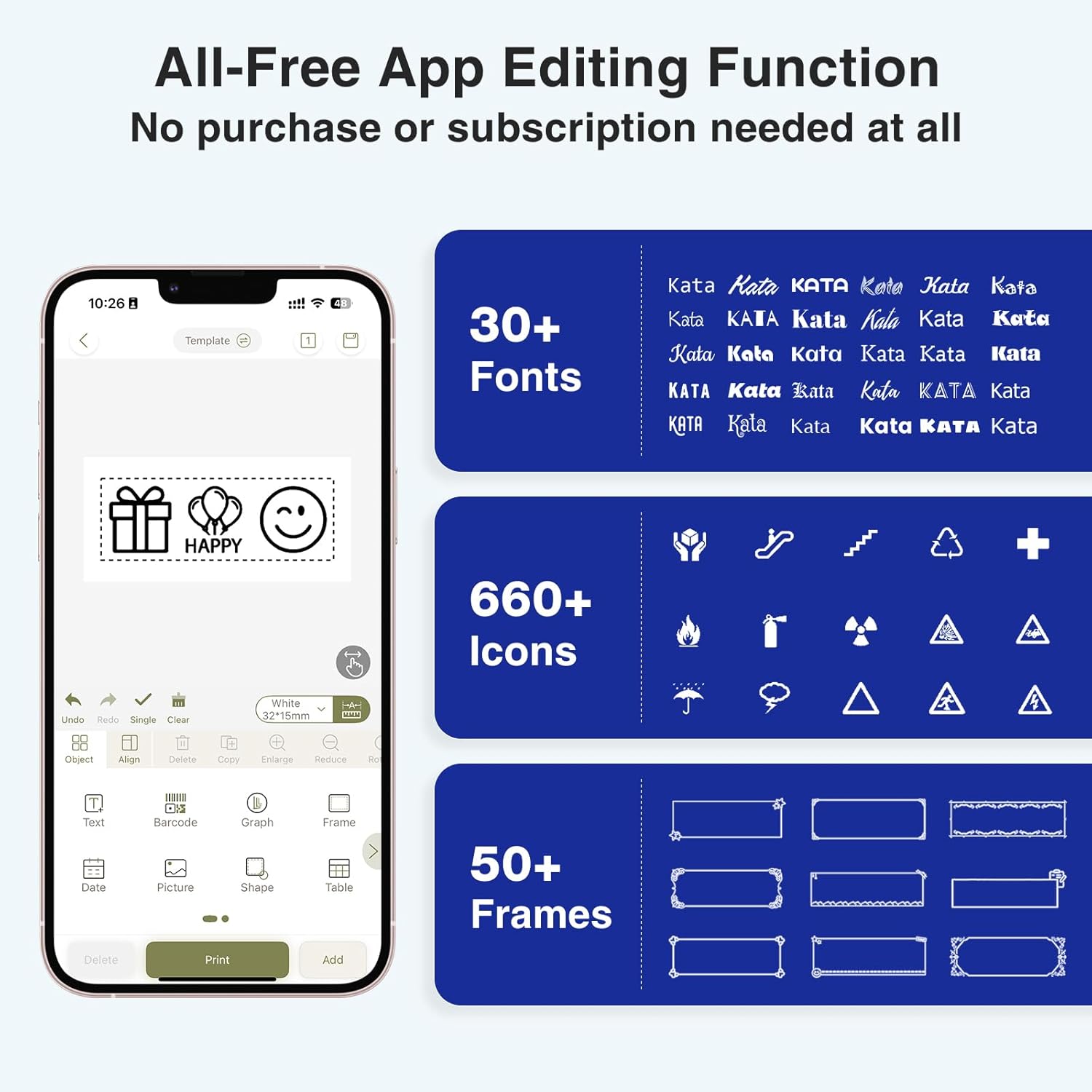
Image: A visual comparison highlighting the minimal 0.2-inch margin of SUPVAN labels versus the larger 1-inch margin of other label makers, demonstrating material efficiency.
4. ברייטע אַפּליקאַציעס
The SUPVAN E11 is suitable for various organizational tasks in different environments:
- היים: Organizing pantry items, storage bins, and personal belongings.
- קיך: Labeling food containers, spices, and expiry dates.
- אָפיס: Categorizing files, folders, and office supplies.
- שולע: Labeling school supplies, books, and projects.
- Garage/Workshop: Organizing tools and parts.

Image: A collage showing various applications of labels created with the SUPVAN E11, including labeling bottles, file folders, and storage containers.
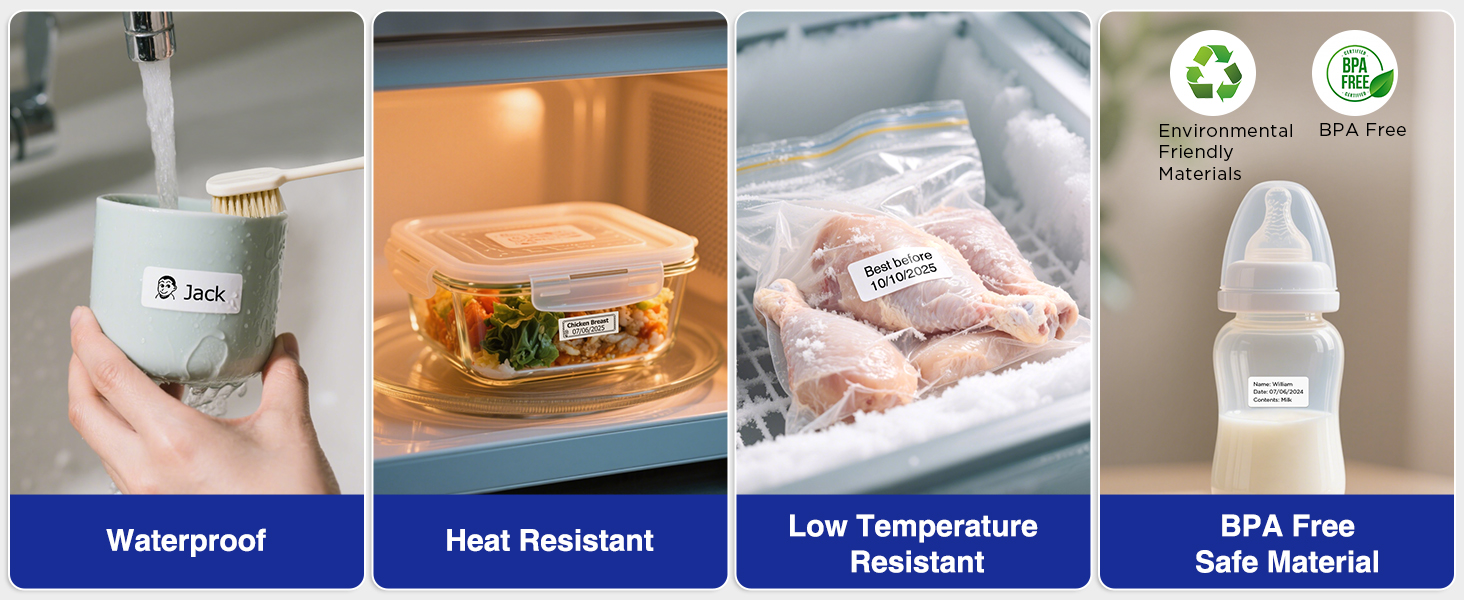
Image: A display illustrating the durability of SUPVAN laminated labels, highlighting their waterproof, heat-resistant, low-temperature resistant, and BPA-free characteristics.
וישאַלט
1. רייניקן דעם דרוק קאָפּ
To ensure optimal print quality, regularly clean the print head:
- Turn off the label maker and open the label compartment.
- Gently wipe the print head with a soft, lint-free cloth dampמיט יסאָפּראָפּיל אַלקאָהאָל.
- Allow the print head to dry completely before closing the compartment and using the device.
2. באַטערי קער
צו פאַרלענגערן די באַטאַרייע לעבן:
- פֿאַרמײַדט אָפֿט פֿולשטענדיק אויסצולאָדן די באַטעריע.
- לאָדט דאָס אַפּאַראַט רעגולער אויף, אפילו אויב עס איז נישט אין באַנוץ, כּדי צו האַלטן די באַטאַריע געזונט.
- האַלט דעם אַפּאַראַט אין אַ קיל, טרוקן אָרט ווען נישט אין באַנוץ פֿאַר לענגערע פּעריאָדן.
טראָובלעשאָאָטינג
| פּראָבלעם | מעגלעך סיבה | לייזונג |
|---|---|---|
| Device does not turn on or turns off unexpectedly. | Low battery; device overload during long prints. | Ensure the device is fully charged. For long prints, try breaking the text into shorter segments. |
| Poor print quality (faint, streaky, or blank labels). | Print head is dirty; incorrect label tape installation; faulty label tape. | Clean the print head as described in the Maintenance section. Reinstall the label tape correctly. Try a new roll of label tape. |
| בלועטאָאָטה קשר ישוז. | Bluetooth is off; device not paired; app issues. | Ensure Bluetooth is enabled on both devices. Re-pair the label maker through the app. Restart the app and the label maker. |
| Labels are not feeding correctly or jamming. | Improper tape installation; foreign object in the feed path. | Open the compartment and re-install the tape, ensuring it is aligned. Check for any obstructions and carefully remove them. |
ספּעסאַפאַקיישאַנז
| שטריך | דעטאַל |
|---|---|
| סאָרט | SUPVAN |
| מאָדעל נאָמען | E11 |
| קאַנעקטיוויטי טעכנאָלאָגיע | בלועטאָאָטה |
| דרוק טעכנאָלאָגיע | טערמאַל |
| דרוקער רעזולטאַט | מאָנאָטשראָמע |
| מאַקס פּרינט ספּיד מאָנאָטשראָמע | 40 מם/ס |
| האַכלאָטע | 203 דפּי |
| פּונקט וואָג | 0.5 פונט (בעערעך 227 ג) |
| פּראָדוקט דימענשאַנז (ד רענטגענ וו רענטגענ ה) | 5.8" x 3.1" x 1.5" (אומגעפער 14.7 ס״מ x 7.9 ס״מ x 3.8 ס״מ) |
| באַטאַרייע קאַפּאַציטעט | 1200 מאַה |
| טשאַרדזשינג צובינד | וסב טיפּ C |
| ווייַז טיפּ | לקד |
| קאָנטראָל מעטאָד | אַפּ, דריק קנעפּל |
| מאַקסימום מעדיע גרייס | 15 מם רענטגענ 6 עם |
וואָראַנטי אינפֿאָרמאַציע
The SUPVAN E11 Label Maker comes with a 2-יאָר מאַנופאַקטורער וואָראַנטידי וואָראַנטי דעקט חסרונות אין מאַטעריאַלן און אַרבעט אונטער נאָרמאַל נוצן. ביטע האַלטן דיין קויפן באַווייַז פֿאַר וואָראַנטי קליימז.
For detailed warranty terms and conditions, please refer to the official SUPVAN webפּלאַץ אָדער קאָנטאַקט קונה שטיצן.
קונה שטיצן
If you encounter any issues or have questions not covered in this manual, please contact SUPVAN customer support:
- Webפּלאַץ: Visit the official SUPVAN webוועבזייטל פֿאַר אָפֿט געשטעלטע פֿראַגעס און שטיצע רעסורסן.
- בליצפּאָסט: זעט אייער פּראָדוקט פּאַקאַדזשינג אָדער די באַאַמטער webזייטל פֿאַר קונה סערוויס אימעיל אַדרעסן.
Ask a question about this manual
Ask about setup, troubleshooting, compatibility, parts, safety, or missing instructions. Manuals+ will review the question and use this page’s manual context to help answer it.