
EBTOOLS EBTOOLSs1gq2a4o5t-12
EBTOOLS Body Camera User Manual
Model: EBTOOLSs1gq2a4o5t-12
1. הקדמה
This manual provides comprehensive instructions for the operation and maintenance of your EBTOOLS Body Camera, Model EBTOOLSs1gq2a4o5t-12. This portable, body-mounted camcorder is designed for various recording needs, including law enforcement, security, and outdoor activities, offering 1080P HD video recording, night vision capabilities, and a wide-angle lens.
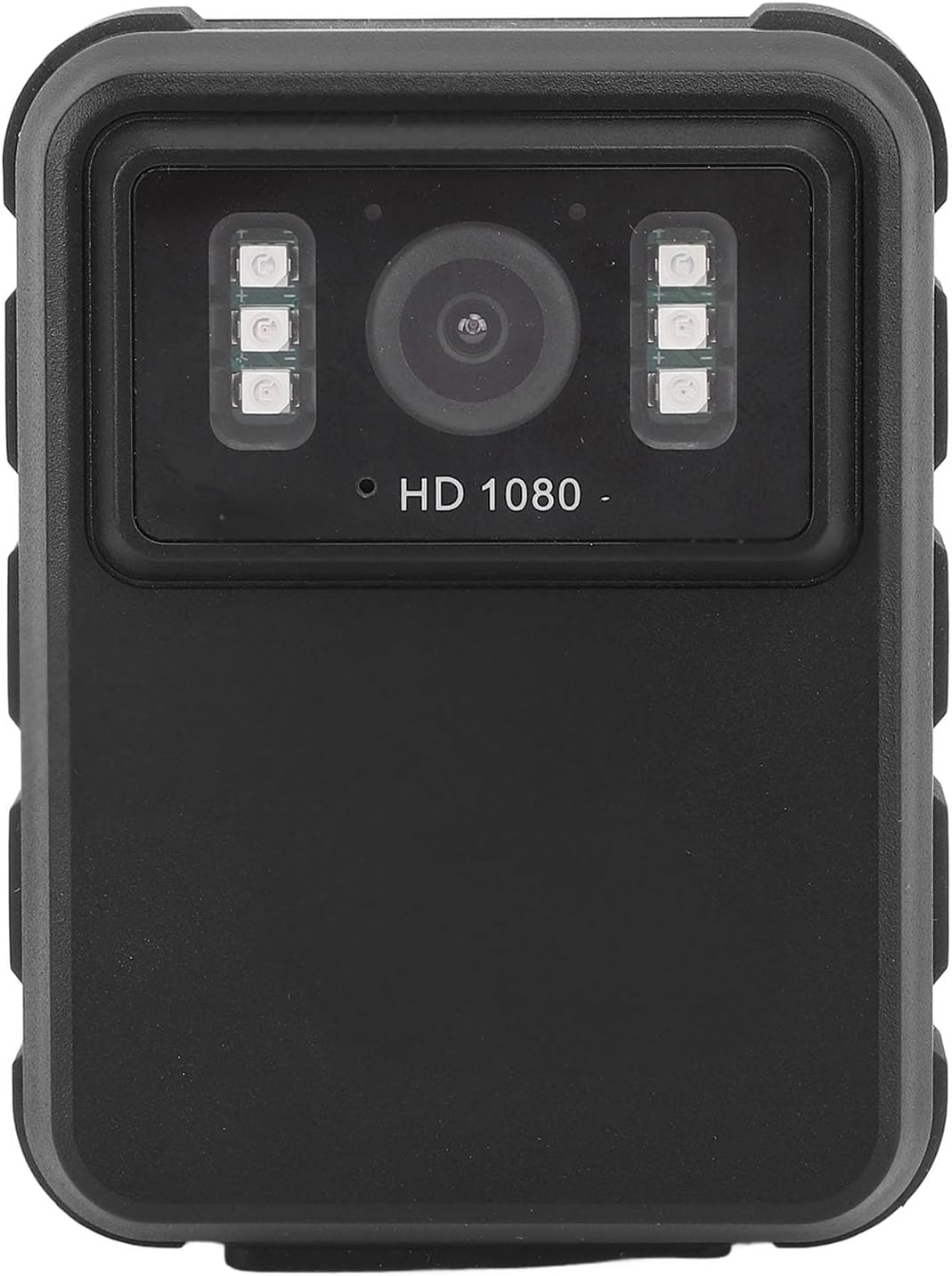
פיגורע 1: פראָנט view of the EBTOOLS Body Camera, showing the lens and infrared LEDs.
2. פּראָדוקט איבערview
2.1 שליסל פֿעיִקייטן
- 1080P HD ווידעא רעקאָרדינג: Captures high-definition video for clear footage.
- נאַכט זעאונג: Equipped with 6 infrared LEDs for clear recording up to 33 feet in low-light or dark conditions, with manual and automatic activation modes.
- 130° ברייט ווינקל לינז: Provides a broader field of view to capture more of the surroundings.
- שלייף רעקאָרדינג: אויטאָמאַטיש איבערשרייבט די עלטסטע עסןtage when storage is full, ensuring continuous recording.
- 2.0-אינטש IPS ווייַז: Allows for immediate video playback and photo viewing directly on the device.
- ווערסאַטאַל מאַונטינג אָפּציעס: Can be clipped to clothing, mounted on a motorcycle, or used as a dash cam.
- לאנג באַטאַרייע לעבן: Built-in 1800mAh lithium battery supports approximately 8 hours of continuous recording.

פיגורע 2: Illustration of the 130° wide-angle lens and the 2.0-inch IPS display for clear viewing.

פיגורע 3: The camera's built-in infrared lights for night vision and its robust design suitable for various conditions.
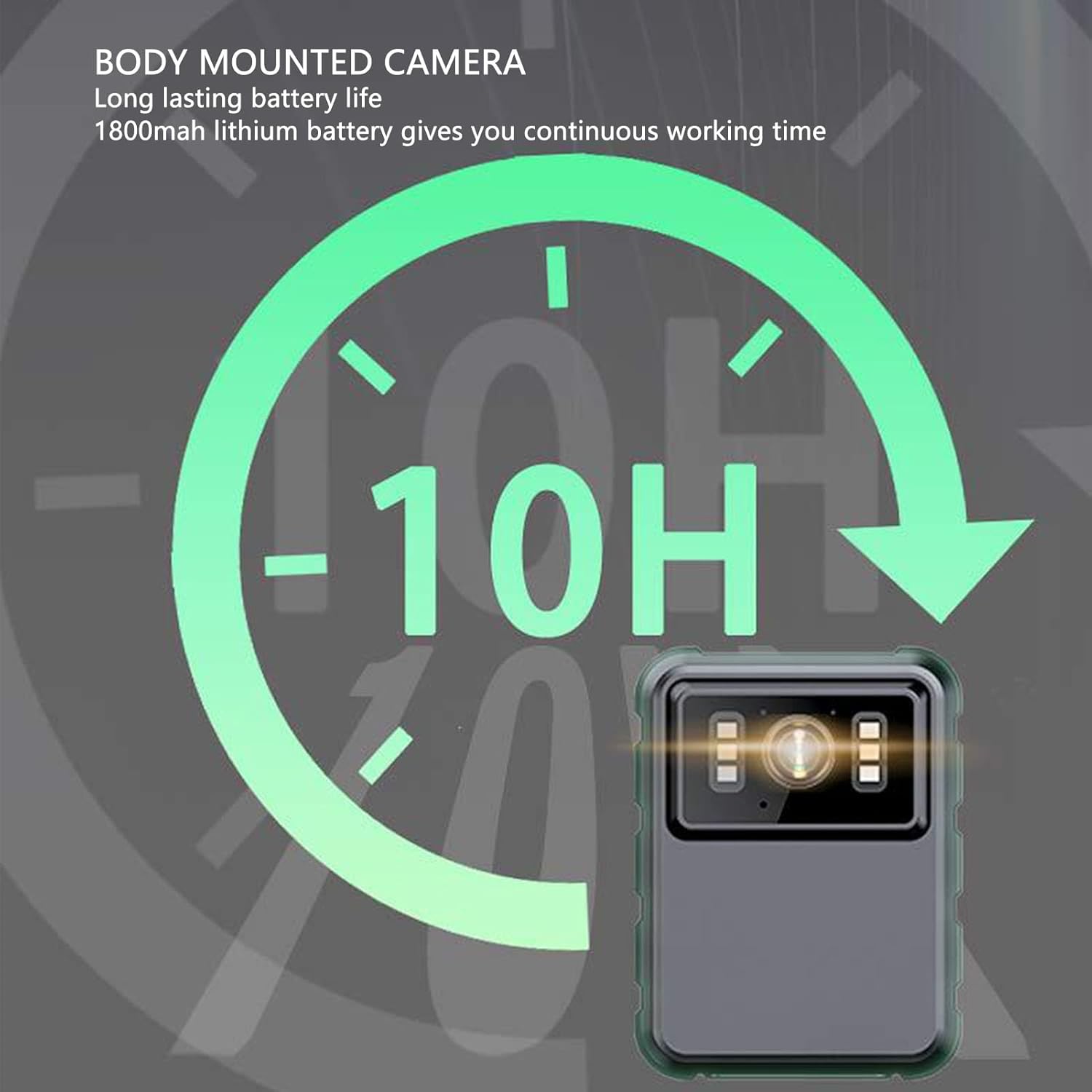
פיגורע 4: The camera features a long-lasting 1800mAh lithium battery, providing extended operational time.
2.2 פּעקל אינהאַלט
באַשטעטיקן אַז אַלע זאכן זענען פאַראַן אין פּעקל:
- 1 x EBTOOLS Body Camera
- 2 רענטגענ מאָונטינג בראַקאַץ
- 1 x אַדאַפּטער
- 1 x טשאַרדזשינג קאַבל (USB)
- 1 x באַניצער מאַנואַל (דאָס דאָקומענט)
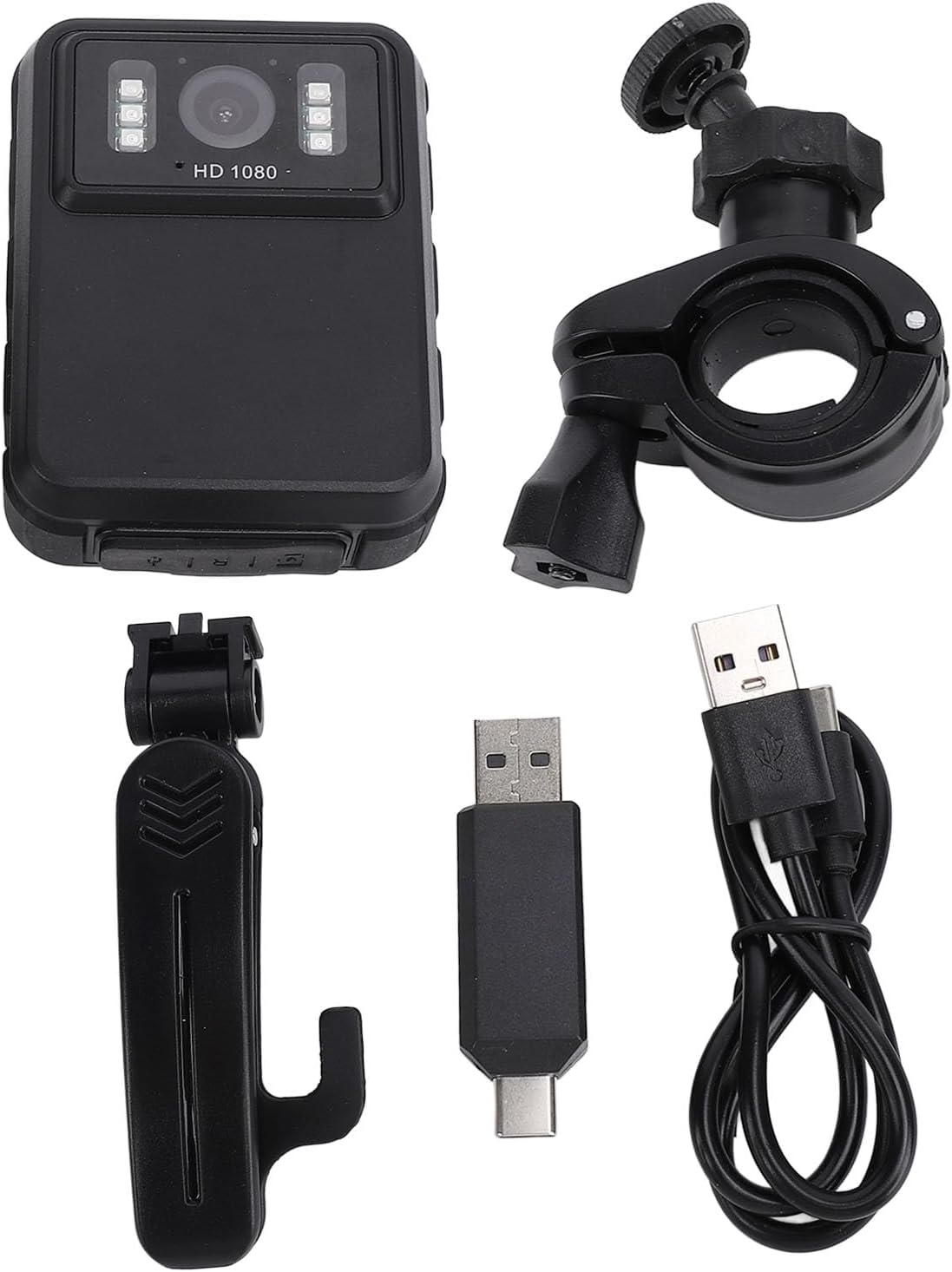
פיגורע 5: All components included in the EBTOOLS Body Camera package.
3. סעטאַפּ
3.1 ערשט טשאַרדזשינג
- Connect the provided charging cable to the camera's USB port.
- Connect the other end of the charging cable to the adapter, then plug the adapter into a standard power outlet.
- Allow the camera to charge fully before first use. The charging indicator light will typically change color or turn off when charging is complete.
3.2 פּאַוערינג אויף / אַוועק
- צו מאַכט אויף: Press and hold the Power button (usually located on the side or top) for a few seconds until the screen illuminates.
- צו מאַכט אַוועק: דריק און האַלט די פּאַוער קנעפּל ווידער ביז די דעווייס שליסט זיך אויס.
3.3 אנשטעלן קלאַמערן
The camera comes with two types of brackets for versatile mounting:
- Clip Bracket: For attaching to clothing, pockets, or straps. Slide the camera onto the clip until it securely locks.
- Universal Mount Bracket: For motorcycle handlebars, dashboards, or other surfaces. Attach the camera to the bracket's screw mount, then secure the bracket to the desired location.

פיגורע 6: Detail of the camera's universal mounting screw thread.
4. אַפּערייטינג ינסטרוקטיאָנס
4.1 רעקאָרדינג ווידעא
- מאַכן זיכער אַז די אַפּאַראַט איז פּאַוערד אויף.
- Press the dedicated Record button (often marked with a red dot or camera icon) to start video recording. A recording indicator (e.g., a flashing red light or icon on the screen) will appear.
- דריק נאכאמאל דעם רעקארד קנעפל צו אפשטעלן די רעקארדירונג. דאס ווידעא file וועט געראטעוועט ווערן אויטאָמאַטיש.
- The camera supports 1080P and 2K resolution. Refer to the on-screen menu for resolution selection.

פיגורע 7: The camera supports both 2K and 1080P video recording resolutions.
4.2 נעמען בילדער
- With the camera powered on, switch to photo mode (if applicable, via a mode button or menu).
- Press the Shutter button (often the same as the Record button, or a separate button) to capture a still image.
4.3 Night Vision Activation
The camera features both automatic and manual night vision modes:
- אָטאַמאַטיק מאָדע: The camera will detect low light conditions and automatically activate the infrared LEDs.
- מאַנואַל מאָדע: Access the camera's menu settings to manually turn night vision on or off.
4.4 שלייף רעקאָרדינג
When the storage capacity is full, the camera will automatically overwrite the oldest video files to continue recording. This feature ensures continuous operation without manual intervention to clear space.
4.5 ווידערשפּיל און File פאַרוואַלטונג
- On-Device Playback: Use the 2.0-inch IPS display and navigation buttons to browse and play recorded videos or view photos directly on the camera.
- קאָמפּיוטער קאַנעקשאַן: Connect the camera to a computer using the USB cable to transfer files for backup or viewing on a larger screen. The camera will appear as a removable disk drive.

פיגורע 8: The camera's display and control buttons for navigation and playback.

פיגורע 9: Examples of the camera's versatile applications, such as for delivery personnel or motorcycle riders.
5. וישאַלט
- רייניקונג: Use a soft, dry cloth to clean the camera body. For the lens, use a specialized lens cleaning cloth and solution to avoid scratches. Do not use harsh chemicals.
- סטאָרידזש: האַלט די קאַמעראַ אין אַ קיל, טרוקן אָרט אַוועק פון דירעקט זונשייַן און עקסטרעמע טעמפּעראַטורן.
- באַטערי זאָרגן: To prolong battery life, avoid fully discharging the battery frequently. Charge the camera regularly, even if not in use, to maintain battery health.
- Firmware דערהייַנטיקונגען: קוק די פאַבריקאַנט ס webזוכט דעם וועבזייטל פון צייט צו צייט פאר אלע פארהאן פירמווער דערהייַנטיקונגען צו זיכער מאכן אפטימאלע פאָרשטעלונג און נייע פֿעיִקייטן.
6. טראָובלעשאָאָטינג
6.1 קאַמעראַ גייט נישט אָן
- Ensure the battery is sufficiently charged. Connect the camera to a power source and allow it to charge for at least 30 minutes before attempting to power on again.
- Verify that the power button is being pressed and held for the required duration (typically 3-5 seconds).
6.2 Recording Issues (e.g., not saving, corrupted files)
- Check available storage space. If the storage is full and loop recording is not enabled or functioning correctly, new recordings may not save.
- Ensure the camera's internal storage is not corrupted. If issues persist, consider formatting the storage via the camera's settings menu (this will erase all data).
6.3 Night Vision Not Activating
- Verify that night vision is enabled in the camera's settings, either in automatic or manual mode.
- Ensure there are no obstructions blocking the infrared LEDs on the front of the camera.
6.4 Computer Not Recognizing Camera
- פּרוּווט אַ אַנדערש וסב פּאָרט אויף דיין קאָמפּיוטער.
- זיכער מאַכן אַז דער USB קאַבל איז זיכער פארבונדן צו ביידע די קאַמעראַ און דעם קאָמפּיוטער.
- Restart both the camera and the computer.
7. ספּעסאַפאַקיישאַנז
| שטריך | דעטאַל |
|---|---|
| סאָרט | EBTOOLS |
| מאָדעל נאָמען | EBTOOLSs1gq2a4o5t-12 |
| ווייַז סקרין | 2.0 inch IPS Screen (Resolution: 320x240) |
| לענס Viewינג אַנגלע | 100° (Wide Angle) |
| אַפּאַראַט האַכלאָטע | 3840x2160p (2K), 2560x1440p, 1920x1080p (1080P) |
| אַודיאָ ביטראַטע | WAV (512KBPS) |
| ינפרערעד נאַכט זעאונג | Support, Built-in 6 Enhanced Energy Saving Infrared Lights |
| Infrared Switching Mode | Off, Auto, Manual Adjustment |
| מיקראָפאָן | Omnidirectional Built-in Capacitor MIC |
| געבויט-אין באַטערי | ליטהיום באַטאַרייע 1800 מאַה |
| Recording Working Time | בעערעך 8 שעה |
| קעסיידערדיק רעקאָרדינג צייט | בעערעך 8 שעה |
| Longest Photo Time | Approximately 10 hours (1080p 30fps High Grade Video) |
| קאַנעקטיוויטי טעכנאָלאָגיע | וסב |
| פּונקט וואָג | 10.9 אונסעס |
| פּעקל דימענשאַנז | 5.91 X 5.12 X 2.36 אינטשעס |
8. וואָראַנטי און שטיצן
For warranty information, technical support, or service inquiries, please refer to the official EBTOOLS webזייטל אדער קאנטאקט זייער קאסטומער סערוויס דעפארטמענט. האלט אייער קויף קוויטל אלס באווייז פון קויפן פאר גאראנטיע קליימס.
איר קענט טיפּיש געפֿינען שטיצע קאָנטאַקט דעטאַילס אויף דער פאַבריקאַנט'ס webוועבזייטל אדער דורך דעם פארקויפער וואו דער פראדוקט איז געקויפט געווארן.
Ask a question about this manual
Ask about setup, troubleshooting, compatibility, parts, safety, or missing instructions. Manuals+ will review the question and use this page’s manual context to help answer it.