
1. הקדמה
The DATOUBOSS WiFi Module is designed for seamless integration with 48V/24V hybrid inverters, enabling remote monitoring of energy generation. This module facilitates data interaction and control of your inverter system via a WiFi connection, providing convenience and enhanced system management.
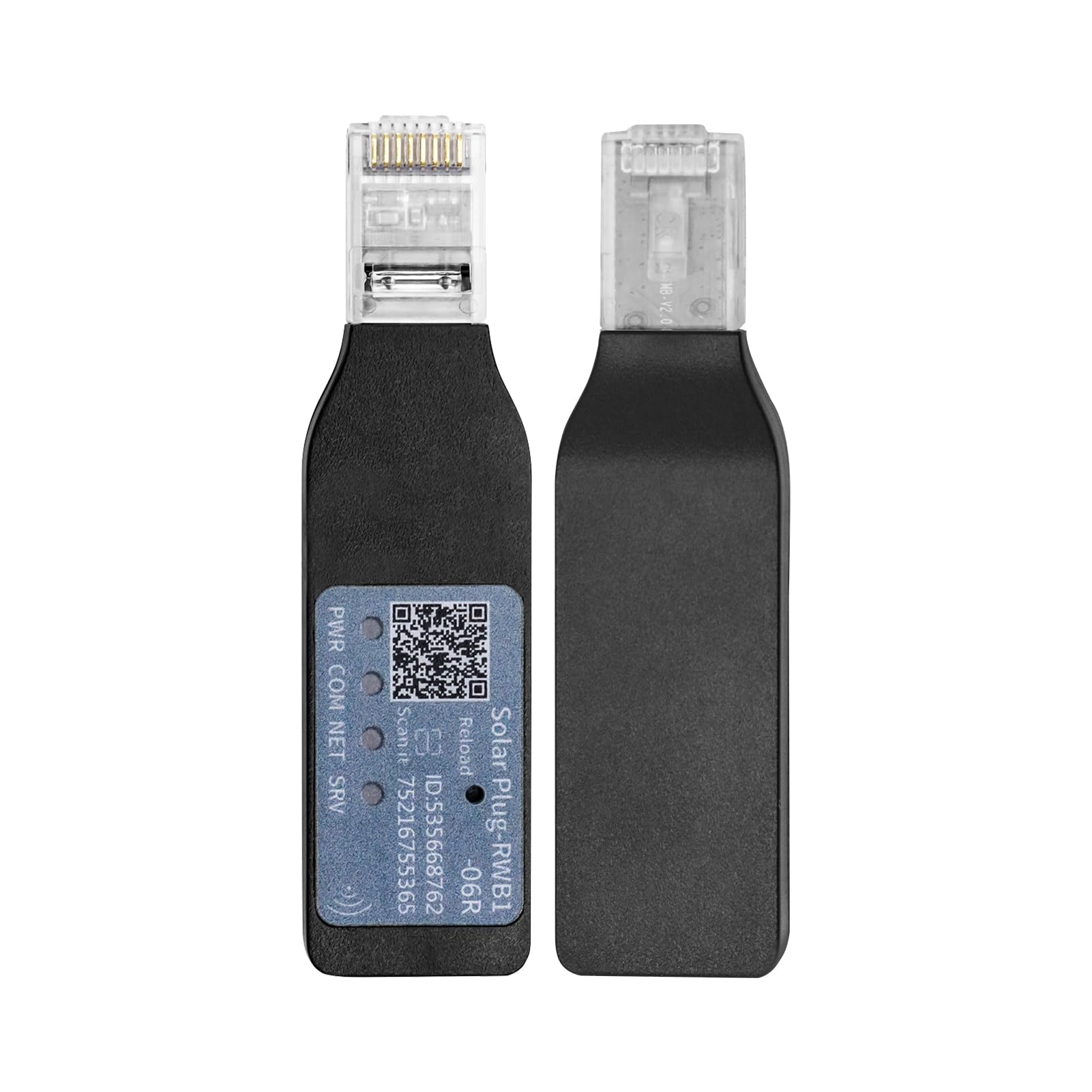
Image: The DATOUBOSS WiFi Module, a compact device designed for connecting hybrid inverters to a wireless network for remote monitoring.
2. סעטאַפּ און ייַנמאָנטירונג
Follow these steps to properly set up and install your DATOUBOSS WiFi Module with a compatible hybrid inverter.
- ונבאָקסינג: Carefully open the packaging and ensure all components are present. Refer to the inverter's manual for specific unboxing instructions if the module is part of a larger kit.
- Inverter Preparation: Ensure your hybrid inverter is powered off and disconnected from all power sources (AC, DC, and battery) before proceeding with the installation of the WiFi module.
- מאָדולע קשר: Locate the WiFi communication/RS-232 port on your hybrid inverter. Insert the DATOUBOSS WiFi Module firmly into this designated port. Ensure a secure connection.
- מאַכט אויף: Once the WiFi module is securely connected, you may power on your hybrid inverter according to its operational guidelines.
- ערשט קאַנפיגיעריישאַן: Refer to the inverter's LCD display and function buttons for initial network configuration. This typically involves accessing the settings menu to connect to your local 2.4 GHz WiFi network.

Image: Illustration showing the connection of a WiFi module to an inverter, highlighting the communication port.
Setup Video Reference:
Video: This video demonstrates the features and connection points of a compatible hybrid solar inverter, including the WiFi communication port. It provides a visual guide to understanding the inverter's physical layout relevant to WiFi module installation.
3. אַפּערייטינג ינסטרוקטיאָנס
Once the WiFi module is installed and connected to your network, you can begin monitoring and interacting with your inverter system.
- LCD ווייַז: The inverter's LCD display provides real-time information on energy generation, battery status, and system operation. Use the function buttons (up, down, enter, escape) to navigate through the menus and view פאַרשידן פּאַראַמעטערס.
- ווייַט מאָניטאָרינג: Utilize the dedicated mobile application or web interface (if provided by DATOUBOSS or the inverter manufacturer) to remotely monitor your inverter's performance, energy output, and battery charge status.
- דאַטן אינטעראַקציע: The WiFi module enables data interaction, allowing you to receive alerts, view historical data, and potentially adjust certain inverter settings remotely, depending on the application's features.
- באַטערי וואָלtage סעטטינגס: For lithium batteries, specific voltage settings are crucial. These can typically be configured via the inverter's LCD interface. Ensure these settings match your battery's specifications to prevent damage and optimize performance.
Battery Setting Video Reference:
Video: This video demonstrates how to set lithium battery parameters (charging protection voltage, float charge voltage, discharge protection voltage) on a compatible inverter's LCD display. These settings are critical for battery health and system efficiency.
4. וישאַלט
Regular maintenance ensures optimal performance and longevity of your WiFi module and inverter system.
- האַלטן ריין: Ensure the WiFi module and inverter are free from dust and debris. Use a soft, dry cloth for cleaning. Do not use liquid cleaners.
- טשעק קאַנעקשאַנז: Periodically inspect all connections, including the WiFi module's connection to the inverter, for tightness and signs of wear.
- ווייכווארג דערהייַנטיקונגען: Check for firmware updates for both the WiFi module and the inverter, as these can improve performance and add new features. Follow the manufacturer's instructions for any updates.
- ינווייראַנמענאַל טנאָים: Ensure the module and inverter are operated within their specified environmental conditions (temperature, humidity) to prevent damage.
5. טראָובלעשאָאָטינג
If you encounter issues with your DATOUBOSS WiFi Module, consider the following troubleshooting steps:
- קיין קשר:
- Verify the WiFi module is securely inserted into the inverter's communication port.
- Check if your local WiFi network is operational and within range.
- Ensure the inverter's WiFi settings are correctly configured for your network (SSID, password).
- Restart both the inverter and your WiFi router.
- Incorrect Data/Readings:
- Confirm that the inverter's internal settings (e.g., battery type, voltage parameters) are correctly configured. Refer to the "Lithium battery voltage setting" video for guidance if using lithium batteries.
- Ensure the monitoring application is up-to-date.
- מאָדול רעאַגירט נישט:
- Power cycle the inverter (turn off, wait a few minutes, then turn on).
- If the issue persists, contact DATOUBOSS customer support.
6. ספּעסאַפאַקיישאַנז
| שטריך | דעטאַל |
|---|---|
| סאָרט | DATOUBOSS |
| מאָדעל נומער | 729604745444 |
| קאַמפּאַטאַבילאַטי | 48V/24V Hybrid Inverters |
| פֿונקציע | Remote monitoring of energy generation, data interaction |
| קאַנעקטיוויטי | WiFi (2.4 GHz) / RS-232 port |
| Power Source (Inverter) | Solar-powered and battery-powered |
| Recommended Uses (Inverter) | Domestic, Vehicles |
Note: Specifications are based on the associated hybrid inverter model 729604745444.
7. וואָראַנטי און שטיצן
DATOUBOSS is committed to providing reliable products and customer satisfaction.
- וואָראַנטי: This product typically comes with a 24-month warranty. Please retain your proof of purchase for warranty claims.
- קערט: A 30-day unconditional return guarantee is generally offered.
- קונה שטיצן: For technical assistance, troubleshooting, or warranty inquiries, please contact DATOUBOSS customer support. Support is available 7x24 hours.
- אָנליין רעסורסן: Visit the official DATOUBOSS store on Amazon for additional product information and support resources: דאַטובאָסס קראָם