
הקדמה
Thank you for choosing the EZVALO 16.5-inch Under Cabinet Lighting. This product combines smart motion sensing with a sleek design to provide versatile illumination for various indoor spaces. Featuring adjustable color temperatures, dimmable brightness, and a rechargeable battery, it offers a convenient and energy-efficient lighting solution.
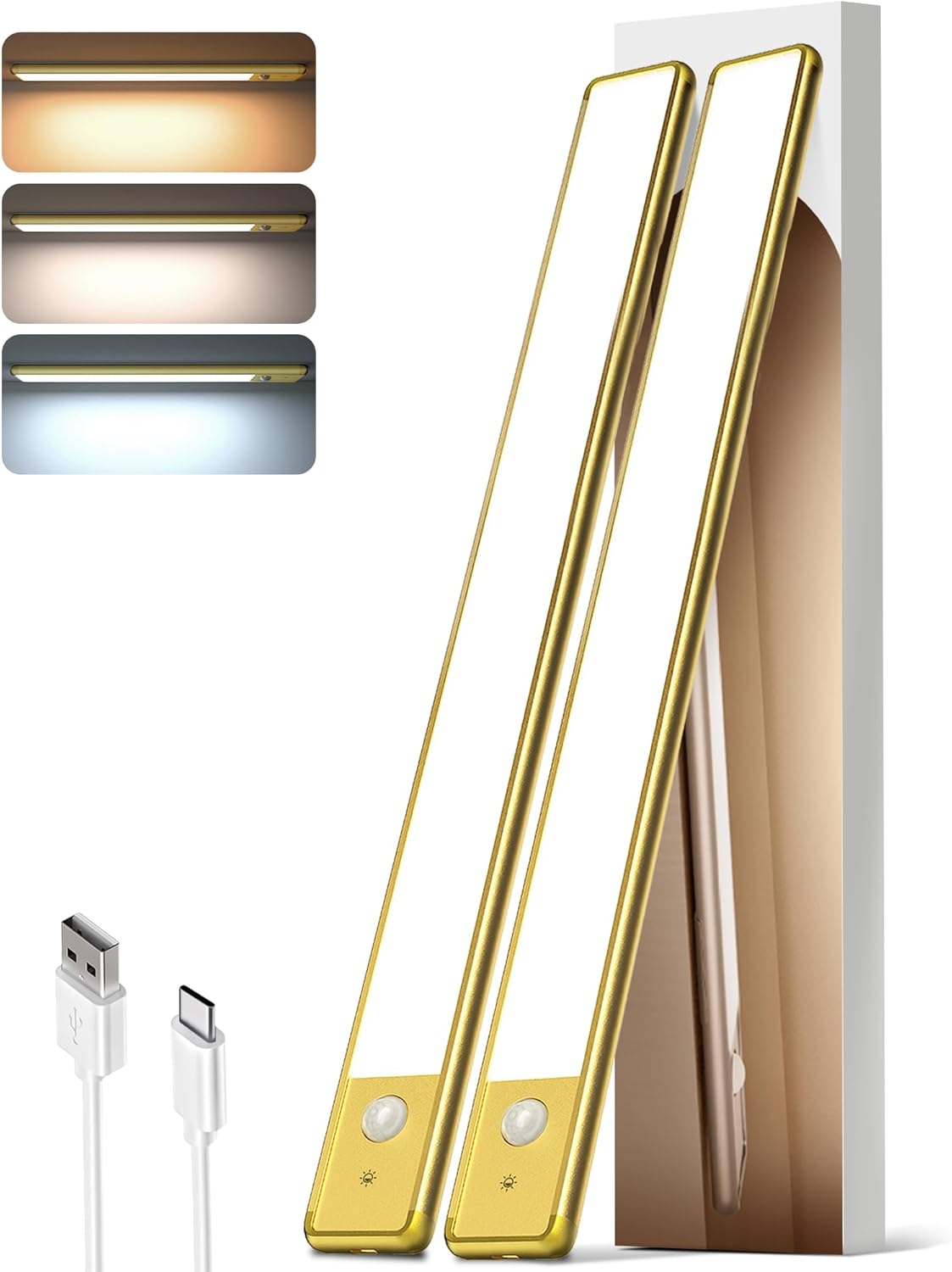
Image: The EZVALO 16.5-inch Under Cabinet Lighting unit, showcasinג עס איז סלים פּראָfile and integrated motion sensor.
פּעקל אינהאַלט
- 2 x EZVALO 16.5-inch Cabinet Lights
- 1 x USB-C Charging Cord
- 4 x Adhesive Iron Plates
- 1 x אינסטרוקציע מאַנואַל (דאָס דאָקומענט)
פּראָדוקט פֿעיִקייטן
- קלוגע באַוועגונג סענסאָר: Detects motion within 120° and 10 ft.
- 3 קאָליר טעמפּעראַטורעס: Warm White (3500K), Natural (4200K), Cool White (5700K).
- דימאַבלע ברייטנאַס: אַדזשאַסטאַבאַל פֿון 10% ביז 100%.
- קריקאָנלאָדלעך באַטערי: 4000mAh capacity, offering extended use.
- גרינג ינסטאַלירונג: Magnetic mount or 3M adhesive tape.
- ווערסאַטאַל נוצן: Suitable for kitchens, closets, pantries, stairs, bedrooms, and more.
- ענערגיע עפעקטיוו: 74pcs energy-saving LEDs with a non-glare frosted cover.
סעטאַפּ און ינסטאַלירונג
The EZVALO Under Cabinet Lighting offers two convenient installation methods:
Method 1: Magnetic Attachment (for metal surfaces)
- Ensure the metal surface is clean and dry.
- Simply place the light directly onto the metal surface. The built-in strong magnet will secure it.
Method 2: Adhesive Iron Plates (for non-metal surfaces)
- Identify the desired installation location. Ensure the surface is clean, dry, and smooth.
- Peel off the protective film from one side of the adhesive iron plate.
- Attach the adhesive side of the iron plate to the back of the light unit, aligning it with the magnetic strips.
- Peel off the protective film from the other side of the adhesive iron plate.
- Firmly press the light (with the attached iron plates) onto the desired surface for at least 30 seconds.

Image: Visual guide demonstrating the magnetic and adhesive installation process for the under cabinet light.
באַמערקונג: The magnetic design allows for easy removal of the light unit for charging or repositioning without damaging surfaces.
Recommended Placement Examples:
- קיך: Under cabinets for task lighting.
- Closet/Wardrobe: Inside for improved visibility.
- פאנטרי: To illuminate shelves.
- טרעפּ: Along the wall for safety and ambiance.
- Desk/Workbench: For focused lighting.

בילד: עקסamples of EZVALO lights installed in a kitchen, wardrobe, drawer, and staircase.
אַפּערייטינג ינסטראַקשאַנז
The EZVALO light features a touch button for easy control of modes, color temperature, and brightness.
Touch Button Guide:
- איין טאַפּ: Cycles through AUTO Mode and switches Color Temperature (Warm White, Natural, Cool White).
- טאָפּל טאַפּ: Activates "Always ON Mode".
- דרייַיק טאַפּ: Activates "Always OFF Mode".
- לאנג פּרעס: אַדזשאַסטירט העלקייט פון 10% ביז 100%.

Image: Detailed diagram illustrating the touch button functions for mode selection, color temperature, and brightness adjustment.
אַפּערייטינג מאָדעס:
- Night Mode (Motion Sensor): The light will only activate in darkness when motion is detected within 120° and 10 ft. It will turn OFF automatically after 20 seconds of no activity.
- Always ON Mode: The light remains continuously lit. Double-tap to activate for a continuous 30-minute lighting period.
- Always OFF Mode: The light remains off. Triple-tap to activate.

Image: Illustration of the motion sensor's detection range, covering a 120-degree wide angle and up to 10 feet.
קאָליר טעמפּעראַטור סעלעקציע:
Single tap the touch button to cycle through the three available color temperatures:
- וואַרעם ווייַס (3500K): Provides a cozy and inviting atmosphere.
- Natural (4200K): Ideal for everyday lighting and general tasks.
- קיל ווייַס (5700K): Offers bright, clear light for focus and clarity.
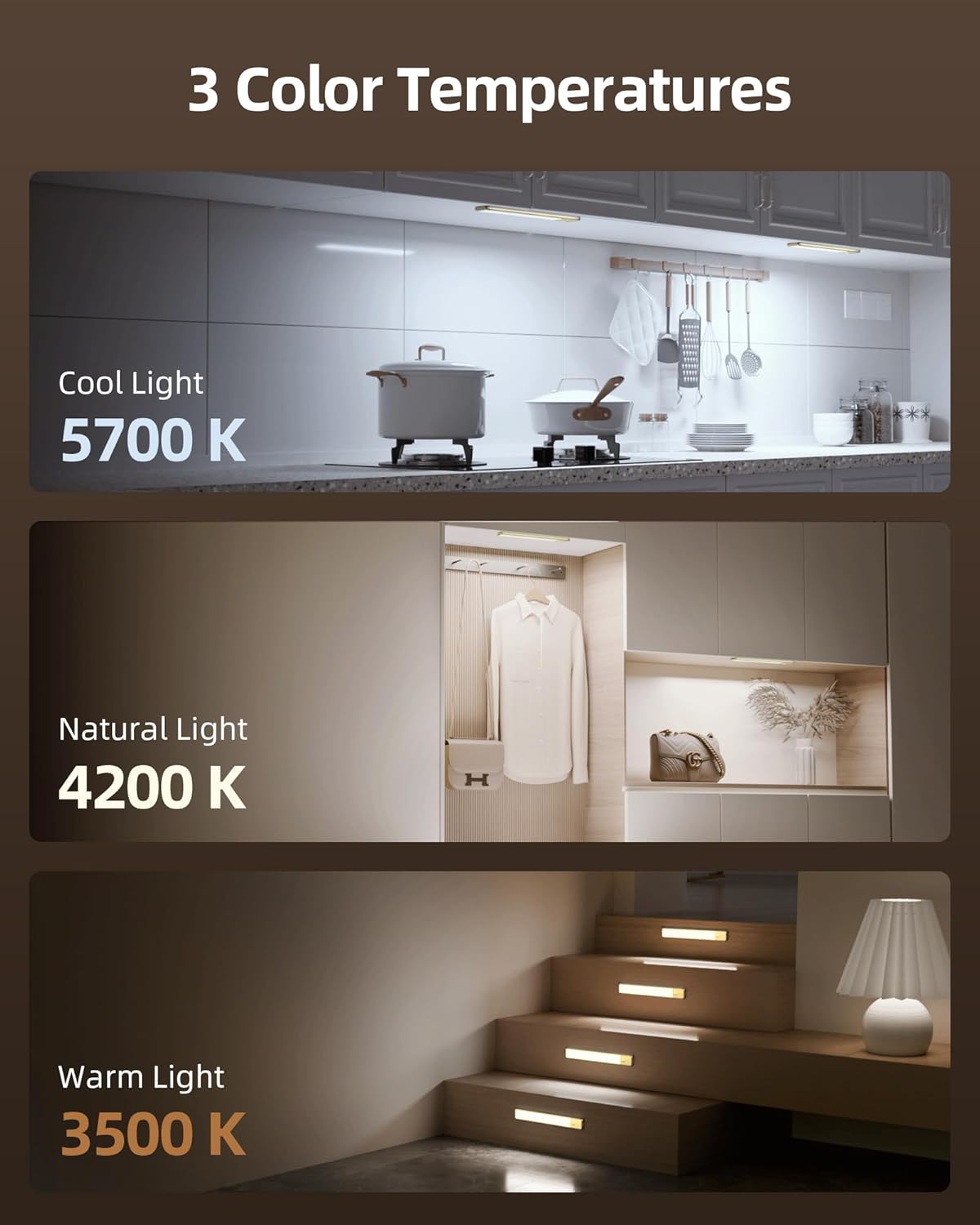
Image: Visual representation of the three color temperatures: Cool Light (5700K), Natural Light (4200K), and Warm Light (3500K).
ברייטנאַס אַדזשאַסטמאַנט:
Long press the touch button to seamlessly adjust the brightness level from 10% (dimmest) to 100% (brightest). Release the button when the desired brightness is achieved.
טשאַרדזשינג
The EZVALO light is equipped with a 4000mAh rechargeable battery. Use the provided USB-C charging cord to recharge the unit.
- Locate the USB-C charging port on the side of the light unit.
- Connect the USB-C end of the charging cable to the light and the USB-A end to a compatible power source (e.g., USB wall adapter, computer USB port).
- די גראדן ליכט וועט ווייַזן די טשאַרדזשינג סטאַטוס.
- A full charge typically provides up to 30 days of use in AUTO Mode or 9.5 hours at 100% brightness in Always-On Mode.

בילד: דעטאַלירט view of the light's charging port and battery, with text indicating battery life in different modes.
טיפּ: ביטע גאָר אויפלאָדן די ליכט איידער דער ערשטער נוצן.
וישאַלט
- רייניקונג: Wipe the light surface with a soft, dry cloth. Avoid using abrasive cleaners or solvents.
- סטאָרידזש: If storing for an extended period, charge the battery to approximately 50% and store in a cool, dry place. Recharge every 3-6 months to maintain battery health.
- באַטערי זאָרגן: Do not expose the battery to extreme temperatures or attempt to disassemble it.
טראָובלעשאָאָטינג
| פּראָבלעם | מעגלעך סיבה | לייזונג |
|---|---|---|
| ליכט טוט נישט קער אויף. | באַטערי איז דיפּליטיד. | לאָדט אויף די ליכט מיטן צוגעשטעלטן USB-C קאַבל. |
| באַוועגונג סענסאָר אַרבעט נישט. | Light is not in AUTO Mode. | Single tap the touch button until AUTO Mode is active. |
| Motion sensor activates too frequently or not at all. | Incorrect placement or ambient light conditions. | Ensure the sensor is not obstructed. Adjust placement to avoid false triggers from pets or drafts. In Night Mode, the sensor only works in darkness. |
| העלקייט אדער קאליר טעמפעראטור קען נישט ווערן צוגעפאסט. | אומרעכט אָפּעראַציע. | Refer to the "Operating Instructions" section for correct touch button usage (single tap for color, long press for brightness). |
ספּעסאַפאַקיישאַנז
| סאָרט | EZVALO |
| מאָדעל נומער | LYB-42 |
| דימענסיעס (L X W X H) | 16.5"ל x 1.56"בר x 0.52"ה |
| מאַטעריאַל | אַלומינום |
| מאַכט מקור | באַטעריע געטריבן (4000mAh) |
| ליכט מקור | LED (74pcs) |
| קאָליר טעמפּעראַטורעס | 3500K (Warm White), 4200K (Natural), 5700K (Cool White) |
| ברייטנאַס | 10%-100% Dimmable, 120 Lumen Max |
| באַוועגונג סענסאָר ראַנגע | 120° wide angle, up to 10 ft |
| קאָנטראָל מעטאָד | ריר |
| ייַנמאָנטירונג טיפּ | מאַגנעטיק בארג |
| וואַסער קעגנשטעל מדרגה | Not Water Resistant (Indoor Use Only) |
וואָראַנטי און שטיצן
For warranty information or technical support, please refer to the contact details provided on the product packaging or visit the official EZVALO webפּלאַץ. האַלטן דיין קויפן קאַבאָלע פֿאַר וואָראַנטי קליימז.
Relevant Product Videos
The following videos provide additional visual guidance and demonstrations of the EZVALO Under Cabinet Lighting:
Motion Activated Wireless Lighting For Small Closets
Video: A demonstration of the EZVALO motion-activated light being used in a small closet, highlighting its ease of installation and automatic functionality.
No Drill Under Cabinet Lighting
Video: This video illustrates the simple, no-drill installation process of the under cabinet lighting, showing how it can be easily attached to surfaces.
Motion Sensing Re-chargeable LED. WHY?
ווידעא: אן איבערview discussing the benefits and features of the motion-sensing rechargeable LED light, including its versatility and energy efficiency.