
Audiocrazy 42062bcb-2c81-41f9-abbd-3beac60ee015
Audiocrazy Portable AM/FM Radio with Bluetooth User Manual
Model: 42062bcb-2c81-41f9-abbd-3beac60ee015
1. הקדמה
Thank you for choosing the Audiocrazy Portable AM/FM Radio with Bluetooth. This device offers versatile listening options, including traditional AM/FM radio, Bluetooth streaming, and multiple power supply methods. It features a clear digital LCD display, alarm clock, and sleep timer functions, making it suitable for various indoor and outdoor environments.

פיגורע 1: פראָנט view of the Audiocrazy Portable AM/FM Radio.
2. זיכערקייַט אינפֿאָרמאַציע
- שטעלט נישט אויס דעם אפאראט צו רעגן, פייכטקייט, אדער עקסטרעמע טעמפעראטורן.
- ויסמיידן דראַפּינג אָדער אונטערטעניק די מיטל צו שטאַרק ימפּאַקץ.
- נעמט נישט אויס דעם אפאראט אדער פרובירט נישט צו פאררעכטן אליין. ווענדט זיך צו קוואַליפֿיצירטע סערוויס פּערסאָנעל.
- האַלטן אויס פון דערגרייכן פון קינדער.
- ניצט נאָר די ספּעציפֿיצירטע מאַכט אַדאַפּטער און באַטעריע טיפּן.
3. פּראָדוקט איבערview
The Audiocrazy Portable Radio combines multiple functionalities in one compact unit.

Figure 2: Key features of the radio including AM/FM, Alarm Clock, Bluetooth, Sleep Timer, and multiple power options.
קאָנטראָלס און ווייַז:
- LCD ווייַז: Shows time, frequency, mode, and battery status. Features a backlight for low-light visibility.
- באַנד קנעפּל: אַדזשאַסטירט אַודיאָ אַרויסגאַנג לעוועל.
- טונינג קנעפּל: Used for manual station tuning.
- Mode Switch (FM/BT/AM/CLOCK): אויסקלייבט דעם אפערירן מאָדוס.
- ALL/SET/TIME/SET Button: For setting time and alarm.
- BT /II/PP Button: Bluetooth pairing, Play/Pause.
- SNOOZE קנעפּל: סנוז שרעק.
- HOUR / MIN Buttons: Adjust hour and minute settings.
- טעלאַסקאָפּיק אַנטענע: For FM and AM reception.

פיגורע 3: דעטאַילעד view of the radio's user-friendly controls and large LCD display.
4. סעטאַפּ
4.1 מאַכט צושטעלן אָפּציעס
Your Audiocrazy radio offers three convenient ways to power the device:
- געבויט-אין קריקאָנלאָדלעך באַטערי: The radio comes with an 1800mAh built-in lithium-ion battery. Connect the included AC adapter to charge the battery. A full charge provides up to 10 hours of use.
- AC מאַכט: For continuous use indoors, connect the included AC adapter directly to a wall outlet.
- 4*D Cell Batteries (Not Included): For extended portable use, insert four (4) D-cell batteries into the battery compartment on the back of the unit. Ensure correct polarity.

Figure 4: Illustration of the three power supply methods for the radio.
4.2 אַנטענע סעטאַפּ
For optimal FM and AM reception, extend the telescopic antenna fully. Adjust its direction for the best signal clarity.
5. אַפּערייטינג ינסטרוקטיאָנס
5.1 מאַכט אויף/אויס און באַנד קאָנטראָל
דרייען די באַנד דרייט דעם קנעפּל זייגערווייז צו אנצינדן דעם ראַדיאָ און פאַרגרעסערן דעם באַנד. דרייט קעגן זייגערווייז צו פאַרמינערן דעם באַנד און אויסלעשן דעם ראַדיאָ.
5.2 AM/FM Radio Tuning
רוק די מאָדע באַשטימען צו FM or AM. Extend the telescopic antenna. Rotate the טונינג knob to find your desired station. The digital display will show the frequency.

Figure 5: The radio's telescopic antenna helps achieve strong and clear reception.
The radio features updated DSP technology for strong and stable reception across AM (520-1710kHz) and FM (87-108MHz) bands.
Video 1: Demonstrates the automatic search function and strong reception capabilities of the radio.
5.3 בלועטאָאָטה פּערינג
רוק די מאָדע באַשטימען צו BT. The display will show "bt" and the radio will enter pairing mode. On your Bluetooth-enabled device (e.g., smartphone), search for "Audiocrazy Radio" and select it to connect. Once connected, you can stream audio wirelessly.
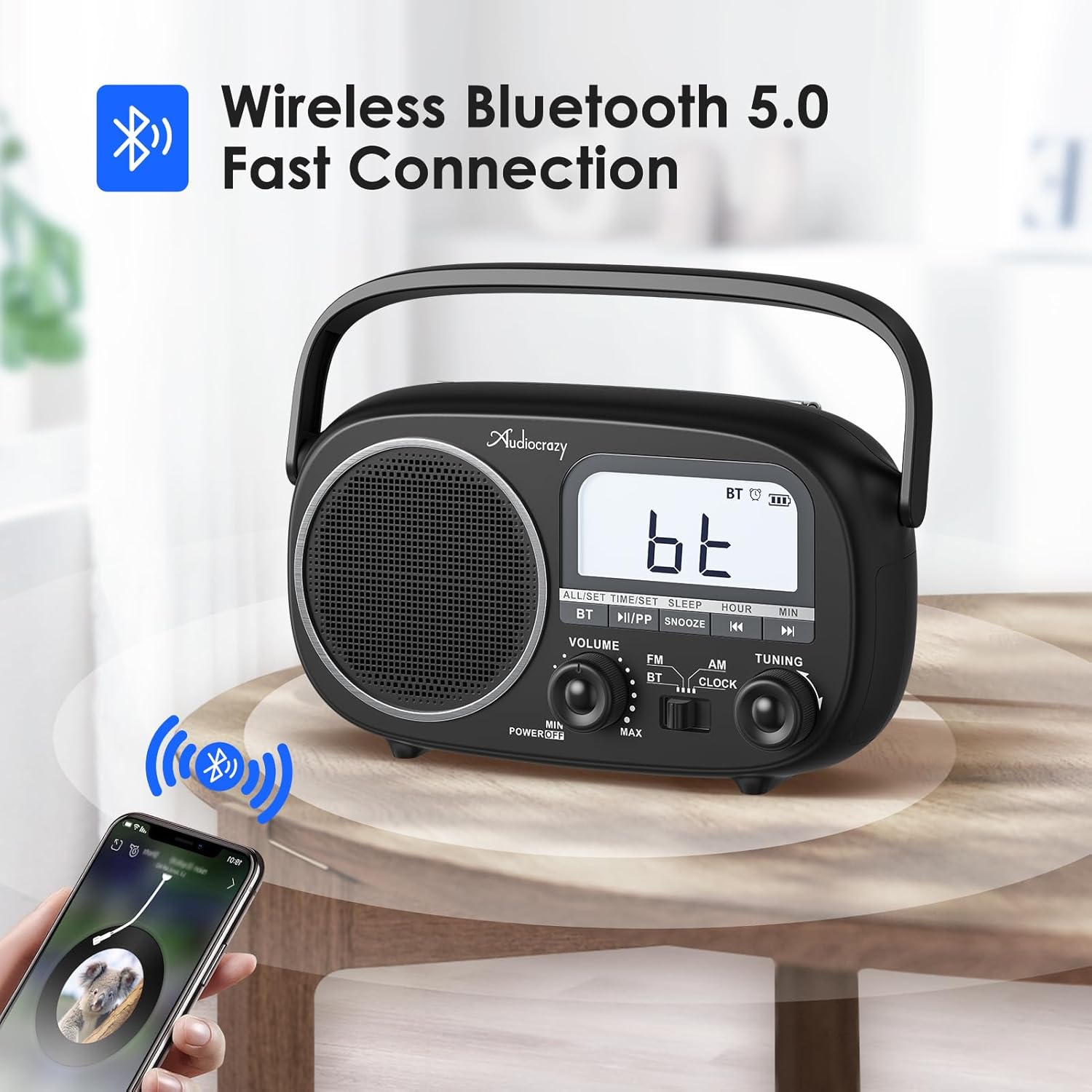
Figure 6: The radio in Bluetooth mode, ready for pairing with a mobile device.
5.4 שטעלן צייט און אַלאַרם
רוק די מאָדע באַשטימען צו זייגער.
- צו באַשטעטיקן צייט: דריקן און האַלטן די ALL/SET/TIME/SET button until the hour digits flash. Use the שעה און MIN קנעפּלעך צו סטרויערן. דרוק ALL/SET/TIME/SET again to confirm. You can switch between 12H/24H format by pressing the ALL/SET/TIME/SET button briefly when the time is displayed.
- צו שטעלן שרעק: דרוק די ALL/SET/TIME/SET button once (short press) to enter alarm setting mode. The alarm icon will flash. Use the שעה און MIN buttons to set the alarm time. Press ALL/SET/TIME/SET again to confirm. To activate/deactivate the alarm, press the ALL/SET/TIME/SET button briefly when the alarm time is displayed.
- סנוז פונקציע: ווען דער שרעק סאָונדס, דריקן די SNOOZE קנעפל צו עס צייטווייליג שטיל מאכן. דער אלארם וועט ווידער קלינגען נאך א פאר מינוט.

Figure 7: The radio supports both alarm clock and sleep timer functions.
5.5 שלאָפן טיימער
The radio features an auto-off timer (0-90 minutes). To set the sleep timer, press the שלאָף button repeatedly to cycle through the available timer durations. The radio will automatically turn off after the selected time.
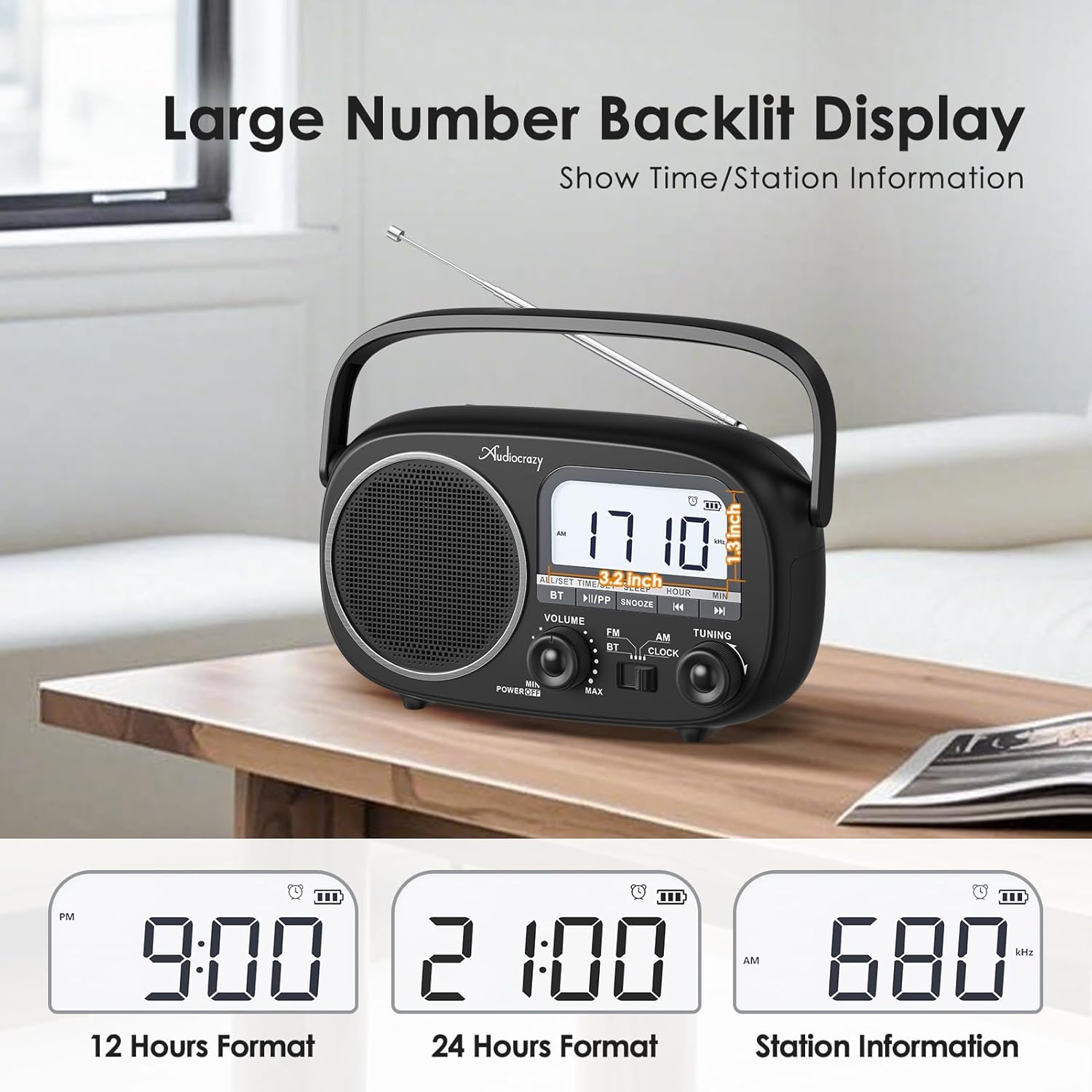
Figure 8: The clear LCD display shows time in 12H/24H format and radio station information.
6. וישאַלט
- רייניקונג: ווישט אָפּ דעם ראַדיאָ מיט אַ ווייכן, טרוקענעם שטאָף. ניצט נישט קיין שרײַבנדיקע רייניגערס אדער סאָלווענטן.
- באַטערי זאָרגן: If using D-cell batteries, remove them if the radio will not be used for an extended period to prevent leakage. For the built-in rechargeable battery, charge it regularly to maintain its lifespan.
- סטאָרידזש: האַלט דעם ראַדיאָ אין אַ קיל, טרוקן אָרט אַוועק פון דירעקט זונשייַן און עקסטרעמע טעמפּעראַטורן.
7. טראָובלעשאָאָטינג
| פּראָבלעם | מעגלעך סיבה | לייזונג |
|---|---|---|
| קיין מאַכט | באַטעריעס זענען טויט אָדער נישט ריכטיק אַרײַנגעשטעלט; AC אַדאַפּטער נישט פֿאַרבונדן אָדער דעפֿעקטיוו. | Replace D-cell batteries, check polarity. Ensure AC adapter is securely plugged in. Charge built-in battery. |
| נעבעך ראַדיאָ אָפּטראָג | אַנטענע נישט אויסגעשטרעקט; שוואַכע סיגנאַל געגנט; שטערונג. | Fully extend and adjust the telescopic antenna. Move the radio to a location with better signal. Move away from other electronic devices. |
| בלועטאָאָטה איז נישט קאַנעקטינג | Radio not in BT mode; device too far; previously paired device connected. | Ensure radio is in BT mode. Move Bluetooth device closer to the radio. Disconnect from other Bluetooth devices. |
| קיין געזונט | Volume too low; mute activated (if applicable); faulty speaker. | Increase volume. Check if any mute function is active. If problem persists, contact support. |
8. ספּעסאַפאַקיישאַנז
- סאָרט: אַודיאָקרייזי
- מאָדעל נומער: 42062bcb-2c81-41f9-abbd-3beac60ee015
- פּראָדוקט דימענשאַנז: 9.4 X 2.95 X 6.93 אינטשעס
- נומער וואָג: 2.29 פונט
- מאַכט מקור: AC Power / DC Battery (4*D Cell) / Built-in 1800mAh Rechargeable Battery
- טונער טעכנאָלאָגיע: AM/FM
- שטיצט ראַדיאָ באַנדס: AM (520-1710kHz), FM (87-108MHz)
- קאַנעקטיוויטי טעכנאָלאָגיע: בלועטאָאָטה 5.0
- אַרייַנגערעכנט קאַמפּאָונאַנץ: Radio, Owner's Manual, Power Adapter
9. וואָראַנטי און שטיצן
Audiocrazy products typically come with a 12-חודש וואָראַנטי פֿון דעם קויפֿדאַטום. די וואָראַנטי דעקט פֿאַבריקאַציע חסרונות און אַרבעט אונטער נאָרמאַל נוצן.
For technical support, warranty claims, or any questions regarding your Audiocrazy Portable Radio, please contact our customer service team. Refer to the contact information provided on the product packaging or the official Audiocrazy webפּלאַץ.
Please have your model number (42062bcb-2c81-41f9-abbd-3beac60ee015) and purchase date ready when contacting support.
Ask a question about this manual
Ask about setup, troubleshooting, compatibility, parts, safety, or missing instructions. Manuals+ will review the question and use this page’s manual context to help answer it.