
הקדמה
This manual provides comprehensive instructions for the Samsung 75-Inch QN90D Series QLED 4K Smart TV (Model QN75QN90D). It covers essential information for setting up, operating, maintaining, and troubleshooting your television. Please read this manual thoroughly to ensure safe and optimal use of your product.
The Samsung QN90D Series TV features advanced display technologies such as Quantum Matrix with Mini LEDs, Neo Quantum HDR+, and Real Depth Enhancer Pro for exceptional picture quality. It also includes Dolby Atmos and Object Tracking Sound+ for immersive audio, and Motion Xcelerator 144Hz for smooth motion, ideal for gaming. The integrated NQ4 AI Gen2 Processor enhances content to 4K resolution and powers the intuitive Tizen operating system.
וואָס איז אין די קעסטל
Before proceeding with the setup, please ensure all components listed below are present in the packaging.
- Samsung 75-Inch QN90D Series QLED 4K Smart TV (Model QN75QN90D)
- מאַכט קאַבלע
- ווייַט קאָנטראָל
- באַניצער מאַנואַל (דעם דאָקומענט)
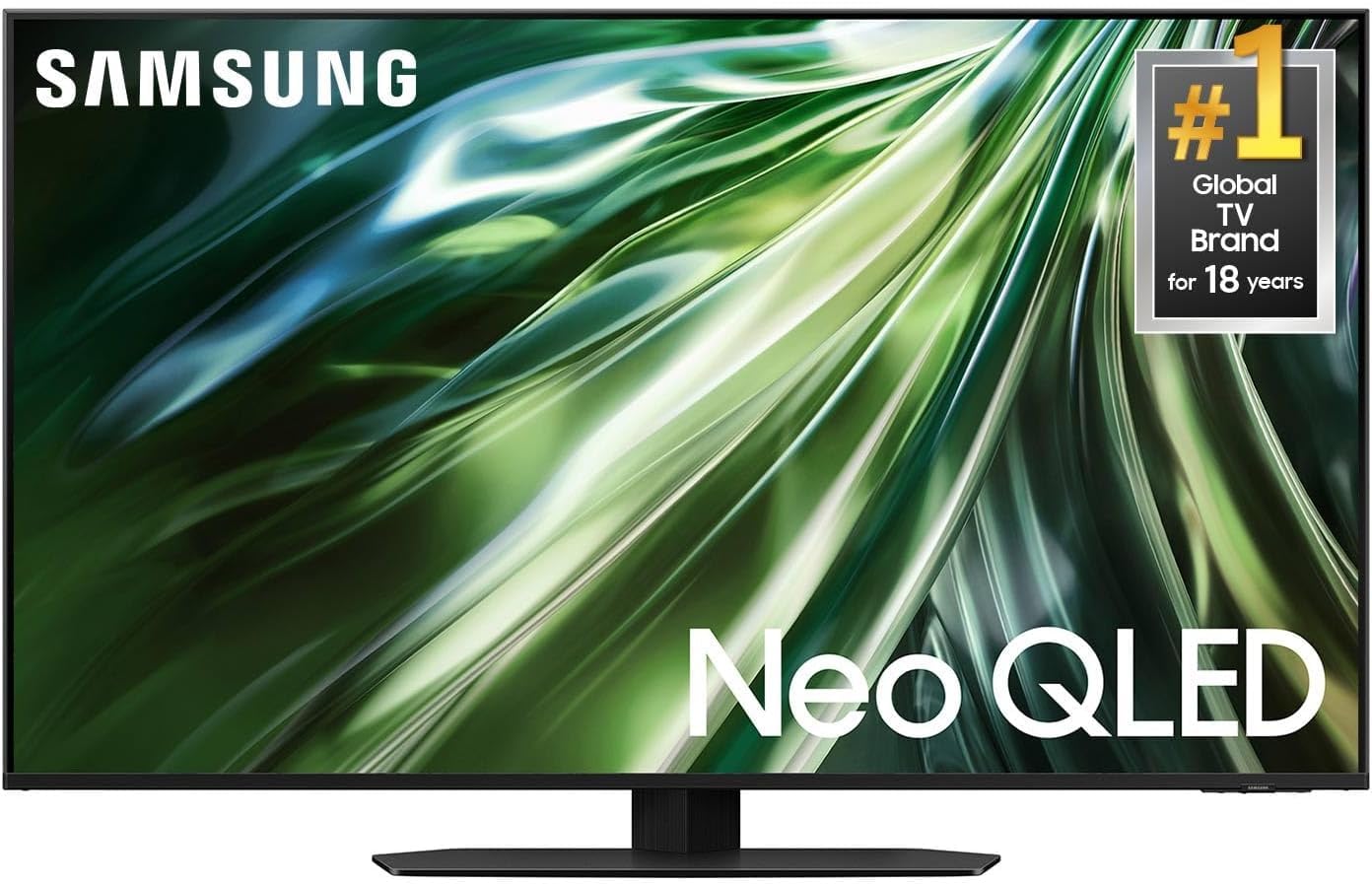
פיגורע 1: The Samsung 75-Inch QN90D Series QLED 4K Smart TV, shown with its stand and remote control. This image illustrates the main product and typical accessories found in the box.
סעטאַפּ
1. גשמיות ייַנמאָנטירונג
Your Samsung QN90D TV can be placed on a stand or wall-mounted.
- סטאַנדאַרט ינסטאַלירונג: Follow the instructions provided with the TV stand (sold separately or included depending on package) to securely attach it to the television. Ensure the TV is placed on a stable, level surface.
- וואַנט מאָונטינג: If wall-mounting, use a VESA-compliant wall mount kit (200 x 200 mm standard) that is appropriate for the TV's weight and size. Consult a professional for wall mounting to ensure safety and proper installation.
2. קאַנעקטינג פונדרויסנדיק דעוויסעס
Connect your external devices such as Blu-ray players, game consoles, or sound systems to the TV using the appropriate ports.
- הדמי: The TV features 4 HDMI ports. Use HDMI cables to connect devices like set-top boxes, game consoles, or media players.
- וסב: Two USB ports are available for connecting USB storage devices for media playback.
- עטהערנעט: פֿאַר אַ סטאַבילע דראָטיקע אינטערנעט פֿאַרבינדונג, פֿאַרבינדט אַן עטערנעט קאַבל צום לאַן פּאָרט.
- אַנטענע / קאַבלע: Connect an antenna or cable TV feed to the appropriate input for over-the-air or cable channels.
3. מאַכט קאַנעקשאַן
Once all devices are connected, plug the power cable into the TV's power input and then into a wall outlet.
4. ערשט סעטאַפּ וויזערד
ביים ערשטן מאָל אנצינדן, וועט דער טעלעוויזיע אייך פירן דורך אַן ערשטן סעטאַפּ וויזאַרד. דאָס נעמט אַרײַן:
- שפּראַך סעלעקציע.
- נעץ פֿאַרבינדונג (Wi-Fi אָדער עטהערנעט).
- קאַנאַל סקאַנינג.
- Samsung Account login (required for smart services and apps).
אַפּערייטינג די טעלעוויזיע
1. רימאָוט קאָנטראָל
Use the included remote control to navigate the TV's menus and functions. Familiarize yourself with the buttons for power, volume, channel, source selection, and smart hub access. The TV also supports control via a mobile app or voice commands.
2. סמאַרט טעלעוויזיע פֿעיִטשערז (טיזען אָ.עס.)
Your Samsung QN90D TV runs on the Tizen operating system, providing access to a wide range of smart features and applications.
- Smart Hub: Access streaming services like Netflix, Hulu, and Amazon Prime Video, as well as other apps and connected devices.
- קול קאָנטראָל: Utilize voice commands through the remote or integrated voice assistants for hands-free operation.
- קאַנעקטיוויטי: Seamlessly connect to other devices via Bluetooth and Wi-Fi for screen mirroring or audio streaming.
3. בילד סעטטינגס
אָפּטימיזירן דיין viewינג דערפאַרונג דורך אַדזשאַסטינג בילד סעטטינגס.
- בילד מאָדע: אויסקלייבן פון פארשידענע פארגעשטעלטע מאָדעס (למשל, סטאַנדאַרד, דינאַמיש, פֿילם, פֿילם־מאַכער מאָדע) אָדער קאַסטאַמייז סעטטינגס ווי ברייטקייט, קאָנטראַסט, שאַרפֿקייט און קאָליר.
- נעאָ קוואַנטום HDR+: This technology delivers enhanced contrast, brightness, and vivid colors for HDR content. Ensure your content source supports HDR for the best experience.
- Quantum Matrix with Mini LEDs: Provides precise lighting control for deep blacks and bright highlights.
- רעאַלע טיפקייַט ענהאַנסער פּראָ: Analyzes and enhances the depth of objects on screen for a more immersive 3D-like effect.
- 4K AI אַפּסקיילינג: The NQ4 AI Gen2 Processor automatically upscales lower-resolution content to near-4K quality.
4. סאָונד סעטטינגס
Adjust audio settings to suit your preferences.
- געזונט מאָדע: Choose from preset sound modes (e.g., Standard, Adaptive Sound, Amplify) or customize equalizer settings.
- Dolby Atmos: Experience immersive, multi-dimensional audio with compatible content.
- אָביעקט טראַקינג סאַונד+: Sound moves dynamically with objects on screen, creating a more realistic audio experience.
- געבויט-אין רעדנער: The TV features a 5.1 channel built-in speaker system.
5. גיימינג פֿעיִטשערז
For gamers, the QN90D offers features designed to enhance the gaming experience.
- Motion Xcelerator 144Hz: Provides ultra-smooth motion and reduced input lag for compatible gaming content, supporting up to 144Hz refresh rate.
- שפּיל מאָדע: Automatically optimizes picture and sound settings for gaming.
וישאַלט
געהעריגע אויפהאלטונג גאראנטירט די לאנגעוויטי און אפטימאלע פאָרשטעלונג פון אייער טעלעוויזיע.
- רייניקונג די פאַרשטעלן: ווישט אָפּ דעם עקראַן מיט אַ ווייכן, טרוקענעם מיקראָפיבער שטאָף. פֿאַר שווערע פֿלעקן, ווישט אָפּ דעם עקראַן לייכט.ampווישט דעם שטאָף מיט וואַסער אָדער אַ ספּעציעל געמאַכטע לייזונג פֿאַר עלעקטראָניק. שפּריצט נישט קיין פליסיקייט גלייך אויפן עקראַן.
- רייניקונג די ראַם: ניצט אַ ווייכן, טרוקענעם שטאָף צו ווישן דעם טעלעוויזיע ראַם און שטאַנד.
- ווייכווארג דערהייַנטיקונגען: Regularly check for and install software updates to ensure your TV has the latest features and security enhancements. This can usually be done through the TV's settings menu under "Support" or "Software Update."
- ווענטילאַטיאָן: זאָרגט פֿאַר גענוג ווענטילאַציע אַרום דעם טעלעוויזאָר צו פֿאַרמייַדן איבערהיצונג. בלאָקירט נישט די ווענטילאַציע עפענונגען.
טראָובלעשאָאָטינג
If you encounter issues with your TV, refer to the following common troubleshooting steps.
- קיין מאַכט: Ensure the power cable is securely connected to both the TV and the wall outlet. Try plugging another device into the same outlet to confirm it is working.
- קיין בילד/קלאַנג: Check that the correct input source is selected. Verify all HDMI or other input cables are securely connected. Restart connected devices.
- רימאָוט קאָנטראָל נישט ארבעטן: Check the batteries in the remote control. Ensure there are no obstructions between the remote and the TV's sensor.
- נעץ פֿאַרבינדונג פּראָבלעמען: For Wi-Fi, ensure your router is on and functioning. Try restarting your router and the TV. For wired connections, check the Ethernet cable.
- בילד קוואַליטעט פּראָבלעמען: Adjust picture settings (brightness, contrast, sharpness). Ensure the content source is of high quality. Perform a picture test from the TV's support menu.
- געזונט קוואַליטעט ישוז: Check volume levels on both the TV and any connected audio systems. Ensure sound mode settings are appropriate. Perform a sound test from the TV's support menu.
For more detailed troubleshooting or persistent issues, consult the online support resources on the Samsung webפּלאַץ אָדער קאָנטאַקט קונה שטיצן.
ספּעסאַפאַקיישאַנז
Below are the technical specifications for the Samsung 75-Inch QN90D Series QLED 4K Smart TV (Model QN75QN90D).
| שטריך | באַשרייַבונג |
|---|---|
| מאָדעל נאָמען | QN75QN90D |
| פאַרשטעלן גרייס | 75 אינטשעס |
| ווייַז טעכנאָלאָגיע | QLED |
| האַכלאָטע | 4K (3840 X 2160) |
| דערפרישן קורס | 120Hz (Motion Xcelerator 144Hz) |
| Display Backlight Technology | Mini-LED (Quantum Matrix) |
| HDR פֿאָרמאַט שטיצט | נעאָ קוואַנטום HDR + |
| פּראַסעסער | NQ4 AI Gen2 פּראַסעסער |
| אָפּערייטינג סיסטעם | טיזען |
| Integrated Surround Sound Format | Dolby Atmos |
| נומער פון אַודיאָ טשאַנאַלז | 5.1 |
| Total Number of HDMI Ports | 4 |
| גאַנץ וסב פּאָרץ | 2 |
| קאַנעקטיוויטי טעכנאָלאָגיע | בלועטוט, עטערנעט, הדמי, יו-עס-בי, וויי-פיי |
| קאָנטראָל מעטאָד | אַפּ, ווייַט, קול |
| וועסאַ מאָונט סטאַנדאַרט | 200 רענטגענ 200 מם |
| פּראָדוקט דימענשאַנז (ד רענטגענ וו רענטגענ ה) | 11.9"ד רענטגענ 65.7"וו רענטגענ 40"ה |
| מאָדעל יאָר | 2024 |
| UPC | 645716062951 |
וואָראַנטי און שטיצן
Your Samsung 75-Inch QN90D Series QLED 4K Smart TV (Model QN75QN90D) comes with a comprehensive warranty and access to customer support.
- וואָראַנטי: This product includes an extended warranty, totaling 2 years from the date of purchase. This covers manufacturing defects and ensures peace of mind.
- פאַבריקאַנט: SAMSUNG
- קונה שטיצן: For technical assistance, warranty claims, or service requests, please visit the official Samsung support website or contact Samsung customer service directly. Keep your purchase receipt and product serial number handy when contacting support.