
EBTOOLS EBTOOLSc1qr7ainbd
EBTOOLS Single Cordless Earbud User Manual
Model: EBTOOLSc1qr7ainbd
1. הקדמה
Thank you for choosing the EBTOOLS Single Cordless Earbud. This manual is designed to help you understand the features, setup, and operation of your new device, ensuring a safe and optimal user experience. Please read this manual thoroughly before using the product and retain it for future reference.
2. פּראָדוקט איבערview
2.1 קאַמפּאָונאַנץ
The EBTOOLS Single Cordless Earbud package includes the following items:
- 1 x Single Cordless Earbud
- 1 x Car Charger (with integrated earbud charging slot and dual USB output ports)

Image: The EBTOOLS Single Cordless Earbud alongside its car charger, showing both main components.

בילד: נאָענט-אַרויף view of the single cordless earbud.

Image: The car charger unit, highlighting its dual USB output ports.
3. ספּעסאַפאַקיישאַנז
| שטריך | באַשרייַבונג |
|---|---|
| נומער טיפּ | Cordless Earbuds |
| Headset Battery Type | ליטהיום באַטאַרייע |
| כעדפאָון באַטאַרייע קאַפּאַציטעט | 35 מאַה (געבויט) |
| פונקציע סעלעקציע | Single ear |
| בלועטאָאָטה ווערסיע | V5.0 |
| קאָליר | שוואַרץ |
| מאַטעריאַל | אַקרילאָניטרילע בוטאַדיענע סטירענע (אַבס) |
| אַרבעט צייט | 0.5-1.5 שעה |
| אַפּערייטינג דיסטאַנסע | בעערעך. 10 ם / 32.81 פט |
| אַפּערייטינג וואָלtage | 5 וו / 40 מאַ |
| טשאַרדזשינג אופֿן | Car charger (magnetic suction) / Micro USB data cable |
| וסב אָוטפּוט פּאָרץ | Dual USB (5V / 3.1A) |
| שטיצט פּראָטאָקאָלס | HSP1.2, HFP1.6, A2DP1.3, AVRCP1.5 |
4. סעטאַפּ
4.1 ערשטע פּאָרינג
The EBTOOLS Single Cordless Earbud is designed for automatic connection. When you pick up the earbud from the car charger, it will automatically attempt to connect to the last paired device. For first-time use, ensure your device's Bluetooth is enabled and search for available devices. The earbud should appear as a discoverable device for pairing.
4.2 טשאַרדזשינג די מיטל
Before first use, it is recommended to fully charge the earbud. The earbud supports two charging methods:
- Magnetic Charging via Car Charger: Simply place the earbud into its designated slot in the car charger. The magnetic connection will ensure proper alignment and initiate charging automatically.
- Micro USB Data Cable Charging: The earbud also features a Micro USB port, allowing it to be charged directly using a standard Micro USB data cable (not included). This is useful for charging outside of the car.

Image: The earbud being placed into the car charger for magnetic charging.

בילד: זייט view of the earbud securely seated in the car charger, ready for charging.
5. אַפּערייטינג ינסטרוקטיאָנס
5.1 Automatic Connection and Call Handling
The earbud offers a convenient automatic connection feature for calls:
- ענטפֿערן קאַללס: When a call comes in, simply pick up the earbud from the car charger. It will automatically connect to your paired device and answer the call.
- ענדיקן קאַללס: To disconnect a call, place the earbud back into the car charger. It will automatically disconnect from your device.
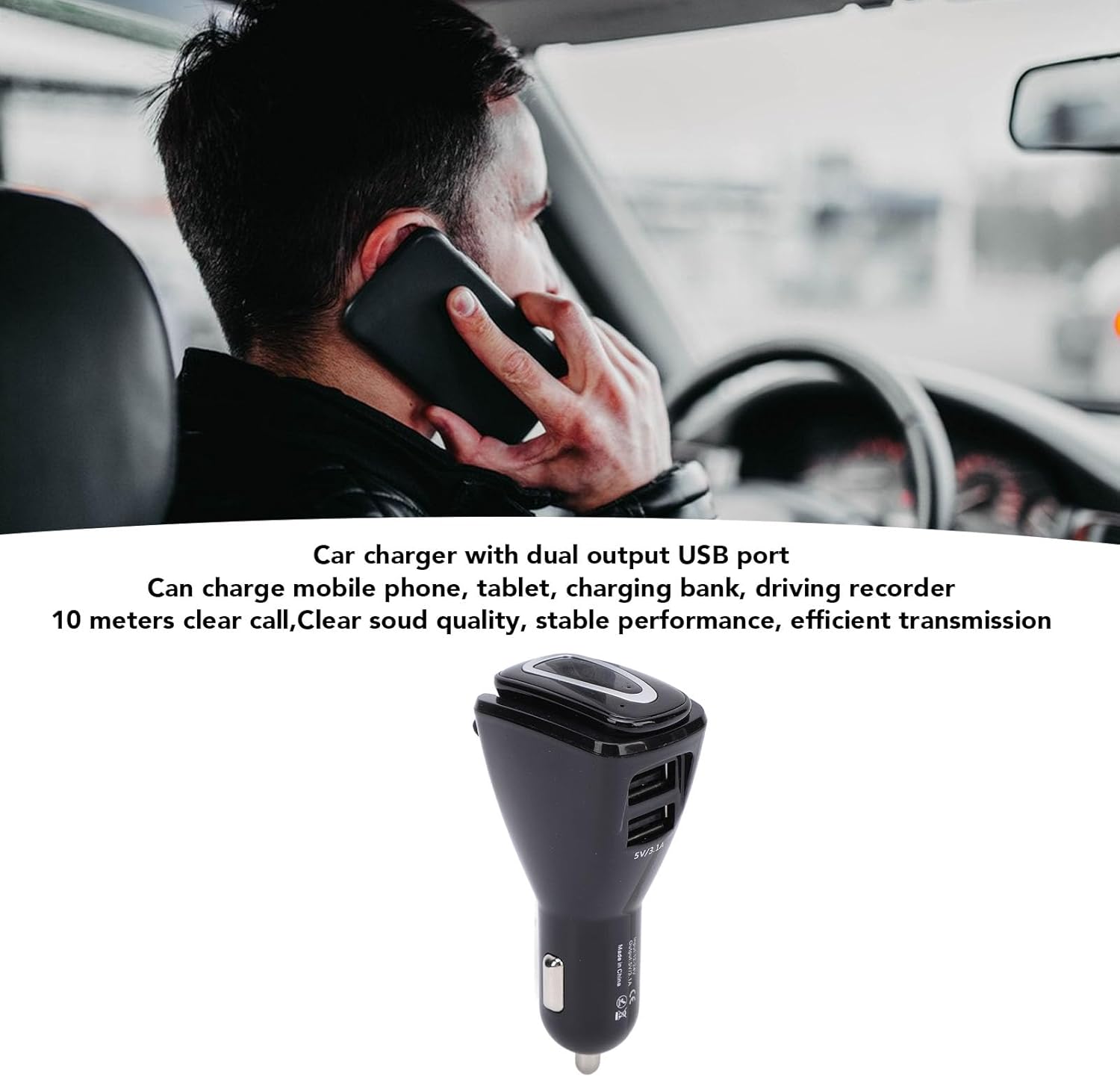
Image: A user demonstrating the use of the earbud for calls while driving.
5.2 Using Dual USB Output Ports
The car charger unit is equipped with two USB output ports (5V/3.1A) that allow you to charge other electronic devices simultaneously. These ports can be used to charge mobile phones, tablets, power banks, driving recorders, and more, making it a versatile 2-in-1 car charger and earbud charging station.
6. וישאַלט
To ensure the longevity and optimal performance of your EBTOOLS Single Cordless Earbud, follow these maintenance guidelines:
- רייניקונג: Use a soft, dry cloth to wipe the earbud and car charger. Avoid using abrasive cleaners or solvents.
- סטאָרידזש: When not in use, store the earbud in the car charger or a cool, dry place away from direct sunlight and extreme temperatures.
- ויסמיידן נעץ: שטעלט נישט אויס דעם אפאראט צו וואסער אדער איבעריגע פייכטקייט.
- שעפּן מיט זאָרג: ויסמיידן דראַפּינג אָדער אונטערטעניק די מיטל צו שטאַרק ימפּאַקץ.
7. טראָובלעשאָאָטינג
If you encounter issues with your EBTOOLS Single Cordless Earbud, please refer to the following common problems and solutions:
- Earbud not connecting automatically:
- Ensure the earbud is fully charged.
- קאָנטראָלירן אַז בלועטאָאָטה איז ענייבאַלד אויף דיין מיטל.
- Try manually pairing the earbud through your device's Bluetooth settings.
- Restart both the earbud (by placing it back in the charger and picking it up) and your paired device.
- Poor call quality or intermittent connection:
- Ensure you are within the 10-meter operating range of your paired device.
- Check for any obstructions between the earbud and your device.
- Ensure the earbud is fully charged.
- Earbud not charging:
- For magnetic charging, ensure the earbud is correctly seated in the car charger slot and the car charger is receiving power.
- If using a Micro USB cable, ensure the cable is functional and properly connected to both the earbud and a power source.
- Check for any debris in the charging ports or on the magnetic contacts.
אויב די פראבלעם בלייבט נאך פרובירן די שריט, ביטע קאנטאקטירט קאסטומער סופארט.
8. וואָראַנטי און שטיצן
For information regarding warranty coverage, technical support, or service inquiries, please refer to the product packaging or contact EBTOOLS customer service directly. Keep your purchase receipt as proof of purchase for any warranty claims.
Ask a question about this manual
Ask about setup, troubleshooting, compatibility, parts, safety, or missing instructions. Manuals+ will review the question and use this page’s manual context to help answer it.