
הקדמה
Thank you for choosing the EverBrite Rechargeable Underhood Work Light. This manual provides essential information for the safe and efficient use of your new work light. Please read it thoroughly before operation and retain it for future reference.
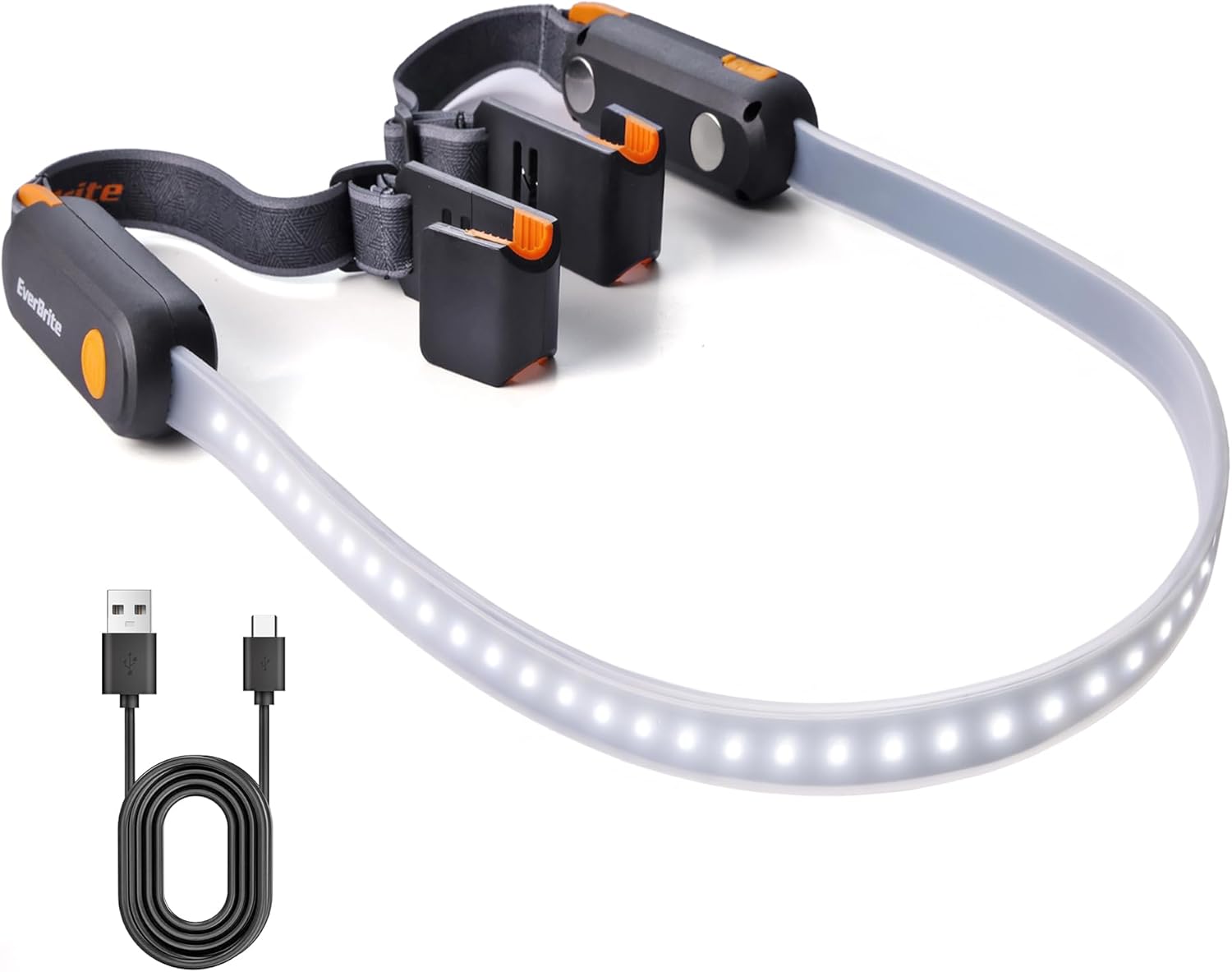
Image: The EverBrite Rechargeable Underhood Work Light, showing its flexible light strip and magnetic ends with adjustable straps.
פּראָדוקט פֿעיִקייטן
- דריי לייטינג מאָדעס: High, Medium, and Low settings to adapt to various lighting requirements.
- USB-C שנעל טשאַרדזשינג: Equipped with two USB-C charging ports and LED indicators (red for charging, green for full charge).
- Magnetic Base Design: Integrated magnets allow secure attachment to metal surfaces for hands-free operation.
- Adjustable Elastic Strap: Durable nylon strap designed to fit vehicle hoods from 52 to 75 inches wide, providing a secure and flexible fit.
- Dual Hooks: Sturdy hooks on both ends offer additional stability and mounting options.
וואָס איז אין די קעסטל
- EverBrite Rechargeable Underhood Work Light (Model E111014AE)
- וסב-C טשאַרדזשינג קאַבלע
- ינסטראַקשאַנז מאַנואַל

Image: Diagram showing the light strip, switch button, magnetic base, charging port, charging indicator, adjustable strap, and hook components.
סעטאַפּ און ינסטאַלירונג
- Prepare the Light: Unfold the work light. Ensure the elastic straps are properly attached to the magnetic ends.
- Position on Hood: Open the vehicle's hood. Place the magnetic ends of the light onto the metal frame of the hood. The magnets will securely hold the light in place.
- זיכער מיט רימען: Extend the adjustable elastic straps over the hood. Hook the ends of the straps onto suitable points on the hood or vehicle frame to provide additional stability and prevent accidental dislodgement. Adjust the strap length to ensure a snug fit across the hood (compatible with hoods 52 to 75 inches wide).
- סטרויערן ליכט ריכטונג: The flexible light strip can be bent and angled to direct illumination precisely where needed within the engine bay.

Image: The EverBrite work light installed under a car hood, illuminating the engine bay. The adjustable straps are visible.

בילד: נאָענט-אַרויף view of the hanging hooks on the EverBrite work light, designed for securing the fixture.

Image: The magnetic base of the EverBrite work light attached to a metal pegboard, demonstrating its hands-free capability.
אַפּערייטינג ינסטראַקשאַנז
- מאַכט אויף / אַוועק: Short press the switch button located on either end of the light to turn it ON.
- ציקל דורך מאָדעס: Once ON, short press the switch button repeatedly to cycle through the three lighting modes: High, Medium, Low, and then OFF.
- Mode Sequence: High Brightness → Medium Brightness → Low Brightness → OFF.

Image: The EverBrite work light displaying its three distinct lighting modes: Low (200LM, 14H), Medium (400LM, 6H), and High (900LM, 3.5H).
ווידעא: אן איבערview of the EverBrite Rechargeable Underhood Work Light, demonstrating its features and operation.
טשאַרדזשינג אינסטרוקציעס
- פאַרבינדן טשאַרדזשער: Locate the USB-C charging port on the side of the light. Open the protective cover and insert the provided USB-C cable.
- מאָניטאָר טשאַרדזשינג סטאַטוס: An LED indicator will illuminate red to show that the device is charging.
- גאַנץ אָפּצאָל אָנווייַז: The LED indicator will turn green when the battery is fully charged. A full charge typically takes approximately 2 hours.
- דיסקאַנעקט: Once fully charged, disconnect the USB-C cable and close the protective cover to maintain water resistance.
וואָרענען: Do not operate the light while it is charging.

Image: Close-up of the EverBrite work light showing the USB-C charging port and the red/green LED charging indicators.
וישאַלט
- רייניקונג: ווישן די ליכט מיט אַ ווייך, דamp שטאָף. דו זאלסט נישט נוצן אַברייסיוו קלינערז אָדער סאָלוואַנץ.
- סטאָרידזש: Store the work light in a cool, dry place away from direct sunlight when not in use.
- באַטערי זאָרגן: To prolong battery life, charge the device fully before long-term storage and recharge every 3-6 months.
טראָובלעשאָאָטינג
- ליכט נישט קערן אויף:
- זיכער מאַכן אַז די באַטאַרייע איז אויפגעלאָדן. פֿאַרבינדט עס צו אַ מאַכט מקור און קאָנטראָלירט דעם טשאַרדזשינג אינדיקאַטאָר.
- דריקן די מאַכט קנעפּל פעסט.
- Light Not Holding Charge:
- באַשטעטיקן אַז די טשאַרדזשינג קאַבל און אַדאַפּטער אַרבעטן ריכטיק.
- פאַרזיכערן אַז די טשאַרדזשינג פּאָרט איז ריין און פריי פון דעבריס.
- Magnets Not Holding Securely:
- Ensure the surface is clean and metallic.
- Use the adjustable straps and hooks for additional support, especially on uneven or painted surfaces.
ספּעסאַפאַקיישאַנז
| פּאַראַמעטער | ווערט |
|---|---|
| מאַכט מקור | ליטהיום יאָן באַטערי |
| באַטאַרייע קאַפּאַציטעט | 2200 מאַה |
| מאַקס ברייטנאַס | 1000לם |
| Max Running Time (Low Mode) | אַרויף צו 14 שעה |
| Max Running Time (High Mode) | אַרויף צו 3.5 שעה |
| וואָג | 10.9 אונסעס (310 ג) |
| דימענשאַנז | 8.66 x 4.72 x 2.05 inches (1400*40*32MM) |
| מאַקסימום שטראַל דיסטאַנס | 40 ם |
| טשאַרדזשינג פּאָרט | USB-C (2 פּאָרץ) |
| Hood Compatibility | 52-75 אינטשעס ברייט |
זיכערקייַט אינפֿאָרמאַציע
- Do not look directly into the light source when operating on high brightness to avoid eye strain.
- האַלטן אויס פון דערגרייכן פון קינדער.
- דו זאלסט נישט דיסאַסעמבאַל אָדער מאָדיפיצירן די פּראָדוקט.
- Avoid exposing the product to extreme temperatures or direct flame.
- זיכער מאַכן אַז די דעקל פון דער טשאַרדזשינג פּאָרט איז זיכער פֿאַרמאַכט ווען איר טשאַרדזשט נישט, כּדי צו האַלטן די וואַסער קעגנשטעל.
וואָראַנטי און שטיצן
For warranty information or technical support, please refer to the contact details provided with your purchase or visit the official EverBrite webפּלאַץ.