
הקדמה
Welcome to your new ZZB WP-03B Portable Bluetooth Speaker. This manual provides detailed instructions for setup, operation, and maintenance to ensure you get the best experience from your device. The speaker delivers powerful, balanced stereo sound with deep bass, features TWS (True Wireless Stereo) functionality, IPX5 water resistance, and integrated lights for an enhanced audio-visual experience. Its compact design and long 12-hour playtime make it ideal for various indoor and outdoor activities.
וואָס איז אין די קעסטל
- ZZB WP-03B Portable Bluetooth Speaker
- מאַכט קאַבלע
- באַניצער מאַנואַל
פּראָדוקט איבערview
מאַכט זיך באַקאַנט מיט די רעדנער'ס קאָמפּאָנענטן און קאָנטראָלס.
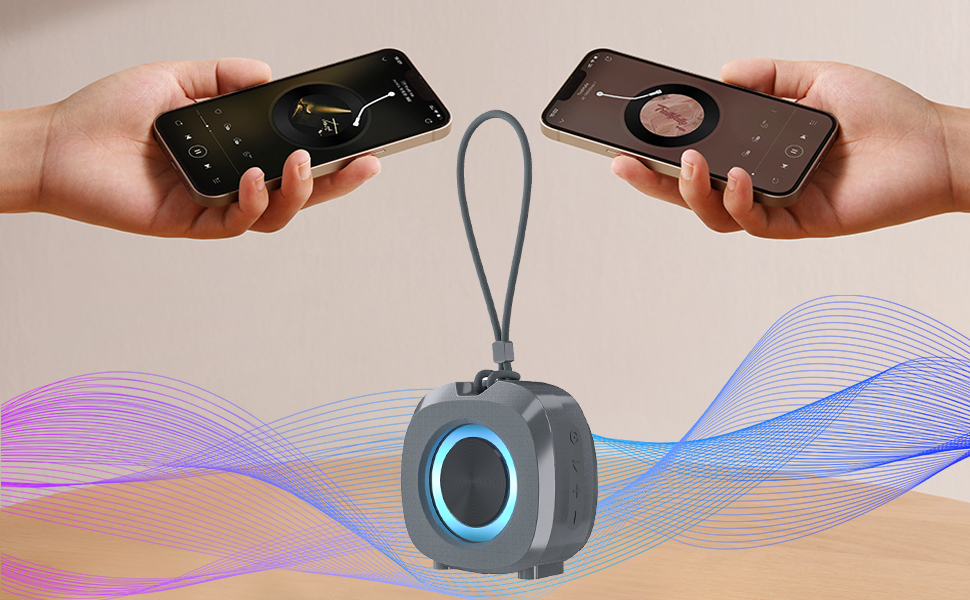
Image: The ZZB WP-03B speaker showcasing its IPX5 water resistance with water splashing around it.

בילד: פראָנט view of the ZZB WP-03B speaker, highlighting its compact design and speaker grille.

בילד: זייט view of the speaker, detailing the control buttons for power, volume, and playback.
קאָנטראָל קנעפּלעך און פּאָרטן:
- מאַכט קנעפּל: דריקן און האַלטן צו קער אויף / אַוועק.
- '+' קנעפּל: Press to increase volume; press and hold for next track.
- '-' קנעפּל: Press to decrease volume; press and hold for previous track.
- שפּיל / פּויזע קנעפּל: Press to play/pause music, answer/end calls; double-press for TWS pairing.
- טשאַרדזשינג פּאָרט: USB-C port for charging the speaker.
- AUX-אין פּאָרט: 3.5mm input for wired audio connection.
- TF-SD Card Slot: For playing music directly from a memory card.

Image: The speaker attached to a backpack, demonstrating its portable design and integrated strap.
סעטאַפּ
טשאַרדזשינג די רעדנער
Before initial use, ensure the speaker is fully charged to maximize battery life.
- Connect the provided power cable to the charging port on the speaker.
- פֿאַרבינדט דעם אַנדערן עק פֿונעם קאַבל צו אַ USB מאַכט אַדאַפּטער (נישט אַרייַנגערעכנט) אָדער אַ קאָמפּיוטער'ס USB פּאָרט.
- The charging indicator light will illuminate during charging. It will turn off or change color when fully charged.
בלועטאָאָטה פּערינג
Connect your speaker wirelessly to your Bluetooth-enabled device.
- Press and hold the Power button to turn on the speaker. A voice prompt or indicator light will confirm it is on.
- דער רעדנער וועט אויטאָמאַטיש אַרייַן אין בלוטוט פּערינג מאָדע, אנגעצייכנט דורך אַ בלינקנדיק LED ליכט.
- אויף אייער דעווייס (סמאַרטפאָן, טאַבלעט, אאז"וו), אַקטיווירט בלועטוט און זוכט פֿאַר פֿאַראַן דעווייסעס.
- Select "WP-03B" (or similar model name) from the list of devices.
- Once paired, the speaker will provide an audible confirmation, and the LED light will become solid.
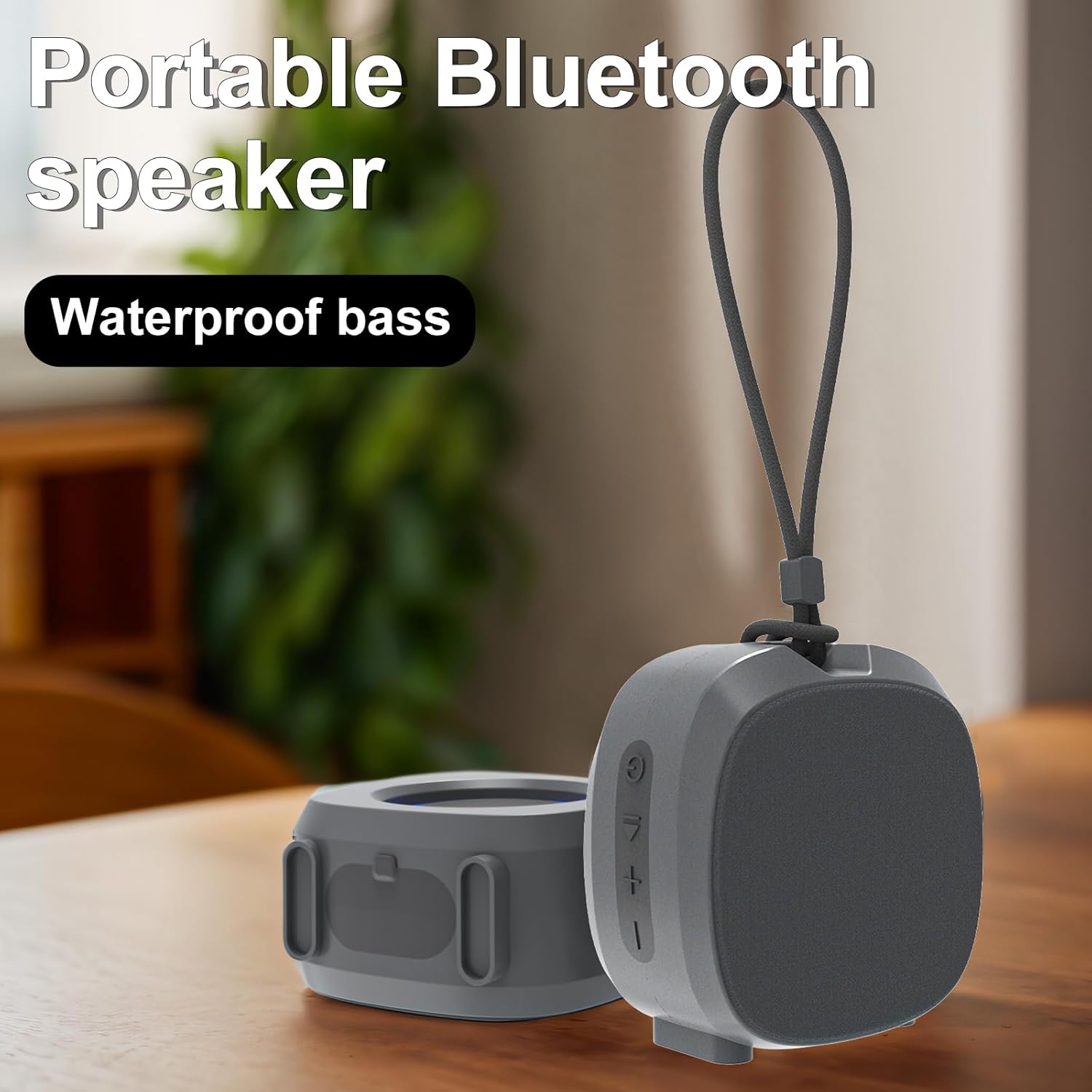
Image: A smartphone displaying a music player interface, wirelessly connected to the ZZB WP-03B speaker.
אַפּערייטינג ינסטראַקשאַנז
יקערדיק פאַנגקשאַנז
- מאַכט אויף / אַוועק: דריקן און האַלטן די מאַכט קנעפּל.
- שפּיל / פּויזע: דריקן די שפּיל / פּויזע קנעפּל אַמאָל.
- באַנד אַרויף: דריק דעם "+" קנעפל.
- באַנד אַראָפּ: דריק דעם "-" קנעפּל.
- ווייַטער שפּור: דריק און האלט דעם "+" קנעפל.
- פֿריִערדיקע שפּור: דריק און האַלט דעם "-" קנעפּל.
- ענטפֿערן / סוף רופן: דריק דעם שפּיל/פּויזע קנעפּל איין מאָל בעת אַן אינקאַמינג רוף.
- אָפּוואַרפן רופן: דריק און האלט דעם שפּיל/פּויזע קנעפּל בעת אַן אינקאַמינג רוף.
צוויי (אמת ווירעלעסס סטערעאָ) פּערינג
To achieve a stereo sound experience, you can pair two WP-03B speakers together.
- זיכער מאַכן אַז ביידע רעדנערס זענען אנגעצונדן און נישט פארבונדן צו קיין בלוטוט דעווייס.
- On one speaker (this will be the primary speaker), double-press the Play/Pause button. It will enter TWS pairing mode.
- די צוויי רעדנערס וועלן זיך אויטאמאטיש פארבינדן איינער מיטן צווייטן. אן אויסקלארונג וועט באשטעטיגן די געלונגענע TWS פארבינדונג.
- Once TWS paired, connect your device to the primary speaker via Bluetooth as described in the "Bluetooth Pairing" section.
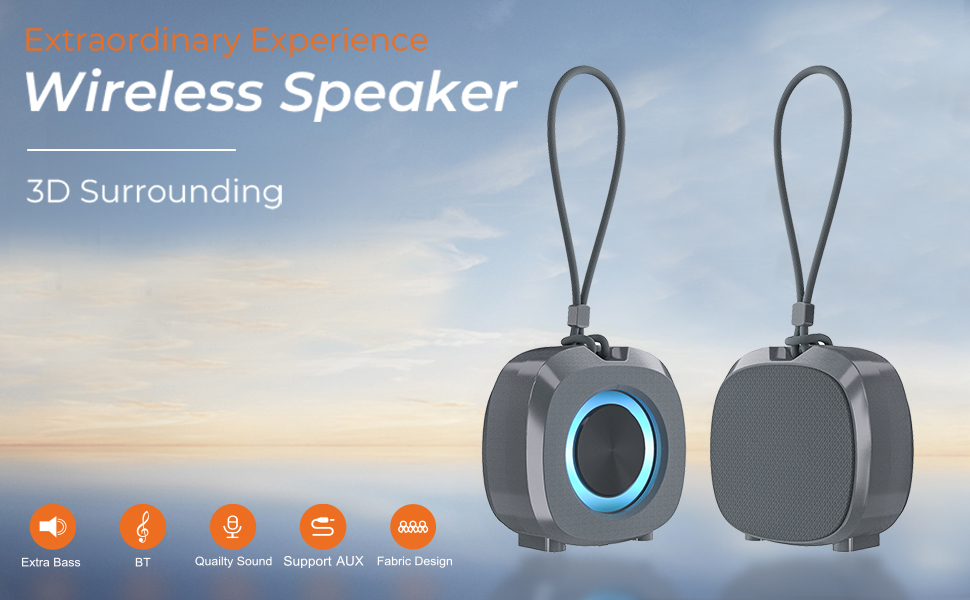
Image: Two ZZB WP-03B speakers demonstrating TWS pairing for a wider stereo soundstage.
ליגהטינג עפפעקץ
The speaker features integrated color lights that automatically synchronize with the beat of the music, enhancing the atmosphere.
AUX אין מאָדע
Connect non-Bluetooth devices using a 3.5mm audio cable (not included) to the AUX-in port. The speaker will automatically switch to AUX mode.
TF-SD Card Mode
Insert a TF-SD card into the designated slot. The speaker will automatically detect and play audio files פון די קאָרט.
וישאַלט
- האַלטן די רעדנער ריין דורך ווישן עס מיט אַ ווייך, טרוקן שטאָף.
- ויסמיידן ניצן האַרב קעמיקאַלז אָדער אַברייסיוו קלינערז.
- סטאָר די רעדנער אין אַ קיל, טרוקן אָרט ווען ניט אין נוצן.
- Ensure the charging port cover is securely closed to maintain IPX5 water resistance.
טראָובלעשאָאָטינג
| פּראָבלעם | מעגלעך סיבה | לייזונג |
|---|---|---|
| דער רעדנער לאָזט זיך נישט אָנ | נידעריק באַטאַרייע | לאָדט דעם רעדנער גאָר אויף. |
| קען נישט צוזאמענשטעלן דורך בלוטוט | Speaker not in pairing mode / Device Bluetooth off / Too far apart | Ensure speaker is in pairing mode (flashing LED). Turn on Bluetooth on your device. Move speaker and device closer. |
| קיין געזונט | Volume too low / Paused / Incorrect source | Increase volume on speaker and device. Press Play. Check if AUX or TF-SD card is inserted. |
| נעבעך געזונט קוואַליטעט | Low battery / Obstructions / Too far apart | Charge the speaker. Remove obstructions between speaker and device. Move closer. |
| TWS פּערינג פיילז | Speakers already paired to another device / Not in TWS pairing mode | Disconnect speakers from any other Bluetooth devices. Ensure both are in TWS pairing mode. |
ספּעסאַפאַקיישאַנז
| שטריך | דעטאַל |
|---|---|
| מאָדעל נאָמען | וופּ-03ב |
| סאָרט | זזב |
| רעדנער טיפּ | פּאָרטאַטיוו ספּיקער |
| קאָליר | גרוי |
| פּראָדוקט דימענשאַנז | 1.6"ד רענטגענ 2.9"וו רענטגענ 3"ה |
| פּונקט וואָג | 6 אונסעס |
| וואָטערפּרוף רייטינג | IPX5 |
| קאַנעקטיוויטי טעכנאָלאָגיע | בלועטאָאָטה 5.3 |
| בלועטאָאָטה קייט | אַרויף צו 100 פֿיס |
| רעדנער מאַקסימום רעזולטאַט מאַכט | 10 וואטס |
| אַודיאָ רעזולטאַט מאָדע | סטערעאָ |
| באַטערי | 1 ליטהיום יאָן (אַרייַנגערעכנט) |
| פּלייַטימע | אַרויף צו 12 שעה |
| אַרייַנגערעכנט קאַמפּאָונאַנץ | מאַכט קאַבלע |
וואָראַנטי און שטיצן
For warranty information or technical support, please refer to the contact details provided on the product packaging or visit the official ZZB webפּלאַץ. האַלטן דיין קויפן קאַבאָלע פֿאַר וואָראַנטי קליימז.