
הקדמה
Thank you for choosing the Parsonver Smart Watch. This manual provides essential information and instructions to help you set up, operate, and maintain your PSSW3B or PSSW4SL smart watch. Please read this manual thoroughly before use to ensure optimal performance and longevity of your device.
וואָס איז אין די קעסטל
- Parsonver Smart Watch (PSSW3B or PSSW4SL)
- וואַך באַנד
- טשאַרדזשינג קאַבלע
- באַניצער מאַנואַל
סעטאַפּ
1. טשאַרדזשינג די מיטל
Before initial use, fully charge your smart watch. Connect the magnetic charging cable to the charging port on the back of the watch and plug the USB end into a power adapter (not included) or a computer's USB port. A full charge typically takes approximately 2 hours. A fully charged watch provides up to 7 days of regular use and up to 40 days of standby time.
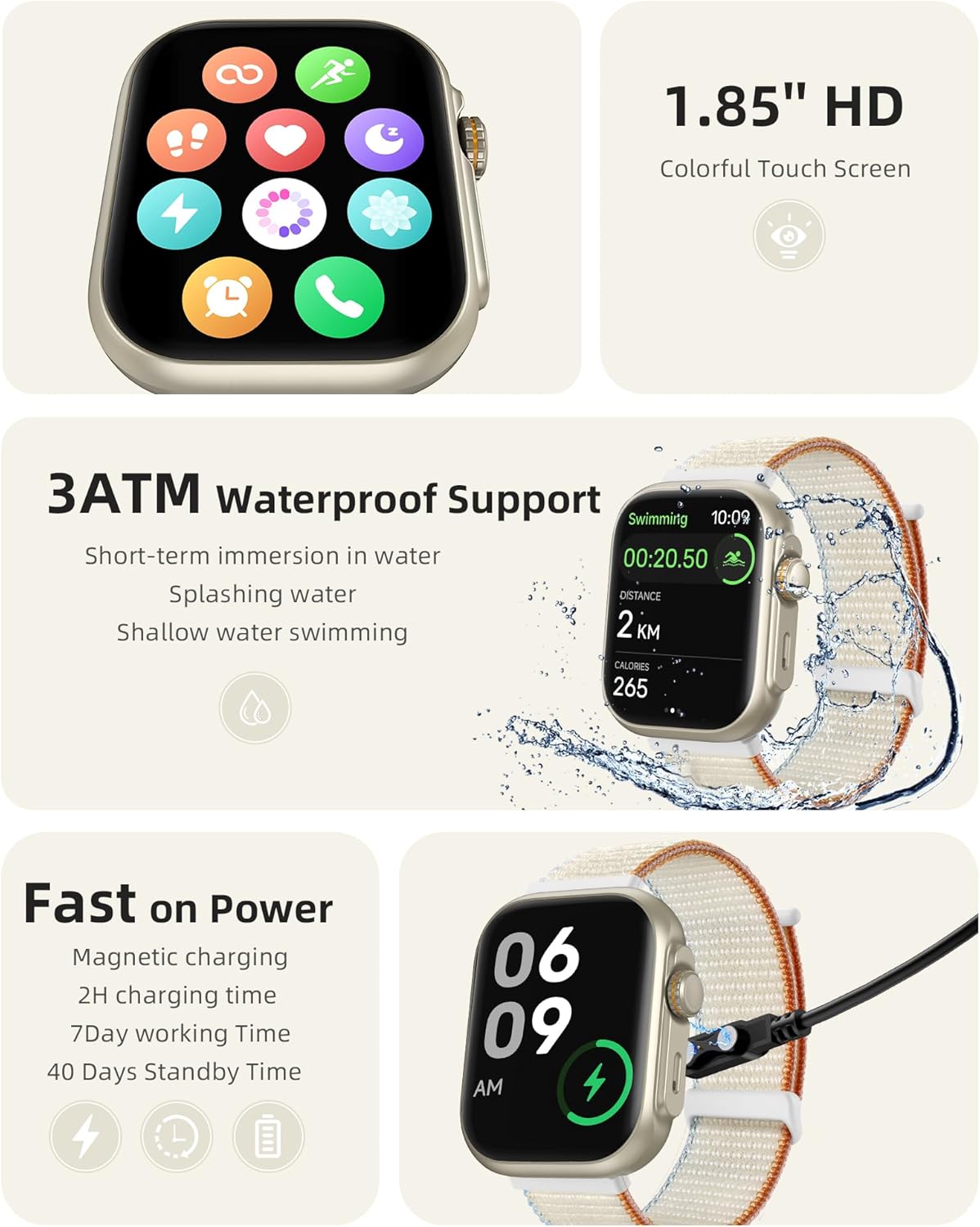
Image: The Parsonver Smart Watch connected to its magnetic charging cable, illustrating the charging process.
2. אַפּ ינסטאַללאַטיאָן
To unlock the full functionality of your smart watch, download the companion app on your smartphone. The app is compatible with iOS devices (version 12.0 and above) and Android devices (version 6.0 and above). זוכן פֿאַר the 'Parsonver' app in your device's app store or scan the QR code provided in the quick start guide.
3. דיווייס פּערינג
After installing the app, open it and follow the on-screen instructions to create an account and pair your smart watch. Ensure Bluetooth is enabled on your smartphone. The watch uses Bluetooth 5.3 for a stable connection. Once paired, you can enable smart notifications and Bluetooth calling features.
אַפּערייטינג ינסטראַקשאַנז
1. יקערדיק נאַוויגאַציע
The smart watch features a 1.85" HD colorful touch screen. Swipe left, right, up, or down to navigate through menus and access different functions. Use the physical buttons on the side for quick access to specific features or to return to the home screen.
2. Bluetooth Calls and Smart Notifications
Once connected via Bluetooth, you can make and receive calls directly from your watch using its built-in speaker and microphone with noise cancellation. The watch will also display smart notifications for incoming calls, SMS messages, and alerts from various applications such as Facebook, WhatsApp, Instagבאַראַן, און טוויטטער.

Image: A visual representation of the smart watch's Bluetooth call and smart notification capabilities, showing various app icons and call screens.
3. 24-Hour Comprehensive Health Monitoring
The Parsonver Smart Watch provides continuous health tracking:
- האַרץ קורס מאָניטאָרינג: Accurately monitors your heart rate throughout the day.
- מאָניטאָרינג פון בלוט זויערשטאָף (SpO2): מעסט אייערע בלוט זויערשטאָף זעטיקונג לעוועלס.
- שלאָף מאָניטאָרינג: Analyzes your sleep patterns, including deep sleep, light sleep, awake time, and REM sleep.
- Stress Level Detection: Intelligently detects and helps you manage stress levels.
- דערמאָנונגען: Includes hydration and sedentary reminders to promote a healthy lifestyle.

Image: A collage demonstrating the watch's 24-hour health monitoring functions, including heart rate, blood oxygen, sleep, and stress tracking.
4. Built-in GPS Fitness Tracker
The watch features high-precision built-in GPS, allowing you to record and display your running routes directly on the watch without needing your phone. After synchronization with the app, you can view detailed city route maps. The advanced sports chip tracks distance, real-time/average pace, and calories burned.

Image: The smart watch displaying a GPS-tracked running route, with a smartphone showing a detailed map view.
5. ספּאָרט מאָדעס און טעטיקייט טראַקינג
Choose from over 100 built-in sports modes to accurately track your workouts. The watch also provides a daily readiness score and all-day activity tracking, monitoring steps, calories, and distance.

Image: A user stretching with the smart watch, illustrating its use during exercise, alongside displays of daily readiness score and activity tracking icons.
6. Customization and Other Functions
Personalize your watch with over 100 creative watch dials. The watch also includes various practical functions such as camera control, music control, weather updates, alarm clock, and timer.

Image: A collection of diverse watch faces and icons representing additional practical functions available on the smart watch.
7. וואַסער קעגנשטעל
The Parsonver Smart Watch features 3ATM water resistance, making it suitable for short-term immersion in water, splashing, and shallow water swimming. It is not recommended for diving, hot showers, or high-pressure water activities.
וישאַלט
1. רייניקונג
Regularly clean your smart watch and watch band to prevent skin irritation and maintain device hygiene. Use a soft, lint-free cloth to wipe the screen and body. For the band, use a mild soap solution and rinse thoroughly, ensuring it is completely dry before reattaching to your wrist.
2. סטאָרידזש
When not in use for extended periods, store the watch in a cool, dry place away from direct sunlight and extreme temperatures. Ensure the watch is partially charged (around 50%) before storage to preserve battery health.
3. Water Resistance Precautions
While the watch is 3ATM water-resistant, avoid exposing it to hot water, steam, or chemicals. Do not press buttons underwater. After exposure to water, especially saltwater, gently wipe the watch dry.
טראָובלעשאָאָטינג
- זייגער טוט זיך נישט אן: Ensure the watch is fully charged. Connect it to the charging cable and wait a few minutes before attempting to power it on again.
- נישט געקענט צופּאַסן מיטן טעלעפאָן: Ensure Bluetooth is enabled on your phone and the watch. Make sure the watch is within range of your phone. Restart both the watch and your phone, then try pairing again through the app.
- מעלדונגען נישט באקומען: Check app permissions on your phone to ensure the Parsonver app has access to notifications. Verify that notifications are enabled within the Parsonver app settings.
- נישט פּינקטלעכע געזונט דאַטן: זייט זיכער אז די זייגער טראָגט זיך גוט אויף אייער האַנטגעלענק, נישט צו ענג אדער צו לויז. רייניקט די סענסאָרן רעגולער. פֿאַרמייַדט איבערגעטריבענע באַוועגונג בעת מעסטונגען.
- קורץ באַטאַרייע לעבן: Reduce screen brightness, disable unnecessary notifications, and limit continuous heart rate monitoring if not required. Ensure the watch is fully charged each time.
ספּעסאַפאַקיישאַנז
| מאָדעל נומבערס | PSSW3B, PSSW4SL |
| סאָרט | פּאַרסאָנווער |
| פאַבריקאַנט | פּאַרסאָנווער |
| קאַנעקטיוויטי טעכנאָלאָגיע | בלועטאָאָטה 5.3 |
| באַטאַרייע קאַפּאַציטעט | 300 מאַה |
| טשאַרדזשינג צייט | בעערעך. 2 שעה |
| באַטאַרייע לעבן (טיפּיש נוצן) | אַרויף צו 7 טעג |
| סטאַנדביי צייט | אַרויף צו 40 טעג |
| גפּס | געבויט-אין גפּס |
| וואַסער קעגנשטעל | 3אַטם |
| ווייַז | 1.85" HD Colorful Touch Screen (PSSW3B) |
| קאַמפּאַטאַבילאַטי | יאָס 12.0+ / אַנדרויד 6.0+ |
וואָראַנטי אינפֿאָרמאַציע
Parsonver products are covered by a limited warranty. For specific details regarding your product's warranty period and terms, please refer to the warranty card included with your purchase or visit the official Parsonver webזייטל. האַלט אייער קויף קוויטל ווי אַ באַווייַז פון קויפן פֿאַר וואָראַנטי קליימז.
שטיצן
If you encounter any issues or have questions not covered in this manual, please contact Parsonver customer support. You can find contact information on the official Parsonver webזייטל אדער דורך אייער קויפן פּלאַטפאָרמע.
אָנליין שטיצן: Visit the Parsonver official webזייטל פֿאַר אָפֿט געשטעלטע פֿראַגעס, טראָובלעשווטינג גיידס, און קאָנטאַקט פֿאָרמען.
E- בריוו שטיצן: Refer to your product packaging or the Parsonver webזייטל פֿאַר די קונה סערוויס בליצפּאָסט אַדרעס.