
הקדמה
Thank you for choosing the ZEALOT S49 Pro Portable Bluetooth Speaker. This manual provides essential information for the safe and efficient use of your speaker. Please read it thoroughly before operation and retain it for future reference.
The ZEALOT S49 Pro is a compact and lightweight portable speaker designed to deliver clear, high-quality audio with powerful bass. It features multiple connectivity options, including Bluetooth, USB, TF card, and AUX input, and supports TWS (True Wireless Stereo) pairing for an enhanced 40W 360-degree stereo experience. With IPX5 water resistance and a long-lasting 3000mAh battery, it is suitable for various indoor and outdoor environments.

Figure 1: HiFi Sound Quality with 360° Omnidirectional Sound
פּעקל אינהאַלט
- ZEALOT S49 Pro Portable Bluetooth Speaker
- Power Cable (USB-C charging cable)
- באַניצער מאַנואַל
פּראָדוקט איבערview
Familiarize yourself with the various parts and controls of your ZEALOT S49 Pro speaker.
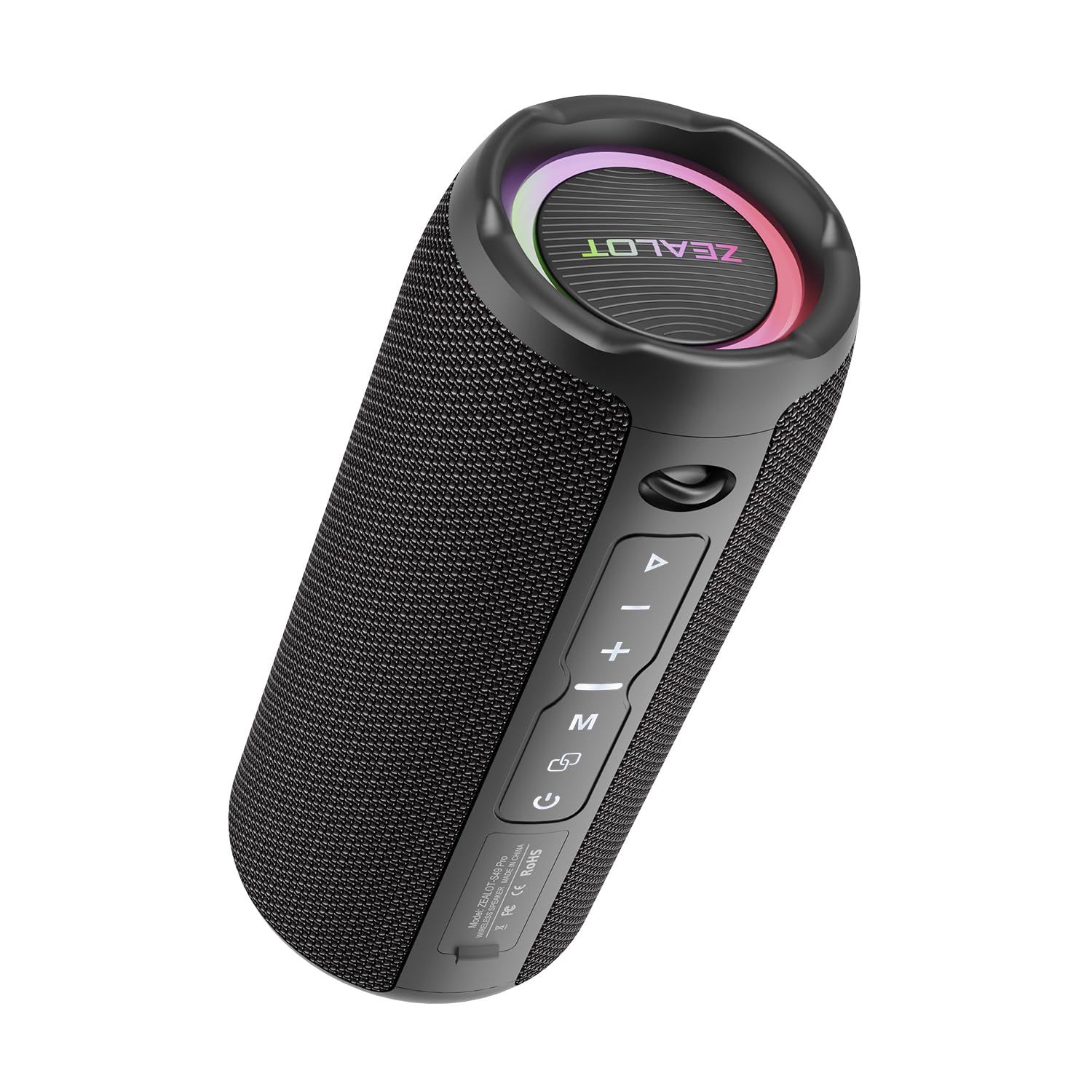
Figure 2: ZEALOT S49 Pro Speaker Front View
קאָנטראָלס און פּאָרץ:
- מאַכט קנעפּל: דריק און האלט אן צו אנצינדן אדער אויסלעשן דעם רעדנער.
- שפּיל / פּויזע קנעפּל: Press to play or pause music. Press to answer or end calls.
- באַנד אַרויף / ווייַטער ליד קנעפּל (+): קורץ דריקן צו פֿאַרגרעסערן די קול. לאַנג דריקן צו גיין צום נעקסטן ליד.
- באַנד אַראָפּ / פריערדיקע ליד קנעפּל (-): קורץ דריקן צו פֿאַרמינערן די קול. לאַנג דריקן צו גיין צום פֿריִערדיקן ליד.
- מאָדע קנעפּל (M): Press to switch between Bluetooth, USB, TF Card, and AUX input modes.
- TWS Button (∞): Press to initiate True Wireless Stereo pairing with another S49 Pro speaker.
- DC5V פּאָרט: USB-C port for charging the speaker.
- טף קאַרד שפּעלטל: אַרײַנשטעלן אַ TF (MicroSD) קאַרטל צו שפּילן מוזיק.
- וסב פּאָרט: אַרײַנשטעלן אַ USB פלאַש דרייוו צו שפּילן מוזיק.
- AUX פּאָרט: פֿאַרבינדט עקסטערנע אַודיאָ דעוויסעס דורך אַ 3.5 מם אַודיאָ קאַבל.

פיגור 3: קאָנעקטיוויטי פּאָרטן
סעטאַפּ
1. טשאַרדזשינג די ספּיקער
Before first use, fully charge the speaker. Connect the provided power cable to the DC5V port on the speaker and the other end to a USB power adapter (not included) or a computer's USB port. The charging indicator light will show the charging status.

Figure 4: Charging the Speaker
2. פּאָווערינג אויף / אויסגעלאשן
דריקן און האַלטן די מאַכט קנעפּל פֿאַר אַרום 3 סעקונדעס צו אנצינדן אָדער אויסלעשן דעם רעדנער. אַ קלאַנג וועט אָנווייַזן דעם סטאַטוס פֿון מאַכט.
3. בלועטאָאָטה פּערינג
- צינדט אן דעם רעדנער. עס וועט אויטאמאטיש אריינגיין אין בלוטוט פארבינדונג מאָדוס, אנגעצייכנט דורך א בלינקנדיקע LED ליכט.
- אַקטיווירן בלועטוט אויף אייער מיטל (סמאַרטפאָון, טאַבלעט, אאז"וו).
- זוכן פֿאַר "ZEALOT S49 Pro" in your device's Bluetooth list and select it to connect.
- Once connected, the LED light will stop flashing, and you will hear a confirmation sound.
4. אמתע ווירעלעס סטערעאָ (TWS) פּאָרינג
To achieve a 40W 360-degree stereo sound experience, you can pair two ZEALOT S49 Pro speakers together:
- Ensure both S49 Pro speakers are powered on and not connected to any other Bluetooth device.
- אויף איינעם פון די רעדנערס (דאָס וועט זיין דער הויפּט רעדנער), דריק קורץ די TWS Button (∞). The speaker will enter TWS pairing mode.
- The two speakers will automatically connect to each other. You will hear a confirmation sound once paired.
- Now, connect your device to the primary speaker via Bluetooth as described in "3. Bluetooth Pairing". Both speakers will play audio in stereo.

Figure 5: TWS Pairing for Stereo Sound
אַפּערייטינג ינסטראַקשאַנז
1. מוזיק פּלייבאַק
- בלועטאָאָטה מאָדע: After successful Bluetooth pairing, open your music player app and start playing audio.
- USB / TF קאָרט מאָדע: Insert a USB flash drive or TF card into the respective port. The speaker will automatically switch to the corresponding mode and begin playing music. Press the מאָדע קנעפּל (M) to switch if it doesn't.
- AUX מאָדע: Connect your audio device to the speaker's AUX port using a 3.5mm audio cable. Press the מאָדע קנעפּל (M) צו באַשטימען צו AUX מאָדע.

Figure 6: Speaker Internal Components for Enhanced Bass
2. באַנד קאָנטראָל
קורץ דריקן די + קנעפּל to increase volume. Short press the - קנעפּל צו פאַרמינערן באַנד.
3. שפּור קאָנטראָל
לאנג דריקן די + קנעפּל to skip to the next track. Long press the - קנעפּל צו גיין צו די פריערדיקע שפּור.
4. רופן מאַנאַגעמענט
When connected via Bluetooth, if a call comes in, press the שפּיל / פּויזע קנעפּל to answer the call. Press it again to end the call. Long press to reject an incoming call.
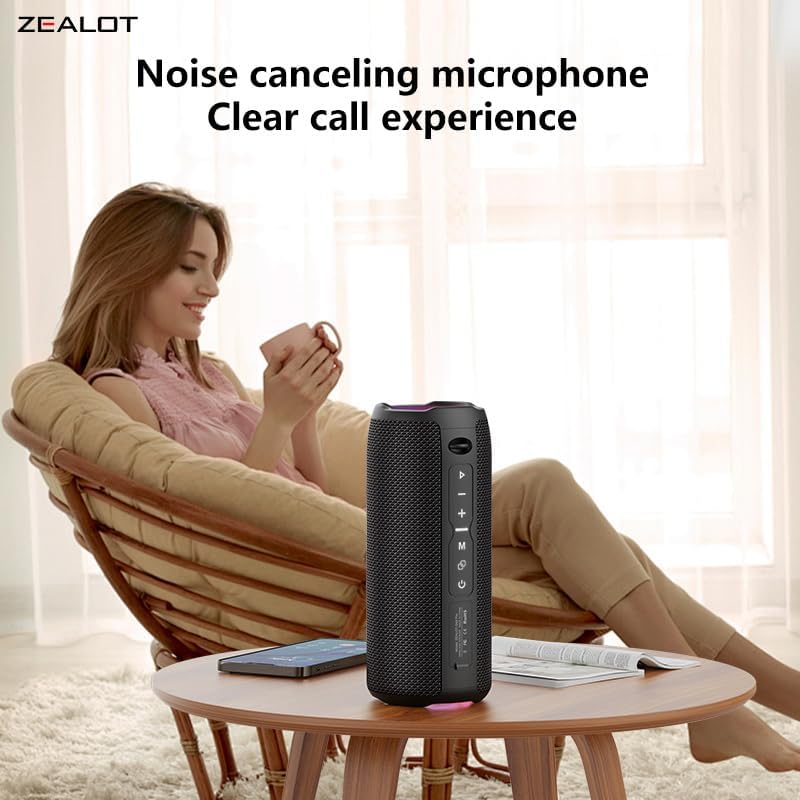
Figure 7: Clear Call Experience with Built-in Microphone
5. מאָדע סוויטשינג
דרוק די מאָדע קנעפּל (M) to cycle through available input modes: Bluetooth, USB, TF Card, and AUX.
6. RGB לייטינג
The speaker features RGB colorful lights. These lights typically synchronize with the music rhythm. Specific controls for the lights are not detailed in the provided information, but they are an aesthetic feature.

Figure 8: RGB Colorful Light Show
וישאַלט
- רייניקונג: ניצט אַ ווייכע, טרוקענע שטאָף צו רייניקן דעם רעדנער. ניצט נישט קיין שרײַבנדיקע רייניגערס אדער סאָלווענטן.
- וואַסער קעגנשטעל: The speaker is IPX5 water-resistant, meaning it can withstand splashes and light rain. Do not submerge the speaker in water or expose it to strong jets of water. Ensure all port covers are securely closed before exposure to water.
- סטאָרידזש: האַלט דעם רעדנער אין אַ קיל, טרוקן אָרט אַוועק פון דירעקט זונשייַן און עקסטרעמע טעמפּעראַטורן.
- באַטערי זאָרגן: כדי צו פארלענגערן די לעבן פון די באַטעריע, זאָלט איר אויפלאָדן דעם רעדנער רעגולער, אפילו אויב איר ניצט עס נישט פאר לענגערע צייטן. פֿאַרמייַדט אָפט גאָר אויסצולאָדן די באַטעריע.

פיגור 9: IPX5 וואַסער קעגנשטעל
טראָובלעשאָאָטינג
| פּראָבלעם | מעגלעך סיבה | לייזונג |
|---|---|---|
| דער רעדנער לאָזט זיך נישט אָנ. | נידעריק באַטאַרייע. | לאָדט דעם רעדנער גאָר אויף. |
| קען נישט פארבינדן דורך בלוטוט. | Speaker is not in pairing mode or already connected to another device. Device Bluetooth is off. | Ensure speaker is in pairing mode (flashing LED). Disconnect from other devices. Turn on Bluetooth on your device and search again. |
| קיין געזונט. | Volume too low. Incorrect input mode. Device not playing. | Increase speaker and device volume. Press 'M' button to switch modes. Ensure music is playing on your connected device. |
| TWS פּאָרינג פיילז. | די רעדנערס זענען צו ווייט איינער פון די אנדערע. איין רעדנער איז שוין פארבונדן צו א דעווייס. | זיכער מאַכן אַז די רעדנערס זענען נאָענט איינער צום אַנדערן. אָפּשטעקן ביידע רעדנערס פֿון יעדן בלוטוט דעווייס איידער איר הייבט אָן TWS פּאָרינג. |
| נעבעך געזונט קוואַליטעט. | Low battery. Device too far from speaker. Obstructions. | Charge the speaker. Move device closer to the speaker. Remove any obstacles between the speaker and device. |
ספּעסאַפאַקיישאַנז
| שטריך | דעטאַל |
|---|---|
| סאָרט | ברען |
| מאָדעל נאָמען | ZEALOT S49 Pro |
| רעדנער טיפּ | סובוואָאָפער |
| קאַנעקטיוויטי טעכנאָלאָגיע | Bluetooth, USB, TF Card, AUX (3.5mm) |
| ווירעלעסס קאָמוניקאַציע פּראָטאָקאָל | בלועטאָאָטה |
| מאַקסימום רעדנער אַרויסגאַנג מאַכט | 20 וואטס |
| אָפטקייַט ענטפער | אַרויף צו 20 KHz |
| אַודיאָ רעזולטאַט מאָדע | סטערעאָ (2.0 קאַנאַל) |
| TWS פּערינג | Yes, for 40W 360-degree stereo sound |
| מאַטעריאַל | אַקרילאָניטרילע בוטאַדיענע סטירענע (אַבס) |
| קאָליר | שוואַרץ |
| וואַסער קעגנשטעל מדרגה | IPX5 (Waterproof/Splash-proof) |
| ספּעציעלע פֿעיִקייטן | Portable, Water Resistant, USB Port, Built-in Microphone, RGB Lighting |
| קאָנטראָל מעטאָד | דרוק קנעפּל |
| באַטערי טיפּ | 2 Lithium Ion batteries (Included) |
| באַטאַרייע קאַפּאַציטעט | 3000 מאַה |
| באַטערי לעבן | Up to 12 hours (Varies with volume and content) |
| מאַכט מקור | באַטעריע געטריבן (אויפֿלאָדן דורך USB-C) |
| פּראָדוקט דימענשאַנז (דקסווקסה) | 8.6 X 8.6 X 20.4 סענטימעטער (3.38 X 3.38 X 8.03 אינטשעס) |
| פּונקט וואָג | 762 גראַמז |
| אַרייַנגערעכנט קאַמפּאָונאַנץ | מאַכט קאַבלע |

פיגור 10: פּראָדוקט דימענסיעס
וואָראַנטי און שטיצן
וואָראַנטי אינפֿאָרמאַציע
The ZEALOT S49 Pro Portable Bluetooth Speaker comes with a one-year manufacturer's warranty from the date of purchase. This warranty covers manufacturing defects and workmanship under normal use. It does not cover damage caused by misuse, accidents, unauthorized modifications, or normal wear and tear.
קונה שטיצן
If you encounter any issues or have questions regarding your ZEALOT S49 Pro speaker, please contact our customer support team. For the fastest service, please have your product model number (S49 Pro) and proof of purchase ready.
קאָנטאַקט אינפֿאָרמאַציע:
- Webפּלאַץ: www.zealot.cc (ביטע טשעק די אפיציעלע website for the most up-to-date contact details.)
- בליצפּאָסט: support@zealot.cc (Example email, please verify with actual product documentation)