
R-MUSIC RM484529
R-MUSIC Party Boost S High Power Speaker User Manual
מאָדעל: RM484529
הקדמה
The R-MUSIC Party Boost S speaker is designed to provide an immersive audio experience, perfect for parties and events. This high-power speaker features Bluetooth 5.3 connectivity, dynamic RGB light effects, a dedicated karaoke mode, and an impressive battery life, combining robust performance with portable design.
This manual provides essential information for setting up, operating, and maintaining your Party Boost S speaker to ensure optimal performance and longevity.
וואָס איז אין די קעסטל
Upon unboxing your R-MUSIC Party Boost S, please verify that all components are present:
- Party Boost S Speaker
- ווייערד מיקראָפאָן
- טשאַרדזשינג קאַבלע
- טשאַרדזשער
- באַניצער מאַנואַל (דעם דאָקומענט)
פּראָדוקט איבערview
Familiarize yourself with the key features and components of your Party Boost S speaker.

The R-MUSIC Party Boost S speaker, showcasing its integrated RGB lighting on the front grille and top control panel. The speaker is black with a textured finish on the sides and a convenient carry handle on top.
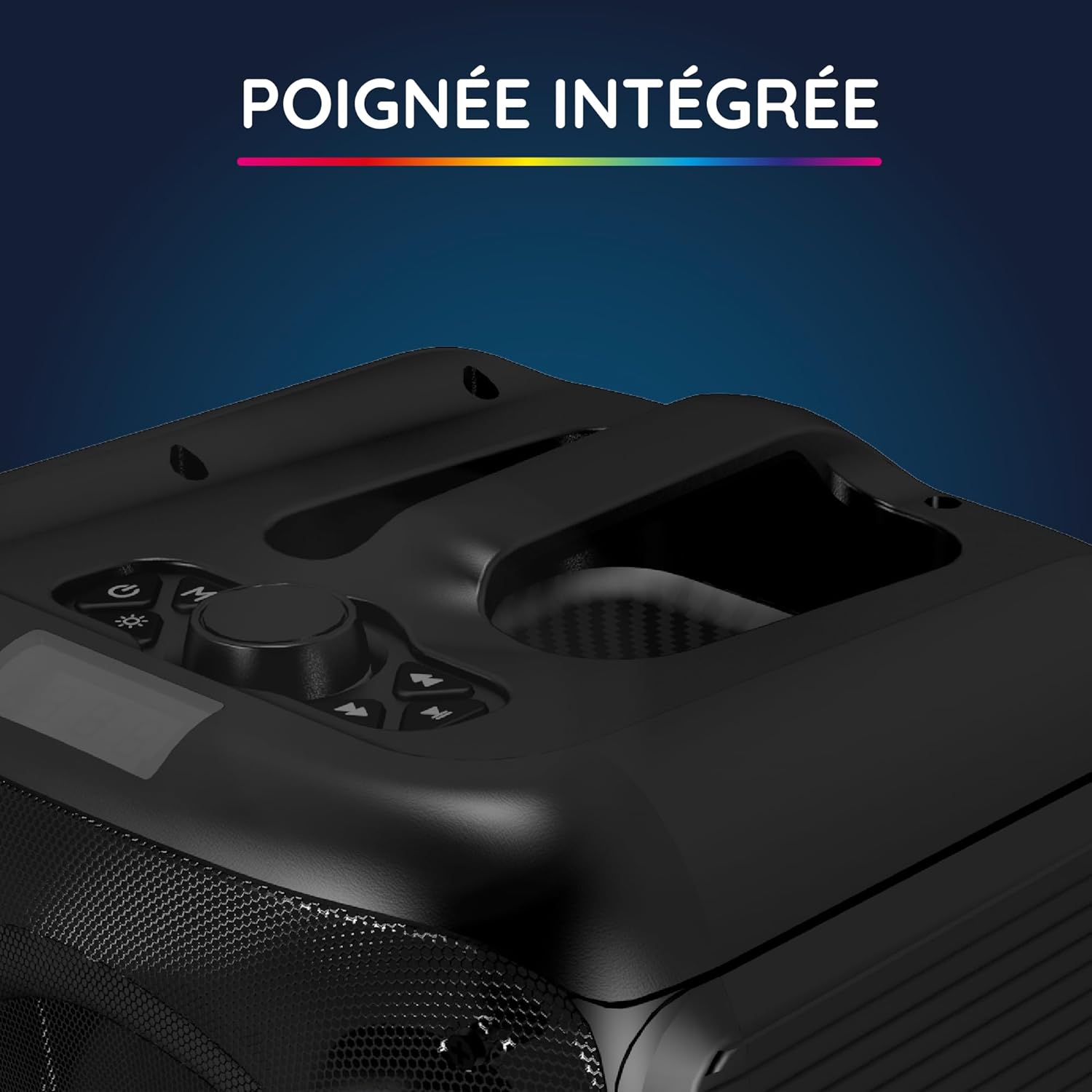
אַ נאָענט-אַרויף view of the integrated handle located on the top of the Party Boost S speaker, designed for easy portability and transport.

The connectivity panel of the Party Boost S speaker, featuring various input ports including USB, USB-C, AUX, and Micro-SD slots for versatile device connections.

The top control panel of the Party Boost S speaker, showing buttons for equalizer settings, volume adjustment, and echo control, along with a digital display.
סעטאַפּ
טשאַרדזשינג די רעדנער
Before first use, fully charge the speaker. Connect the provided charging cable to the speaker's charging port and the other end to the charger. Plug the charger into a power outlet. The charging indicator will show the charging status. A full charge takes approximately 5 hours and provides up to 10 hours of continuous playback.
ערשט מאַכט אויף
Locate the power button on the speaker's control panel. Press and hold the power button for a few seconds until the speaker powers on and the LED lights illuminate.
אַפּערייטינג ינסטראַקשאַנז
בלועטאָאָטה קאַנעקשאַן
- Ensure the Party Boost S speaker is powered on.
- Activate Bluetooth on your smartphone, tablet, PC, or laptop.
- זוכן פֿאַר "R-MUSIC Party Boost S" in your device's Bluetooth settings.
- Select the speaker to pair. A confirmation sound will indicate a successful connection.
- The speaker uses Bluetooth 5.3 for a stable connection up to 10 meters.
Using Other Connectivity Options
- וסב פּאָרט: אַרייַנלייגן אַ וסב פאָר מיט אַודיאָ files into the USB port. The speaker will automatically detect and play the music.
- AUX אַרייַנשרייַב: Connect an external audio device (e.g., MP3 player) using a 3.5mm AUX cable to the AUX port.
- מיקראָ סד קאַרד: אַרײַנשטעלן אַ מיקראָ SD קאַרטל מיט אַודיאָ files into the Micro SD slot.
- 6.35 מם דזשאַק: This port is primarily for the wired microphone.
Karaoke Mode and Microphone Use
To use the karaoke feature:
- Connect the wired microphone to the 6.35mm jack port on the speaker.
- Play your desired instrumental track via Bluetooth or other input methods.
- Adjust the microphone volume and echo effects using the controls on the speaker's top panel for an optimal karaoke experience.

The wired microphone included with the Party Boost S speaker, featuring an on/off switch and a standard audio jack for connection.
Sound Adjustment (Bass & Treble)
Use the dedicated controls on the speaker's top panel to adjust the bass and treble levels according to your audio preferences. This allows for fine-tuning the sound output for various music genres or environments.
RGB ליכט יפעקץ
The speaker features integrated RGB light shows that synchronize with your music. Use the light mode button on the control panel to cycle through different light animations or turn them off.
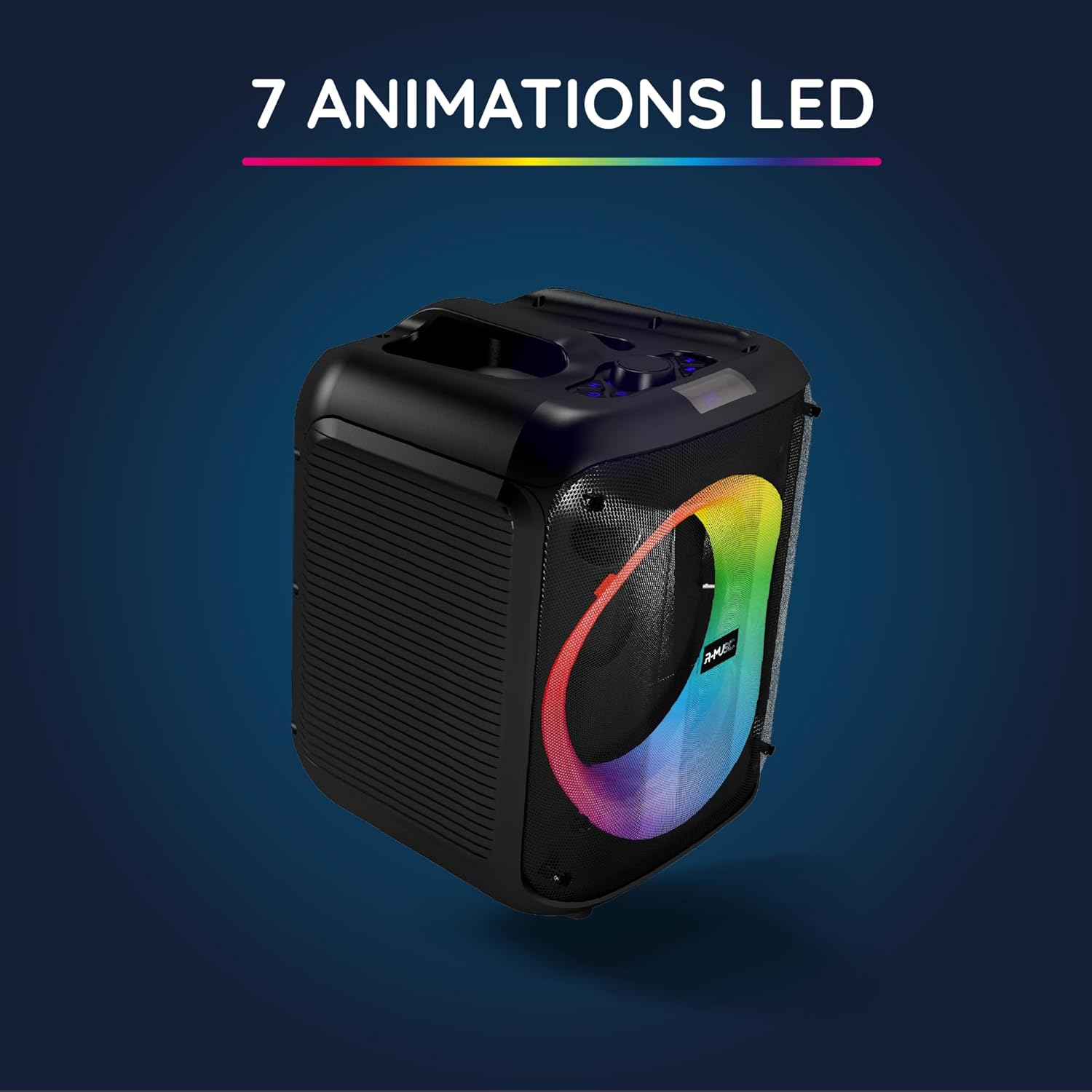
The Party Boost S speaker illuminated with vibrant RGB LED animations, showcasing its ability to create a dynamic visual experience synchronized with audio.
מולטי-רעדנער קאַנעקשאַן
For an enhanced stereo experience, you can connect two Party Boost S speakers together. Refer to the specific instructions for TWS (True Wireless Stereo) pairing, usually initiated by a dedicated button or a long press on the Bluetooth button on both speakers. Ensure both speakers are in pairing mode before attempting to connect them to each other.
וישאַלט
- רייניקונג: ניצט אַ ווייכע, טרוקענע שטאָף צו רייניקן די אויסערלעכע זייט פון דעם רעדנער. ניצט נישט קיין שרײַבנדיקע רייניגער, וואַקסן, אדער סאָלווענטן.
- סטאָרידזש: ווען נישט אין באַנוץ פֿאַר לענגערע פּעריאָדן, זאָל מען דעם רעדנער האַלטן אין אַ קיל, טרוקן אָרט, אַוועק פֿון דירעקטער זון און עקסטרעמע טעמפּעראַטורן.
- באַטערי זאָרגן: כדי צו פארלענגערן די לעבן פון די באַטעריע, זאָלט איר נישט אָפט אויסלאָדן די באַטעריע. לאָדט דעם רעדנער רעגולער אויף, אפילו אויב ער איז נישט אין באַנוץ.
- וואַסער קעגנשטעל: This speaker is not water-resistant. Avoid exposure to liquids.
טראָובלעשאָאָטינג
| פּראָבלעם | מעגלעך סיבה | לייזונג |
|---|---|---|
| קיין מאַכט | די באַטעריע איז אויסגעשעפּט; די מאַכט קאַבל איז נישט ריכטיק פארבונדן. | לאָדט דעם רעדנער גאָר אויף; מאַכט זיכער אַז דער מאַכט קאַבל איז זיכער פארבונדן. |
| קיין געזונט | Volume is too low; Incorrect input source selected; Device not paired correctly. | Increase volume on speaker and connected device; Select correct input (Bluetooth, AUX, USB, SD); Re-pair Bluetooth device. |
| בלועטאָאָטה קשר אַנסטייבאַל | Device is out of range; Interference from other devices. | Move device closer to speaker (within 10m); Move speaker away from other wireless devices. |
| מיקראָפאָן טוט נישט אַרבעטן | Microphone not plugged in correctly; Microphone switch is off. | Ensure microphone is fully inserted into the 6.35mm jack; Turn on the microphone switch. |
ספּעסאַפאַקיישאַנז
| מאָדעל נומער | RM484529 |
| סאָרט | ר-מוזיק |
| קאַנעקטיוויטי טיפּ | בלועטאָאָטה 5.3 |
| אַודיאָ ינפּוץ | Bluetooth, USB, 6.35mm Jack, AUX, Micro SD |
| אָפטקייַט ענטפער | 20 הערץ - 20 קילאָהערץ |
| באַטערי לעבן | Up to 10 hours (3600mAh Lithium-ion) |
| טשאַרדזשינג צייט | בעערעך. 5 שעה |
| דימענסיעס (L X W X H) | 29 X 34 X 26 סענטימעטער |
| וואָג | 3.95 קג |
| קאָליר | שוואַרץ |
| קאַמפּאַטאַבאַל דעוויסעס | Smartphones, Tablets, PCs, Laptops |
| ספּעציעלע פֿעיִקייטן | Integrated RGB Lights, Karaoke Mode, Wired Microphone Included, Bass & Treble Adjustment, Multi-speaker Connection (TWS), Integrated Handle |
וואָראַנטי און שטיצן
פאַבריקאַנט וואָראַנטי
The R-MUSIC Party Boost S speaker comes with a 2-יאָר פאַבריקאַנט ס וואָראַנטי פֿון דעם קויפֿדאַטום. די וואָראַנטי דעקט חסרונות אין מאַטעריאַלן און אַרבעט אונטער נאָרמאַלן באַנוץ. עס דעקט נישט קיין שאָדן פֿאַראורזאַכט דורך אומרעכטן באַנוץ, אומגליקן, נישט-אָטעריזירטע מאָדיפֿיקאַציעס, אָדער נאָרמאַלן אָפּנוץ.
ביטע האַלטן דיין דערווייַז פון קויפן פֿאַר וואָראַנטי קליימז.
קונה שטיצן
For technical assistance, warranty claims, or any questions regarding your R-MUSIC Party Boost S speaker, please contact your retailer or the manufacturer's customer support. Refer to the product packaging or the retailer's webפּלאַץ פֿאַר קאָנטאַקט אינפֿאָרמאַציע.
Ask a question about this manual
Ask about setup, troubleshooting, compatibility, parts, safety, or missing instructions. Manuals+ will review the question and use this page’s manual context to help answer it.