
1. הקדמה
Thank you for choosing the Ailgely 2.4GHz WiFi Wall Touch Light Switch. This smart device integrates a light switch with a Type-C USB outlet, a standard USB outlet, and a US plug outlet, offering versatile control and charging capabilities. It supports 2-way light control, APP, and voice remote control, enhancing your smart home experience. This manual provides essential information for safe installation, operation, and maintenance.
2. זיכערקייַט אינפֿאָרמאַציע
WARNING: Risk of Electric Shock. Improper installation can lead to serious injury or death.
- שטענדיק cut off power at the circuit breaker before installing or servicing the switch.
- Installation must be performed by a qualified electrician or a person with a thorough understanding of electrical wiring.
- Ensure that the neutral wire is present and correctly installed. A neutral wire is required for this device.
- Verify that live and neutral wires are connected to their correct terminals.
- Tighten all screw terminals securely to prevent loose connections.
- This device only supports 2.4 GHz Wi-Fi networks. It is not compatible with 5 GHz networks.
3. פּעקל אינהאַלט
ביים עפענען דעם פעקל, ביטע זיכער מאכן אז אלע זאכן זענען דא און נישט באשעדיגט:
- 1 x Ailgely Smart Wall Touch Light Switch (2-Way Black US Plug)
- 1 x גאַנג פון מאַונטינג סקרוז
- 1 x באַניצער מאַנואַל

Image: Package contents including the smart switch, mounting screws, and the user manual.
4. פּראָדוקט פֿעיִקייטן
- ינטעגראַטעד פּלאַן: Combines a smart light switch with a Type-C outlet, a USB outlet, and a standard US plug outlet for multiple functionalities.
- 2-Way Light Control: Designed to control two separate lights from a single location.
- ווייַט קאָנטראָל: Easy pairing via 2.4GHz Wi-Fi for APP and voice remote control.
- סמאַרט פאַנגקשאַנז: Supports timing, scheduling, and shared control with family members through the smart APP.
- מאָדערן עסטעטיש: Features an anti-scratch tempered glass panel for sensitive touch control and a sleek design that complements various home styles.
5. ספּעסאַפאַקיישאַנז
| באַשרייַבונג | ווערט |
|---|---|
| קאָליר | Black US Plug |
| טיפּ | 2 וועג |
| הויפּט מאַטעריאַל | אַבס + גלאז |
| אַרייַנשרייַב וואָלtage | 95-250V / AC 50-60Hz |
| Max. Load (Socket) | 16 א |
| וסב רעזולטאַט | 5 וו 2.1 אַ |
| ווירעלעסס קאַנעקטיוויטי | 802.11 b/g/n 2.4G Wi-Fi (Not 5 GHz) |
| דימענשאַנז (L X W X D) | 120 מם רענטגענ 76 מם רענטגענ 34 מם (4.72 אינטש רענטגענ 2.99 אינטש רענטגענ 1.33 אינטשעס) |
| פּונקט וואָג | 8.5 אונסעס |
| וואָסtage | 4000 וואטס |

Image: Detailed dimensions of the smart wall switch for installation planning.
6. סעטאַפּ און ייַנמאָנטירונג
איידער איר אָנהייבן: Ensure the power is OFF at the circuit breaker. A neutral wire is required for installation.
- מאַכט דיסקאַנעקשאַן: Locate the circuit breaker that controls the power to the switch you are replacing or the new installation location. Turn off the power completely. Verify power is off using a voltagE tester.
- אַראָפּנעמען אַלטן סוויטש (אויב אָנווענדלעך): Carefully remove the existing wall plate and switch from the wall box. Disconnect the wires, noting their connections.
- אידענטיפיצירן דראָטן: Identify the Live (Hot), Neutral, and Load wires in your wall box. This smart switch requires a neutral wire. If you are unsure, consult a qualified electrician.
- דראָט קאַנעקשאַן: Connect the wires from your wall box to the corresponding terminals on the Ailgely Smart Switch. Refer to the wiring diagram provided with the product for precise connections. Ensure all wires are securely tightened in their terminals.
- שטעלן די סוויטש: Gently push the wired switch into the wall box. Use the provided mounting screws to secure the switch to the wall box.
- ינסטאַלירן וואנט פּלאַטע: Attach the tempered glass wall plate to the switch.
- ומקערן מאַכט: צינדט צוריק אן די מאַכט ביים קרייַז ברעיקער.
- Wi-Fi פּאָרינג: Follow the instructions in the included manual to pair the switch with your smart home APP. Ensure your Wi-Fi network is 2.4 GHz.
7. אַפּערייטינג ינסטרוקטיאָנס
7.1 מאַנועלע ריר קאָנטראָל
The tempered glass panel features touch-sensitive icons for controlling the lights. Simply touch the light bulb icons to toggle the connected lights ON or OFF. The power outlet icon controls the integrated US plug outlet.

Image: The tempered glass panel offers sensitive and durable touch control.
7.2 קלוגע אַפּ קאָנטראָל
After successfully pairing the switch with your smart home APP (e.g., Tuya Smart, Smart Life), you can control the lights and outlets remotely from your smartphone or tablet.
- ווייַט ON/OFF: Turn lights and outlets on or off from anywhere.
- Timing & Schedule: Set schedules for lights to turn on/off automatically at specific times.
- סצענע שאַפונג: Create custom scenes to control multiple devices with a single command.
- ייַנטיילן קאָנטראָל: Share device control with family members through the APP.

Image: Demonstrates remote control of the smart switch using a mobile application.
7.3 קול קאָנטראָל
The smart switch is compatible with popular voice assistants (e.g., Amazon Alexa, Google Assistant). Once integrated, you can use voice commands to control your lights and outlets.
- Exampדי קאַמאַנדז:
- "אַלעקסאַ, צינד אָן דאָס ליכט אין וואוינצימער."
- "היי גוגל, מאך אויס די קיך ליכט."
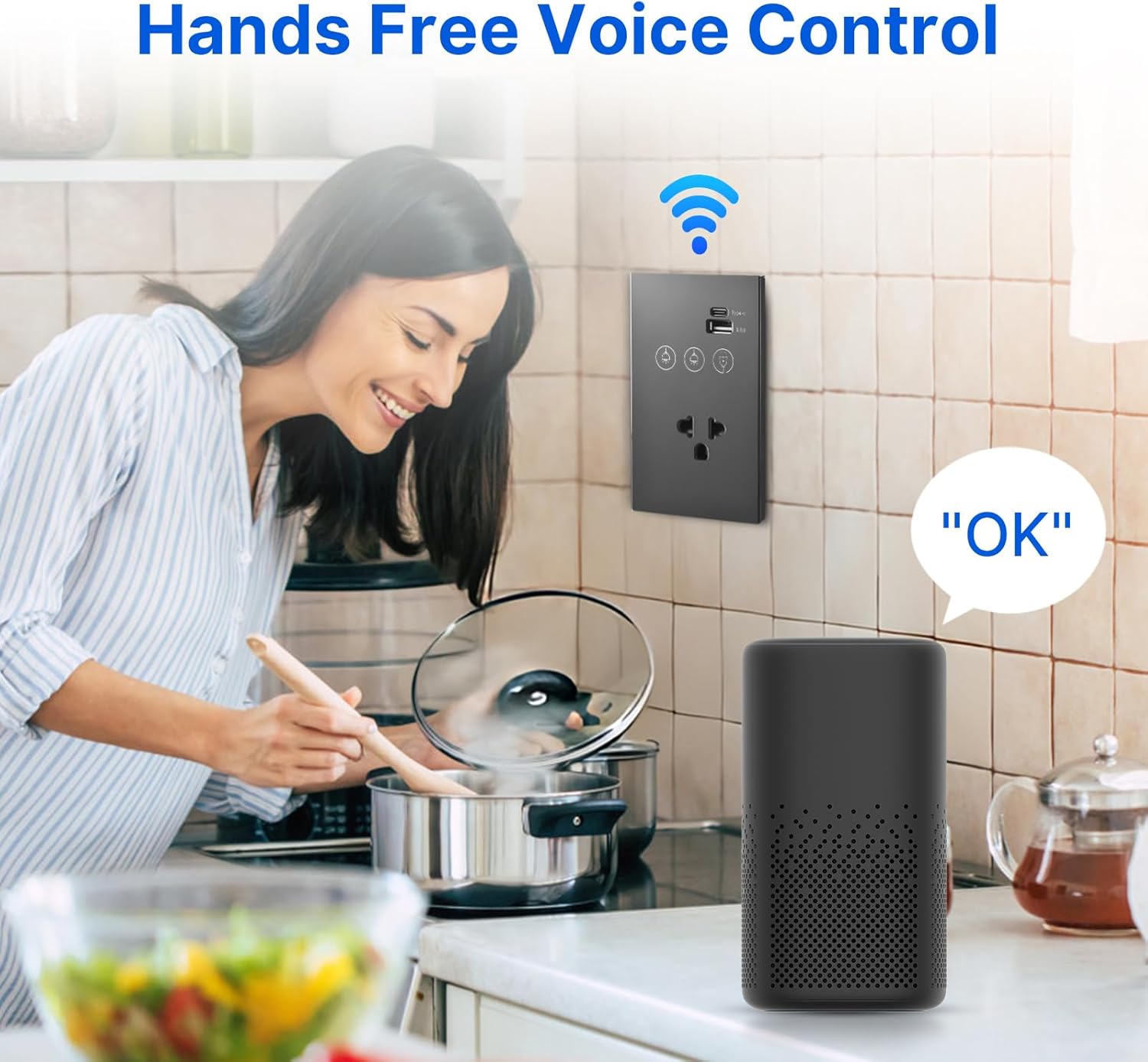
Image: Illustrates hands-free voice control of the smart switch.
8. וישאַלט
- רייניקונג: The tempered glass panel is anti-scratch and easy to clean. Use a soft, damp cloth to wipe the surface. Avoid abrasive cleaners or solvents that may damage the finish.
- Firmware דערהייַנטיקונגען: Periodically check the smart home APP for available firmware updates for your device to ensure optimal performance and security.
- קשר טשעק: If experiencing connectivity issues, ensure your Wi-Fi router is functioning correctly and the switch is within range of the 2.4 GHz network.
9. טראָובלעשאָאָטינג
- סוויטש רעאגירט נישט:
- קוק אויב דער קרייז ברעיקער איז אן.
- Ensure all wiring connections are secure and correct (Live, Neutral, Load).
- If recently installed, double-check that the neutral wire is properly connected.
- Wi-Fi Connection Failure:
- Confirm your Wi-Fi network is 2.4 GHz. This device does not support 5 GHz Wi-Fi.
- Ensure the switch is within range of your Wi-Fi router.
- Restart your Wi-Fi router and try pairing again.
- Make sure you are entering the correct Wi-Fi password.
- APP Control Issues:
- באַשטעטיקן אַז אייער סמאַרטפאָון האט אַן אַקטיווע אינטערנעט פֿאַרבינדונג.
- Ensure the smart home APP is updated to the latest version.
- Try unpairing and re-pairing the device in the APP.
- שטימע קאנטראל ארבעט נישט:
- Confirm the smart switch is successfully linked to your voice assistant account (e.g., Alexa, Google Home).
- Check if your voice assistant device is online and functioning correctly.
- Use the exact device names configured in your smart home APP.
10. וואָראַנטי און שטיצן
This product comes with a standard manufacturer's warranty. For specific warranty terms and conditions, please refer to the documentation provided at the time of purchase or contact the retailer. For technical support, troubleshooting assistance, or inquiries regarding your Ailgely Smart Wall Touch Light Switch, please contact Ailgely customer service through the contact information provided on the product packaging or the official Ailgely webפּלאַץ.