
הקדמה
Thank you for choosing the CAMECHO Android 13 Car Stereo. This manual provides detailed instructions for the installation, operation, and maintenance of your new car stereo system. Please read this manual thoroughly before installation and use to ensure proper function and to maximize your user experience. Keep this manual for future reference.
זיכערקייַט אינפֿאָרמאַציע
- Always consult a professional for installation if you are unsure about any steps.
- Ensure the vehicle's power is disconnected before starting installation to prevent electrical shock or damage.
- ארבעט נישט דעם אפאראט אויף א וועג וואס זאל אייך אפlenken פון דרייווינג.
- Keep the device away from water and excessive heat.
- Use only specified accessories and parts.
פּעקל אינהאַלט
ביטע באַשטעטיקן אַז אַלע זאכן וואָס זענען ליסטעד אונטן זענען אַרייַנגערעכנט אין דיין פּעקל:

Image: The car stereo unit with dimensions (220mm/8.7inch width, 132mm/5.2inch height), and a list of included accessories: Power Cable, RCA Input/Output Cable, Reversing Camera Input Cable, USB Cable, GPS Antenna, Radio Antenna, Microphone, Canbus, User Manual, and Rear Camera.
- Main Head Unit (9-inch HD Touchscreen)
- מאַכט קאַבלע
- RCA אינפוט/אויטפוט קאַבל
- ריווערסינג קאַמעראַ אַרייַנגאַנג קאַבל
- וסב קאַבלע (קס 2)
- גפּס אַנטענע
- ראַדיאָ אַנטענע
- מיקראָפאָן
- Canbus Decoder
- באַניצער מאַנואַל
- Rear Camera (optional, if included in your specific package)
פּראָדוקט איבערview
The CAMECHO Android 13 Car Stereo is designed to enhance your driving experience with advanced features and connectivity. Key features include:
- אַפּערייטינג סיסטעם: אַנדרויד 13
- פּראַסעסער: 8-קאָר קפּו
- זכּרון: 4 גיגאבייט באַראַן + 64 גיגאבייט ראַם
- ווייַז: 9-inch HD Touchscreen (1280*720 resolution)
- קאַנעקטיוויטי: Wireless CarPlay, Android Auto (wired/wireless), Bluetooth 5.1, WiFi, USB
- אַודיאָ: Built-in DSP, 32-band EQ
- נאַוויגאַציע: Integrated GPS (online/offline maps)
- ראַדיאָ: FM/RDS ראַדיאָ
- נאָך פֿעיִקייטן: Mirror Link, Split Screen, Steering Wheel Control, AHD Rear View אַפּאַראַט שטיצן.

Image: Illustrates the internal components (8-Core CPU, 4GB RAM, 64GB ROM) and the DSP audio interface with 32-band EQ settings, sound field adjustments, and balance controls.

Image: Displays the user interface for Bluetooth 5.0 connectivity, FM/RDS radio tuning, WiFi internet connection, and GPS navigation with a map view.
ינסטאַללאַטיאָן גייד
This section provides general installation steps. Specific vehicle models may require additional adapters or wiring harnesses. It is recommended to seek professional installation if you are not familiar with car audio systems.
- צוגרייטן די פאָרמיטל: Disconnect the negative terminal of the car battery. Remove the original car stereo unit and trim panels carefully.
- פֿאַרבינדן מאַכט און רעדנער דראָטן: Connect the main power harness from the car stereo to your vehicle's wiring harness. Ensure all connections are secure and correctly matched (e.g., constant power, accessory power, ground, speaker outputs).
- פֿאַרבינדן RCA קייבלען: אויב ניצן פונדרויסנדיק amplifiers or additional audio/video devices, connect the RCA input/output cables.
- Connect GPS Antenna: מאָנטירט די דזשי-פּי-עס אַנטענע אין אַ אָרט מיט אַ קלאָרן view of the sky, typically on the dashboard or under the windshield, ensuring it is securely attached.
- Connect Radio Antenna: Connect the vehicle's radio antenna to the car stereo.
- Connect USB Cables: Route the USB extension cables to a convenient location, such as the glove compartment or center console.
- Connect Rear Camera (Optional): If installing a rear camera, connect its video input to the "Reversing Camera Input" on the stereo and its power to the reverse light circuit.
- Install Canbus Decoder: Connect the Canbus decoder if your vehicle requires it for steering wheel controls or other vehicle data integration.
- פּרובירן קאַנעקשאַנז: Before fully reassembling, reconnect the car battery and briefly test the stereo's basic functions (power on/off, radio, sound output).
- זיכער מאַכן די איינהייט: Mount the new car stereo into the dashboard opening. Reinstall all trim panels and secure them properly.
- לעצט טשעק: Reconnect the car battery and perform a comprehensive test of all features.

בילד: הינטערשטע view of the car stereo showing labeled connection ports: 1. Power Cable, 2. RCA Input/Output, 3. Reversing Camera Input, 4. USB Cable, 5. GPS Antenna, 6. Radio Antenna.
ערשט סעטאַפּ
- מאַכט אויף: Turn on your vehicle's ignition. The stereo should power on automatically.
- שפּראַך סעטטינגס: נאַוויגירן צו סעטטינגס > סיסטעם > שפּראַכן & אַרייַנשרייַב צו אויסקלייַבן דיין בילכער שפּראַך.
- Wi-Fi קאַנעקשאַן: גיין צו סעטטינגס > נעץ און אינטערנעט > ווי-פי. Select your Wi-Fi network and enter the password to connect. This is essential for online navigation, app downloads, and updates.
- Bluetooth Pairing: Access the Bluetooth application. Enable Bluetooth on your mobile device and search for the car stereo (usually named "CAMECHO" or similar). Pair the devices using the provided PIN (default is usually 0000 or 1234).
- GPS Configuration: Ensure the GPS antenna is properly connected. The system should automatically detect satellites. For offline navigation, download maps using the pre-installed "Here We Go" app or another preferred navigation application.
- טאָג און צייט: Set the correct date and time, either manually or by synchronizing with the network.
אַפּערייטינג ינסטראַקשאַנז
יקערדיק פאַנגקשאַנז
- היים פאַרשטעלן: Access various applications and widgets from the main desktop.
- באַנד קאָנטראָל: Adjust volume using the physical knobs/buttons or on-screen controls.
- ראַדיאָ: Open the FM/RDS Radio app to scan for stations, save presets, and view RDS information.
- מעדיע פּלייבאַק: Use the Music or Video player apps to play media from USB drives or internal storage.
ווירעלעסס קאַרפּלייַ און אַנדרויד אַוטאָ
Connect your iPhone or Android smartphone for seamless integration of navigation, music, calls, and messages.
- פֿאַר אייפאָון (קאַרפּליי): Connect your iPhone via Bluetooth. Once paired, open the CarPlay app on the stereo. Follow on-screen prompts to enable wireless CarPlay.
- פֿאַר אַנדרויד (אַנדרויד אַוטאָ): Connect your Android phone via Bluetooth. Open the Android Auto app on the stereo. Follow on-screen prompts to enable wireless Android Auto. For wired connection, use a USB cable.

Image: Shows the car stereo screen with Apple CarPlay interface for iPhone on the left and Android Auto interface for Android on the right, demonstrating wireless connectivity.

Image: Illustrates voice control for Apple CarPlay (Siri) and Android Auto (Google Assistant), along with screen mirroring functionality for both iOS (Wi-Fi) and Android (Wi-Fi/USB) devices.
גפּס נאַוויגאַציע
Use the pre-installed navigation app (e.g., Here We Go) or download your preferred navigation app from the Google Play Store (requires Wi-Fi connection). The system supports both online and offline maps.
DSP Audio Settings
Access the DSP (Digital Sound Processor) settings to customize your audio experience. Adjust the 32-band equalizer, sound field, balance, and subwoofer settings to match your preferences.
שטיר-ראָד קאָנטראָל (SWC)
If your vehicle supports it and the Canbus decoder is correctly installed, you can program the steering wheel buttons to control the car stereo functions (e.g., volume, track skip, mode). Refer to the stereo's settings for SWC learning/mapping.

Image: Shows a driver's hand on a steering wheel, with an overlay demonstrating the on-screen interface for mapping steering wheel control buttons to various functions like volume, track, and mode.
אַהד דערציען View אַפּאַראַט
When the vehicle is shifted into reverse, the stereo automatically displays the feed from the connected AHD rear view camera, providing a clear view for safer parking. The camera features HD image quality, waterproofing, night vision, and a wide-angle lens.

Image: Displays the car stereo screen showing a rear view camera feed with parking guidelines, highlighting features like HD image, waterproof design, night vision, and wide angle.
UI Desktop Themes
Personalize your stereo's interface by choosing from 59 different UI desktop themes. Navigate to the theme settings to browse and apply your preferred visual style.
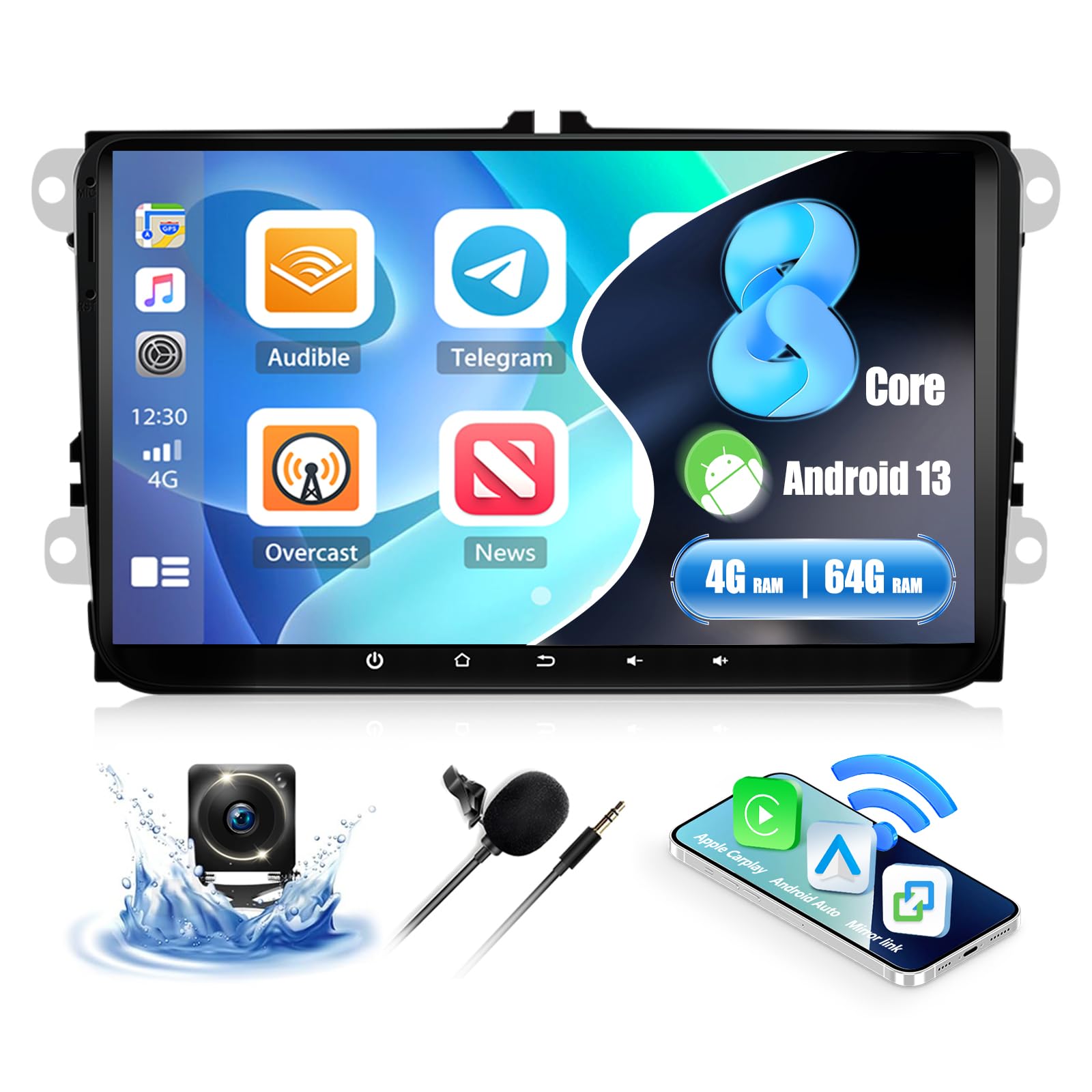
Image: Shows the car stereo screen with multiple desktop themes visible, indicating the option to change the user interface appearance.
וישאַלט
- רייניקונג: ניצט אַ ווייכע, טרוקענע שטאָף צו רייניקן דעם עקראַן און דעם אויסערן. פֿאַרמייַדט אַברייסיוו רייניגער אָדער סאָלווענטן.
- ווייכווארג דערהייַנטיקונגען: Periodically check for system updates via Wi-Fi in the settings menu to ensure optimal performance and access to new features.
- דאַטאַ באַקקופּ: Regularly back up important data if stored on the device.
טראָובלעשאָאָטינג
| פּראָבלעם | מעגלעך סיבה | לייזונג |
|---|---|---|
| קיין מאַכט | אומריכטיקע וויירינג; דורכגעבלאָזן פיוז; לויזע פֿאַרבינדונג. | Check power cable connections. Inspect vehicle fuses. Ensure battery is connected. |
| קיין געזונט | רעדנער דראָטן אפגעטיילט; וואָלומען צו נידעריק; שטום אַקטיוויזירט; פאַלשע אַודיאָ אַוטפּוט סעטטינגס. | Verify speaker connections. Increase volume. Check mute status. Adjust audio settings. |
| דזשי-פי-עס סיגנאַל פאַרלוירן אָדער נישט ריכטיק | GPS antenna improperly placed or disconnected; Obstruction. | זיכער מאַכן אַז די GPS אַנטענע האָט אַ קלאָרע view פון הימל און איז זיכער פארבונדן. |
| בלועטאָאָטה איז נישט קאַנעקטינג | Bluetooth disabled on phone/stereo; Incorrect pairing process; Interference. | Ensure Bluetooth is enabled on both devices. Re-attempt pairing. Clear previous pairings. |
| טאָוטשסקרעען ניט ריספּאַנדאַבאַל | System freeze; Software issue. | Perform a soft reset (refer to device settings for reset option or hold power button). If issue persists, contact support. |
| קאַרפּליי/אַנדרויד אויטאָ אַרבעט נישט | Incorrect connection; Phone software issue; App not installed. | Ensure correct connection type (wireless/wired). Update phone OS and apps. Check phone compatibility (Samsung phones not supported for Mirror Link). |
ספּעסאַפאַקיישאַנז
| סאָרט | CAMECHO |
| מאָדעל נומער | a923f4c1-3650-44dc-a80d-bafc401235b6 (P3=8 Core 4+64G Carplay+32EQ variant) |
| אָפּערייטינג סיסטעם | אַנדרויד 13 |
| באַראַן + ראַם | 4 גיגאבייט באַראַן + 64 גיגאבייט ראַם |
| ווייַז גרייס | 9 אינטשעס |
| האַכלאָטע | 1280 רענטגענ 720 הד |
| קאַנעקטיוויטי טעכנאָלאָגיע | USB, Bluetooth 5.1, Wi-Fi |
| ספּעציעלע פֿעיִקייטן | Wireless CarPlay, Android Auto, Mirror Link, Built-in DSP, 32-band EQ, GPS Navigation, FM/RDS Radio, Split Screen, Steering Wheel Control |
| קאַמפּאַטאַבאַל דעוויסעס | סמאַרטפאָנעס, טאַבלאַץ |
| אַודיאָ רעזולטאַט מאָדע | Stereo, Surround (2.0 channels) |
| מאַקס רעזולטאַט מאַכט | קסנומקס רענטגענ קסנומקסוו |
| אַפּערייטינג וואָלtage | DC 12V |
| פּראָדוקט דימענשאַנז | 10P x 10L x 10H mm (Approximate, refer to diagram for exact unit dimensions) |
וואָראַנטי אינפֿאָרמאַציע
This CAMECHO product comes with a 1 יאָר וואָראַנטי from the date of purchase. This warranty covers manufacturing defects and malfunctions under normal use. Please retain your proof of purchase for warranty claims. The warranty does not cover damage caused by improper installation, misuse, accidents, or unauthorized modifications.
קונה שטיצן
For technical assistance, troubleshooting, or warranty inquiries, please contact CAMECHO customer support. You can reach us via:
- בליצפּאָסט: CAMECHOVIP@126.com
- אָנליין: Visit the official CAMECHO store on Amazon for FAQs and additional resources.
Our support team is available to assist you with any questions or concerns regarding your product.

Image: Customer service representatives ready to provide assistance.