
Bmax X15 Pro
Bmax X15 Pro 15.6-inch Laptop User Manual
מאָדעל: X15 Pro
1. הקדמה
This manual provides essential information for setting up, operating, and maintaining your Bmax X15 Pro 15.6-inch laptop. Please read this manual thoroughly to ensure proper use and to maximize the performance and longevity of your device.

Image: The Bmax X15 Pro laptop displaying the Windows 11 Pro operating system, highlighting its Intel N95 processor, 16GB RAM, 512GB SSD, and 1920x1080 FHD display.
2. וואָס איז אין דער קעסטל
Upon unpacking your Bmax X15 Pro laptop, please verify that all the following items are included:
- 1 x BMAX MaxBook X15 Pro Intel N95 Notebook Computer
- 1 רענטגענ 12 וו / 3 אַ דק מאַכט אַדאַפּטער
- 1 x Multi-Language User Manual
3. פּראָדוקט איבערview
3.1. פיזישע קאָמפּאָנענטן און פּאָרטן
Familiarize yourself with the various ports and components of your laptop for optimal connectivity and usage.

בילד: זייט view of the Bmax X15 Pro laptop illustrating the placement of its various ports, including Micro SD, USB 3.0, Headset jack, HDMI, and Power input.
- לינקע זייט: Micro SD slot, 2x USB 3.0 ports, 3.5mm Headset jack.
- רעכט זייַט: Power input, HDMI port, 1x USB 3.0 port, Security Lock slot.
3.2. קלאַוויאַטור און טאָוטשפּאַד
The laptop features a full-size keyboard with large keycaps and a large touchpad supporting multi-touch gestures for efficient navigation and input.

בילד: א פון אויבן אראפ view of the Bmax X15 Pro laptop's full-size keyboard and large touchpad, highlighting its ergonomic design for comfortable use.
4. סעטאַפּ
4.1. ערשטע איינשטראָם און אויפלאָדן
- Connect the provided DC power adapter to the laptop's power input port and a wall outlet.
- לאָזט דעם לאַפּטאָפּ זיך אויפלאָדן פֿאַר לפּחות 30 מינוט איידער איר ניצט עס ערשט, אָדער ביז דער באַטאַרייע אינדיקאַטאָר ווײַזט גענוגיק אויפלאָדן.
- דריק דעם מאַכט קנעפּל וואָס געפינט זיך אויף דער קלאַוויאַטור צו אנצינדן דעם לאַפּטאָפּ.
- Follow the on-screen instructions to complete the Windows 11 Pro setup process.
5. אַפּערייטינג ינסטרוקטיאָנס
5.1. מאַכט מאַנאַגעמענט
- מאַכט אויף: דרוק די מאַכט קנעפּל.
- שלאָפן מאָדע: מאַכט צו דעם דעקל אָדער דריק קורץ דעם מאַכט קנעפּל.
- שאַט אַראָפּ: דריקט דעם אָנהייב קנעפּל, דערנאָך מאַכט > שאַט דאַון.
- ריסטאַרט: דריקט דעם אָנהייב קנעפּל, דערנאָך מאַכט > ריסטאַרט.
5.2. אויסשטעלונג באַניץ
The 15.6-inch FHD IPS display offers a 180° convertible design, allowing for flexible viewing angles and collaborative use.

Image: The Bmax X15 Pro laptop shown in its 180-degree lay-flat configuration, demonstrating its versatility for sharing and collaboration.
5.3. קאַנעקטיוויטי
The laptop supports various wireless and wired connections:
- ווי-פי: Dual-band Wi-Fi 5 (802.11ac/a/b/g/n) for fast internet access.
- בלועטאָאָטה: Bluetooth 5.0 for connecting wireless peripherals.
- הדמי: פאַרבינדן צו עקסטערנע דיספּלייז אָדער פּראָיעקטאָרן.
- וסב 3.0: Three ports for high-speed data transfer with external devices.
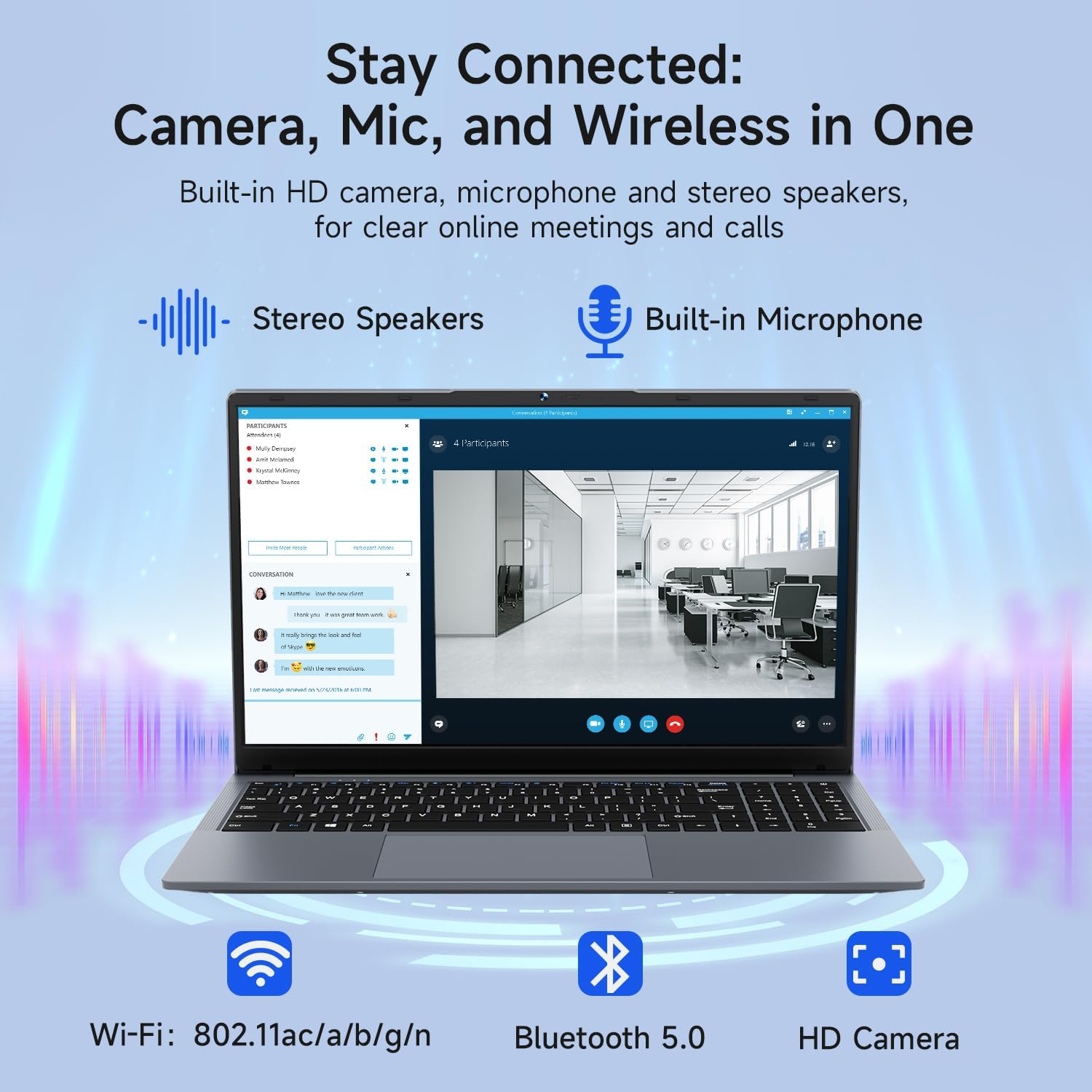
Image: The Bmax X15 Pro laptop with icons representing its integrated Wi-Fi, Bluetooth 5.0, and HD camera capabilities, emphasizing its comprehensive connectivity for communication.
6. סטאָרידזש און פאָרשטעלונג
The Bmax X15 Pro is equipped with robust components for efficient performance and ample סטאָרידזש.
6.1. פּראַסעסער
Powered by the Intel Celeron N95 Quad-Core Processor (up to 3.4GHz), featuring 4 cores and 4 threads with a 6MB cache, ensuring efficient performance for various tasks.

Image: A graphic detailing the Intel 12th Gen Processor N95, showing its 3.40GHz Turbo Frequency, 6MB Cache, 15W Power Consumption, and 4 cores/4 threads, alongside performance benchmarks.
6.2. זכּרון און סטאָרידזש
The laptop includes 16GB DDR4 RAM and a 512GB SSD, providing substantial storage capacity and enabling efficient multitasking. An M.2_SATA 2280 expansion slot is available for additional storage.

Image: A visual representation of the Bmax X15 Pro laptop's internal components, highlighting its 16GB memory, 512GB high-speed SSD, and an accessible M.2 2280 expansion slot for storage upgrades.
7. ווייַז פֿעיִקייטן
Experience clear and vibrant visuals with the 15.6-inch FHD 1920x1080 IPS display, featuring a slim bezel design and 180° viewינג אַנגלעס.

Image: A graphic illustrating the Bmax X15 Pro laptop's display features, including its 15.6-inch IPS FHD screen, 1920x1080 resolution, 5.7mm ultra-narrow bezel, and 180° lay-flat design.
8. קאָאָלינג סיסטעם
The laptop incorporates intelligent fans and dual copper heat pipes to ensure rapid heat dissipation, maintaining optimal performance and preventing overheating during extended use.

Image: An internal diagram of the Bmax X15 Pro laptop, highlighting its dual copper heat pipes and silent smart fan, illustrating the efficient and quiet cooling system.
9. באַטערי מאַנאַגעמענט
The laptop is powered by a 51.3Wh battery, providing up to 6-8 hours of usage on a single charge, depending on usage patterns.
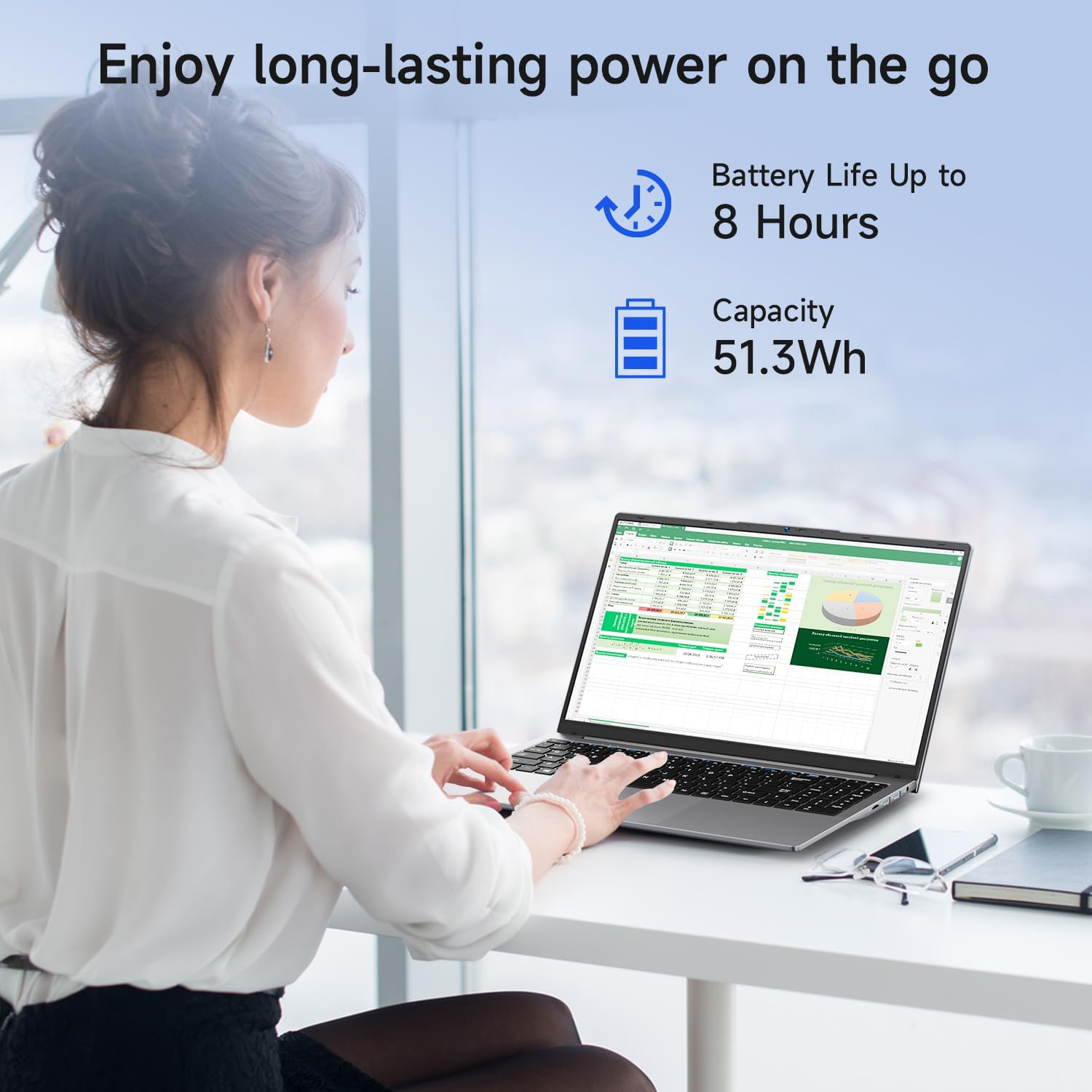
Image: A woman working on the Bmax X15 Pro laptop, with an overlay indicating a battery life of up to 8 hours and a capacity of 51.3Wh, emphasizing its long-lasting power.
10. וישאַלט
געהעריגע אויפהאלטונג גאראנטירט די לאנגעוויטי און אפטימאלע פערפארמאנס פון אייער לעפטאפ.
- רייניקונג: ניצט אַ ווייכע, לינט-פֿרייע שטאָף צו רייניקן דעם עקראַן און אויסערלעכן טייל. פֿאַרמייַדט שטרענגע כעמיקאַלן.
- ווענטילאַטיאָן: זיכער מאַכן אַז די ווענטילאַציע עפענונגען זענען ריין פון שטערונגען צו פאַרמייַדן איבערהיצונג.
- ווייכווארג דערהייַנטיקונגען: רעגולער אַפּדייט אייער אָפּערייטינג סיסטעם און דרייווערס צו האַלטן זיכערהייט און פאָרשטעלונג.
- באַטערי זאָרגן: פֿאַרמײַדט צו פֿולשטענדיק אויסלאָדן די באַטעריע אָפֿט. האַלט דעם לאַפּטאָפּ אין אַ קיל, טרוקן אָרט אויב עס ווערט נישט גענוצט פֿאַר לענגערע פּעריאָדן.
11. טראָובלעשאָאָטינג
This section addresses common issues you might encounter with your Bmax X15 Pro laptop.
- לאַפּטאָפּ אַרבעט נישט אָן: זיכער מאַכן אַז דער מאַכט אַדאַפּטער איז זיכער פארבונדן און די באַטאַרייע איז גענוג אָפּגעלאָדן. פּרוּווט אַן אַנדער מאַכט אַוטלעט.
- אַרויסווייַז פּראָבלעמען: If the screen is blank, try connecting an external monitor to check if the issue is with the laptop's display. Adjust brightness settings.
- Wi-Fi קאָנעקטיוויטי פּראָבלעמען: Ensure Wi-Fi is enabled in Windows settings. Restart your router and the laptop. Check for updated Wi-Fi drivers.
- לאַנגזאַמע פאָרשטעלונג: שליסט אומנייטיקע אַפּליקאַציעס. קאָנטראָלירט פֿאַר מאַלוואַרע. זאָרגט פֿאַר גענוג פֿרײַעם פּלאַץ אויף דער SSD.
12. ספּעסאַפאַקיישאַנז
| שטריך | באַשרייַבונג |
|---|---|
| שטייענדיק פאַרשטעלן אַרויסווייַזן גרייס | 15.6 אינטשעס |
| פאַרשטעלן האַכלאָטע | 1920 X 1080 בילדצעלן |
| מאַקסימום סקרין האַכלאָטע | 1920x1080 פּיקסעלס |
| פּראַסעסער | 3.4 GHz Celeron (Intel N95 Quad-Core) |
| באַראַן | 16 גיגאבייט דדר4 |
| זכּרון ספּיד | 2666 מהז |
| שווער דרייוו | 512 GB SSD (PCIE x 4 interface) |
| גראַפיקס קאָופּראַסעסער | Intel UHD גראַפיקס |
| graphics קאָרט ראַם גרייס | 8 GB (Integrated) |
| ווירעלעסס טיפּ | 2.4 GHz Radio Frequency, 5 GHz Radio Frequency, 802.11a/b/g/n/ac, Bluetooth 5.0 |
| נומער פון וסב 3.0 פּאָרץ | 3 |
| דורכשניטלעכע באַטאַרייע לעבן (אין שעה) | 4-8 Hours (51.3Wh) |
| אָפּערייטינג סיסטעם | Windows 11 פּראָ |
| פּונקט וואָג | 3.57 פונט |
| פּראָדוקט דימענשאַנז | 14.08 X 9.04 X 0.76 אינטשעס |
| קאָליר | אָרט גריי |
| ספּעציעלע שטריך | HD Audio, Lightweight, Memory Card Slot, Numeric Keypad |
13. וואָראַנטי און שטיצן
Your Bmax X15 Pro laptop comes with a 12-month warranty from the date of purchase. This warranty covers manufacturing defects and ensures product reliability.
- וואָראַנטי פּעריאָד: 12 months from the purchase date.
- צוריקקער פּאָליטיק: Worry-free 30-day return period.
- קונה סערוויס: 7 days/24 hours friendly customer support.
- אַרייַנגערעכנט אַקסעסעריז: 2 replaceable plugs (US, EU) are included to meet diverse connectivity needs.
For technical assistance or warranty claims, please refer to the contact information provided with your purchase documentation or visit the official Bmax support webפּלאַץ.
Ask a question about this manual
Ask about setup, troubleshooting, compatibility, parts, safety, or missing instructions. Manuals+ will review the question and use this page’s manual context to help answer it.