
1. הקדמה
א דאנק פארן קויפןasing the RUIZU X66 64GB MP3 Player. This portable digital audio player is designed for high-quality music playback, featuring Bluetooth 5.3 connectivity, a built-in voice recorder, FM radio, and a convenient clip design. This manual provides detailed instructions on how to set up, operate, and maintain your device.
ווידעא: איבערview of RUIZU X66 MP3 Player features.
2. פּעקל אינהאַלט
ביטע אָפּהאַקן דאָס קעסטל פֿאַר די פֿאָלגנדיקע זאַכן:
- RUIZU X66 MP3 Player
- ווייערד כעדפאָונז
- וסב-C אַדאַפּטער קאַבלע
- טאַלאַנט באָקס
- באַניצער מאַנואַל

Image: Contents of the RUIZU X66 MP3 Player package.
3. מיטל אויסלייג
Familiarize yourself with the buttons and ports on your RUIZU X66 MP3 Player.

בילד: איבערview of the RUIZU X66 MP3 Player's multi-functional features and layout.
- ווייַז פאַרשטעלן: Shows menus, track information, and settings.
- קאָנטראָל קנעפּלעך: Navigation, play/pause, volume up/down.
- וסב טיפּ-C פּאָרט: For charging and data transfer. Features a magnetic cap.
- 3.5 מם כעדפאָון דזשאַק: For wired headphone connection.
- Recording Slide Button: Quick access to voice recording.
- קליפ: For attaching the player to clothing or bags.
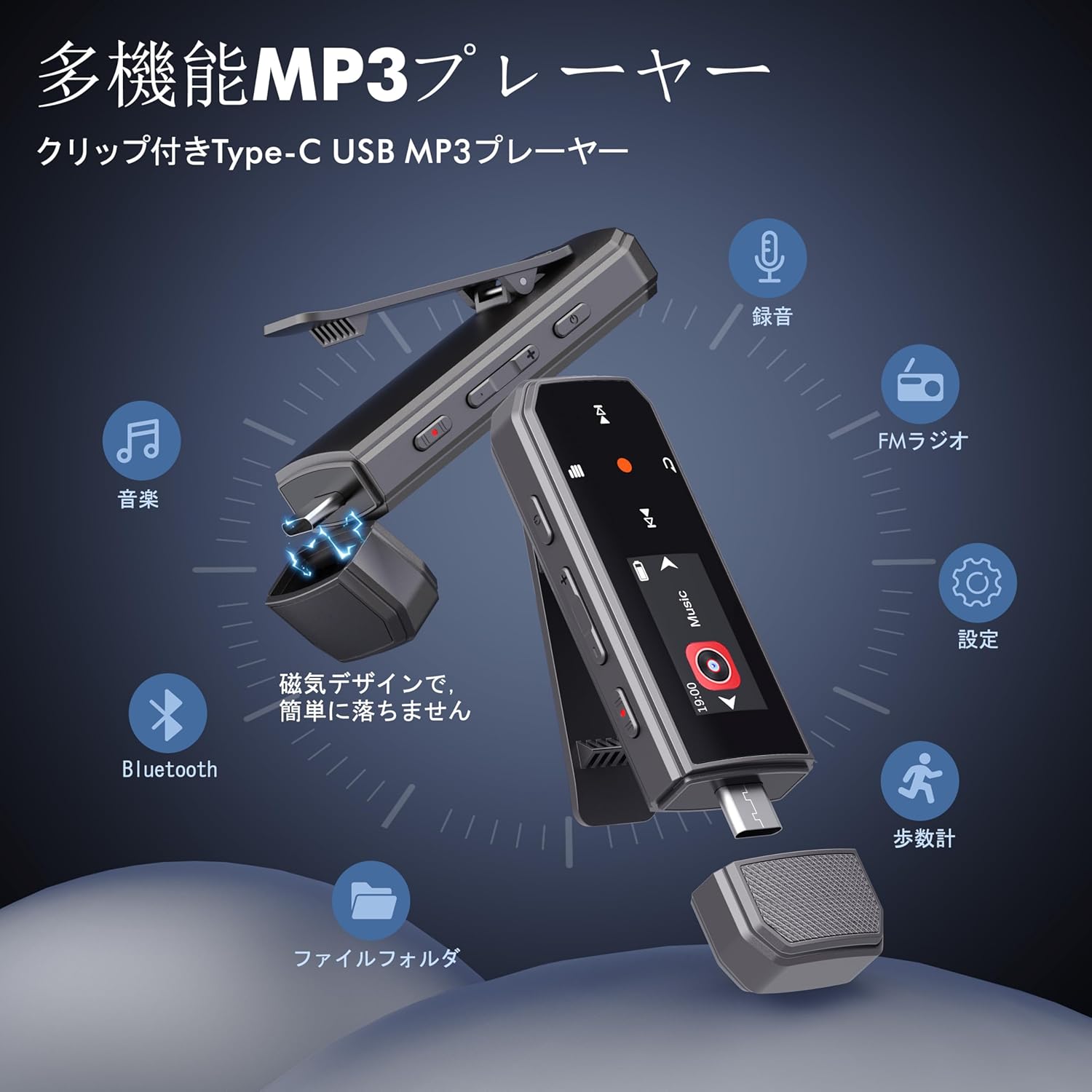
Image: RUIZU X66 MP3 Player highlighting its compact dimensions and clip.
4. געטינג סטאַרטעד
4.1. טשאַרדזשינג די מיטל
Before first use, fully charge your MP3 player. The device has a built-in rechargeable battery that provides up to 20 hours of playback time on a 2-hour charge.
- Remove the magnetic cap from the USB Type-C port.
- Connect the included USB-C adapter cable to the player.
- שטעקט אריין דעם אנדערן עק פונעם קאבל אין א USB שטראָם-מקור (למשל, קאמפיוטער, וואנט אדאפטער).
- די באַטאַרייע ייקאַן אויף דעם עקראַן וועט אָנווייַזן טשאַרדזשינג סטאַטוס.

Image: Magnetic cap of the RUIZU X66 MP3 Player.
4.2. איבערפירן מוזיק Files
The RUIZU X66 has 64GB of internal storage. You can transfer music files from your computer or compatible smartphone.
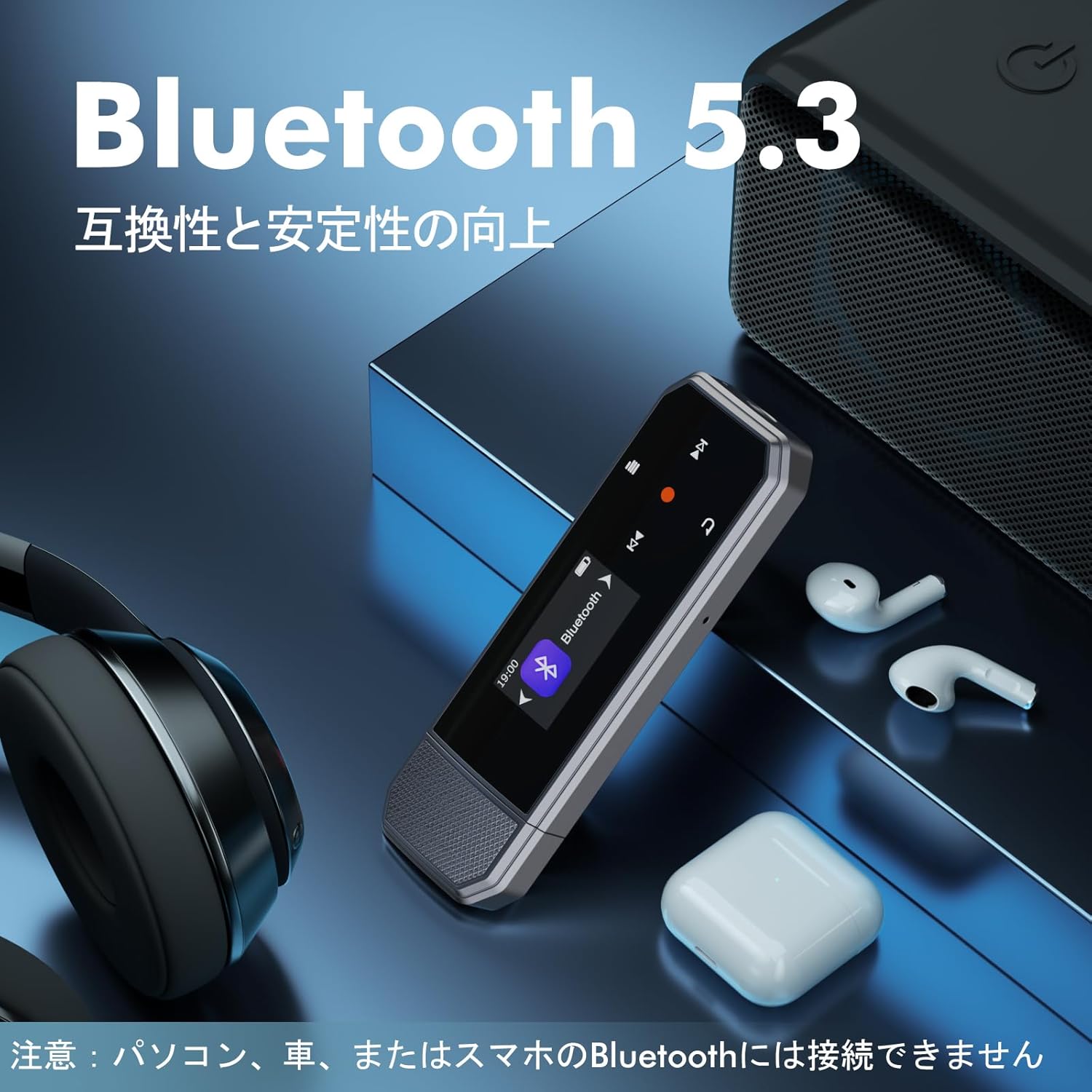
Image: Key specifications of the RUIZU X66 MP3 Player.
4.2.1. Via Computer (USB Connection)
- Connect the MP3 player to your computer using the USB-C adapter cable.
- The player will appear as a removable disk drive.
- שלעפּן און פאַלן דיין מוזיק files (MP3, WMA, APE, FLAC, WAV, M4A, OGG) into the player's storage.
- Safely eject the device from your computer before disconnecting.
4.2.2. Via Smartphone (OTG Function)
The player supports OTG (On-The-Go) for direct file transfer from compatible Android smartphones.
- Connect the MP3 player directly to your Android smartphone's Type-C port.
- Your phone will recognize the player as external storage.
- Use your phone's file manager to transfer music files.
Note: OTG file transfer is not supported on iOS devices. Batch transfer is limited to 1GB at a time.

בילד: File transfer options for the RUIZU X66 MP3 Player.
5. יקערדיק אָפּעראַציע
5.1. מאַכט אויף / אויסגעלאשן
- To power on: Press and hold the Power button until the screen lights up.
- To power off: Press and hold the Power button until the device shuts down.
5.2. מוזיק פּלייבאַק
- Navigate to the 'Music' menu using the control buttons.
- Select a song or folder to play.
- ניצן די שפּיל / פּויזע קנעפּל צו אָנהייבן אָדער פּויזע פּלייבאַק.
- Use the Next/Previous buttons to skip tracks.
5.2.1. ווידערשפּיל מאָדעס
דער שפּילער שטיצט פֿאַרשידענע פּלייבאַק מאָדעס:
- Sequential Playback: Plays songs in order.
- שאַרן פּלייבאַק: Plays songs in a random order.
- איבערחזרן איין: Repeats the current song.
- איבערחזרן אַלע: Repeats all songs in the current folder/playlist.
5.3. באַנד קאָנטראָל
Use the dedicated Volume Up and Volume Down buttons on the side of the device to adjust the audio level.
5.4. בלועטאָאָטה קאַנעקשאַן
Connect your RUIZU X66 to Bluetooth headphones or speakers for wireless audio.

Image: RUIZU X66 MP3 Player demonstrating Bluetooth 5.3 connectivity.
- צינדט אָן אייערע בלועטוט כעדפאָונז אָדער רעדנער און שטעלט זיי אין פּערינג מאָדע.
- אויף דעם MP3 שפּילער, גייט צו דעם 'בלוטעט' מעניו.
- אויסקלייבן 'זוכן פֿאַר דעווייסעס' אדער 'פארבינדן א נייעם דעווייס'.
- Choose your device from the list to connect.
Note: The RUIZU X66 cannot connect to car Bluetooth, computer Bluetooth, or smartphone Bluetooth for audio output.
6. אַוואַנסירטע פֿעיִקייטן
6.1. שטימע רעקאָרדינג
The RUIZU X66 features a one-button recording function.

Image: Activating the voice recording function on the RUIZU X66 MP3 Player.
- To start recording: Slide the red recording button on the side of the device upwards.
- To save recording: Slide the red recording button downwards.
- רעקאָרדעד files are saved in the 'Record' folder and can be played back from the device.
6.2. עפעם ראַדיאָ
הערט צו אייערע באַליבסטע FM ראַדיאָ סטאַנציעס.

Image: Using the FM radio feature with wired headphones.
- Connect wired headphones to the 3.5mm jack (they act as the antenna).
- Navigate to the 'FM Radio' menu.
- Use the auto-tune function to scan for available stations or manually tune.
6.3. פּעדאָמעטער
Track your steps during exercise.
- Navigate to the 'Pedometer' menu to start tracking.
- The device records step count, distance, and time.
- Review your activity history within the pedometer menu.
6.4. אנדערע פאַנגקשאַנז
- עקוואַליזער: אַדזשאַסטירן סאַונד פּראָfileס צו אייער פּרעפֿערענץ.
- בוקמאַרקס: Mark specific points in audio files for quick return.
- באַנד לימיט: Set a maximum volume level to protect hearing.
- File פאָלדערס: Organize and browse your music by folders.
- וסב פלאַש דרייוו: The device can also function as a portable USB storage drive.
7. וישאַלט
- רייניקונג: ניצט אַ ווייכע, טרוקענע שטאָף צו רייניקן דעם אַפּאַראַט. פֿאַרמייַדט פֿליסיקע רייניגער.
- סטאָרידזש: האַלט דעם שפּילער אין אַ קיל, טרוקן אָרט אַוועק פון דירעקט זונשייַן און עקסטרעמע טעמפּעראַטורן.
- באַטערי זאָרגן: כדי צו פארלענגערן די לעבן פון די באַטעריע, זאָלט איר נישט אָפט אויסלאָדן די באַטעריע. זאָלט איר עס אָפט אויפלאָדן.
- פאַרשטעלן פּראַטעקשאַן: The screen is susceptible to scratches. Handle with care.
8. טראָובלעשאָאָטינג
| פּראָבלעם | מעגלעך לייזונג |
|---|---|
| די מיטל טוט נישט מאַכט אויף. | זיכער מאַכן אַז די באַטאַרייע איז אויפגעלאָדן. פֿאַרבינדט עס צו אַ מאַכט מקור און פּרוּווט ווידער. |
| קענען ניט אַריבערפירן fileס צו די מיטל. | Check USB cable connection. Ensure the device is properly recognized by your computer/phone. For OTG, confirm your phone is Android and supports OTG. |
| בלועטוט פֿאַרבינדונג נישט סטאַביל אָדער נישט פּערינג. | Ensure your Bluetooth accessory is in pairing mode and within range. Restart both devices. Remember, the player cannot connect to car, PC, or phone Bluetooth for audio output. |
| קיין קלאַנג פֿון די כעדפאָונז. | קאָנטראָלירט די פֿאַרבינדונג פֿון די קאָפּהערער. מאַכט זיכער אַז די וואָלומען איז נישט שטיל אָדער צו נידעריק. פּרובירט מיט אַנדערע קאָפּהערער. |
| די FM ראַדיאָ אַרבעט נישט. | Wired headphones must be connected as they act as the antenna. Ensure you are in an area with good signal reception. |
9. ספּעסאַפאַקיישאַנז
- סאָרט: RUIZU
- מאָדעל: X66
- זכּרון סטאָרידזש קאַפּאַציטעט: 64 גיגאבייט
- קאַנעקטיוויטי טעכנאָלאָגיע: Bluetooth 5.3, USB Type-C, 3.5mm AUX
- שטיצט אַודיאָ פֿאָרמאַטירונגען: MP3, WMA, APE, FLAC, WAV, M4A, DRM, ACELP, OGG
- באַטאַרייע לעבן: ביז 20 שעה (שפּיל)
- טשאַרדזשינג צייט: בעערעך 2 שעה
- וואָג: 26ג
- דימענסיעס: 8.1 X 2.5 X 1.3 סענטימעטער
- פֿעיִקייטן: FM Radio, Voice Recorder, Pedometer, Equalizer, Clip Design
10. וואָראַנטי & שטיצן
RUIZU offers a 1-year warranty for product defects or malfunctions from the date of purchase. For any product issues, please contact our customer support for free refunds or exchanges.
If you have any questions about the product, please feel free to contact us. Refer to the "Product Packaging" for detailed contact information.