
הקדמה
Thank you for choosing the Parsonver 5ATM Waterproof Smart Watch. This manual provides essential information for setting up, operating, and maintaining your device. Please read it carefully to ensure proper use and to maximize the watch's features.

Image: The Parsonver 5ATM Waterproof Smart Watch, showcasinג זײַן גלאַטן דיזײַן.
סעטאַפּ גייד
1. טשאַרדזשינג די מיטל
Before first use, fully charge your Parsonver Smart Watch. Connect the magnetic charging cable to the charging contacts on the back of the watch and plug the USB end into a standard USB power adapter (not included).
- א פולע אָפּלאָד נעמט געוויינטלעך אַרום 2 שעה.
- די זייגער דיספּליי וועט ווייַזן דעם טשאַרדזשינג סטאַטוס.
2. אַפּ דאַונלאָוד און פּערינג
To unlock all features, download the official Parsonver app on your smartphone.
- Scan the QR code provided in the watch's packaging or search for "Parsonver" in your smartphone's app store (iOS App Store or Google Play Store).
- ינסטאַלירן און עפֿענען די אַפּ.
- מאַכן זיכער אַז בלועטאָאָטה איז ענייבאַלד אויף דיין סמאַרטפאָנע.
- In the app, follow the on-screen instructions to add your device. Select your Parsonver Smart Watch from the list of available devices.
- באַשטעטיקן די פּאָרינג בעטן אויף ביידע דיין זייגער און סמאַרטפאָון.
Note: If you have a 2-pack, repeat the pairing process for the second watch with the same or a different smartphone as desired.
3. ערשט סעטטינגס
After successful pairing, you can customize basic settings through the app, such as time format, unit preferences, and personal profile אינפֿאָרמאַציע.
אַפּערייטינג ינסטראַקשאַנז
יקערדיק נאַוויגאַציע
- טאָוטשסקרעען: סווייפּ אַרויף, אַראָפּ, לינקס, אָדער רעכטס צו נאַוויגירן דורך מעניוז און נאָוטאַפאַקיישאַנז. צאַפּן צו סעלעקטירן זאכן.
- זייט קנעפּל(ן): Typically, a short press returns to the previous screen or watch face. A long press may access power options or a quick menu. Refer to the watch's on-screen prompts for specific button functions.
Smart Calls & Notifications
Stay connected by receiving call, text, and app notifications directly on your wrist.
- אנקומענדיקע רופן: The watch will display caller ID. You can reject calls directly from the watch. Answering calls is not supported directly on the watch.
- אַרטיקלען: View SMS, emails, and alerts from apps like WhatsApp, LinkedIn, Instagבאַראַן, און טוויטטער.
- סעטאַפּ: Enable desired notifications through the Parsonver app on your smartphone.
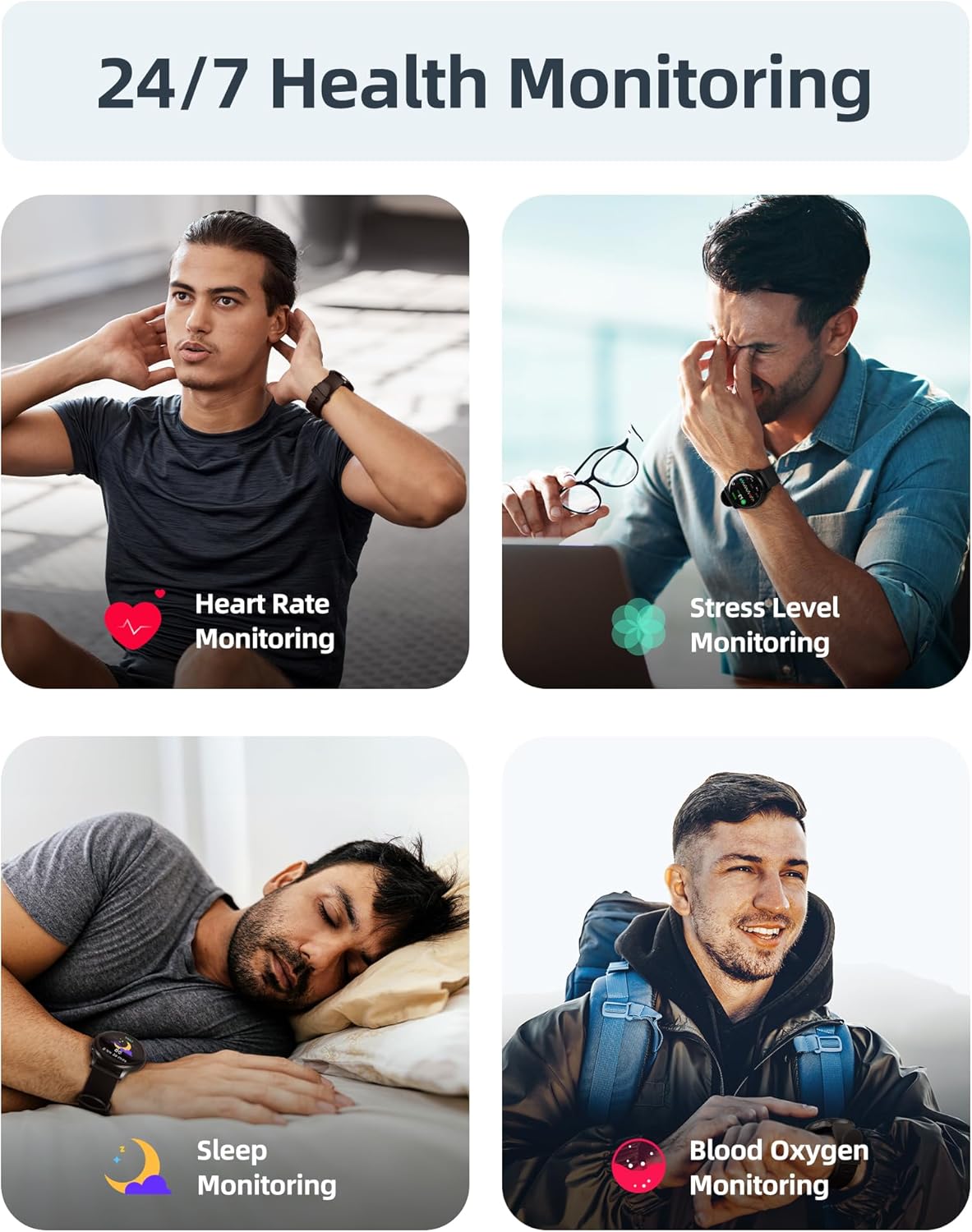
Image: A user interacting with the smartwatch to manage incoming calls and view אַפּ נאָוטאַפאַקיישאַנז.
24/7 געזונט מאָניטאָרינג
The watch continuously monitors various health metrics to help you stay informed about your well-being.
- האַרץ קורס מאָניטאָרינג: Real-time heart rate tracking throughout the day.
- בלוט זויערשטאָף (SpO2) מעסטונג: On-demand or continuous blood oxygen level monitoring.
- שלאף אנאליז: טרעקט שלאףtagעס (טיף, ליכט, REM) און גיט איינבליקן אין שלאָף קוואַליטעט.
- סטרעס לעוועל מאָניטאָרינג: Helps identify periods of high stress.
- Sedentary Alerts: דערמאָנט אײַך זיך צו רירן נאָך פּעריאָדן פֿון אומאַטישקייט.
- מענסטרואל ציקל טראַקינג: Specialized tracking for female users.

Image: Visual representation of the smartwatch's health monitoring capabilities, including heart rate, stress, sleep, and blood oxygen tracking.
110+ Sports Modes & Fitness Tracking
Track your workouts with a wide range of sports modes, both indoors and outdoors.
- אַקטיוויטעט טראַקינג: Monitors steps, calories burned, distance, and active time.
- שטיצט מאָדעס: Includes walking, running, cycling, swimming, yoga, gym workouts, and many more.
- דאַטאַ סינק: All workout data is synced to the Parsonver app for detailed analysis and progress tracking.

Image: A person cycling while wearing the smartwatch, with an overlay showing different sports modes like treadmill, outdoor running, and yoga.
5ATM Waterproof & Swim Tracking
The Parsonver Smart Watch is rated 5ATM waterproof, suitable for swimming and daily water exposure up to 50 meters.
- Swimming Metrics: Automatically detects swim strokes (Butterfly, Backstroke, Breaststroke, Freestyle) and provides data on stroke count, stroke rate, and SWOLF score.
- באַניץ: Ideal for pool swimming and open water activities. Not suitable for diving or high-pressure water activities.
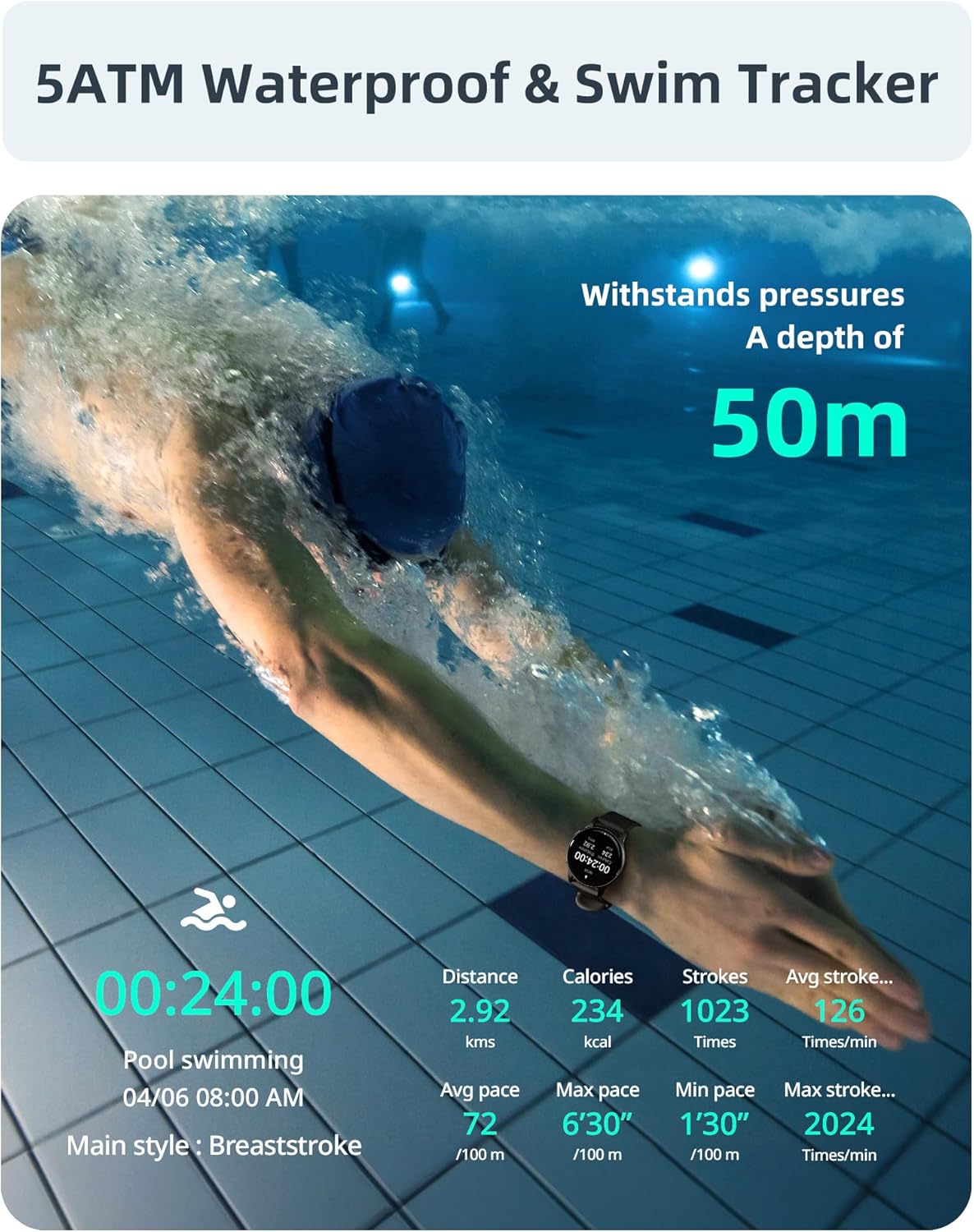
Image: A swimmer in a pool, with the smartwatch displaying swim tracking data such as distance, calories, strokes, and average pace.
קוסטאָמיזאַבלע וואַך פנימער
Personalize your watch with over 200 customizable watch faces available through the Parsonver app.
- סעלעקציע: Choose from a wide variety of built-in and dynamic watch faces.
- פערזענליכען: Upload your own photos to create unique watch faces.

Image: The smartwatch screen showing various customizable watch face options, including a photo of a family.
וישאַלט און זאָרג
- רייניקונג: רעגולער רייניקט אייער זייגער און רימען מיט א ווייכן, טרוקענעם שטאָףamp שטאָף. פֿאַרמײַדט שאַרפֿע כעמיקאַלן אָדער אַברייסיוו מאַטעריאַלן.
- וואַסער ויסשטעלן: While 5ATM waterproof, it is recommended to rinse the watch with fresh water after exposure to saltwater or chlorinated water to prevent corrosion. Dry thoroughly.
- רימען זאָרגן: The watch features an anti-allergic, soft, and comfortable strap. Ensure it is not too tight or too loose for optimal comfort and sensor accuracy.
- באַטערי זאָרגן: Avoid extreme temperatures. Do not fully discharge the battery for extended periods. Charge regularly to prolong battery life.
- סטאָרידזש: האַלט די זייגער אין אַ קיל, טרוקן אָרט ווען נישט אין באַנוץ.

Image: Close-up of the smartwatch, emphasizing its lightweight design (37g) and the anti-allergic, soft, and comfortable strap material.
טראָובלעשאָאָטינג
- זייגער טוט זיך נישט אן: זיכער מאַכן אַז די זייגער איז גאָר אויפגעלאָדן. פֿאַרבינדט עס צום טשאַרדזשער פֿאַר לפּחות 30 מינוט.
- קען נישט צוזאמענשטעלן מיט סמאַרטפאָון:
- זיכער מאַכן אַז בלועטוט איז ענייבאַלד אויף דיין טעלעפאָן און די זייגער.
- זייט זיכער אז די זייגער איז אינעם בלוטוט ראיאן פון אייער טעלעפאן.
- ריסטאַרט ביידע דיין טעלעפאָן און די זייגער.
- Try unpairing and re-pairing through the Parsonver app.
- ומפּינקטלעך געזונט דאַטן:
- זייט זיכער אז די זייגער טראָגט גוט אויף אייער האַנטגעלענק, אָבער נישט צו ענג.
- רייניקט דעם סענסאר אויף דער הינטערשטער זייגער.
- פֿאַרמײַדן איבערגעטריבענע באַוועגונג בעת מעסטונגען.
- נאטיפיקאציעס נישט דערשיינען:
- Check notification settings in the Parsonver app.
- זיכער מאַכן אַז אַפּ נאָוטאַפאַקיישאַנז זענען ענייבאַלד אין דיין טעלעפאָן'ס סיסטעם סעטטינגס.
- באַשטעטיקן אַז די זייגער איז פארבונדן דורך בלועטוט.
- פאַבריק באַשטעטיק: If issues persist, you may perform a factory reset via the watch's settings menu. This will erase all data on the watch and restore it to its original state.
ספּעסאַפאַקיישאַנז
| סאָרט | פּאַרסאָנווער |
| מאָדעל | Parsonver 5ATM Waterproof Smart Watch |
| וואַסער קעגנשטעל | 5ATM (ביז 50 מעטער) |
| ווייַז | 1.8-אינטש הד טאָוטשסקרעען |
| ספּעציעלע פֿעיִקייטן | Heart Rate Monitor, Blood Oxygen Monitor, Sleep Tracker, Stress Monitor, 110+ Sports Modes, Smart Notifications |
| פאָרעם | קייַלעכיק |
| וואָג | 37g (approximate, watch body only) |
| ASIN | B0DH2P2SJP |
וואָראַנטי און שטיצן
For warranty information, please refer to the documentation included with your product or visit the official Parsonver website. If you encounter any issues or require technical assistance, please contact Parsonver customer support through their official channels.
איר קענט אָפט געפֿינען שטיצע קאָנטאַקט דעטאַילס אויף די פאַבריקאַנט ס website or within the Parsonver application.