
הקדמה
This manual provides detailed instructions for the installation, operation, and maintenance of your Loocam 2MP 1080p HD 4-in-1 Bullet Wired Security Camera. This versatile camera is designed for both indoor and outdoor surveillance, featuring 80ft IR night vision and IP66 weatherproof construction. It is compatible with various DVR systems including TVI, AHD, CVI, and CVBS formats.
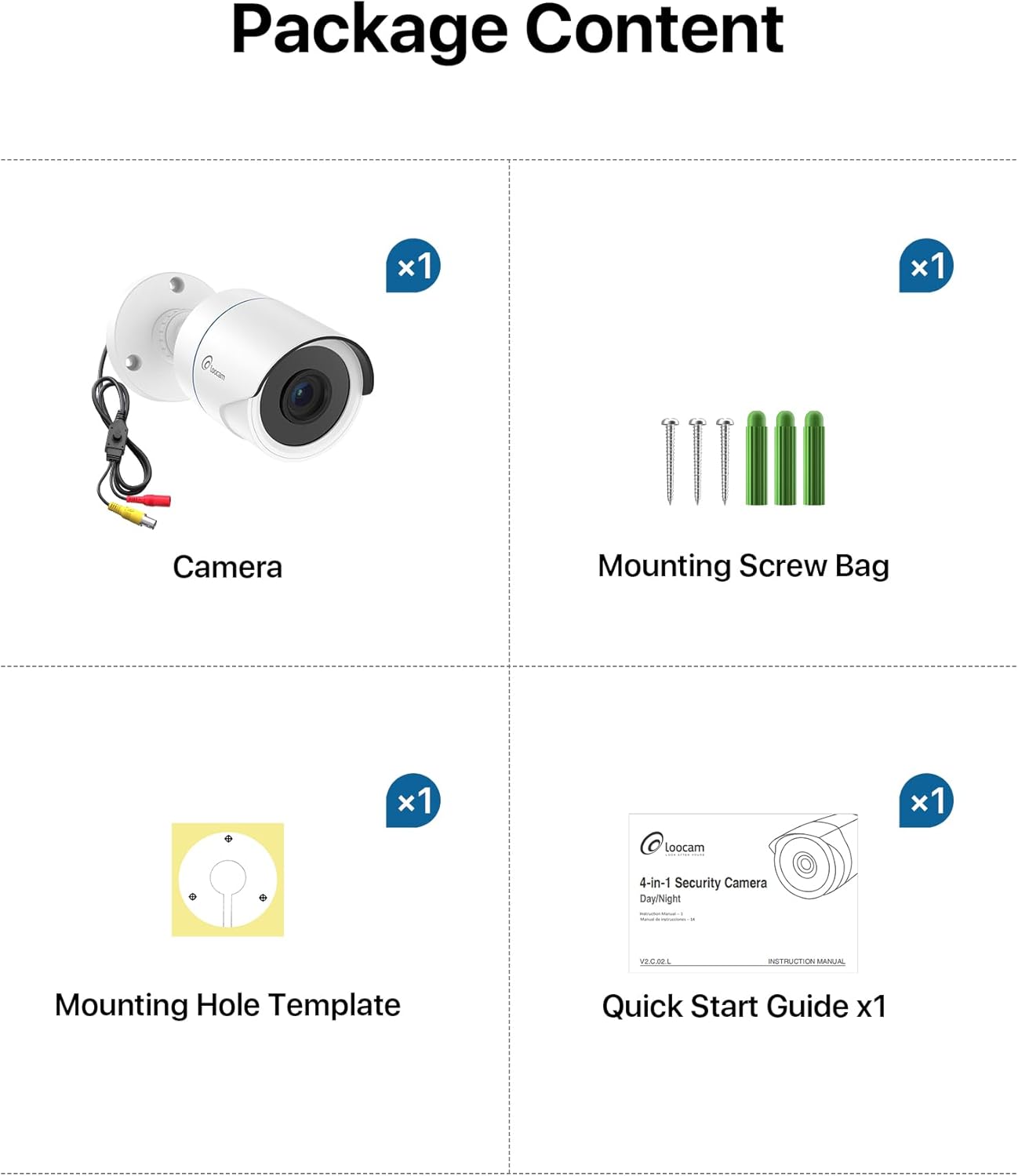
פּעקל אינהאַלט
ביטע באַשטעטיקן אַז אַלע זאכן וואָס זענען ליסטעד אונטן זענען אַרייַנגערעכנט אין דיין פּעקל:
- 1x Loocam 1080p Camera
- 1x מאַונטינג שרויף באַג
- 1x מאַונטינג לאָך טעמפּלאַט
- 1 קס קוויק אָנהייב גייד
ספּעסאַפאַקיישאַנז
| שטריך | דעטאַל |
|---|---|
| סאָרט | Loocam |
| מאָדעל נאָמען | L1C-124C4-WNS |
| רעקאָממענדעד ניצט | דרינענדיק זיכערהייט, דרויסנדיק זיכערהייט |
| קאַנעקטיוויטי טעכנאָלאָגיע | ווייערד |
| ספּעציעלע פֿעיִקייטן | HD Resolution, Night Vision, Weather Proof |
| דרינענדיק / דרויסנדיק באַניץ | דרינענדיק, דרויסנדיק |
| קאַמפּאַטאַבאַל דעוויסעס | דיגיטאַל ווידעא רעקאָרדער |
| בארג טיפּ | סטעליע בארג |
| קאָליר | ווייַס |
| פאָרעם | קויל |
| וואָטערפּרוף רייטינג | IP66 |
| מאַכט מקור | קאָרדעד עלעקטריק |
| ווידעא קאַפּטורע רעסאָלוטיאָן | 1080 פּ |
| נאַכט וויזשאַן ראַנגע | 80 פֿיס |
| נומער פון יר לעדס | 24 |
| Viewינג אַנגלע | 90 דיגריז |
| נומער דימענשאַנז | 5.78 X 2.74 X 2.5 אינטשעס |
סעטאַפּ
Follow these steps to set up your Loocam security camera.
Camera Output Mode Conversion
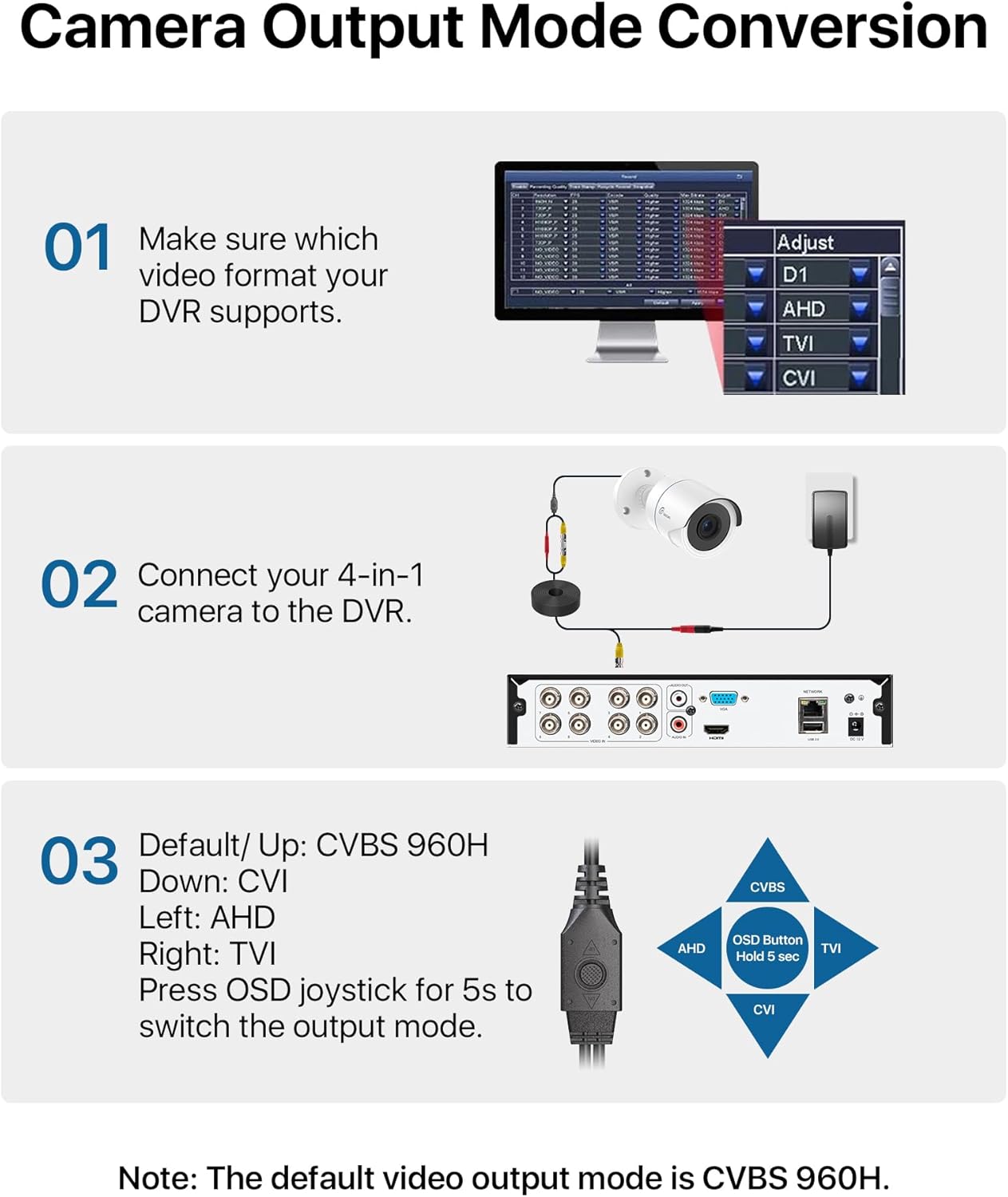
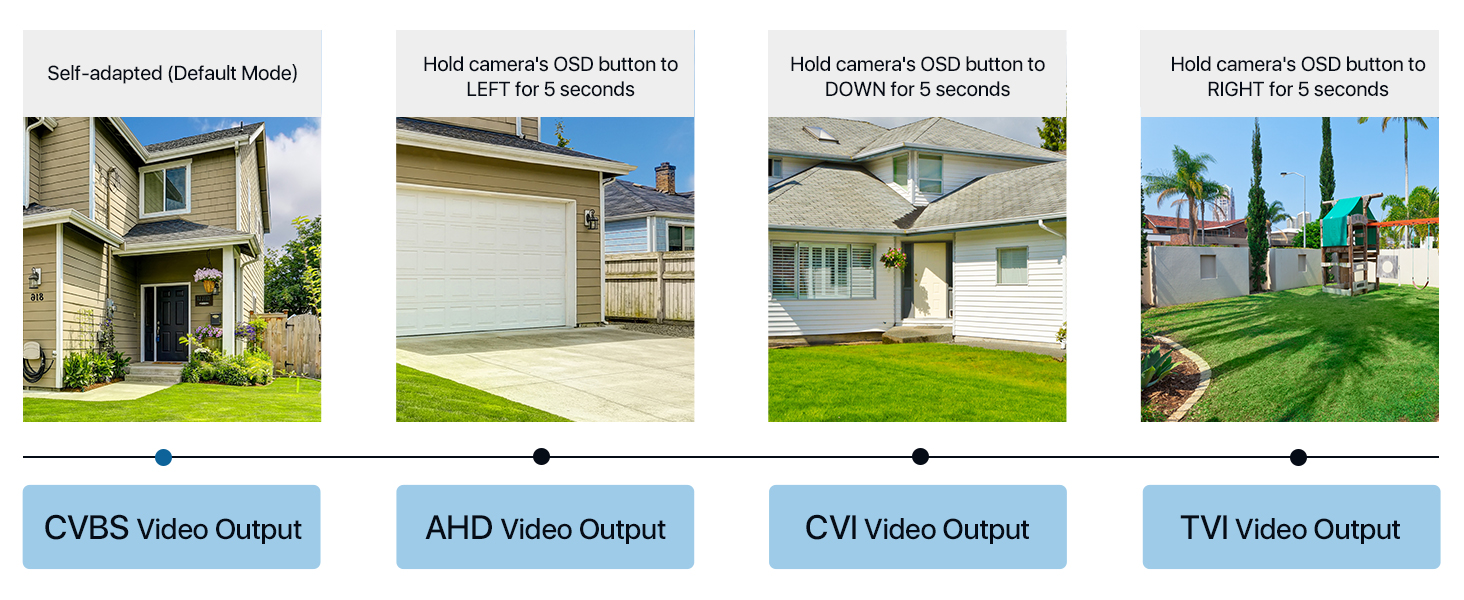
Your Loocam 4-in-1 camera supports TVI, AHD, CVI, and CVBS video output modes. The default mode is CVBS 960H. It is crucial to match the camera's output mode to your DVR's supported mode for proper functionality. Use the OSD joystick on the camera's connection cable to switch modes.


Video Tutorial: Connecting to DVR
Video: This tutorial demonstrates how to connect your Loocam 1080p 4-in-1 camera to a DVR system and switch between video modes using the OSD button.
Video Tutorial: Installation Guide
Video: This video provides a comprehensive guide on how to connect and install your Loocam 1080p 4-in-1 camera, including physical mounting and cable connections.
Connecting to the DVR
Connect the camera's video output to the DVR's video input using a BNC cable. Ensure the power supply is connected to the camera. If using multiple cameras, a 1-to-4 power splitter may be required (not included).

גשמיות ינסטאַלירונג
The camera features an adjustable 3-axis bracket for flexible positioning. Use the provided mounting hole template and screws to securely fix the camera to your desired indoor or outdoor location. The IP66 weatherproof rating ensures durability in various environmental conditions.

אַפּערייטינג די אַפּאַראַט
HD Resolution and Night Vision
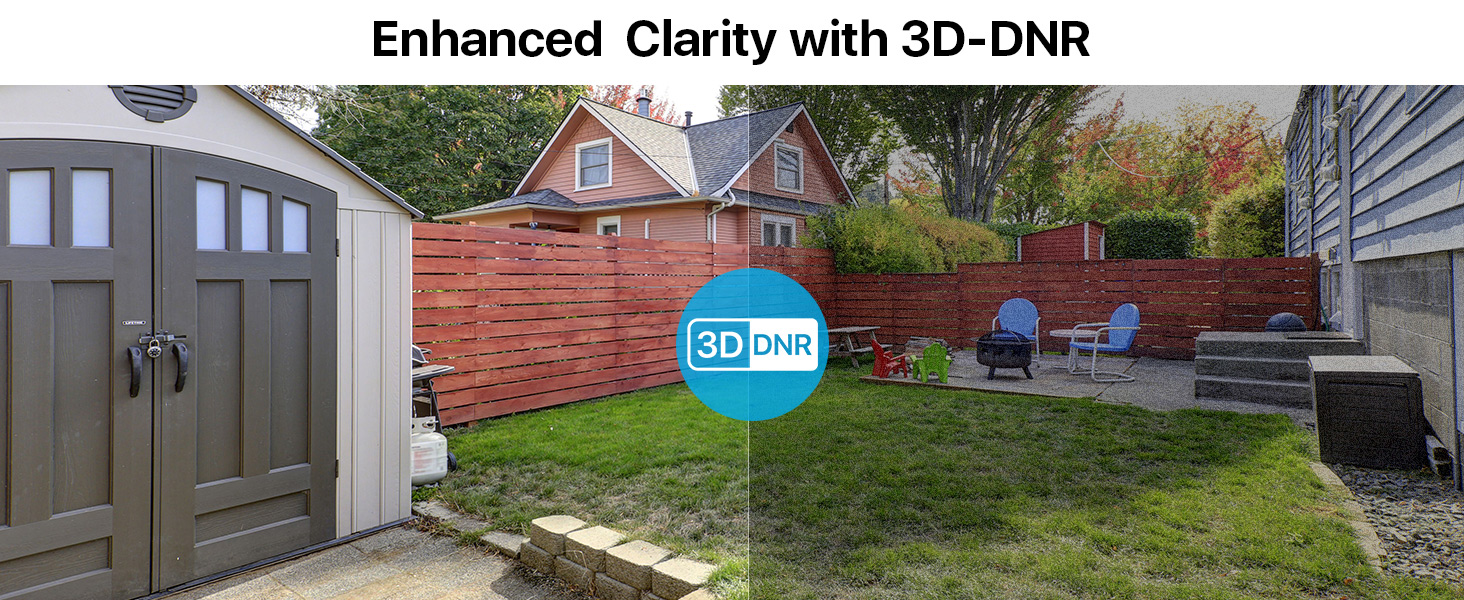
The Loocam camera delivers 1080p HD video with a 2.0MP sensor, capturing clear and detailed images. Equipped with 24 built-in IR LEDs, it provides up to 80 feet of night vision, ensuring continuous surveillance in low-light conditions.


וישאַלט
To ensure optimal performance and longevity of your Loocam security camera, follow these maintenance guidelines:
- רייניקונג: Regularly wipe the camera lens and housing with a soft, damp cloth to remove dust and dirt. Avoid using harsh chemicals or abrasive materials that could damage the finish or lens.
- וועטער שוץ: The camera has an IP66 weatherproof rating, making it resistant to dust and water jets. However, for extreme weather conditions, consider additional protective measures to extend its lifespan.
- קאַבלע דורכקוק: Periodically check all cables and connections for any signs of wear, damage, or loose connections. Secure any loose cables to prevent accidental disconnections or damage.
- Firmware דערהייַנטיקונגען: Check the Loocam official website or your DVR manufacturer's website for any available firmware updates for your camera or DVR system. Keeping software updated can improve performance and security.
טראָובלעשאָאָטינג
If you encounter issues with your Loocam security camera, refer to the following common troubleshooting tips:
- No Image on DVR:
- Ensure the camera's output mode (TVI, AHD, CVI, CVBS) matches your DVR's input mode. Use the OSD joystick on the camera cable to switch modes (refer to the "Camera Output Mode Conversion" section).
- Verify all cable connections (video and power) are secure and properly seated.
- Check if the power adapter is functioning correctly and providing power to the camera.
- Test the camera with a different DVR input port or a known working camera to isolate the issue.
- נעבעך בילד קוואַליטעט:
- Clean the camera lens to remove any smudges, dust, or debris.
- Ensure the camera is focused correctly (if adjustable).
- קוק נאָך פֿאַר שטערונגען אין דער קאַמעראַ'ס פֿעלד פֿון view.
- Verify that the camera's output resolution is supported by your DVR and display.
- נאַכט זעאונג ישוז:
- Ensure there are no strong light sources directly pointing at the camera, which can interfere with IR illumination.
- Check if the IR LEDs are visibly glowing red in the dark (they should).
- Verify that the IR-Cut filter is switching correctly between day and night modes.
וואָראַנטי און שטיצן
Loocam is committed to providing high-quality products and excellent customer service. Your Loocam 2MP 1080p HD 4-in-1 Bullet Wired Security Camera comes with the following:
- 30-טאָג געלט צוריק גאַראַנטיע און פריי צוריקקער: אויב איר זענט נישט צופֿרידן מיט אייער קויף, קענט איר עס צוריקגעבן אין 30 טעג פֿאַר אַ פֿולע צוריקצאָל.
- 2-יאָר לימיטעד וואָראַנטי: דאָס פּראָדוקט איז באדעקט מיט אַ 2-יאָר לימיטעד וואָראַנטי קעגן פאַבריקאַציע חסרונות.
- לעבן טעכניש שטיצן: Loocam offers lifetime technical support to assist you with any questions or issues you may encounter.
- Prompt Online Assistance: Access prompt online assistance for quick resolutions to your queries.
פֿאַר ווייטערדיקע הילף, ביטע באַזוכט די Loocam Store on Amazon אָדער קאָנטאַקט אונדזער קונה שטיצן מאַנשאַפֿט.