
1. הקדמה
Thank you for choosing the LiebeWH ZT-300AB Wireless Digital Multimeter. This device is a high-precision, 6000-count True RMS multimeter designed for a wide range of electrical measurements. It features wireless connectivity, allowing real-time data recording, analysis, and processing via a mobile application. This manual provides essential information for the safe and effective use of your multimeter.
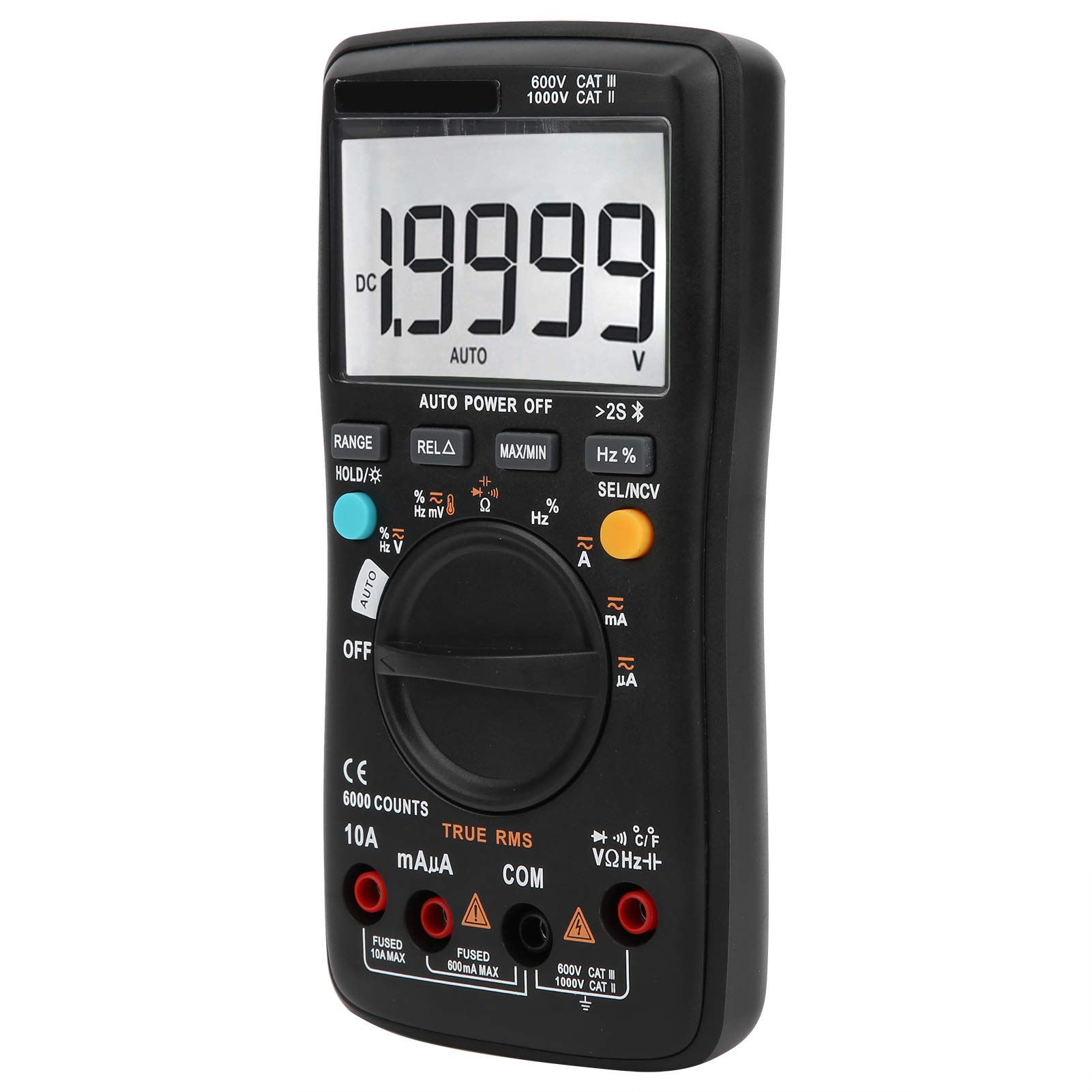
בילד 1.1: פראָנט view of the LiebeWH ZT-300AB Wireless Digital Multimeter, showing the large LCD display and function dial.
2. זיכערקייַט אינפֿאָרמאַציע
נאָכפאָלגן די ינסטראַקשאַנז צו ענשור זיכער אָפּעראַציע און דינסט פון די מעטער. דורכפאל פון די וואָרנינגז קען פירן צו שטרענג שאָדן אָדער טויט.
- שטענדיק אָפּשטעקן די טעסט דראָטן פֿון דער קרייַז איידער איר ענדערן פֿונקציעס.
- דו זאלסט נישט צולייגן מער ווי די רייטאַד וואָלtagE, ווי אנגעצייכנט אויף די מעטער, צווישן טערמינאַלס אָדער צווישן קיין וואָקזאַל און ערד ערד.
- ניצן וואָרענען ווען ארבעטן מיט וואָלtagהעכער 30V AC RMS, 42V שפּיץ, אדער 60V DC. אזעלכע וואָלומעןtagדאָס איז אַ ריזיקירן פון קלאַפּ.
- ניצט שטענדיק די ריכטיקע טערמינאַלן, פונקציע און קייט פֿאַר אייערע מעסטונגען.
- ניצט נישט דעם מעטער אויב ער זעט אויס צעבראכן אדער אויב דער קעסטל איז אפן.
- טוישט די באַטעריע אַזוי שנעל ווי דער נידעריק באַטעריע אינדיקאַטאָר דערשיינט צו ויסמיידן פאַלשע מעסטונגען.
- ניצט נישט דעם מעטער אין עקספּלאָזיווע גאַז, פארע, אדער שטויב סביבות.
- Ensure test leads are in good condition, with no damaged insulation.
3. סעטאַפּ
3.1 פּעקל אינהאַלט
באַשטעטיקן אַז דיין פּעקל כּולל די פאלגענדע זאכן:
- LiebeWH ZT-300AB Digital Multimeter
- טעסט דראָטן (רויט און שוואַרץ)
- טעמפּעראַטור פּראָבע
- באַניצער מאַנואַל

Image 3.1: The multimeter shown with its included test leads and temperature probe.
3.2 באַטאַרייע ייַנמאָנטירונג
דער מולטימעטער דאַרף באַטעריעס פֿאַר אָפּעראַציע. צו אינסטאַלירן אָדער פאַרבייטן באַטעריעס:
- זיכער מאַכן אַז דער מולטימעטער איז אויסגעלאָשן און אָפּשטעקן אַלע טעסט דראָטן.
- געפינט דעם דעקל פונעם באַטעריע־אָפּטייל אויף דער הינטערשטער זייט פונעם אַפּאַראַט.
- ניצן אַ שרויפנ - ציער צו עפענען די באַטאַרייע אָפּטייל.
- Insert the new batteries, observing the correct polarity (+ and -).
- פאַרבייַטן די דעקן פון די באַטאַרייע אָפּטייל און באַוואָרענען עס מיט די שרויף.
3.3 פֿאַרבינדן טעסט דראָטן
פֿאַרבינדט די טעסט דראָטן צו די פּאַסיקע אַרייַנגאַנג דזשאַקס אויף דעם מולטימעטער:
- פאַרבינדן די שוואַרץ טעסט פירן צו די COM (געוויינטלעך) דזשעק.
- פאַרבינדן די רויט טעסט פירן צו די VΩHz דזשעק פֿאַר וואָלtagע, קעגנשטעל, פרעקווענץ, קאַפּאַסיטאַנס, דיאָד, און קאָנטינויִטעט מעסטונגען.
- For current measurements (mA/µA), connect the רויט טעסט פירן צו די mAµA דזשאַק.
- For high current measurements (up to 10A), connect the רויט טעסט פירן צו די 10 א דזשאַק.
3.4 Wireless Function and Mobile App
The ZT-300AB can connect to your smartphone via its wireless function for real-time data monitoring and analysis.
- Download the dedicated mobile application from your device's app store. (App name not specified, refer to product packaging or manufacturer's webפּלאַץ).
- Enable wireless on your smartphone and the multimeter.
- Open the app and follow the on-screen instructions to pair your multimeter.
- The app allows real-time data display, recording, and curve graphing. It can connect to and monitor up to four wireless multimeters simultaneously.

Image 3.2: The multimeter displaying a reading, with a smartphone screen showing the companion application for data monitoring.
4. אַפּערייטינג ינסטרוקטיאָנס
4.1 מאַכט אויף / אַוועק
Turn the rotary dial from the OFF position to any measurement function to power on the multimeter. To power off, turn the dial back to the OFF position. The multimeter also features an automatic power-off function to conserve battery life.
4.2 פונקציע סעלעקציע
דרייט דעם צענטראלן דריי-קנעפל צו אויסקלויבן די געוואונטשענע מעסטונג פונקציע (למשל, V~ פאר AC Vol.tage, V- פֿאַר DC באַנדtage, Ω for Resistance, A~ for AC Current, A- for DC Current, Temp for Temperature, etc.).
4.3 קנעפּל פאַנגקשאַנז
- קייט: Switches between automatic and manual ranging. In manual range, press repeatedly to cycle through available ranges.
- HOLD/☀: Press once to hold the current reading on the display. Press again to release. Long press to activate/deactivate the backlight.
- REL△: Relative measurement mode. Displays the difference between the current reading and a stored reference value.
- מאַקס/מין: Records and displays the maximum and minimum values measured during a session.
- Hz%: For frequency and duty cycle measurements.
- SEL/NCV: Selects between different sub-functions within a dial position (e.g., AC/DC, Diode/Continuity). Long press to activate Non-Contact Voltage (NCV) דעטעקציע.
4.4 דורכפירן מעסטונגען
Always ensure the test leads are connected to the correct jacks and the function dial is set to the appropriate measurement type before connecting to a circuit.
- Voltagמעסטונג (AC/DC): Select V~ for AC or V- for DC. Connect test leads in parallel with the circuit or component.
- קראַנט מעסטונג (AC/DC): Select A~ for AC or A- for DC. Connect test leads in series with the circuit. Ensure the correct current jack (mAµA or 10A) is used.
- קעגנשטעל מעסטונג (Ω): Select Ω. Connect test leads across the component when it is de-energized.
- קאַפּאַסיטאַנס מעזשערמאַנט: Select the capacitance function. Connect test leads across the capacitor when it is de-energized.
- דיאָוד טעסט: Select the diode function. Connect test leads across the diode.
- קאָנטינויטי טעסט: Select the continuity function. Connect test leads across the circuit. A beep indicates continuity.
- אָפטקייט (הרץ) / דוטי ציקל (%): Select the Hz% function. Connect test leads to the signal source.
- טעמפּעראַטור מעאַסורעמענט: Connect the temperature probe to the appropriate jacks (usually VΩHz and COM). Select the temperature function.
- נאַן-קאָנטאַקט חלקtagE (NCV): Long press the SEL/NCV button. Bring the top of the multimeter near an AC voltage source. The meter will indicate the presence of voltagE אָן דירעקט קאָנטאַקט.
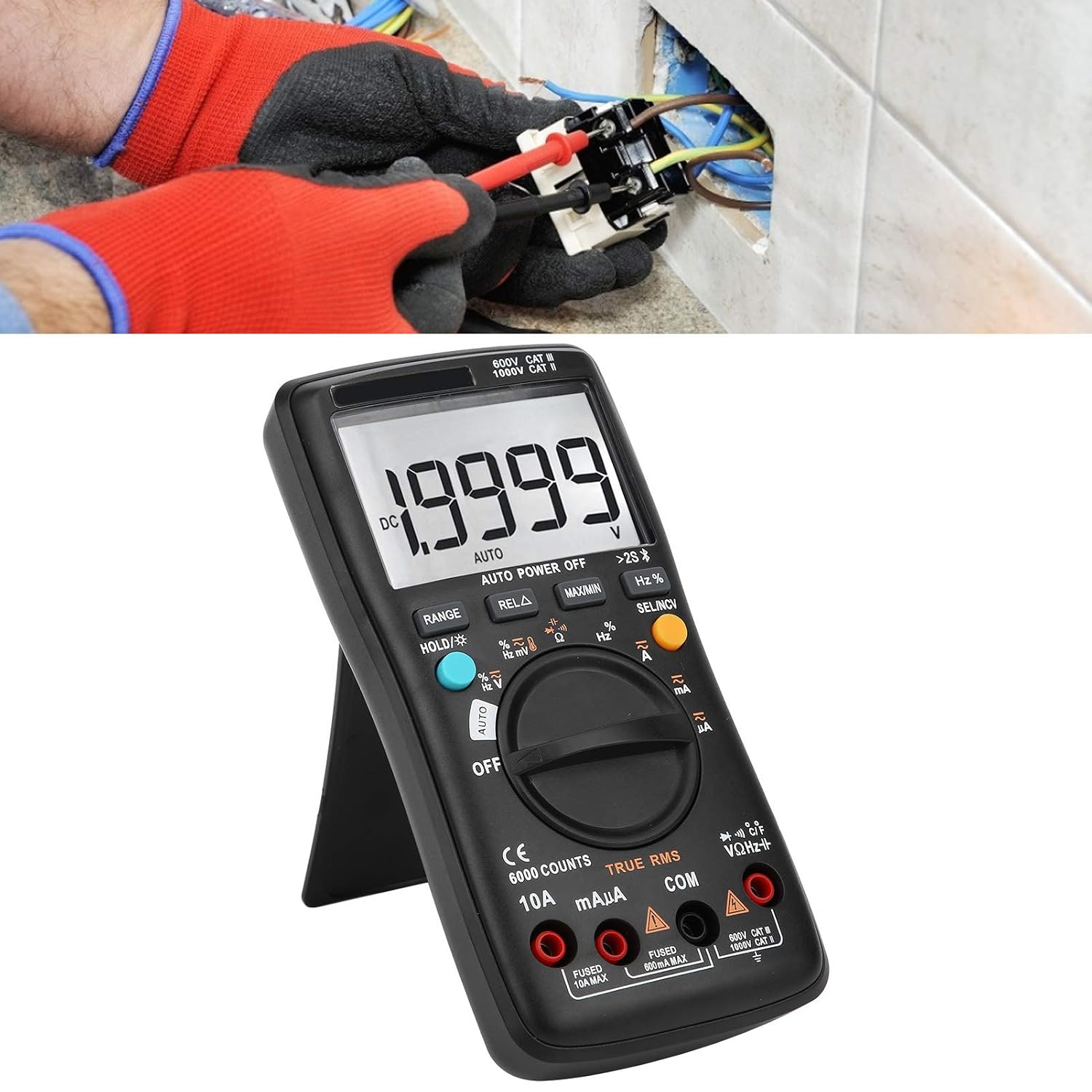
Image 4.1: The multimeter in use, positioned on its integrated kickstand for convenient viewינג בעת די מעסטונגען.
5. וישאַלט
5.1 רייניקונג
ווישן די פאַל מיט אַדamp שטאָף און מילדן וואַשפּולווער. ניצט נישט קיין שוואַרצע מאַטעריאַלן אָדער סאָלווענטן. האַלט די טערמינאַלן פריי פון שמוץ און נעץ.
5.2 באַטערי פאַרבייַט
Refer to Section 3.2 for battery replacement instructions. Replace batteries promptly when the low battery indicator appears on the display.
5.3 קאָריק פאַרבייַט
If the current measurement functions stop working, the fuse may need replacement. Fuses are located inside the multimeter. Fuse specifications are typically printed near the current input jacks (e.g., FUSED 10A MAX, FUSED 600mA MAX). To replace a fuse:
- זיכער מאַכן אַז דער מולטימעטער איז אויסגעלאָשן און אָפּשטעקן אַלע טעסט דראָטן.
- Open the back case of the multimeter (this may require removing screws).
- פֿאָרזיכטיק געפֿינט און אַרויסגענומען די צעבראָכענע פֿיוז.
- Replace it with a fuse of the exact same type and rating. Using an incorrect fuse can damage the meter or pose a safety hazard.
- Reassemble the multimeter, ensuring all screws are securely fastened.
6. טראָובלעשאָאָטינג
- קיין דיספּלעי אָדער שוואַך דיספּלעי: קאָנטראָלירט די אינסטאַלאַציע פון די באַטעריע און די לאָדונג־לעוועל. טוישט די באַטעריעס אויב נייטיק.
- אומרעכטע לייענונגען: Ensure test leads are properly connected to the correct jacks. Verify the function dial is set to the appropriate measurement type and range. Check for damaged test leads.
- קראַנט מעסטונג אַרבעט נישט: Check the fuse (refer to Section 5.3). Ensure the red test lead is connected to the correct current input jack (mAµA or 10A).
- פראבלעמען מיט דראטלאזע קאנעקשאן: Ensure wireless is enabled on both the multimeter and your smartphone. Restart both devices and try pairing again. Check the mobile app for troubleshooting tips.
- מעטער רעאַגירט נישט: Turn the meter off and then on again. If the issue persists, remove batteries for a few minutes and then reinsert them.
7. ספּעסאַפאַקיישאַנז
| שטריך | באַשרייַבונג |
|---|---|
| ווייַז | 6000 קאַונץ |
| ריינדזשינג | אַוטאָ / מאַנואַל |
| Sampלינג קורס | 3 סעקונדעס / צייט |
| אמת RMS | געשטיצט |
| Data Hold | געשטיצט |
| באַקלייט | געשטיצט |
| נידעריק באַטערי ינדיקאַטיאָן | געשטיצט |
| אַוטאָ מאַכט אויסגעלאשן | געשטיצט |
| DC VoltagE (V) | 6 וו, 60 וו, 600 וו, 1000 וו |
| DC VoltagE (מוו) | קסנומקסמוו |
| דימענשאַנז | 20 X 12 X 5 סענטימעטער (7.9 X 4.7 X 2 אינטשעס) |
| וואָג | 374 ג (0.82 לבס) |
| פאַבריקאַנט | LiebeWH |
| פּראָדוקט מאָדעל נומער | LiebeWHso0iq29gfn |

Image 7.1: Dimensions of the LiebeWH ZT-300AB Multimeter, showing its compact size.
8. וואָראַנטי און שטיצן
For warranty information and technical support, please refer to the documentation included with your purchase or contact the manufacturer directly. Contact details can typically be found on the product packaging or the official LiebeWH webפּלאַץ.