
Agreago V3
Agreago Projector User Manual
מאָדעל: וו3
בראַנד: אַגרעאַגאָ
הקדמה
This user manual provides detailed instructions for the operation, setup, maintenance, and troubleshooting of your Agreago V3 Projector. Please read this manual thoroughly before using the product to ensure proper function and longevity. The Agreago V3 Projector is designed to deliver a high-quality visual experience with its native 1080P resolution, 15000 lumens brightness, and advanced connectivity options.
וואָס איז אין די קעסטל
ביים עפענען דעם פעקל, ביטע זיכער מאכן אז אלע קאמפאנענטן זענען דא און אין גוטן צושטאנד:
- Agreago V3 Projector
- ווייַט קאָנטראָל
- מאַכט קאַבלע
- HDMI Cable (if included, not specified but common)
- באַניצער מאַנואַל (דעם דאָקומענט)
- דראַווסטרינג באַג
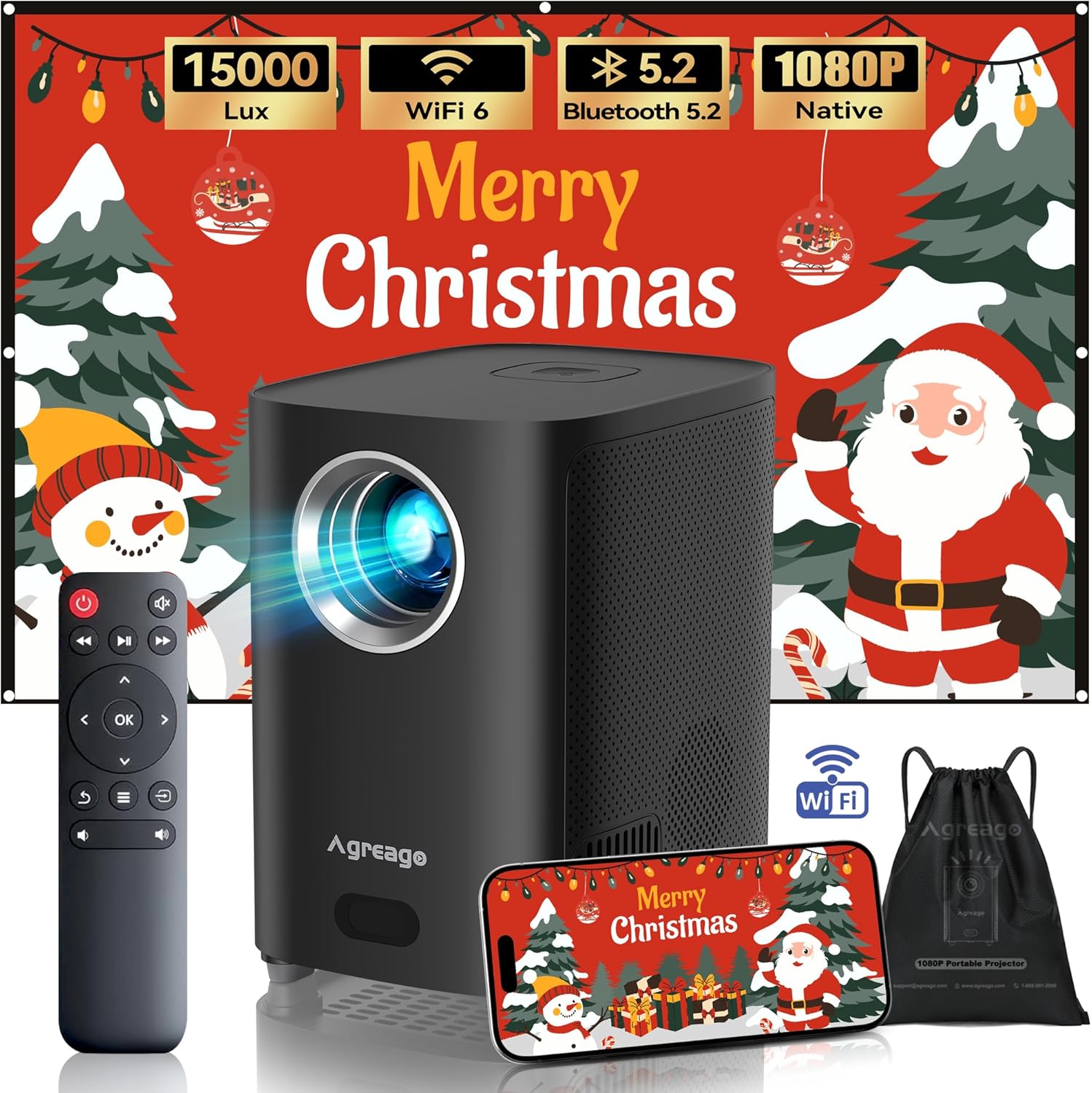
Image: Contents of the Agreago V3 Projector package, showing the projector unit, remote control, and a portable drawstring bag.
פּראָדוקט פֿעיִקייטן
- Native 1080P HD Resolution: Delivers vibrant and sharp images with a true 1920x1080 resolution and 15000 lumens brightness, supporting up to a 300-inch screen. Features diffuse reflection for eye protection.
- WiFi 6 and Bluetooth 5.2: Equipped with 5G and 2.4G Dual-Band WiFi for faster, wider range, and smoother wireless transmission. Bluetooth 5.2 allows easy connection to external speakers for enhanced audio.
- געבויט-אין צווייענדיק סטערעאָ ספּיקערז: Provides loud and clear stereo sound without external speakers, featuring crisp highs, strong midranges, and booming bass. Includes a 3.5mm headphone port for private listening.
- קאָמפּאַטיביליטי פון קייפל דעוויסעס: Features HDMI, USB, AV, and Audio ports for connection to iPhones, Android phones, TV Sticks, Laptops, tablets, Xbox, PS5, USB disks, and external speakers.
- פלעקסאַבאַל פּראַדזשעקשאַן: Supports remote screen adjustment, zoom function (50% to 100%), and various installation methods including ceiling, tabletop, tripod, and wall mount.
- פּאָרטאַטיוו פּלאַן: Compact and lightweight, includes a drawstring bag for easy transport, making it suitable for outdoor use, backyard parties, or RV camping.
- עלעקטריק פאָקוס: Allows for easy adjustment of focus using the remote control to achieve a clear, straight-edged image with uniform focus.
סעטאַפּ
קסנומקס. פּלאַסעמענט
Choose a stable, flat surface for the projector. Ensure there is adequate ventilation around the unit. For optimal viewing, position the projector directly in front of the projection surface (wall or screen).

Image: Illustration of different projector placement options, including tabletop, tripod, and ceiling mount, demonstrating flexibility in setup.
2. מאַכט קאַנעקשאַן
Connect the power cable to the projector's power input port and then plug the other end into a standard electrical outlet.
3. ערשטע איינשאַלטונג
דריק דעם מאַכט קנעפּל אויף דעם פּראָיעקטאָר אָדער די ווײַטקאָנטראָל צו אנצינדן דעם אַפּאַראַט. די אינדיקאַטאָר ליכט וועט זיך אָנצינדן.
4. פאָקוס אַדזשאַסטמאַנט
Use the remote control's focus buttons to adjust the image clarity until it is sharp and clear on the screen. The projector features electric focus for precise adjustments.

Image: A user adjusting the electric focus of the projector using the remote control, resulting in a sharp and clear projected image.
אַפּערייטינג ינסטראַקשאַנז
1. מקור סעלעקציע
After powering on, navigate to the input source menu using the remote control. Select the desired input (HDMI, USB, AV, etc.) corresponding to your connected device.
2. מעניו נאַוויגאַציע
Use the arrow keys and OK button on the remote control to navigate through the projector's on-screen menu. Adjust settings such as picture mode, sound, and network configurations.
3. Screen Size Adjustment (Zoom)
The projector supports a zoom function to resize the image from 50% to 100% without moving the projector. Access this feature through the picture settings menu.

Image: Visual representation of the projector's ability to produce screen sizes ranging from 32 inches to an ultra-large 300 inches, suitable for various viewינג ינווייראַנמאַנץ.
4. מאַכט אויסגעלאשן
Press the power button on the remote control or the projector to turn off the unit. Allow the projector to cool down before unplugging it.
קאַנעקטיוויטי
1. דראָטיקע פֿאַרבינדונגען
The projector is equipped with multiple ports for wired connections:
- הדמי: Connect to laptops, gaming consoles (Xbox, PS5), TV sticks, and other HDMI-enabled devices.
- וסב: For connecting USB disks to play media files גלייַך.
- פון: For connecting older devices with AV output.
- אַודיאָ אַרויס (3.5 מ״מ): פֿאַר פֿאַרבינדן עקסטערנע כעדפאָונז אָדער רעדנערס.

בילד: אן איבערview of the projector's multimedia compatibility, highlighting its various input ports and the range of devices it can connect to, such as TV sticks, laptops, and gaming consoles.
2. Wireless Connections (WiFi)
The projector supports WiFi 6 (5G and 2.4G Dual-Band) for screen mirroring and network access.
- Go to the "Network settings" menu on the projector.
- Select your WiFi network and enter the password to connect.
- For iOS devices, ensure your device is connected to the same WiFi, then select "Aplay" from the projector's home page and use screen mirroring on your iOS device.
- For Android devices, ensure your device is connected to the same WiFi, then select "Miracast" from the projector's home page and use "Smart View" or similar screen sharing feature on your Android device.

Image: Step-by-step guide for connecting iOS devices to the projector via WiFi for screen mirroring.

Image: Step-by-step guide for connecting Android devices to the projector via WiFi for screen mirroring.
3. בלועטאָאָטה קאַנעקשאַן
The projector features Bluetooth 5.2 for connecting to external audio devices like Bluetooth speakers or headphones.
- Enable Bluetooth on the projector from the settings menu.
- שטעלן דיין בלועטאָאָטה אַודיאָ מיטל אין פּערינג מאָדע.
- Select your device from the list of available devices on the projector's Bluetooth menu to connect.

Image: A visual representation of the projector's Bluetooth connectivity, showing it paired with external speakers for an enhanced audio experience.
וישאַלט
רעגולערע אויפהאלטונג גאראנטירט אפטימאלע פאָרשטעלונג און פארלענגערט די לעבנסדויער פון אייער פּראָיעקטאָר.
- לענס רייניקונג: ווישט אָפּ די פּראָיעקטאָר לינז מיט אַ ווייכן, לינט-פֿרײַעם שטאָף ספּעציעל דיזיינד פֿאַר אָפּטישע פֿלאַכן. ניצט נישט קיין שרײַבנדיקע רייניגער.
- ווענטילאַטיאָן: Ensure the projector's ventilation openings are clear of dust and obstructions. Do not block the air vents during operation.
- סטאָרידזש: When not in use for extended periods, store the projector in a cool, dry place, preferably in its original packaging or the provided drawstring bag, to protect it from dust and damage.
טראָובלעשאָאָטינג
| פּראָבלעם | מעגלעך סיבה | לייזונג |
|---|---|---|
| קיין בילד געוויזן | Power cable disconnected, incorrect input source, device not connected properly. | Check power connection, select correct input source, ensure HDMI/USB/AV cables are securely connected. |
| די בילד איז בלערי | Focus not adjusted, projector too close/far from screen. | Use the remote control to adjust the electric focus. Adjust projector distance if necessary. |
| קיין געזונט | Volume too low, external speakers not connected/paired, audio source issue. | Increase volume. If using Bluetooth, ensure proper pairing. Check audio settings on source device. |
| וויפי קשר אַנסטייבאַל | Interference, distance from router, incorrect password. | Ensure projector is within WiFi range. Re-enter password. Reduce interference from other devices. |
ספּעסאַפאַקיישאַנז
| שטריך | דעטאַל |
|---|---|
| סאָרט | ווידער |
| מאָדעל נומער | V3 |
| געבוירן האַכלאָטע | 1920 רענטגענ 1080 פּ |
| ברייטנאַס | 15000 לומענס |
| קאַנטראַסט פאַרהעלטעניש | 15000:1 |
| קאַנעקטיוויטי | WiFi 6 (5G & 2.4G Dual-Band), Bluetooth 5.2, HDMI, USB, AV, 3.5mm Audio |
| פּרויעקציע גרייס | 40" - 300" |
| פּונקט וואָג | 2 פונט |
| פּראָדוקט דימענשאַנז | 5.5 X 6.1 X 4.2 אינטשעס |
| ספּעציעלע פֿעיִקייטן | Electric Focus, Lightweight, Built-in Dual Speakers |
וואָראַנטי און שטיצן
Agreago is committed to improving product quality and service. We provide 24/7 customer service and offer a Lifetime Service of 100% for this product. If you have any questions or require assistance, please contact the Agreago service team as indicated in your user manual or through the official Agreago channels.
For further support, please visit the official Agreago store: Agreago Store on Amazon.
Ask a question about this manual
Ask about setup, troubleshooting, compatibility, parts, safety, or missing instructions. Manuals+ will review the question and use this page’s manual context to help answer it.