
1. פּראָדוקט איבערview
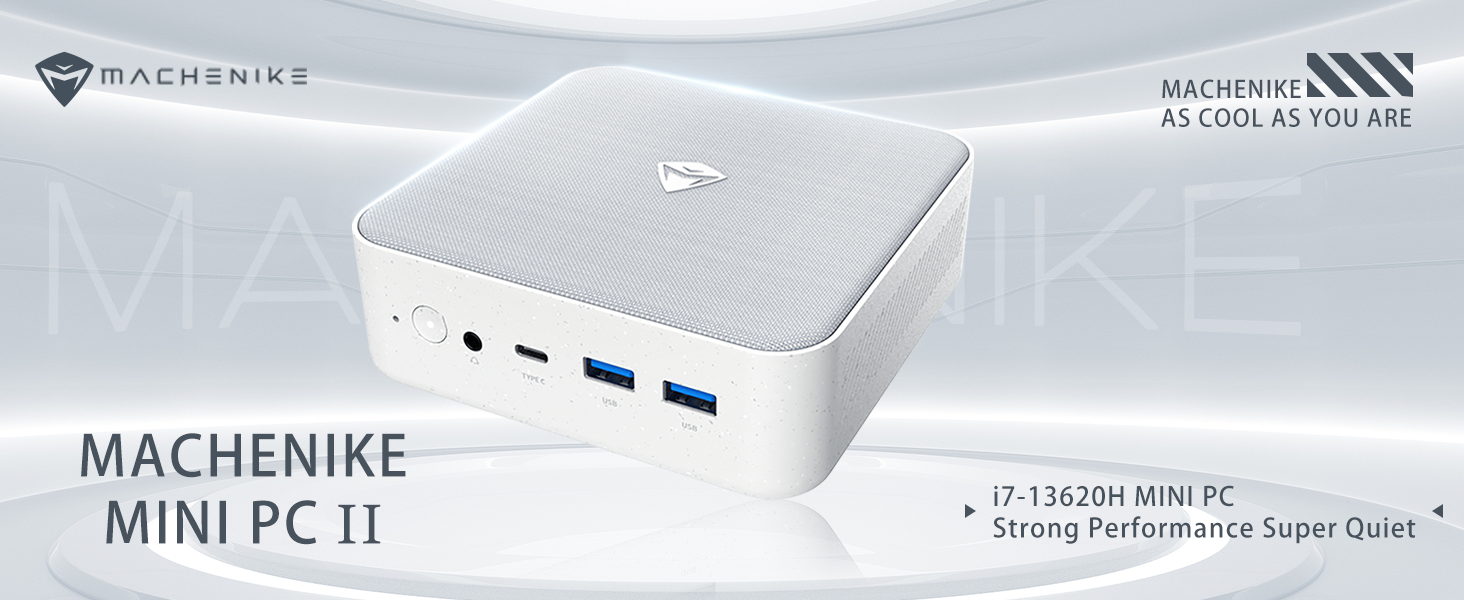
The Machenike Machcreator Mini Desktop, Model 4762H, is a compact and powerful computing solution designed for various applications, from business to everyday use. It features a 13th Gen Intel Core i7-13620H processor, 16GB DDR5 RAM, and a 512GB PCIe M.2 SSD, providing high-speed performance and efficient multitasking capabilities. This mini PC supports 4K dual monitor output and comes pre-installed with Windows 11 Pro.
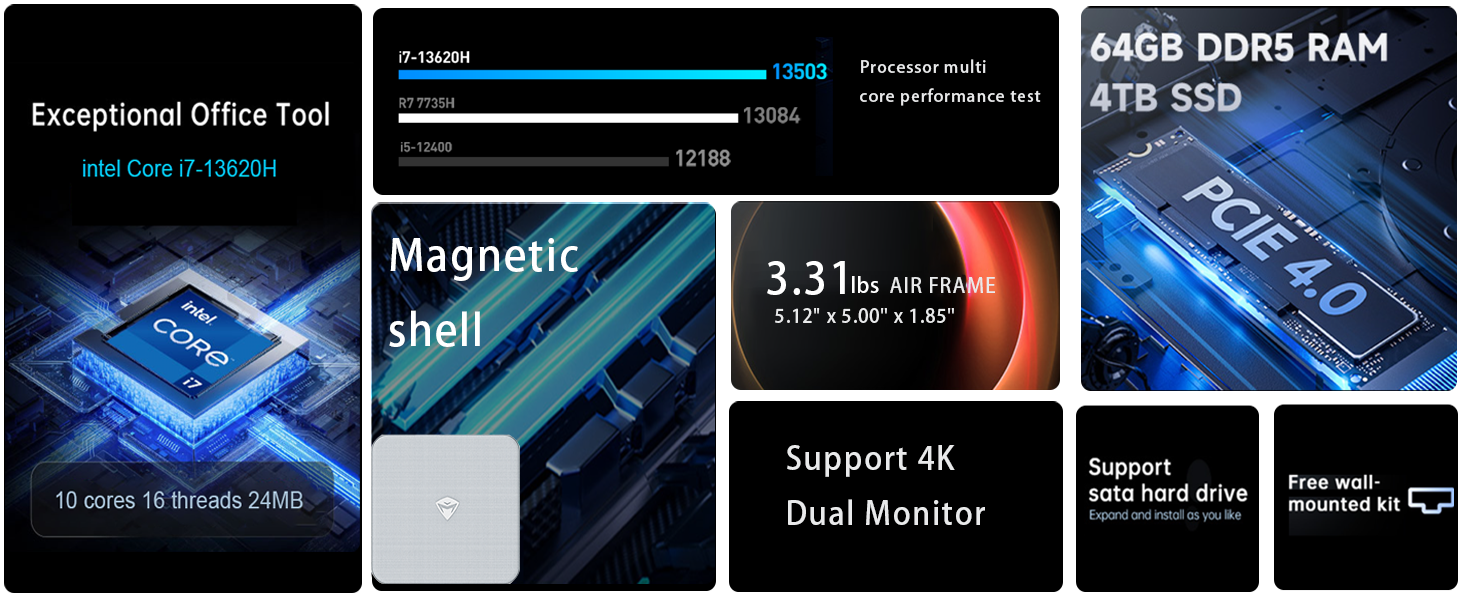
בילד: איבערview of the Intel Core i7 processor, highlighting 10 Cores, 16 Threads, 4.90 GHz Max Turbo Frequency, and 24 MB L3 Cache.
שליסל פֿעיִקייטן:
- פּראַסעסער: אינטעל קאָר i7-13620H (10 קערנס, 16 פֿעדעם, ביז 4.9 GHz)
- זכּרון: 16GB DDR5 SODIMM RAM (expandable up to 64GB)
- סטאָרידזש: 512GB PCIe M.2 Solid State Drive (supports dual M.2 expansion)
- אַפּערייטינג סיסטעם: Windows 11 פּראָ
- גראַפיקס: Integrated Intel UHD Graphics, supporting 4K dual monitor output via HDMI 2.0 and DisplayPort 1.4
- קאַנעקטיוויטי: Wi-Fi 6, Bluetooth, 2 x RJ45 Ethernet, USB 3.2 Gen2 Type-A, USB Type-C
- קאָאָלינג סיסטעם: Twin turbine cooling fan with deluxe all-copper radiator
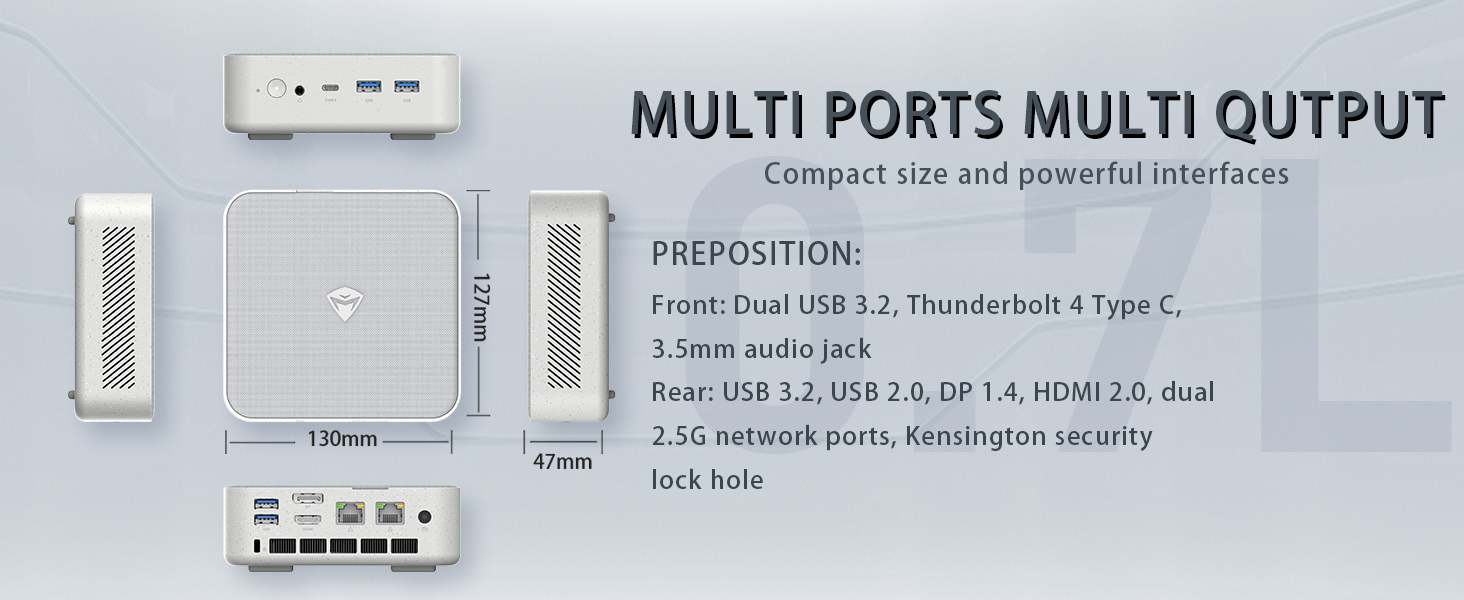
Image: Illustration of PCIe 4.0 SSD and memory slots, indicating support for up to 64GB DDR5 RAM and up to 4TB PCIe SSD expansion.
2. סעטאַפּ גייד
2.1 אויספּאַקן דעם אַפּאַראַט
נעמט פֿאָרזיכטיק אַרויס אַלע קאָמפּאָנענטן פֿון דער פּאַקעט. מאַכט זיכער אַז די פֿאָלגנדיקע זאַכן זענען פֿאַראַן:
- Machenike Machcreator Mini Desktop (Model 4762H)
- מאַכט אַדאַפּטער
- באַניצער מאַנואַל (דעם דאָקומענט)
- (Optional) VESA Mount Kit
2.2 קאַנעקטינג פּעריפעראַלס
איידער איר אנצינדט, פארבינדט אייערע וויכטיגע פעריפעראלן:
- ווייַז: Connect your monitor(s) to the HDMI 2.0 or DisplayPort 1.4 ports on the rear of the mini PC. The USB Type-C port also supports video output.
- קלאַוויאַטור און מויז: Connect your USB keyboard and mouse to any of the available USB 3.2 Gen2 Type-A ports.
- נעץ: For a wired connection, connect an Ethernet cable to one of the RJ45 ports. For wireless, ensure your Wi-Fi network is available.
- מאַכט: Connect the power adapter to the DC-in port on the mini PC, then plug the adapter into a power outlet.
בילד: דעטאַלירט view of the mini PC's front and rear ports, including USB 3.2 Gen2 Type-A, USB Type-C, 3.5mm Audio Jack, HDMI 2.0, DisplayPort 1.4, and RJ45 Ethernet ports. Dimensions are also shown.
2.3 Initial Boot-up and Windows 11 Pro Setup
- דריק דעם מאַכט קנעפּל וואָס געפינט זיך אויף דער פראָנט פון די מיני פּיסי.
- The system will boot into the Windows 11 Pro setup wizard. Follow the on-screen instructions to configure your language, region, network, and user account.
- Once setup is complete, your mini PC is ready for use.
3. אַפּערייטינג ינסטרוקטיאָנס
3.1 מאַכט אויף / אַוועק
- מאַכט אויף: דרוק די מאַכט קנעפּל אַמאָל.
- שאַט אַראָפּ: דריקט דעם סטאַרט קנעפּל אין ווינדאָוס, און דערנאָך סעלעקטירט מאַכט > שאַט דאַון.
- ריסטאַרט: דריקט דעם סטאַרט קנעפּל אין ווינדאָוס, און דערנאָך סעלעקטירט מאַכט > ריסטאַרט.
- שלאָף: דריקט דעם סטארט קנעפל אין ווינדאוס, און דערנאך אויסקלויבן פאוער > שלאף.
3.2 ווייַז קאַנפיגיעריישאַן
The mini PC supports up to two 4K displays simultaneously. To configure display settings:
- רעכט-קליק אויף די דעסקטאַפּ און סעלעקטירן "דיספּליי סעטטינגס".
- Here you can detect multiple displays, arrange them, change resolution, and adjust scaling.
3.3 נעץ קאָנעקטיוויטי
- ווי-פי: Click the network icon in the taskbar, select your Wi-Fi network, enter the password, and connect.
- עטהערנעט: If an Ethernet cable is connected, the system should automatically establish a wired network connection.
3.4 Cooling System Modes
The mini PC features an advanced cooling system with adjustable modes via the BIOS to optimize performance and noise levels. These modes include:
- שטיל מאָדע: Prioritizes quiet operation, suitable for light tasks.
- וואָג מאָדע: Offers a good balance between performance and noise.
- פאָרשטעלונג מאָדע: Maximizes performance (up to 65W power release), ideal for demanding applications.
To change these settings, access the BIOS during startup (typically by pressing דעל or F2 repeatedly after powering on) and navigate to the relevant power or performance settings.
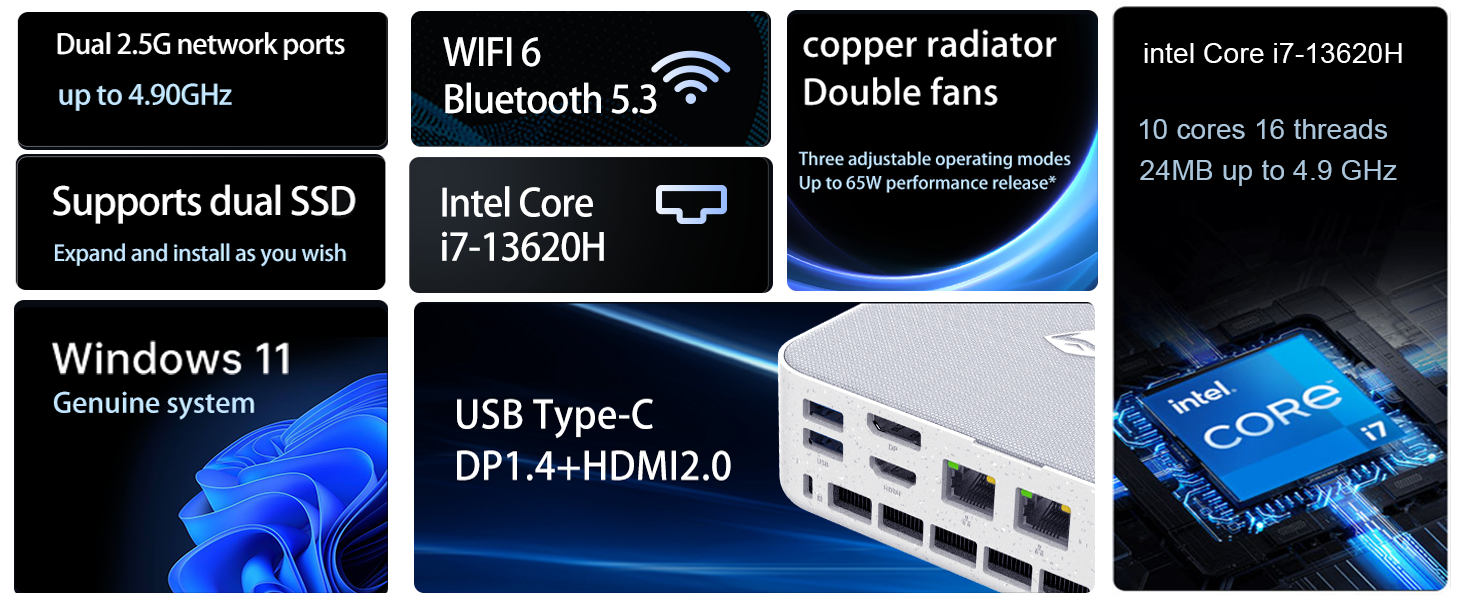
Image: Illustration of the twin turbine cooling fan and deluxe all-copper radiator, explaining how it prevents slowdowns due to overheating and offers silence, balance, and performance modes.
4. וישאַלט
4.1 רייניקונג די מיטל
כדי צו זיכער מאַכן אָפּטימאַלע פאָרשטעלונג און לאַנגלעבעדיקייט, זאָלט איר רעגולער רייניקן אייער מיני פּיסי:
- Power off the device and disconnect it from the power outlet.
- ניצט אַ ווייכן, טרוקענעם שטאָף צו ווישן די אויסערלעכע טייל.
- Use compressed air to gently clear dust from ventilation openings. Do not insert any objects into the vents.
4.2 ווייכווארג דערהייַנטיקונגען
Keep your Windows 11 Pro operating system and drivers updated to ensure security and performance:
- ווינדאָוס דערהייַנטיקונגען: Go to Start > Settings > Windows Update and check for updates.
- דרייווער דערהייַנטיקונגען: Visit the Machenike official webוועבזייטל פֿאַר די לעצטע דרייווערס פֿאַר דיין ספּעציפֿישן מאָדעל.
4.3 סטאָרידזש און זכּרון יקספּאַנשאַן
The Machenike Machcreator Mini Desktop supports upgrades for both RAM and storage:
- באַראַן: The device has 2 SODIMM slots and supports up to 64GB DDR5 RAM.
- סטאָרידזש: It supports dual PCIe M.2 SSDs, allowing for significant storage expansion up to 4TB.
באַמערקונג: Opening the device for upgrades may void your warranty. Consult a qualified technician or refer to specific upgrade guides from Machenike if available.
5. טראָובלעשאָאָטינג
די סעקציע באהאנדלט אלגעמיינע פראבלעמען וואס איר קענט באגעגענען. פאר מער קאמפליצירטע פראבלעמען, ביטע קאנטאקטירט קאסטומער סופארט.
5.1 קיין מאַכט
- זיכער מאַכן אַז דער מאַכט אַדאַפּטער איז זיכער פארבונדן צו ביידע די מיני פּיסי און אַ אַרבעטנדיק מאַכט ווענטיל.
- באַשטעטיקן אַז די עלעקטרישע ווענטיל אַרבעט דורך אַרײַנשטעקן אַן אַנדער דעוויס.
- קאָנטראָלירט דעם מאַכט אַדאַפּטער פֿאַר קיין קענטיק שעדיקן.
5.2 קיין אַרויסווייַזונג רעזולטאַט
- Confirm that the monitor is powered on and the correct input source is selected.
- Ensure the HDMI or DisplayPort cable is securely connected to both the mini PC and the monitor.
- פרובירט אן אנדערן דיספּלעי קאַבל אדער מאָניטאָר אויב פֿאַראַן.
- If using multiple displays, try connecting only one display at a time.
5.3 נעץ קאָנעקטיוויטי פּראָבלעמען
- ווייערד (עטהערנעט): Check if the Ethernet cable is properly connected to both the mini PC and the router/modem. Verify router/modem status.
- ווייערלעס (Wi-Fi): Ensure Wi-Fi is enabled in Windows settings. Restart your router/modem. Check if other devices can connect to the Wi-Fi network.
- Run Windows Network Troubleshooter (Start > Settings > Network & internet > Advanced network settings > Network troubleshooter).
6. ספּעסאַפאַקיישאַנז
Detailed technical specifications for the Machenike Machcreator Mini Desktop, Model 4762H:
| שטריך | באַשרייַבונג |
|---|---|
| סאָרט | מאטשעניקע |
| מאָדעל נומער | 4762 ה |
| אָפּערייטינג סיסטעם | Windows 11 פּראָ |
| קפּו מאָדעל | Intel Core i7-13620H |
| קפּו ספּיד | Up to 4.9 GHz (Max Turbo Frequency) |
| ראַם זכּרון אינסטאַלירט גרייס | 16 GB DDR5 (Expandable to 64 GB) |
| זכּרון זייגער ספּיד | 4800 מהז |
| זכּרון סלאָץ בנימצא | 2 |
| זכּרון סטאָרידזש קאַפּאַסיטי | 512 GB PCIe M.2 SSD (Supports dual M.2, up to 4TB) |
| גראַפיקס קאָופּראַסעסער | אינטעל UHD גראַפיקס (אינטעגרירט) |
| וידאו רעזולטאַט צובינד | HDMI 2.0, DisplayPort 1.4, USB Type-C |
| ווייַז האַכלאָטע מאַקסימום | 3840x2160 (4K) |
| ייַזנוואַרג צובינד | 3.5mm Audio, Bluetooth, DisplayPort, Ethernet (2x RJ45), HDMI, USB, USB Type C |
| ווירעלעסס קאַנעקטיוויטי | Wi-Fi 6 (802.11ax), בלועטוט |
| נומער דימענשאַנז (LxWxH) | 5.12 X 5 X 1.85 אינטשעס |
| פּונקט וואָג | 49.8 פונט (Note: This weight may be a data entry error; actual weight for a mini PC is typically much less.) |
| UPC | 193200587317 |
7. וואָראַנטי און שטיצן
7.1 וואָראַנטי אינפֿאָרמאַציע
Machenike products typically come with a limited manufacturer's warranty. Please refer to the warranty card included with your purchase or visit the official Machenike webזייטל פֿאַר דעטאַלירטע וואָראַנטי טערמינען און באַדינגונגען ספּעציפֿיש צו דיין געגנט און פּראָדוקט מאָדעל. האַלט דיין באַווייַז פון קויפן פֿאַר וואָראַנטי קליימז.
7.2 קונה שטיצן
For technical assistance, troubleshooting beyond this manual, or warranty inquiries, please contact Machenike customer support:
- אָנליין שטיצן: Visit the official Machenike webפּלאַץ (www.machenike.com - example link, actual link may vary) און גיי צו די שטיצע סעקציע.
- E- בריוו שטיצן: זעט אייער פּראָדוקט דאָקומענטאַציע פֿאַר די ספּעציפֿישע שטיצע אימעיל אַדרעס.
- טעלעפאָן שטיצן: Check the Machenike website for regional phone support numbers.
When contacting support, please have your product model number (4762H) and serial number ready.