
SIMATE K3
SIMATE 6.5" Self-Balancing Scooter Instruction Manual
מאָדעל: K3
1. הקדמה
א דאנק פארן קויפןasing the SIMATE 6.5" Self-Balancing Scooter. This manual provides essential information for the safe operation, maintenance, and troubleshooting of your scooter. Please read this manual thoroughly before first use and retain it for future reference.
2. זיכערקייַט אינפֿאָרמאַציע
Your safety is paramount. Always wear appropriate safety gear, including a helmet, knee pads, and elbow pads, when operating the scooter. Ensure you understand and comply with all local laws and regulations regarding the use of self-balancing scooters.
- This product is UL2272 Safety Certified, ensuring compliance with U.S. safety regulations.
- דו זאלסט נישט אַרבעטן די סקוטער אונטער דער השפּעה פון אַלקאָהאָל אָדער דרוגס.
- Avoid riding on uneven surfaces, steep slopes (over 15 degrees), or in wet conditions.
- האַלטן אַ זיכער ווייַטקייט פון פּאַדעסטריאַנז און אנדערע וועהיקלעס.
- Children should be supervised by an adult during operation.
- Maximum load capacity is 220 lbs. Do not exceed this limit.
3. פּעקל אינהאַלט
באַשטעטיקן אַז אַלע זאכן זענען פאַראַן אין דיין פּעקל:
- SIMATE 6.5" Self-Balancing Scooter
- טשאַרדזשער
- ינסטרוקטיאָן מאַנואַל (דעם דאָקומענט)
4. פּראָדוקט איבערview
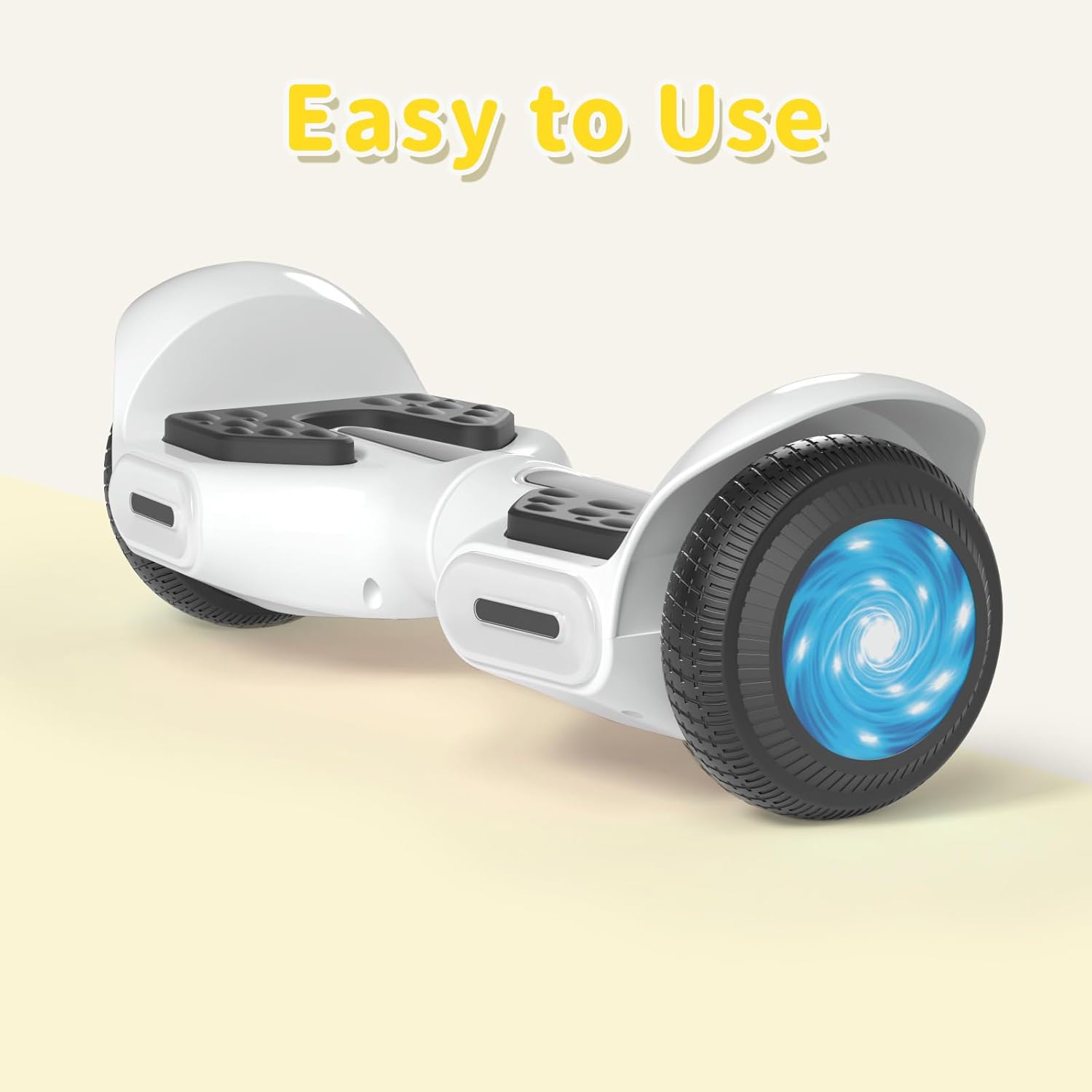
The SIMATE 6.5" Self-Balancing Scooter features dual 250W motors, LED lights, and a self-balancing control system. It is designed for ease of use and enjoyment.

בילד 4.1: פראָנט view of the SIMATE 6.5" Self-Balancing Scooter in white.
שליסל פֿעיִקייטן:
- Self-Balancing System: Assists in maintaining balance for easier learning and riding.
- LED לייץ: Includes head lights and central lights for enhanced visibility and aesthetics.
- Bluetooth Music Speaker: Allows connection to a device for audio playback.
- אַפּ קאָנטראָל: Compatible with the "XsCar" app for advanced control and monitoring.
- צוויי 250 וואט מאָטאָרן: Provides power for speeds up to 7.5 mph and a range of 7.5 miles.

Image 4.2: Diagram illustrating the self-balancing function and basic movement controls (Go Ahead, Back, Self-Balancing).
בילד 4.3: נאָענט־אַרויף view of the head and central LED lights on the scooter.
5. סעטאַפּ
5.1 ערשט טשאַרדזשינג
- Before first use, fully charge the scooter. Connect the charger to the charging port on the scooter and then to a power outlet.
- The indicator light on the charger will change (e.g., from red to green) when charging is complete. Charging typically takes 2-3 hours.
- איבערלאָדן נישט די באַטאַרייע. אָפּשטעקן דעם טשאַרדזשער אַמאָל די טשאַרדזשינג איז פֿאַרטיק.
5.2 מאַכט אויף / אַוועק
- To power on, press and hold the power button located on the scooter.
- צו מאַכט אַוועק, דריקן און האַלטן די מאַכט קנעפּל ווידער.
6. אַפּערייטינג ינסטרוקטיאָנס
6.1 First Ride Guidelines
- שטעלט דעם סקוטער אויף א גלייכער, גלייכער ייבערפלאך.
- Step onto one footpad, then quickly and confidently step onto the other footpad. Use a wall or another person for support initially.
- Lean slightly forward to move forward, and lean backward to slow down or move in reverse.
- צו זיך דרייען, לייגט צו א לייכטן דרוק מיט אייער לינקן פוס צו זיך דרייען רעכטס, און מיט אייער רעכטן פוס צו זיך דרייען לינקס.
- To dismount, step off one foot at a time, ensuring the scooter remains stable.
Video 6.1: Demonstration of basic riding techniques and self-balancing features for the SIMATE Kids Scooter.
6.2 ספּיד מאָדעס
The scooter features three adjustable speed modes:
- זיכער מאָדע: Maximum speed 5 mph (suitable for beginners).
- אָנהייבער מאָדע: Maximum speed 6.5 mph (suitable for novices).
- ספּאָרט מאָדע: Maximum speed 8.5 mph (suitable for proficient users).

Image 6.2: Visual representation of the three speed modes: Safe, Beginner, and Sports.
6.3 App Control ("XsCar")
Download the exclusive "XsCar" app to unlock additional features and control options:
- Scan the QR code (if provided on packaging or scooter) or search for "XsCar" in your device's app store.
- Pair your scooter with the app via Bluetooth.
- דורך דער אַפּ, קענט איר:
- Power on/off the scooter.
- Adjust LED lights.
- Monitor speed and battery power.
- Set speed modes.
- Access other control features.

Image 6.3: Illustration of the "XsCar" app interface and its control capabilities for lights, speed, and battery.
6.4 Bluetooth Music Speaker
To use the built-in Bluetooth speaker:
- זייט זיכער אז דער סקוטער איז אנגעצינדן.
- געבן בלועטאָאָטה אויף דיין רירעוודיק מיטל.
- זוכן פֿאַר available Bluetooth devices and select "SIMATE Scooter" (or similar name).
- Once paired, you can play music through the scooter's speaker.
7. וישאַלט
7.1 רייניקונג
- ווישט אויס דעם סקוטער מיט אדווערטייזמענטamp cloth after use. Avoid using excessive water or harsh cleaning agents.
- ניצט נישט הויך-דרוק וואסער שפריצער צו רייניקן דעם סקוטער, ווייל דאס קען שאדן מאכן די עלעקטראנישע קאמפאנענטן.
7.2 באַטערי קער
- לאָדט די באַטאַרייע רעגולער, אפילו אויב דער סקוטער איז נישט אין באַנוץ, צו האַלטן די באַטאַרייע געזונט.
- האַלט דעם סקוטער אין אַ קיל, טרוקן אָרט אַוועק פון דירעקט זונשייַן און עקסטרעמע טעמפּעראַטורן.
- If the scooter will not be used for an extended period, charge it to approximately 50% before storage.
7.3 סטאָרידזש
- Store the scooter indoors to protect it from weather elements.
- האַלט דעם סקוטער אַוועק פון ברענענדיקע מאַטעריאַלן.
8. טראָובלעשאָאָטינג
| פּראָבלעם | מעגלעך סיבה | לייזונג |
|---|---|---|
| סקוטער גייט נישט אן. | נידעריגע באַטעריע אדער מאַכט קנעפּל נישט ריכטיק געדריקט. | Charge the scooter fully. Ensure the power button is pressed and held for a few seconds. |
| Scooter is not balancing. | Rider weight distribution is incorrect or surface is uneven. | Ensure feet are centered on the footpads. Practice on a flat, smooth surface. |
| בלועטוט רעדנער פֿאַרבינדט זיך נישט. | Bluetooth not enabled on device or scooter, or device is too far. | Ensure scooter is on and Bluetooth is enabled on your device. Move device closer to the scooter. Re-pair if necessary. |
| פֿאַרקלענערטע ראַנגע אָדער גיכקייט. | Low battery, heavy load, or riding on inclines. | Charge the battery fully. Reduce load. Avoid steep inclines. |
9. ספּעסאַפאַקיישאַנז
| שטריך | דעטאַל |
|---|---|
| מאָדעל נאָמען | 6.5" Scooter (K3) |
| סאָרט | SIMATE |
| ראָד גרייס | 6.5 אינטשעס |
| מאָטאָר מאַכט | צווייענדיק 250 וו מאָטאָרס |
| מאַקס ספּיד | 7.5 mph (3 adjustable speed modes) |
| מאַקס ראַנגע | 7.5 מייל |
| מאַקסימום מאַסע | 220 לבס |
| טשאַרדזשינג צייט | 2-3 שעה |
| מאַטעריאַל | אַלומינום, גומע |
| ספּעציעלע פֿעיִקייטן | Built-In Bluetooth speaker, LED Lights, App Control |
| Safety Certification | UL2272 |
10. וואָראַנטי אינפֿאָרמאַציע
The SIMATE 6.5" Self-Balancing Scooter comes with a 1 יאָר וואָראַנטי פֿון דעם קויפֿדאַטום. די וואָראַנטי דעקט פֿאַבריקאַציע חסרונות אונטער נאָרמאַל נוצן. עס דעקט נישט שעדיקן געפֿירט דורך אומרעכט נוצן, אַקסאַדענטן, נישט-אָטעריזירטע מאָדיפֿיקאַציעס, אָדער נאָרמאַל טראָגן און טרער.
ביטע האַלטן דיין דערווייַז פון קויפן פֿאַר וואָראַנטי קליימז.
11. קונה שטיצן
For any questions, technical assistance, or warranty claims, please contact SIMATE customer support:
- אָנליין סערוויס: SIMATE provides 7*24 hours online service.
- קאָנטאַקט: Refer to the contact information provided on the product packaging or the official SIMATE webזייטל פֿאַר די מערסט אַרויף-צו-דאַטע שטיצע קאַנאַלן.

Image 11.1: Illustration of a customer support representative, symbolizing available assistance.