
1. פּראָדוקט איבערview
The GeekTale Fingerprint Deadbolt (Model RD02) is a smart lock designed for keyless entry, offering multiple unlock methods including fingerprint, Bluetooth app, and traditional backup keys. It features quick fingerprint recognition and app-based user management.
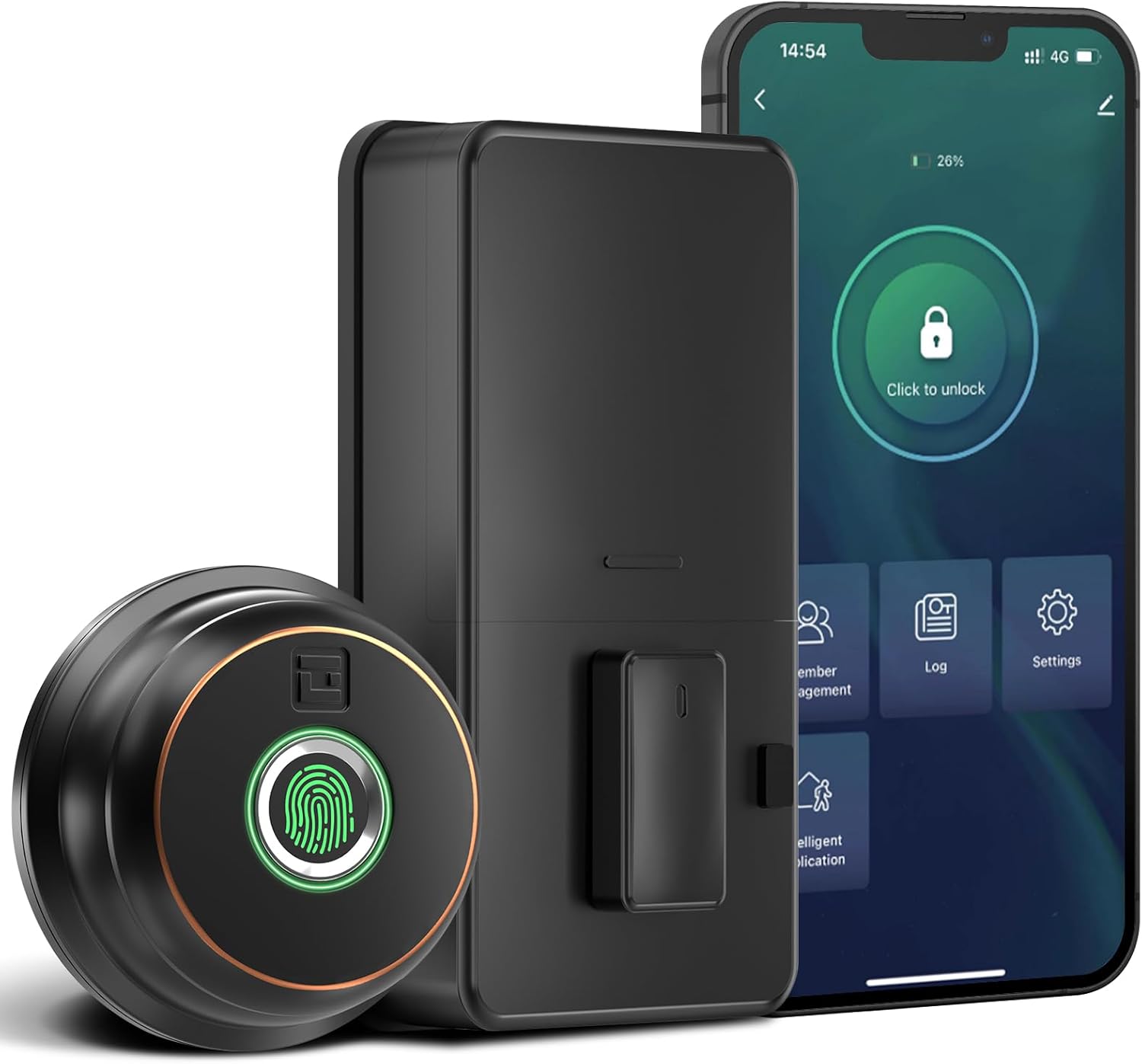
בילד: איבערview of the GeekTale Fingerprint Deadbolt, showing the exterior unit with fingerprint sensor, the interior unit, and a smartphone displaying the control app.
שליסל פֿעיִקייטן:
- 3-in-1 Unlock Ways: Fingerprint, Bluetooth App, and Backup Keys.
- שנעלע פינגערפּרינט דערקענונג: 360° Fingerprint ID for 0.3-second unlock.
- סמאַרט אַפּ קאָנטראָל: Manage up to 50 users, set auto-lock times (5-60s), view unlock records, and monitor battery level.
- Remote Control (with Gateway): Requires separate purchase of a gateway for remote unlock and notifications.
- דוראַבאַל קאַנסטראַקשאַן: Outdoor lock made of aluminum alloy.
2. פּעקל אינהאַלט
באַשטעטיקן אַז אַלע קאָמפּאָנענטן זענען פאַראַן איידער איר הייבט אָן די אינסטאַלאַציע.
- Exterior Fingerprint Unit
- Interior Deadbolt Unit
- מאַונטינג פּלאַטע
- דעדבאָלט לאַטש
- סטרייק פּלאַטע
- שרויפן (פאַרשידענע גרייסן)
- באַקקופּ קיז
- ינסטאַללאַטיאָן מוסטער
3. ינסטאַללאַטיאָן גייד
This section provides step-by-step instructions for installing your GeekTale Fingerprint Deadbolt. A screwdriver is the primary tool required. The lock is designed to fit most standard US doors.
3.1 טיר קאָמפּאַטאַבילאַטי קאָנטראָל
זיכער מאַכן אַז אייער טיר טרעפט די פאלגענדע ספּעסיפיקאַציעס:
- באַקקסעט: 2-3/4" (70 מ"מ) אדער 2-3/8" (60 מ"מ)
- טיר לאָך דיאַמעטער: 2-1/8" (54 מ"מ)
- טיר גרעב: 1-3/8" ביז 2-1/8" (35 מ"מ ביז 54 מ"מ)

Image: Diagram illustrating door measurements for backset, door hole diameter, and door thickness, crucial for proper installation.
3.2 ינסטאַללאַטיאָן סטעפּס
- צוגרייטן די טיר: If replacing an existing deadbolt, remove it. Use the provided template to mark and drill holes if installing on a new door.
- ינסטאַלירן די לאַטש: Insert the deadbolt latch into the door edge. Ensure the "UP" arrow on the latch is facing upwards. Secure with screws.
- אינסטאַלירן עקסטעריער אַפּאַראַט: Route the cable from the exterior unit through the door hole. Align the spindle with the latch mechanism.
- אינסטאַלירן אינעווייניקסטע מאַונטינג פּלאַטע: Secure the mounting plate to the door using screws, ensuring the cable passes through the plate.
- פאַרבינדן קאַבלעס: Connect the cable from the exterior unit to the interior unit.
- Install Interior Unit: Attach the interior unit to the mounting plate. Ensure the thumb turn operates smoothly.
- אַרייַנלייגן באַטעריז: Open the battery cover on the interior unit and insert 4 AA batteries (not included).
- טעסט אָפּעראַציע: Manually test the deadbolt with the thumb turn.

בילד: עקספּלאָדירט view of the deadbolt components, illustrating how the exterior and interior units connect through the door.
3.3 Spindle Orientation for Right/Left Opened Doors
The spindle on the exterior knob should be in the horizontal position for both right-opened and left-opened doors. When installing the interior lock, ensure the knob is oriented correctly:
- For right-opened doors, the interior knob should be in a vertical state.
- For left-opened doors, the interior knob should be in a horizontal state.

Image: Visual guide for correctly orienting the spindle and interior knob based on door opening direction.
4. אַפּערייטינג ינסטרוקטיאָנס
Learn how to use your smart deadbolt effectively.
4.1 Initial Setup and App Pairing
- אראפקאפיע די אַפּ: זוכן פֿאַר "GeekTale" in your smartphone's app store and download the official application.
- שאַפֿן אַ חשבון: רעגיסטרירט זיך פֿאַר אַ נײַעם אַקאַונט אָדער לאָגט זיך אײַן אויב איר האָט שוין אײנס.
- לייג דיווייס: Follow the in-app instructions to add your new deadbolt. Ensure Bluetooth is enabled on your phone and you are within range of the lock.
- Administrator Fingerprint: The first fingerprint registered will typically be the administrator.
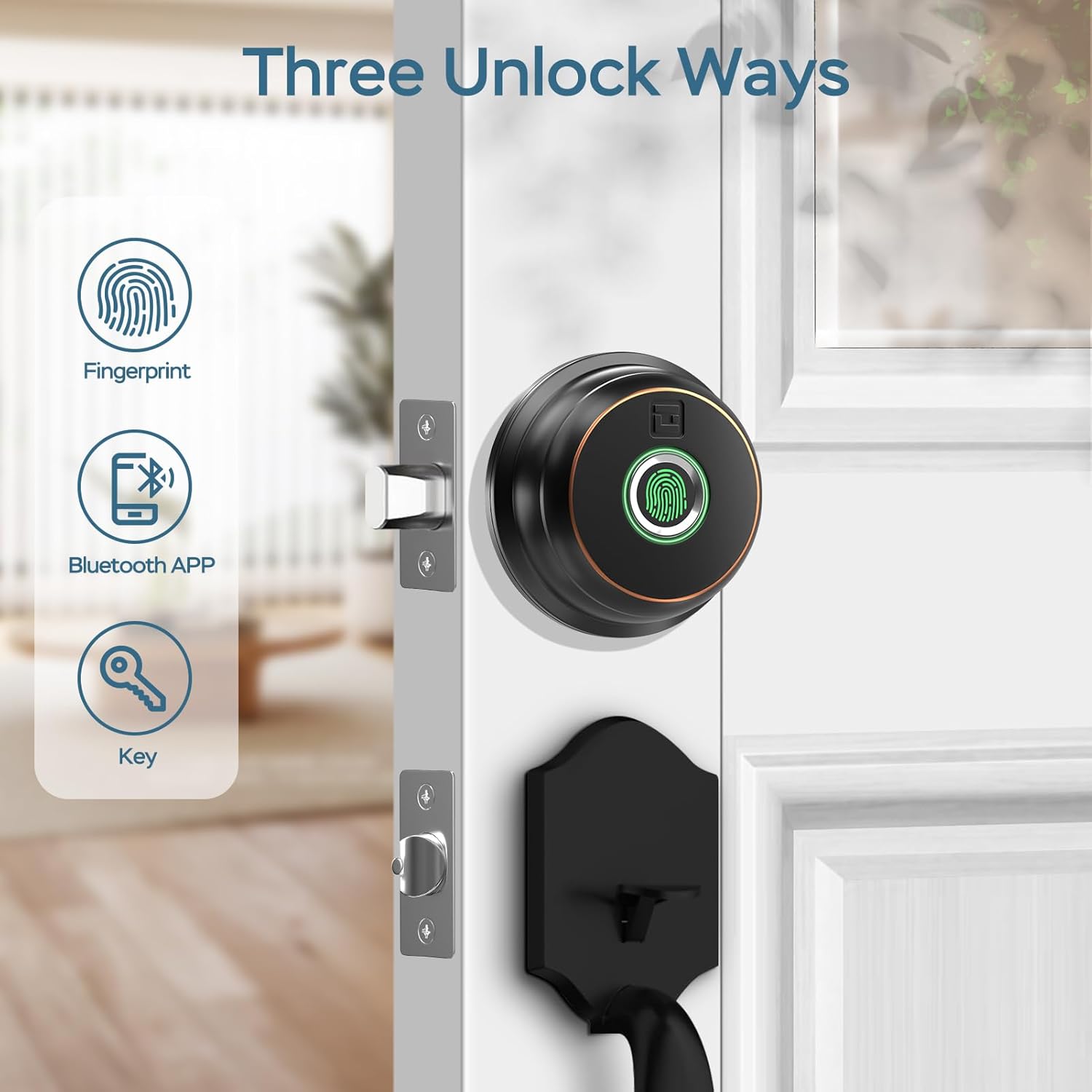
Image: Illustration of the three primary unlock methods: fingerprint, Bluetooth app, and physical key.
4.2 אויפשליסן און פארשליסן
- ופשליסן פינגערפּרינט: לייגט א רעגיסטרירטן פינגער אויפן פינגער-אפדרוק סענסאר. דער שלאָס וועט זיך עפענען אין בערך 0.3 סעקונדעס.
- אַפּפּליקאַטיאָן ופשליסן: Open the GeekTale app, ensure Bluetooth connection, and tap the unlock icon.
- שליסל אויפשליסן: Use the provided backup keys in the emergency keyhole.
- אַוטאָ-שלאָס: Configure auto-lock duration (5-60 seconds) via the app. The lock will automatically engage after the set time.
- איין-ריר לאַקינג: Touch the fingerprint sensor with any finger to instantly lock the deadbolt.

Image: A woman carrying groceries, demonstrating the convenience of the auto-lock feature after entering her home.
4.3 אַפּ פֿעיִקייטן
- באַניצער פאַרוואַלטונג: Add or delete up to 50 users (fingerprints).
- אַקסעס לאָג: Review a history of unlock events, including method and user.
- אויטאָ-שלאָס סעטטינגס: Adjust the automatic locking delay.
- שטום מאָדע: Silence lock sounds for quiet operation.
- Share E-Key: Grant temporary or permanent access to others via the app.
- באַטערי סטאַטוס: Monitor the current battery level of the lock.

Image: Screenshot of the GeekTale app interface, highlighting options for member management, access logs, and settings.
4.4 Remote Access (Gateway Required)
For remote control and notifications, a GeekTale Gateway (sold separately) is required. This allows you to:
- Unlock/lock the door from anywhere.
- Receive instant notifications when the lock is opened.
- Integrate with voice assistants like Alexa and Google Assistant.

Image: Depiction of the smart deadbolt, a gateway device, and a smartphone, illustrating remote unlock capabilities.
5. וישאַלט
Proper maintenance ensures the longevity and optimal performance of your deadbolt.
- באַטערי פאַרבייַט: The lock requires 4 AA batteries. Replace them when the low battery alert is issued by the app or the lock itself.
- נויטפאַל מאַכט: In case of complete battery depletion, the lock features a USB-C port for emergency power using a power bank.
- רייניקונג: Wipe the exterior unit and fingerprint sensor with a soft, dry cloth. Avoid abrasive cleaners or solvents.
- שליסל לאָך וישאַלט: Periodically check the keyhole for obstructions. Do not lubricate with oil-based products; use graphite powder if lubrication is needed.

Image: Illustration of the deadbolt's battery compartment and the USB-C port for emergency power, along with icons for low battery alert and emergency charge.
6. טראָובלעשאָאָטינג
אלגעמיינע פראבלעמען און זייערע לייזונגען.
| פּראָבלעם | מעגלעך סיבה | לייזונג |
|---|---|---|
| לאַק טוט נישט ריספּאַנד. | טויט באַטעריז. | Replace batteries. Use emergency USB-C power if needed. |
| פינגער־אפדרוק נישט דערקענט. | Fingerprint not registered, dirty sensor, or incorrect placement. | Ensure finger is clean and dry. Re-register fingerprint if necessary. Place finger flat on sensor. |
| די אַפּ קען נישט פֿאַרבינדן צום שלאָס. | Bluetooth off, out of range, or app issue. | Ensure Bluetooth is on. Move closer to the lock. Restart the app or your phone. |
| אויטאָמאַטישע שלאָס אַרבעט נישט. | Auto-lock feature disabled or incorrect setting. | Check auto-lock settings in the app and ensure it is enabled with a desired delay. |
| די שלאָס איז פרייַ נאָך דער אינסטאַלאַציע. | שרויפן נישט גענוג צוגעצויגן. | Re-tighten all mounting screws. Ensure the mounting plate is flush against the door. |
7. ספּעסאַפאַקיישאַנז
| שטריך | דעטאַל |
|---|---|
| מאָדעל נאָמען | RD02 |
| סאָרט | GeekTale |
| ופשליסן מעטהאָדס | Fingerprint, Bluetooth App, Backup Key |
| פינגערפּרינט קאַפּאַציטעט | אַרויף צו 50 |
| דערקענונג ספּיד | 0.3 סעקונדעס |
| קאַנעקטיוויטי | בלועטאָאָטה |
| מאַטעריאַל | Aluminum (exterior) |
| מאַכט מקור | 4 קס אַאַ באַטעריז (ניט אַרייַנגערעכנט) |
| עמערגענסי מאַכט | וסב- C פּאָרט |
| טיר גרעב | 1-3/8" ביז 2-1/8" (35 מ"מ ביז 54 מ"מ) |
| באַקקסעט | Adjustable 2-3/8" (60mm) or 2-3/4" (70mm) |
| דימענסיעס (L X W X H) | 2.76 x 1.18 x 3.93 inches (Exterior unit) |
| וואָג | 1.63 פונט (0.74 קג) |
8. וואָראַנטי און שטיצן
GeekTale provides localized after-sales customer service. For any product-related issues or inquiries, please contact customer support through the designated after-sales channels. Refer to your purchase documentation for specific warranty terms and contact information.
קאָנטאַקט שטיצן: Please refer to the contact information provided with your product packaging or visit the official GeekTale webפּלאַץ פֿאַר שטיצן אָפּציעס.