
1. הקדמה
Thank you for choosing the FITFIU Fitness MC-240 Foldable Treadmill. This manual provides essential information for the safe assembly, operation, and maintenance of your treadmill. Please read it thoroughly before first use and keep it for future reference.
The MC-240 treadmill is designed for home use, offering a convenient way to perform walking and moderate running sessions. Its ultra-compact folding system allows for easy storage, and the integrated PC/tablet support enhances your workout experience.
2. זיכערקייַט אינפֿאָרמאַציע
ווארענונג: כדי צו רעדוצירן דעם ריזיקע פון ערנסטע שאָדן, לייענט אלע וויכטיגע פאָרזיכטיקייטן און אינסטרוקציעס אין דעם מאַנואַל איידער איר ניצט דעם טרעדמיל.
- באַראַטנ זיך דיין דאָקטער איידער איר אָנהייבן קיין געניטונג פּראָגראַם.
- האַלטן קינדער און פּעץ אַוועק פון די טרעדמיל אין אַלע צייט.
- שטעלט דעם טרעדמיל אויף א גלייכער ייבערפלאַך מיט לפּחות 2 מעטער (6.5 פֿיס) פרייען פּלאַץ הינטער אים און 0.6 מעטער (2 פֿיס) אויף יעדער זייט.
- Wear appropriate exercise clothing and athletic shoes. Do not use the treadmill barefoot.
- The emergency stop key must be attached to your clothing during operation. In case of an emergency, pulling the key will immediately stop the treadmill.
- ניצט נישט דעם טרעדמיל אויב עס האט א צעבראכענעם עלעקטרישן שנור אדער פלאג, אדער אויב עס ארבעט נישט ריכטיג.
- Do not attempt to service the treadmill yourself. Contact customer support for assistance.
- מאַקסימום באַניצער וואָג קאַפּאַציטעט: 120 ק"ג (264 פונט).
3. פּעקל אינהאַלט
Carefully unpack your treadmill and verify that all components are present. If any parts are missing or damaged, contact customer support.
- FITFIU Fitness MC-240 Treadmill
- מאַכט קאַבלע
- עמערגענסי סטאָפּ שליסל
- ווייַט קאָנטראָל
- באַניצער מאַנואַל (דעם דאָקומענט)
- Assembly Tools (if required for minor adjustments)
4. סעטאַפּ
4.1 אויסלייגן דעם טרעדמיל
The MC-240 treadmill comes pre-assembled. To unfold it:
- שטעלט די טרעדמיל אויף א פלאַכער, סטאַבילער ייבערפלאַך.
- Gently lift the console/handlebar assembly until it locks into the upright position. Ensure it is securely locked before proceeding.
- Lower the running deck until it is flat on the floor.
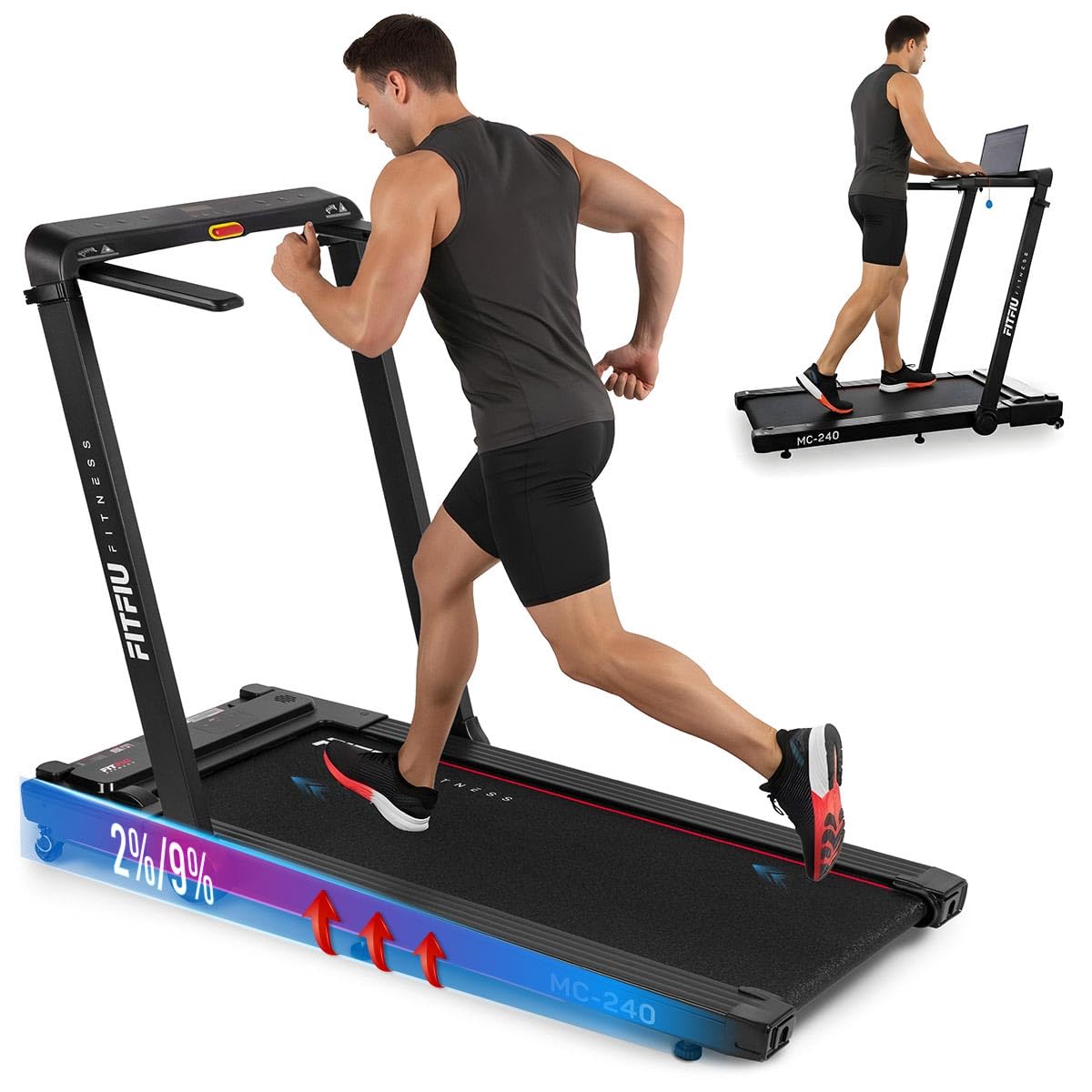
Image: Treadmill in unfolded position, ready for use.
4.2 קאַנעקטינג מאַכט
Plug the power cable into the treadmill's power port and then into a grounded electrical outlet. Ensure the power switch is in the OFF position before plugging in.
4.3 Adjusting Manual Incline
The MC-240 features a manual incline adjustment. To change the incline:
- Ensure the treadmill is powered off and unplugged for safety.
- Lift the rear of the running deck slightly.
- Adjust the support feet at the rear of the treadmill to the desired incline level (0° to 5°). Ensure both sides are set to the same level.
- Carefully lower the deck, ensuring it is stable before use.

Image: Manual incline adjustment mechanism.
4.4 Using the PC/Tablet Support
The integrated support allows you to place a laptop or tablet for entertainment or work during your workout.
- Place your device securely on the designated support area on the console.
- Ensure the device is stable and does not obstruct your view of the control panel or the emergency stop key.
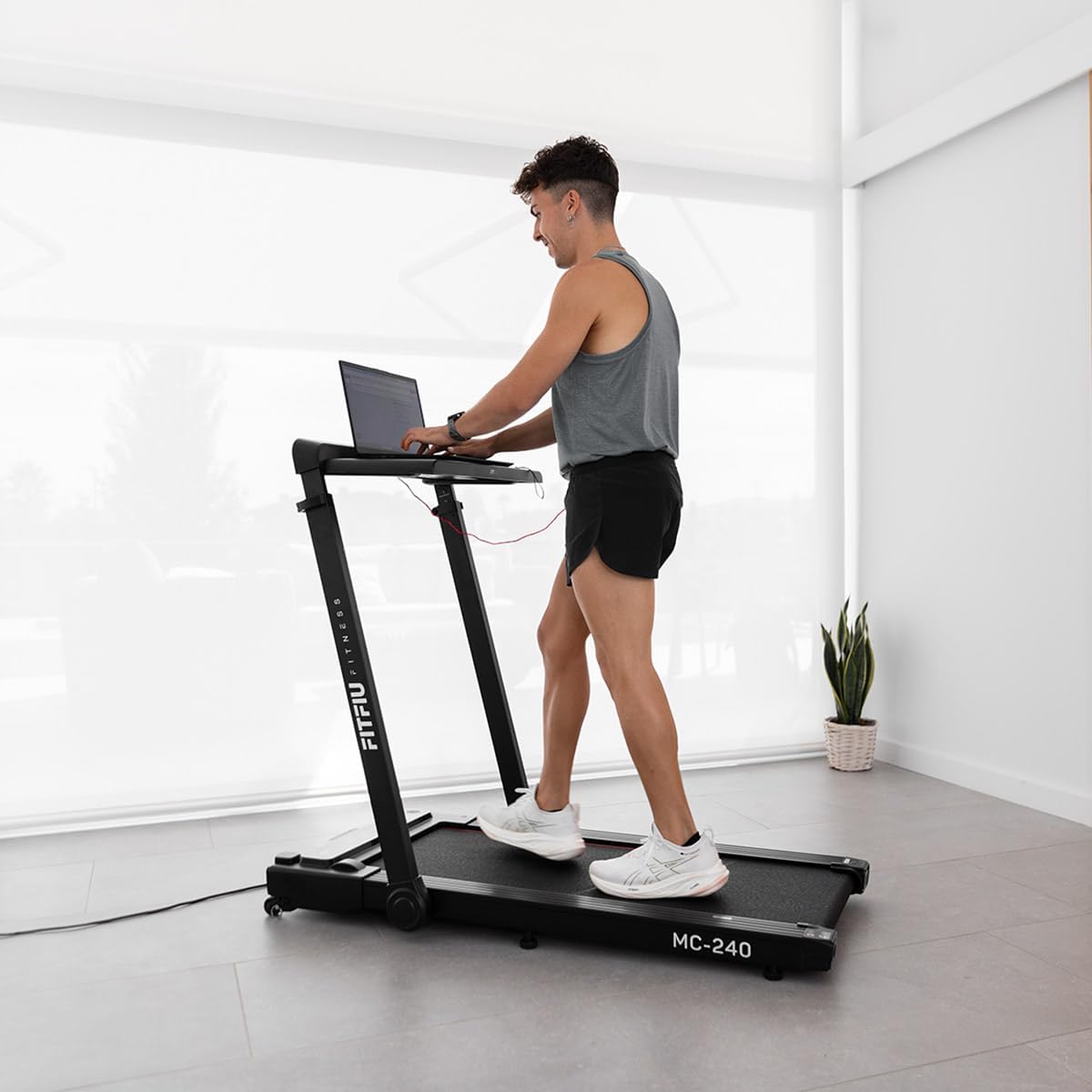
Image: User utilizing the integrated PC support with a laptop.
5. אַפּערייטינג ינסטרוקטיאָנס
5.1 פּאַוערינג אויף / אַוועק
- שטעקט אריין דעם טרעדמיל אין א געערדטן ווענטיל.
- Flip the main power switch (usually located near the front of the treadmill) to the ON position.
- Attach the emergency stop key to your clothing and insert the other end into the console's designated slot. The display will illuminate.
- To turn off, remove the emergency stop key, then flip the main power switch to OFF.

Image: Control panel with emergency stop key.
5.2 ניצן דעם קאָנטראָל פּאַנעל און ווײַטקאָנטראָל
The treadmill can be controlled via the console or the included remote control.
- אָנהייב / האַלטן: Press the START button to begin the running belt movement. Press STOP to halt the belt.
- גיכקייט אַדזשאַסטמאַנט: Use the '+' and '-' buttons to increase or decrease the speed. The speed range is adjustable up to 16 km/h.
- פּראָגראַם סעלעקציע: Press the 'P' or 'MODE' button to cycle through the 12 pre-set training programs (P01-P12). Each program offers varying speed profiles.
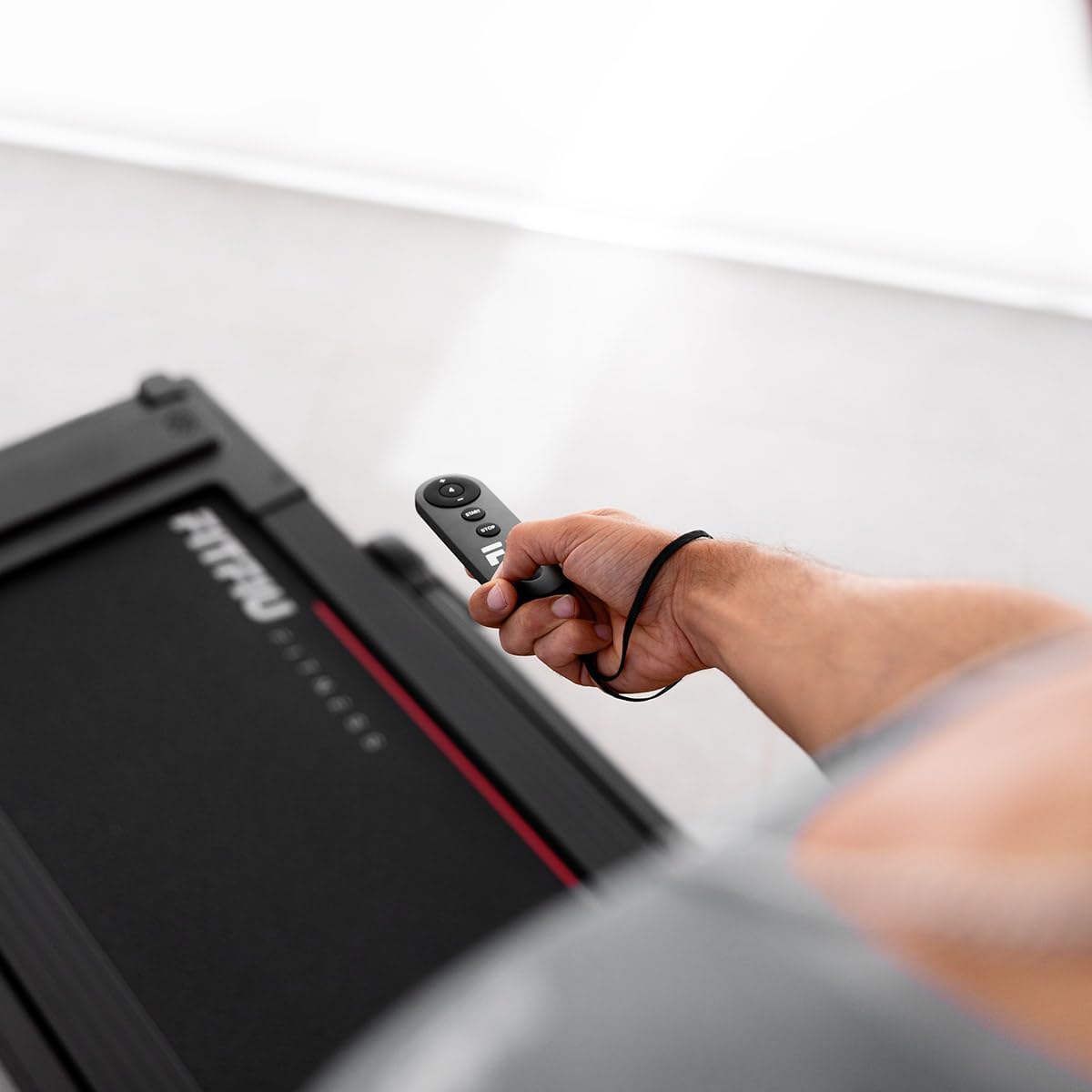
Image: Treadmill remote control.

בילד: איבערview of 12 pre-set training programs.
5.3 עמערגענסי סטאָפּ
The emergency stop key is a critical safety feature. If you feel unwell or need to stop the treadmill immediately, pull the emergency stop key from the console. The treadmill will stop instantly.
5.4 App Connectivity and Bluetooth Speakers
The MC-240 treadmill supports connectivity with various fitness applications and features integrated Bluetooth speakers.
- אַפּ קשר: Download compatible fitness apps such as Kinomap, Zwift, or Fititime on your smartphone or tablet. Follow the app's instructions to connect to your treadmill via Bluetooth. This allows for real-time progress tracking and interactive workouts.
- בלועטאָאָטה ספּיקערז: To play music through the treadmill's integrated speakers, enable Bluetooth on your device and pair it with the treadmill (look for 'FITFIU MC-240' or similar in your device's Bluetooth settings).

Image: Treadmill compatibility with Kinomap, Zwift, and Fititime apps.
5.5 צוזאמענפאלן פאר סטאָרידזש
To fold the treadmill for compact storage:
- זייט זיכער אז די טרעדמיל איז אויסגעלאשן און נישט אריינגעשטעקט פון די פלאג.
- Lift the running deck upwards until it locks into the vertical folded position.
- The treadmill can then be easily moved using its transport wheels.

Image: Treadmill in folded position for storage.
6. וישאַלט
רעגולערע אויפהאלטונג גאראנטירט די לאנגעוויטי און זיכערע אפעראציע פון אייער טרעדמיל.
6.1 רייניקונג
- ווישט אַראָפּ די טרעדמיל ייבערפלאַכן מיט אַדamp שטאָף נאָך יעדער נוצן צו באַזייַטיקן שווייס און שטויב.
- ניצט נישט קיין שאַרפע רייניקונגס־מיטלען אדער סאָלווענטן, ווײַל זיי קענען שאַטן די ענדיקונג.
6.2 פליסנדיק גאַרטל לובריקיישאַן
The running belt requires periodic lubrication to reduce friction and extend its lifespan. Refer to the specific instructions provided with your treadmill's lubrication kit or contact customer support for guidance on the correct lubricant and frequency.
6.3 Running Belt Tension and Alignment
Over time, the running belt may become loose or shift to one side. If the belt feels loose or slips during use, or if it is not centered, refer to the detailed instructions in the full manual (if provided separately) or contact customer support for adjustment procedures. Incorrect tension or alignment can cause premature wear and affect performance.
7. טראָובלעשאָאָטינג
If you encounter issues with your treadmill, try the following solutions before contacting customer support.
| פּראָבלעם | מעגלעך סיבה | לייזונג |
|---|---|---|
| טרעדמיל גייט נישט אן | Power cable not plugged in; Main power switch off; Emergency stop key not inserted | Ensure power cable is securely plugged in; Turn main power switch ON; Insert emergency stop key fully |
| Running belt stops suddenly | Emergency stop key removed; Overload protection activated | Re-insert emergency stop key; Reduce load, wait a few minutes, then restart |
| פליסנדיק גאַרטל סליפּס | גאַרטל צו לויז; גאַרטל דאַרף לובריקאַציע | Adjust belt tension (refer to full manual or support); Lubricate running belt |
| ומגעוויינטלעך ראַש בעשאַס אָפּעראַציע | לויזע טיילן; גאַרטל רייַבונג; מאָטאָר פּראָבלעם | Check for loose screws and tighten; Lubricate belt; If noise persists, contact customer support |
8. ספּעסאַפאַקיישאַנז
The following are the technical specifications for the FITFIU Fitness MC-240 Treadmill:
- מאָדעל נומער: 1100059
- קאָליר: שוואַרץ
- מאַטעריאַל: ומבאַפלעקט שטאָל
- מאָטאָר מאַכט: 1875 W (3 Horsepower)
- גיכקייַט קייט: אַרויף צו 16 קילאמעטער / ה (10 מ.פ.ש)
- פליסנדיק ייבערפלאַך: 42 רענטגענ 105 סענטימעטער (16.5 רענטגענ 41.3 אינטשעס)
- מאַנועלע אינקליין: 0° צו 5°
- מאַקסימום באַניצער וואָג: 120 קג (264 לבס)
- פּראָדוקט גרייסן (אויסגעפאָלטן): 102 X 66 X 128 סענטימעטער (40.1 X 26 X 50.4 אינטשעס)
- פּראָדוקט דימענשאַנז (פאָולדיד): 38 X 42 X 128 סענטימעטער (15 X 16.5 X 50.4 אינטשעס)
- נומער וואָג: 38 קג (83.8 לבס)
- ווייַז טיפּ: LED (Distance counter)
- ספּעציעלע פֿעיִקייטן: Foldable, PC/Tablet Support, App Connectivity, Bluetooth Speakers, 7-layer impact absorption system

Image: Treadmill dimensions and key features.

Image: 7-layer impact absorption system.
9. וואָראַנטי און שטיצן
The FITFIU Fitness MC-240 Treadmill comes with a manufacturer's warranty. Please refer to the warranty card included with your purchase or visit the official FITFIU Fitness webזייטל פֿאַר דעטאַלירטע וואָראַנטי טערמינען און באדינגונגען.
For technical support, spare parts, or any questions not covered in this manual, please contact FITFIU Fitness customer service through their official webזייטל אדער די קאָנטאַקט אינפֿאָרמאַציע וואָס איז צוגעשטעלט אין אייער קויפן דאָקומענטאַציע.