
1. הקדמה
The KINMATES TikTok Scrolling Ring is a versatile Bluetooth-connected remote control designed to enhance your digital experience. It provides hands-free control for scrolling through social media platforms like TikTok, turning pages in e-book reading applications on iPads and Android tablets, and managing media playback. Its compact and ergonomic design ensures comfortable use for extended periods, making it ideal for multitasking or users with limited hand mobility.

Figure 1.1: KINMATES TikTok Scrolling Ring and its portable charging case.
2. פּראָדוקט איבערview און וואָס איז אַרייַנגערעכנט
Your KINMATES Scrolling Ring package includes the following components:
- KINMATES TikTok Scrolling Ring (T01)
- פּאָרטאַטיוו טשאַרדזשינג קאַסע
- יו-עס-בי טשאַרדזשינג קאַבל (טיפּ-C)
- באַניצער מאַנואַל (דעם דאָקומענט)

Figure 2.1: Contents of the KINMATES Scrolling Ring package.
3. סעטאַפּ
3.1 טשאַרדזשינג די מיטל
Before first use, ensure the KINMATES Scrolling Ring and its charging case are fully charged. Connect the provided USB Type-C cable to the charging port on the case and plug the other end into a compatible USB power source (e.g., computer, wall adapter). The indicator lights on the case will show the charging status. Once fully charged, the lights will remain solid or turn off, depending on the model.
3.2 בלועטאָאָטה פּערינג
To connect your KINMATES Scrolling Ring to your device:
- Ensure the ring is charged and powered on.
- אויף אייער סמאַרטפאָון אָדער טאַבלעט, נאַוויגירט צו די בלועטוט סעטטינגס.
- קער אויף בלועטאָאָטה.
- זוכן פֿאַר available devices. The ring should appear as "T01" or "KINMATES".
- Select the device to pair. Once connected, the indicator light on the ring may change or stop blinking.

Figure 3.1: Visual representation of the Bluetooth pairing process.
4. אַפּערייטינג ינסטרוקטיאָנס
4.1 אַלגעמיינע קאָנטראָלן
The KINMATES Scrolling Ring features intuitive controls for various functions:
- סקראָללינג: Use the scroll wheel to navigate content up or down.
- Liking/Interacting: Double-tap the main button to "like" or interact with content.
- באַנד קאָנטראָל: Use the side button(s) to adjust the volume of your device.
- שפּיל / פּויזע: A single press of the main button may control media play/pause functions in compatible applications.

פיגורע 4.1: דעטאַילעד view of the scrolling ring's control buttons.
4.2 TikTok Scrolling
For TikTok, simply use the scroll wheel to effortlessly move between videos without touching your phone screen. Double-tap the main button to quickly like videos.
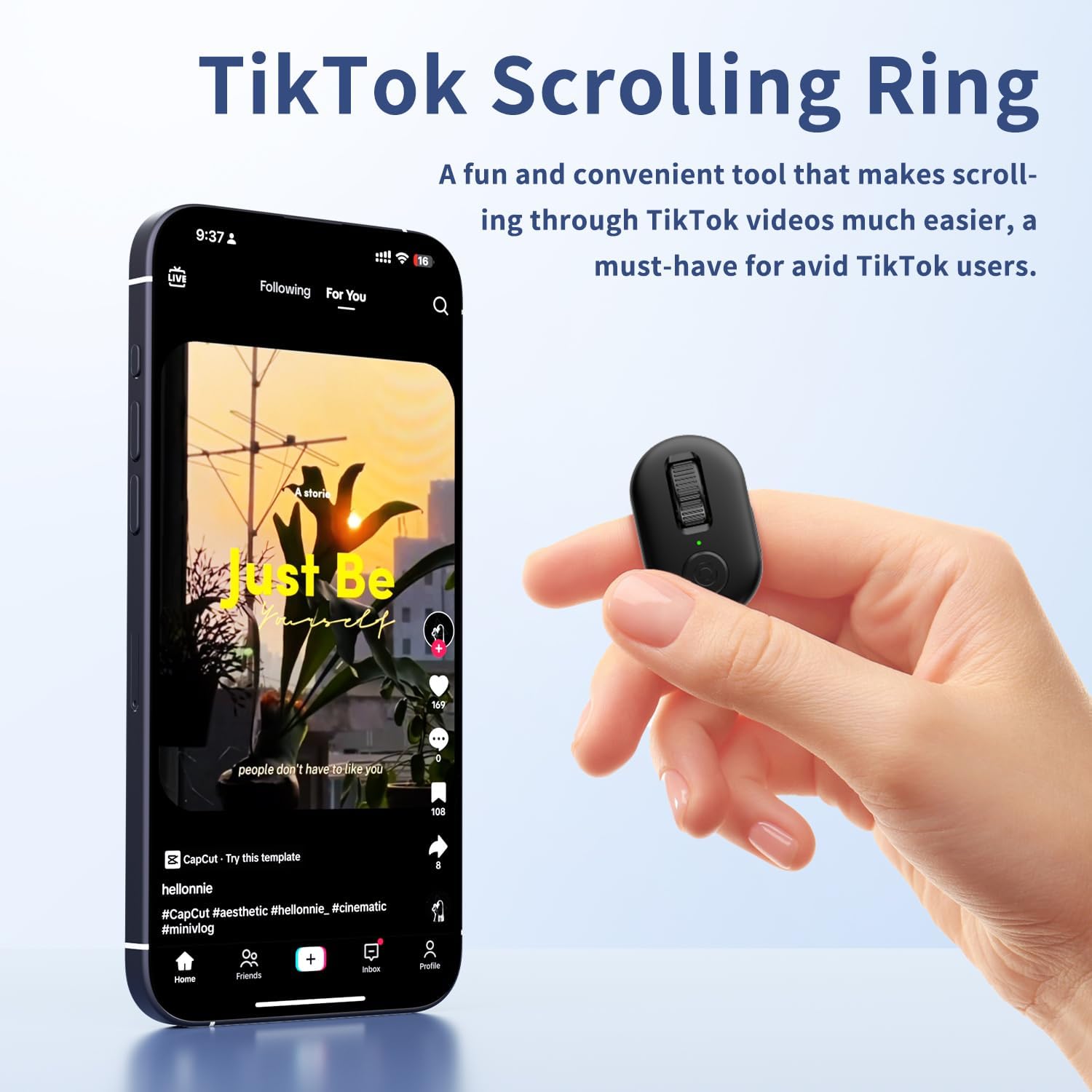
Figure 4.2: Hands-free TikTok scrolling with the KINMATES ring.
4.3 Ebook Page Turning
The ring functions as a convenient page turner for iPad and Android tablet e-book reading apps. The mute button ensures quiet operation, allowing for undisturbed reading, especially at night. Note: This device is not designed for Kindle devices like Paperwhite, Oasis, or Scribe.

Figure 4.3: Effortless e-book page turning with the KINMATES ring.
4.4 מיטל קאַמפּאַטאַבילאַטי
The KINMATES Scrolling Ring is compatible with the majority of iPhones, iPads, and Android devices. For iPhones or iPads, it requires iOS 14.8 or later.

Figure 4.4: Broad compatibility with popular mobile devices.
5. וישאַלט
5.1 רייניקונג
To maintain the performance and appearance of your scrolling ring, wipe it regularly with a soft, dry, lint-free cloth. Avoid using abrasive cleaners, solvents, or aerosol sprays directly on the device.
5.2 באַטערי קער
The device features a rechargeable battery. For optimal battery life, avoid fully discharging the battery frequently. Store the device in its charging case when not in use to keep it charged and protected. If storing for an extended period, ensure it has at least a 50% charge.
6. טראָובלעשאָאָטינג
| פּראָבלעם | מעגלעך סיבה | לייזונג |
|---|---|---|
| דיווייס נישט פארבינדן | Low battery; Bluetooth off on device; Out of range; Already paired to another device. | Charge the ring; Enable Bluetooth; Move closer to the device; Disconnect from other devices. |
| קאָנטראָלס אַנריספּאַנסיוו | Device not connected; App not compatible; Interference. | Re-pair the device; Check app compatibility; Move away from other wireless devices. |
| קורץ באַטאַרייע לעבן | Frequent usage; Old battery. | Ensure full charge before use; Contact support if battery life significantly degrades. |
7. ספּעסאַפאַקיישאַנז
- מאָדעל: T01
- סאָרט: קרובים
- קאָליר: שוואַרץ
- נומער וואָג: 3.52 אונסעס
- פּעקל דימענשאַנז: 4.06 X 3.5 X 1.54 אינטשעס
- קאַמפּאַטאַבאַל דעוויסעס: Tablet, Smartphone (Requires iOS 14.8+ for Apple devices)
- מאַקסימום נומער פון שטיצט דעוויסעס: 1 (at a time)
- ספּעציעלע שטריך: Page Turner for iPad & Android Tablet Ebook Reading, Tiktok Scrolling Ring
8. וואָראַנטי און שטיצן
For product support, technical assistance, or warranty inquiries, please contact KINMATES customer service at support@kinmates.com. Please provide your model number (T01) and a detailed description of your issue for prompt assistance.