
1. זיכערקייַט אינפֿאָרמאַציע
Please read all instructions carefully before using your Bukumo Home Safe Box. Keep this manual for future reference.
- Do not store backup keys inside the safe. Keep them in a secure, separate location.
- Ensure the safe is securely anchored to a wall or floor to prevent unauthorized removal.
- האַלט דעם זיכער אַוועק פון נאַס און דירעקטע היץ קוועלער.
- Do not attempt to force the safe open if the battery is dead or the code is forgotten. Use the backup keys.
- Change the default password immediately after initial setup.
- This safe is designed for security against theft. It is not certified as fireproof or waterproof.
2. פּעקל אינהאַלט
באַשטעטיקט אַז אַלע זאכן וואָס זענען אויסגערעכנט אונטן זענען אַרייַנגערעכנט אין אייער פּעקל:
- Bukumo Home Safe Box (1)
- Spare Key (2)
- באַניצער מאַנואַל (1)
- Expansion Screw (4)
- Inner Mat (1)

פיגור 2.1: איינגעשלאסענע אַקסעסאָריעס
3. פּראָדוקט איבערview
The Bukumo YS-HLAH-YFBW 3.1 Cub Home Safe Box is designed to secure your valuables with advanced features and robust construction.
3.1 שליסל פֿעיִקייטן
- גרויס קאַפּאַציטעט: External dimensions of 13.78'' (W) x 12.20'' (D) x 17.72'' (H) provide ample סטאָרידזש.
- שטאָל קאַנסטראַקשאַן: Features a 1.7'' (45mm) thickened alloy steel door with 3 x 0.7'' (20mm) solid steel structure locks.
- Anti-Pry Hinge: Hidden hinges prevent external damage and enhance security.
- צווייענדיק אַנלאַקינג מעטהאָדס: Access via a programmable electronic keypad or two backup keys.
- External Battery Case: Convenient design for easy battery replacement without opening the safe.
- שרעק סיסטעם: Activates after multiple incorrect password attempts, with a mute function.
- רימווואַבאַל פּאָליצע: Adjustable internal storage to accommodate various item sizes.
- געבויט-אין געפירט ליכט: Sensor-activated LED illuminates the interior in low-light conditions.
- Anchoring Design: Pre-drilled holes and included bolts for secure mounting to a wall or floor.

Figure 3.1: Safe Box Internal Capacity and Dimensions

Figure 3.2: Steel Construction and Locking Bolts
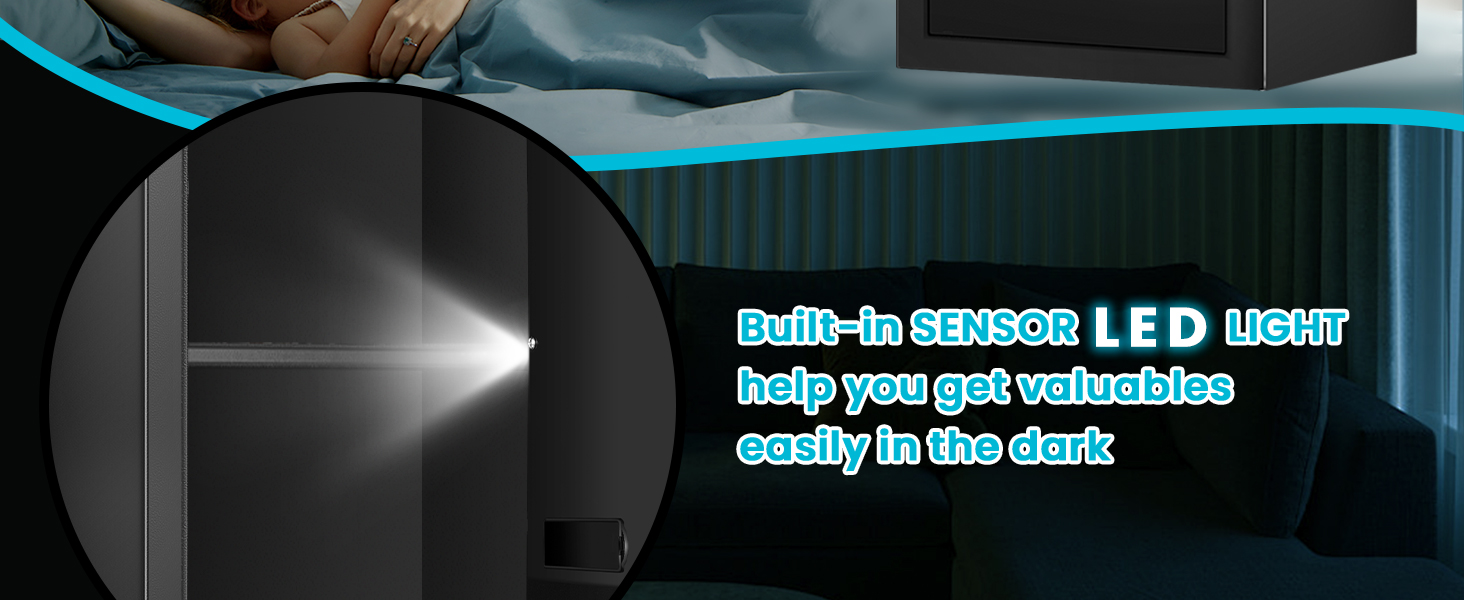
Figure 3.3: Built-in Sensor LED Light
4. סעטאַפּ
4.1 באַטאַרייע ייַנמאָנטירונג
The electronic keypad requires batteries to operate. The external battery case design allows for easy replacement.
- Locate the external battery case on the keypad unit.
- עפענען די באַטאַרייע פאַל דעקן.
- אַרײַנשטעלן די נויטיקע צאָל AA באַטעריעס (נישט אַרייַנגערעכנט), און זיכער מאַכן אַז די פּאָלאַריטעט איז ריכטיק.
- פֿאַרמאַכט דעם דעקל פֿון דער באַטעריע־קעסטל זיכער.

Figure 4.1: External Battery Box Design
4.2 Anchoring the Safe
For enhanced security, it is recommended to anchor the safe to a wall or floor using the provided expansion screws.
- Choose a suitable location for the safe, such as a closet or against a sturdy wall.
- Mark the positions for drilling through the pre-drilled holes on the back or bottom of the safe.
- Drill pilot holes in the wall or floor at the marked positions.
- Align the safe with the drilled holes and secure it using the expansion screws.

Figure 4.2: Wall or Closet Mounting Steps

Figure 4.3: Pre-drilled Holes and Mounting Hardware
5. אַפּערייטינג ינסטרוקטיאָנס
5.1 Initial Opening and Setting Your Password
Upon first use, the safe can be opened with the backup key or the default password "159". It is crucial to change this default password immediately.
- Using the Backup Key: Insert one of the spare keys into the keyhole, turn it clockwise, and then turn the handle to open the safe door.
- Using the Keypad (Default Password): Enter "159" on the keypad, then turn the handle to open the safe door.
- באַשטעטיקן אַ נייַ פּאַראָל:
- With the safe door open, press the red reset button located on the inside of the door.
- Enter your new 3-8 digit password on the keypad.
- Press the "#" button to confirm. The indicator light will flash, confirming the new password is set.

Figure 5.1: Two Unlocking Ways (Keypad and Key)

Figure 5.2: Password and Key Unlocking Modes
5.2 פארשליסן דעם זיכער
To lock the safe, simply close the door and turn the handle counter-clockwise until it is fully engaged. The electronic lock will automatically secure the bolts.
5.3 Alarm System and Mute Function
דער זיכער איז אויסגעשטאַט מיט אַן אַלאַרם סיסטעם צו פאַרהיטן נישט-אָטעריזירטן צוטריט.
- פאַלש צוטריט אַלאַרם: If an incorrect password is entered three consecutive times, the safe will emit a continuous warning sound for 60 seconds. If six consecutive incorrect passwords are entered, the keypad will lock for 5 minutes. The alarm can be stopped by removing batteries.
- שטום פֿונקציע: To turn off the alarm sound (silent mode), long press the "1" button on the keypad. Long press "1" again to reactivate the sound.
- דערמאָנונג פֿאַר נידעריק באַטאַרייע: The safe will indicate low battery status, prompting you to replace the batteries.

Figure 5.3: Anti-Theft Alarm System Features

Figure 5.4: Dual Alarm System Details
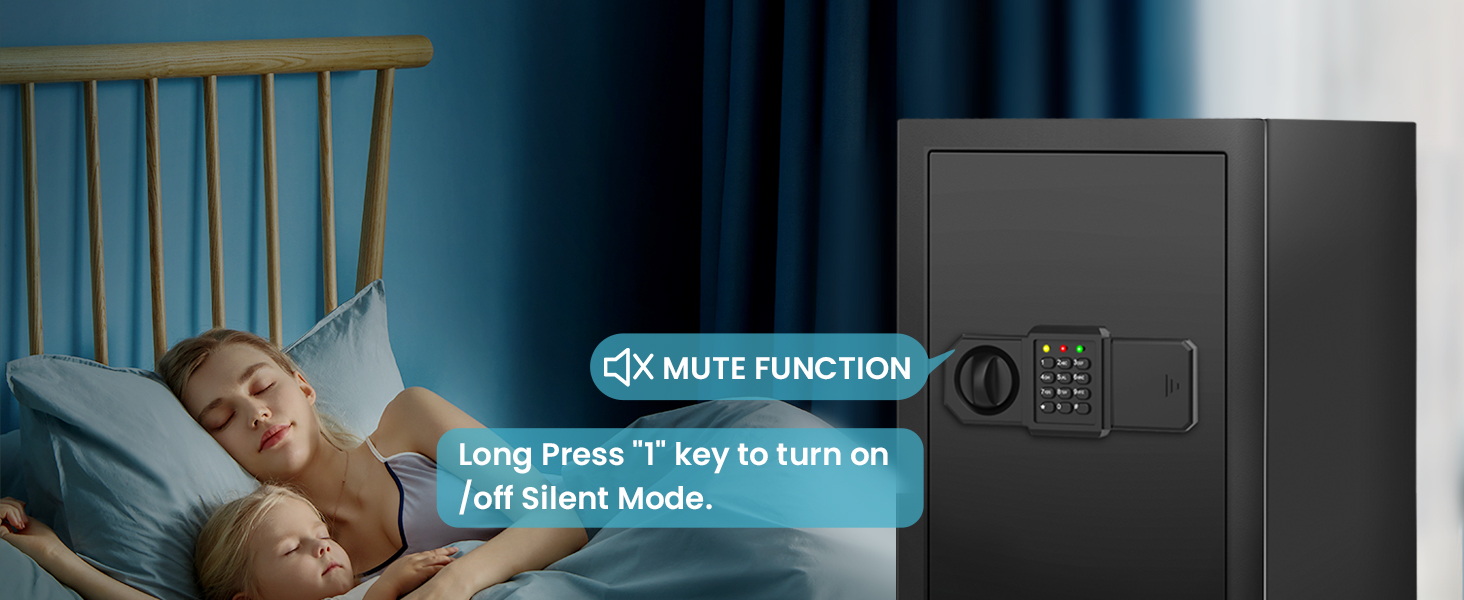
Figure 5.5: Mute Function for Silent Operation
5.4 רימווואַבאַל פּאָליצע
The safe includes a removable shelf to help organize your valuables. You can adjust its position or remove it entirely to accommodate larger items.

Figure 5.6: Removable Shelf for Organization

Figure 5.7: Safe Interior With and Without Shelf
6. וישאַלט
- רייניקונג: ווישט אָפּ די אויסערלעכע זייט פון זיכער מיט אַ ווייכן, דamp שטאָף. פֿאַרמײַדט אַברייסיוו רייניגער אָדער סאָלווענטן.
- באַטערי פאַרבייַט: Replace batteries promptly when the low battery indicator appears to ensure continuous operation of the electronic lock.
- שליסל וישאַלט: Keep backup keys clean and dry. Do not lubricate the keyhole.
- רעגולער טשעקס: Periodically check the locking bolts and hinges for any signs of wear or damage.
7. טראָובלעשאָאָטינג
| פּראָבלעם | מעגלעך סיבה | לייזונג |
|---|---|---|
| Safe does not open with keypad. | אומרעכט פּאַראָל איז אַרײַנגעגעבן געוואָרן. באַטעריז זענען נידעריק אָדער טויט. Keypad is locked due to multiple incorrect attempts. | אַרייַן די ריכטיק פּאַראָל ווידער. Replace batteries in the external battery case. Wait 5 minutes for the keypad to unlock, or use the backup key. |
| אַן אַלאַרם קלינגט אומגעריכט. | Multiple incorrect password entries. זיכער איז געוועןampגערירט מיט. | אַרייַן די ריכטיק פּאַראָל. Check the safe for signs of forced entry. |
| די זיכערע טיר שליסט זיך נישט ריכטיג. | שטערונג אין טיר ראַם. די שלאָס באָלץ ציען זיך נישט אינגאַנצן צוריק. | אַראָפּנעמען קיין אַבסטראַקשאַנז. Ensure the handle is fully turned to retract bolts. If issue persists, contact customer support. |
| געפירט ליכט נישט ארבעטן. | באַטעריז זענען נידעריק אָדער טויט. סענסאָר מאַלפאַנגקשאַן. | פאַרבייַטן באַטעריז. קאָנטאַקטירט קונה שטיצע אויב די פּראָבלעם בלייבט נאָך באַטאַרייע פאַרבייַט. |
8. ספּעסאַפאַקיישאַנז
| שטריך | דעטאַל |
|---|---|
| סאָרט | Bukumo |
| מאָדעל נומער | YS-HLAH-YFBW |
| פונדרויסנדיק דימענשאַנז (ד x וו x ה) | 12.2" x 13.78" x 17.72" (31 ס״מ x 35 ס״מ x 45 ס״מ) |
| קאַפּאַציטעט | 3.1 Cubic Feet (14 Kilograms) |
| מאַטעריאַל | אַללוי סטיל |
| לאַק טיפּ | Electronic Combination Lock, Backup Key |
| מאַונטינג טיפּ | Wall/Floor Mount |
| ספּעציעלע פֿעיִקייטן | Alarm System, Anti-Theft, Removable Shelf, Sensor Light |
| פּונקט וואָג | 27.5 פונט |
| וואַסער קעגנשטעל מדרגה | Water Resistant (Note: Not certified waterproof) |
| באַטעריז פארלאנגט | יא (AA, נישט אריינגערעכנט) |
9. וואָראַנטי און שטיצן
9.1 פּראָדוקט וואָראַנטי
Bukumo offers a five-year free product warranty. During this period, if your product experiences any quality issues, we will provide repair services and supply necessary spare parts.
9.2 Free Replacement Policy
For products that arrive in damaged condition, please send us photos of the damaged safe. You will receive a free replacement without the need to return the original damaged item.
9.3 קונה שטיצן
If you encounter any problems while using our products, please feel free to contact us. We are committed to providing a satisfying solution within 24 hours.
פֿאַר שטיצע, ביטע באַזוכט די Bukumo Store on Amazon or refer to the contact information provided with your purchase.