
1. הקדמה
Welcome to the SIMATE 6.5-inch Bluetooth Scooter user manual. This guide provides essential information for the safe and efficient operation, setup, and maintenance of your new electric scooter. Please read this manual thoroughly before first use to ensure proper function and to prevent damage or injury.
2. זיכערקייַט גיידליינז
ווארענונג: נישט נאכפאלגן די זיכערהייט אינסטרוקציעס קען רעזולטירן אין ערנסטע שאָדן אדער טויט.
- Always wear appropriate safety gear, including a helmet, knee pads, and elbow pads, when operating the scooter.
- Ensure the scooter is fully charged and in good working condition before each use.
- Do not ride on public roads, near motor vehicles, or in heavy pedestrian traffic.
- Avoid riding on uneven surfaces, steep inclines (maximum 15-degree slope), or slippery conditions.
- The maximum load capacity for this scooter is 220 lbs (approximately 100 kg). Do not exceed this limit.
- Children should only operate the scooter under direct adult supervision.
- This product has achieved UL2272 Safety Certification from SGS, complying with U.S. safety regulations.
- Do not attempt to modify the scooter or its components.
- מאַכט זיך באַקאַנט מיט די לאָקאַלע געזעצן און רעגולאַציעס וועגן דעם באַניץ פון עלעקטרישע סקוטער.
3. וואָס איז אין דער קעסטל
Upon opening your SIMATE 6.5-inch Bluetooth Scooter package, you should find the following items:
- SIMATE 6.5-inch Bluetooth Scooter
- באַניצער מאַנואַל (דעם דאָקומענט)
- טשאַרדזשינג אַדאַפּטער
4. סעטאַפּ
4.1. Charging the Scooter
Before first use, fully charge your SIMATE scooter. A full charge typically takes 2-3 hours.
- Locate the charging port on the side of the scooter.
- פֿאַרבינדט דעם טשאַרדזשינג אַדאַפּטער צום סקוטער'ס טשאַרדזשינג פּאָרט.
- שטעקט אריין דעם טשאַרדזשינג אַדאַפּטער אין אַ נאָרמאַלן וואַנט ווענטיל.
- The battery indicator light on the scooter will show the charging status. It will typically turn green when fully charged.

4.2. ערשטע איינשאַלטונג
To power on your scooter:
- Press and hold the power button located near the center of the scooter.
- The scooter will emit an audible signal, and the LED lights will illuminate, indicating it is ready for use.
4.3. אַפּ ינסטאַלירונג און קאַנעקשאַן
Enhance your riding experience by connecting your scooter to the exclusive SIMATE app, "XsCar".
- Download the "XsCar" app from your device's app store.
- זיכער מאַכן אַז אייער סקוטער איז אנגעצינדן און בלועטוט איז ענייבאַלד אויף אייער מאָביל מיטל.
- Open the "XsCar" app and follow the on-screen instructions to pair with your SIMATE scooter.
- Through the app, you can control various functions including power on/off, adjusting lights, monitoring speed and battery power, and setting speed modes.

5. Operating Your SIMATE Scooter
5.1. יקערדיק אָפּעראַציע
The SIMATE scooter features a self-balancing control system designed for ease of use. Practice in a safe, open area before riding in more challenging environments.
- Step onto the footpads one foot at a time, ensuring the scooter remains level.
- Lean gently in the direction you wish to move. Slight pressure from your feet on the footpads controls acceleration and turning.
- To stop, slowly shift your weight back to a neutral position.
5.2. גיכקייט מאָדעס
The scooter offers three adjustable speed modes to suit different skill levels:
- זיכער מאָדע: Maximum speed 5 mph (suitable for beginners).
- אָנהייבער מאָדע: Maximum speed 6.5 mph (suitable for novices).
- ספּאָרט מאָדע: Maximum speed 7.5 mph (suitable for proficient users).
These modes can be selected via the "XsCar" app.
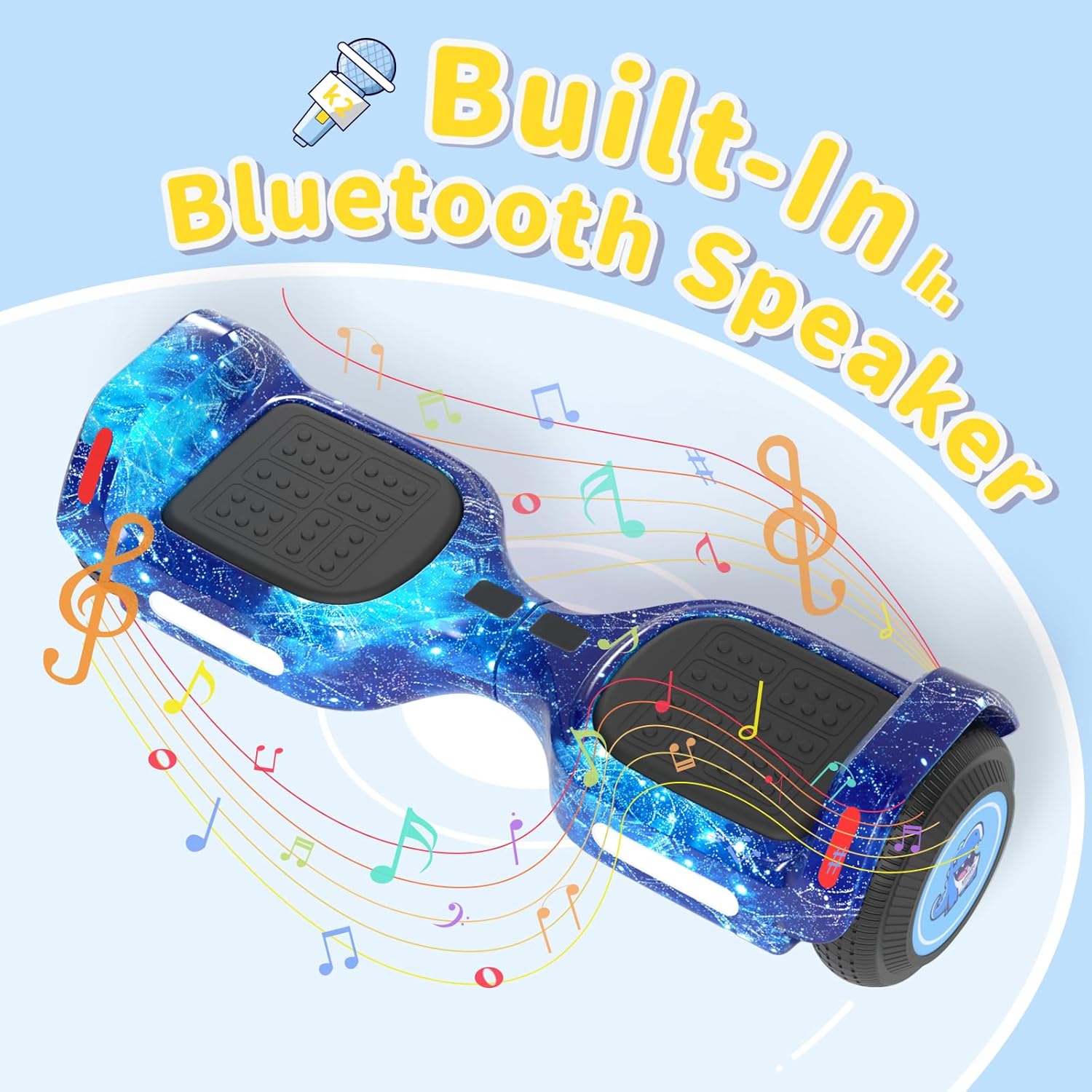
5.3. בלועטאָאָטה רעדנער
Your SIMATE scooter includes a built-in Bluetooth speaker for music playback.
- זייט זיכער אז דער סקוטער איז אנגעצינדן.
- געבן בלועטאָאָטה אויף דיין רירעוודיק מיטל.
- זוכן פֿאַר and connect to the scooter's Bluetooth device name (usually "SIMATE Scooter" or similar).
- Once connected, you can play audio from your device through the scooter's speaker.
5.4. געפירט לייץ
The scooter is equipped with colorful LED lights and flashing wheels for enhanced visibility and aesthetics.
- The LED lights automatically activate when the scooter is powered on.
- Light patterns and colors may be adjustable via the "XsCar" app.

6. וישאַלט
Regular maintenance ensures the longevity and optimal performance of your SIMATE scooter.
- רייניקונג: ווישט אויס דעם סקוטער מיט אדווערטייזמענטamp cloth after use. Do not use harsh chemicals or abrasive cleaners. Avoid direct water spray.
- סטאָרידזש: האַלט דעם סקוטער אין אַ קיל, טרוקן אָרט אַוועק פון דירעקט זונשייַן און עקסטרעמע טעמפּעראַטורן.
- באַטערי זאָרגן: Charge the battery regularly, even if not in use, to maintain battery health. Do not allow the battery to fully discharge for extended periods.
- טירעס: The scooter features 6.5-inch solid rubber wheels, which require minimal maintenance. Periodically check for debris or damage.
7. טראָובלעשאָאָטינג
If you encounter issues with your SIMATE scooter, refer to the following common problems and solutions:
| פּראָבלעם | מעגלעך סיבה | לייזונג |
|---|---|---|
| סקוטער גייט נישט אן. | נידעריגע באַטעריע אדער מאַכט קנעפּל נישט ריכטיק געדריקט. | Charge the scooter fully. Ensure the power button is pressed firmly for a few seconds. |
| Scooter is not balancing correctly. | Incorrect foot placement or calibration issue. | Ensure feet are centered on the footpads. Refer to the app for calibration options if available. Practice balancing in a safe area. |
| בלועטוט רעדנער פֿאַרבינדט זיך נישט. | Bluetooth not enabled on device, scooter not discoverable, or already paired. | Ensure scooter is on and Bluetooth is active on your phone. Forget previous connections and try pairing again. |
| פֿאַרקלענערטע ראַנגע אָדער גיכקייט. | Low battery, riding conditions, or excessive load. | Charge the scooter fully. Avoid riding on steep inclines or with loads exceeding 220 lbs. |
8. ספּעסאַפאַקיישאַנז
| שטריך | דעטאַל |
|---|---|
| מאָדעל נומער | K2 |
| ראָד גרייס | 6.5 inches (Solid Rubber) |
| מאַקסימום גיכקייַט | 7.5 Miles per Hour (adjustable modes) |
| מאַקסימום קייט | Up to 7.5 miles (on a full charge) |
| מאָטאָר מאַכט | צווייענדיק 250 וו מאָטאָרס |
| מאַקסימום מאַסע | 220 לבס |
| מאַקסימום ינקליין | 15 דיגריז |
| טשאַרדזשינג צייט | 2-3 שעה |
| מאַטעריאַל | אַלומינום, גומע |
| ספּעציעלע פֿעיִקייטן | Built-In Bluetooth Speaker, Colorful LED Lights, Light-Up Wheels, App Control |
| Safety Certification | UL2272 (SGS Certified) |
| נומער דימענשאַנז (LxWxH) | 24 X 8 X 8 אינטשעס |
| פּעקל וואָג | 6.35 קילאָגראַמס |
9. וואָראַנטי און שטיצן
9.1. וואָראַנטי אינפֿאָרמאַציע
The SIMATE 6.5-inch Bluetooth Scooter comes with a 1 יאָר וואָראַנטי פֿון דעם קויפֿדאַטום. די וואָראַנטי דעקט פֿאַבריקאַציע־דעפֿעקטן אונטער נאָרמאַלן באַנוץ. עס דעקט נישט קיין שאָדן פֿאַראורזאַכט דורך אומרעכטן באַנוץ, אומגליקן, נישט־אָטעריזירטע מאָדיפֿיקאַציעס, אָדער נישט נאָכפֿאָלגן די אינסטרוקציעס אין דעם מאַנואַל.
ביטע האַלטן דיין דערווייַז פון קויפן פֿאַר וואָראַנטי קליימז.
9.2. קונה שטיצן
For any questions, technical assistance, or warranty inquiries, please contact SIMATE US customer support. Our team is available to assist you with any issues you may encounter.
Contact information for SIMATE US can typically be found on the product packaging, the official SIMATE webזייטל, אדער דורך אייער קויפן פּלאַטפאָרמע.