
1. הקדמה
Thank you for choosing the Holyton Drone Strobe Light. This anti-collision lamp is designed to enhance the visibility of your drone during night flights and in various other scenarios. It features multiple colors and modes, ensuring compliance with aviation regulations and improving safety. Please read this manual thoroughly before use to ensure proper operation and maintenance.
2. זיכערקייַט אינפֿאָרמאַציע
- Always ensure the strobe light is securely attached to your drone or other object before operation.
- Adhere to all local aviation authority regulations regarding drone lighting, especially for night flying. This light meets FAA requirements for anti-collision lighting.
- Do not expose the device to extreme temperatures, direct sunlight for prolonged periods, or moisture.
- האַלטן אויס פון דערגרייכן פון קינדער.
- Do not attempt to disassemble or modify the light, as this will void the warranty and may cause damage.
3. פּעקל אינהאַלט
- Holyton Drone Strobe Light (1 unit)
- וסב טשאַרדזשינג קאַבלע
- Mounting Accessories (e.g., adhesive pads, rubber bands)
- באַניצער מאַנואַל
4. פּראָדוקט פֿעיִקייטן
- הויך וויזאַביליטי: 120 lumens brightness with 360° coverage.
- Multiple Colors & Modes: 7 switchable colors and 7 adjustable flashing modes.
- קריקאָנלאָדלעך באַטערי: Provides extended use time after a quick charge.
- לייטווייט און סאָליד: Weighs only 6.5g, ideal for various drones and other applications.
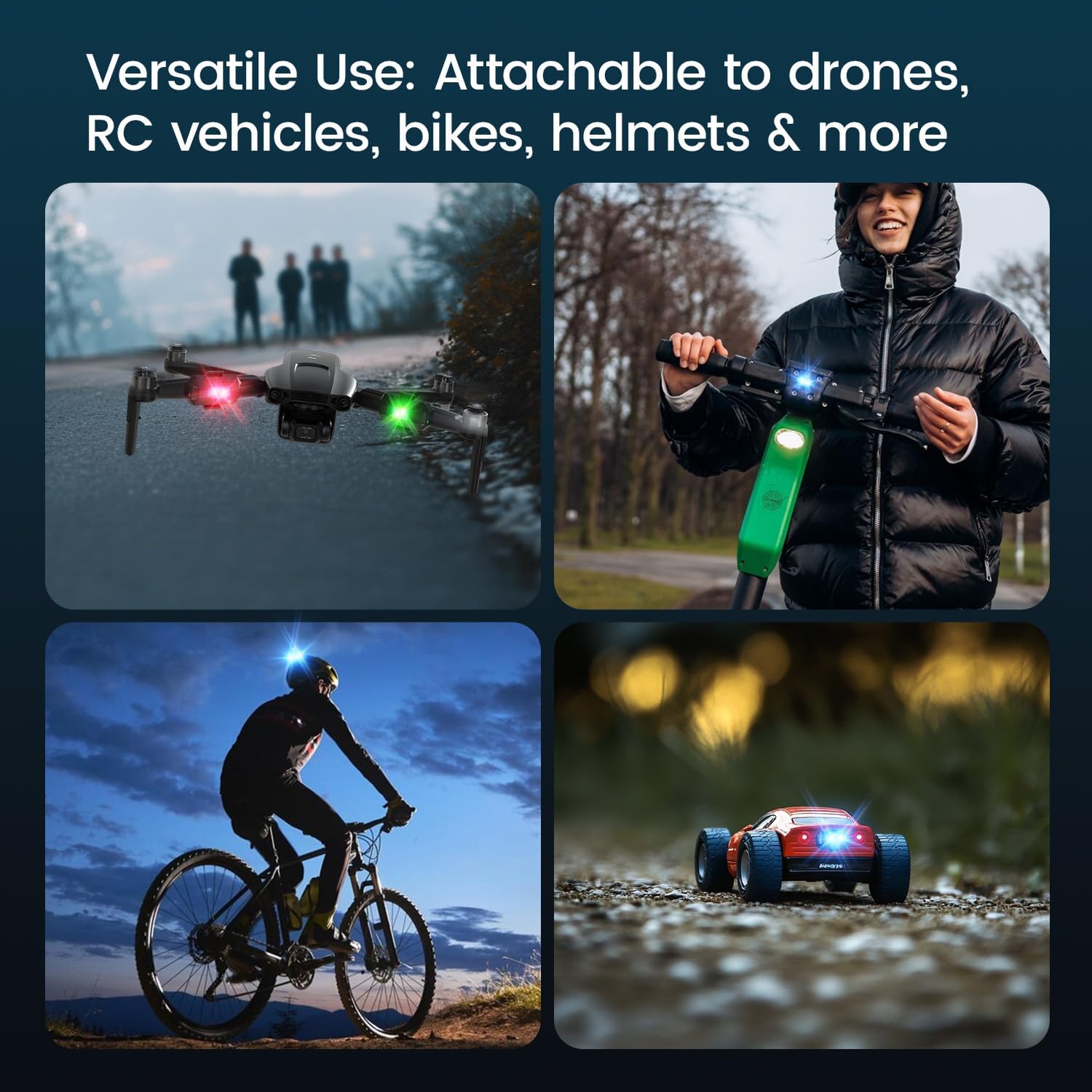
- ווערסאַטאַל אַפּלאַקיישאַן: Suitable for drones, RC vehicles, bicycles, motorcycles, helmets, and more.
- FAA Compliant: Meets requirements for anti-collision lighting during night flights.
5. סעטאַפּ און ייַנמאָנטירונג
5.1 ערשט אָפּצאָל
Before first use, fully charge the strobe light. Refer to Section 6 for charging instructions.
5.2 Mounting the Strobe Light
The Holyton Drone Strobe Light can be attached to various objects using the provided mounting accessories. For drones, ensure the light does not interfere with propellers, sensors, or flight stability.
- ריין ייבערפלאַך: Ensure the mounting surface on your drone or object is clean and dry.
- צולייגן קלעפּיק: Peel the backing from an adhesive pad and firmly press it onto the designated area on the strobe light.
- Attach to Drone: Peel the remaining backing from the adhesive pad and attach the strobe light to your drone. Apply firm pressure for a few seconds to ensure a secure bond. Alternatively, use rubber bands or other suitable fasteners for temporary attachment.

6. אַפּערייטינג ינסטרוקטיאָנס
6.1 מאַכט אויף / אַוועק
- מאַכט אויף: Press and hold the power button for approximately 2 seconds until the light illuminates.
- מאַכט אַוועק: דריק און האלט דעם מאַכט קנעפּל פֿאַר אַרום 2 סעקונדעס ביז די ליכט גייט אויס.
6.2 Changing Colors and Modes
The strobe light offers 7 different colors and 7 distinct flashing modes.
- טוישן קאָליר: While the light is on, short press the power button to cycle through the available colors (e.g., white, red, green, blue, yellow, pink, ice blue).
- טוישן מאָדע: Double-press the power button quickly to cycle through the different flashing modes (e.g., constant, slow flash, fast flash, alternating colors).

7. טשאַרדזשינג
The Holyton Drone Strobe Light is equipped with a rechargeable Lithium Ion battery.
- טשאַרדזשינג פּאָרט: מיקראָ וסב
- טשאַרדזשינג צייט: Approximately 12 minutes for a full charge.
- ניצן צייט: Up to 5 hours on a full charge, depending on the selected mode and color.
To charge, connect the provided USB charging cable to the Micro USB port on the strobe light and plug the other end into a standard USB power source (e.g., computer, wall adapter).

8. וישאַלט
- רייניקונג: ניצט אַ ווייכע, טרוקענע שטאָף צו רייניקן די ליכט. ניצט נישט קיין שאַרפע כעמיקאַלן אדער שאַרפע מאַטעריאַלן.
- סטאָרידזש: Store the strobe light in a cool, dry place away from direct sunlight when not in use.
- באַטערי זאָרגן: פֿאַר אַן אָפּטימאַלן באַטעריע לעבן, פֿאַרמייַדט צו גאָר אויסלאָדן די באַטעריע אָפט. לאָדט די דעווייס רעגולער, אפילו אויב נישט אין באַנוץ, צו האַלטן די באַטעריע געזונט.
9. טראָובלעשאָאָטינג
| פּראָבלעם | מעגלעך סיבה | לייזונג |
|---|---|---|
| ליכט טוט נישט קער אויף. | באַטערי איז דיפּליטיד. | Charge the strobe light fully. |
| ליכט טוט נישט אָפּצאָל. | די טשאַרדזשינג קאַבל אָדער מאַכט מקור איז דעפעקט. | Try a different USB cable or power adapter. Ensure the Micro USB connector is inserted correctly. |
| ליכט איז נישט העל גענוג. | Low battery or incorrect mode. | Charge the device. Ensure a bright mode is selected (e.g., constant white light). |
| Light falls off during use. | Improper mounting or worn adhesive. | Ensure the mounting surface is clean and dry. Use new adhesive pads or more secure fastening methods. |
10. ספּעסאַפאַקיישאַנז
| שטריך | דעטאַל |
|---|---|
| מאָדעל נומער | US03A76731000HT70402 |
| סאָרט | האָליטאָן |
| קאָליר | שוואַרץ |
| פאָרעם | רעקטאַנגגיאַלער |
| ענדיקן טיפּ | פּאַינטעד |
| ליכט מקור טיפּ | ליכט ימיטינג דיאָדע (LED) |
| שאָטן מאַטעריאַל | פּלאַסטיק |
| פּונקט וואָג | 0.352 אונסעס (בעערעך 10 גראַמז) |
| נומער פון באַטעריז | 1 ליטהיום יאָן (אַרייַנגערעכנט) |
| סטייל | סאָליד |
| ברייטנאַס | 120 Lumens (Maximum Light Output) |
| מאַונטינג טיפּ | Drone Mount (Adhesive/Strap) |
| ציבעלע פֿעיִקייטן | Strobe, Flashing, Anti-Collision, Search and Rescue |
| פּראָדוקט דימענשאַנז | 1"L x 1"W x 1"H (approximately) |

11. וואָראַנטי און שטיצן
Holyton products are designed for reliability and performance. This product comes with a standard manufacturer's warranty against defects in materials and workmanship. Please refer to the product packaging or our official webזייטל פֿאַר ספּעציפֿישע וואָראַנטי טערמינען און באַדינגונגען.
For technical support, troubleshooting assistance, or warranty claims, please contact our customer service team:
- בליצפּאָסט: holyton@foxmail.com
- טעלעפֿאָן: +1 (866) 514-8669
Our support team is available to assist you within 24 hours.