
Codnida COD-214
Codnida 4MP Outdoor Surveillance Camera System (Model COD-214) - User Manual
קאָמפּרעהענסיווע אינסטרוקציעס פֿאַר סעטאַפּ, אָפּעראַציע און וישאַלט.
1. הקדמה
Thank you for choosing the Codnida 4MP Outdoor Surveillance Camera System. This manual provides detailed instructions to help you install, operate, and maintain your security system effectively. Please read this manual thoroughly before use and retain it for future reference.
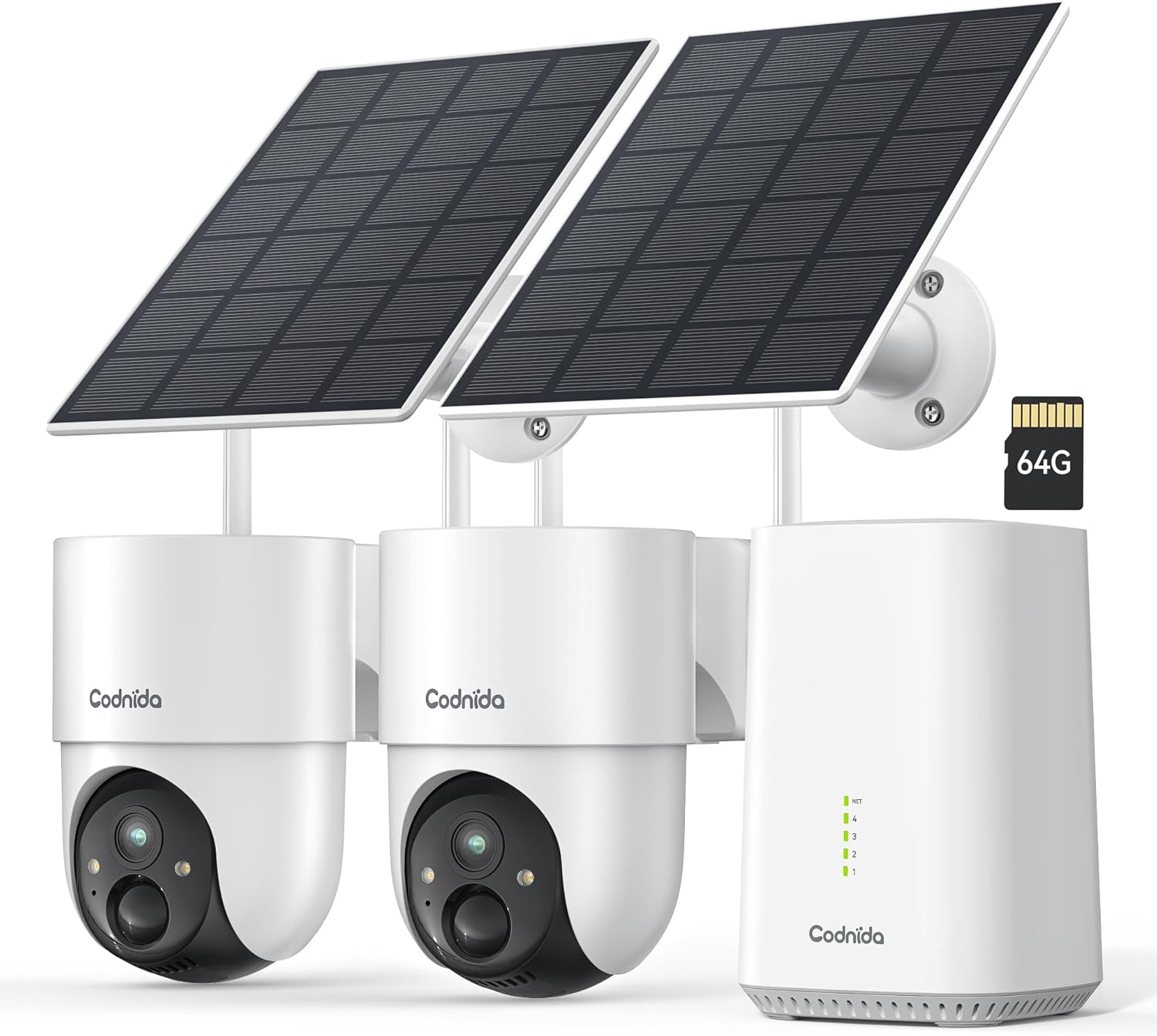
Image 1.1: Codnida 4MP Outdoor Surveillance Camera System components.
2. פּעקל אינהאַלט
באַשטעטיקט אַז אַלע זאכן וואָס זענען אויסגערעכנט אונטן זענען אַרייַנגערעכנט אין אייער פּעקל. אויב עפּעס פעלנדיק אָדער צעבראָכן, ביטע קאָנטאַקטירט קונה שטיצע.
- 2 x Codnida 4MP Outdoor Cameras
- 2 רענטגענ זונ פּאַנאַלז
- 1 רענטגענ באַזע סטאנציע
- 1 x HDMI קאַבלע
- 1 x מאַכט אַדאַפּטער מיט קאַבלע
- 1 x 64GB TF Memory Card (pre-installed or separate)
- 1 רענטגענ קאַבלע
- 4 רענטגענ מאַונטינג סקרוז
- 2 x ווארענונג סטיקערס
- 1 x באַניצער מאַנואַל (דאָס דאָקומענט)
3. סעטאַפּ גייד
3.1 Base Station Connection
- Connect the Base Station to a power outlet using the provided power adapter.
- Connect the Base Station to your router using the provided network cable.
- Optionally, connect the Base Station to a TV or monitor using the HDMI cable for a larger display.
3.2 אַפּאַראַט ינסטאַלירונג
The cameras are designed for outdoor use and are solar-powered, minimizing the need for frequent battery charging.
- Choose a mounting location that provides optimal sunlight exposure for the solar panel and a clear view פון די געגנט איר ווילן צו מאָניטאָר.
- Mount the camera and solar panel securely using the provided screws. Ensure the solar panel is angled to receive maximum direct sunlight.
- Connect the solar panel cable to the camera.
- Ensure the camera is within range of the Base Station's Wi-Fi signal (2.4 GHz or 5 GHz).
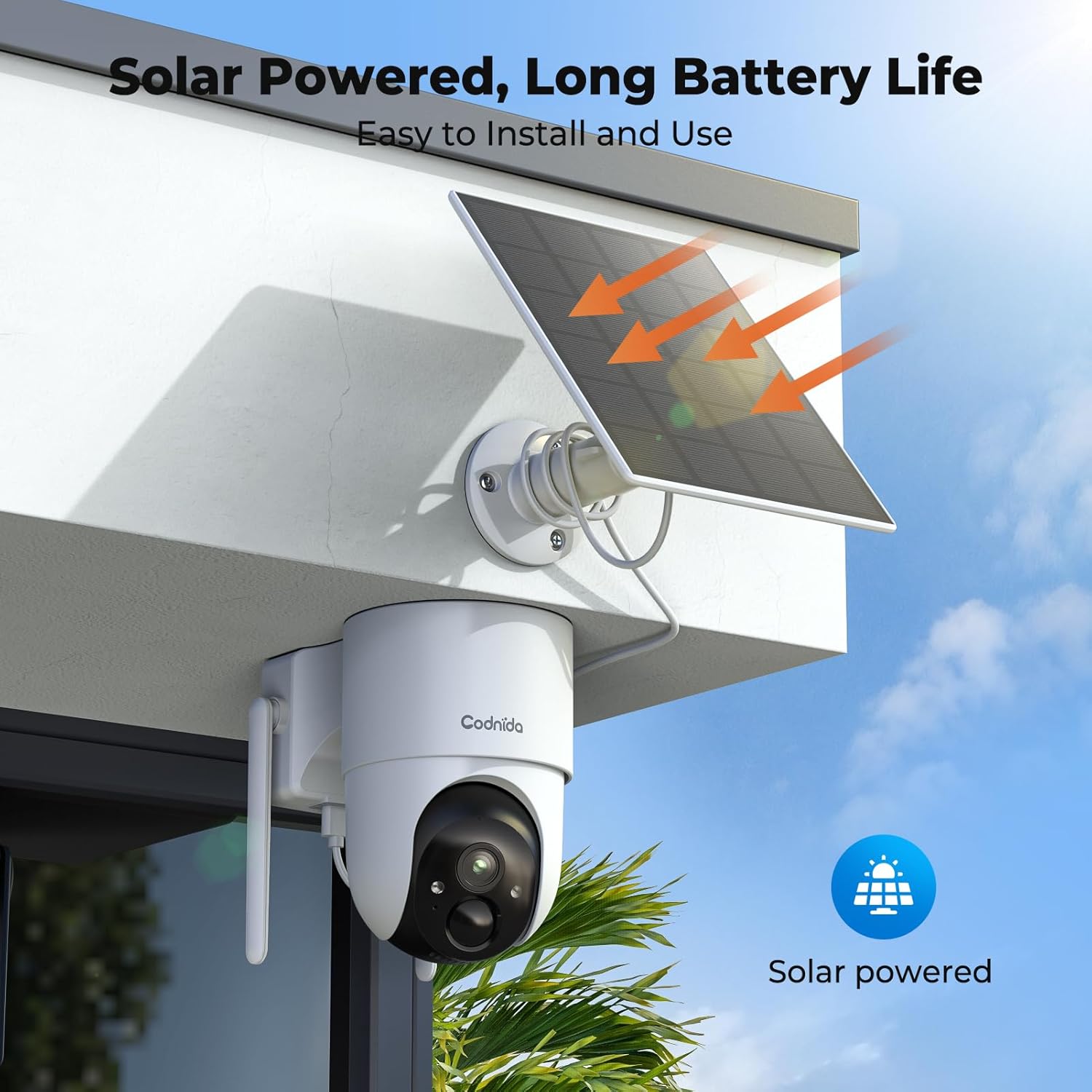
בילד 3.2.1: עקס.ample of solar-powered camera installation.
3.3 אַפּ סעטאַפּ (EseeCloud)
- Download the "EseeCloud" app from your smartphone's app store.
- רעגיסטרירט זיך פֿאַר אַ חשבון אָדער לאָגט זיך איין אויב איר האָט שוין איינס.
- Follow the in-app instructions to add your Base Station and cameras. This typically involves scanning a QR code or manually entering device IDs.
- אַמאָל קאָננעקטעד, איר קענען view live feeds, access recordings, and configure settings.
4. אַפּערייטינג ינסטרוקטיאָנס
4.1 לעבן View און רעקאָרדינג
Access the EseeCloud app or a connected monitor to view לעבן פאָאָtage from your cameras. The system supports 24/7 recording to the included 64GB TF card, providing up to 120 days of video storage.

בילד 4.1.1: לעבעדיק view display on a monitor.
4.2 פּאַן-טילט-זום (PTZ) קאָנטראָל
The cameras offer 355° pan and 90° tilt capabilities, providing a 360° view of your surroundings. Control these movements directly from the EseeCloud app.

Image 4.2.1: Pan-Tilt control via EseeCloud app.
4.3 באַוועגונג דעטעקציע און וואָרענונגען
The system features PIR motion detection, capable of identifying persons, vehicles, and animals. You will receive real-time notifications on your smartphone when motion is detected in designated areas.

Image 4.3.1: PIR motion detection identifying objects.
4.4 נאַכט זעאונג
The cameras provide crystal clear 4MP video quality, including two night vision modes: infrared and color night vision, effective up to 15 meters (65 feet).
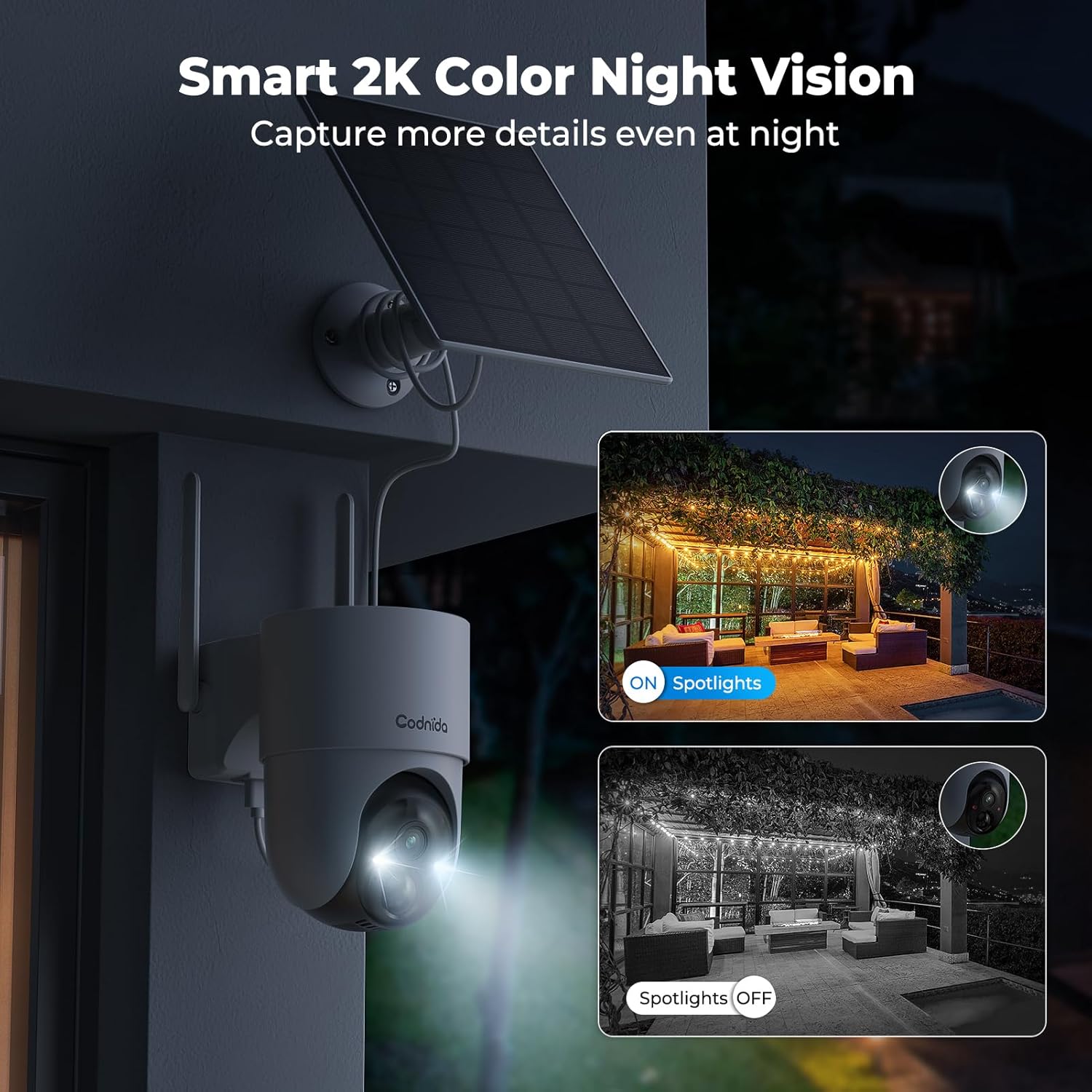
Image 4.4.1: Smart 2K color night vision with spotlights.
4.5 צוויי-וועג אַודיאָ
Utilize the built-in microphone and speaker for two-way communication through the EseeCloud app. This allows you to speak to visitors or deter intruders remotely.

Image 4.5.1: Two-way audio functionality via smartphone.
5. וישאַלט
5.1 זונ פּאַנעל זאָרג
Regularly clean the surface of the solar panels to ensure optimal charging efficiency. Dust, dirt, and debris can reduce sunlight absorption. Use a soft, damp שטאָף פֿאַר רייניקונג.
5.2 קאַמעראַ רייניקונג
Wipe the camera lens and body with a soft, lint-free cloth to remove any smudges or dirt. Avoid using harsh chemicals that could damage the camera's finish or lens coating. The cameras are IP65 water-resistant, designed to withstand rain and snow.

Image 5.2.1: IP65 water resistance for all-weather protection.
5.3 פירמוואַרע דערהייַנטיקונגען
Periodically check the EseeCloud app for available firmware updates. Keeping your device's firmware updated ensures optimal performance, security, and access to new features.
6. טראָובלעשאָאָטינג
| פּראָבלעם | מעגלעך סיבה | לייזונג |
|---|---|---|
| Camera not connecting to Base Station | Out of range; Wi-Fi interference; incorrect pairing. | Move camera closer to Base Station; reduce interference; re-pair camera via EseeCloud app. |
| קיין ווידעא קאָרמען | Camera offline; network issue; power issue. | Check camera power and network connection; restart Base Station and router. |
| נעבעך בילד קוואַליטעט | Dirty lens; low network bandwidth; app setting. | Clean camera lens; ensure stable Wi-Fi; select HD quality in EseeCloud app. |
| זונ טאַפליע איז נישט טשאַרדזשינג | נישט גענוג זונשייַן; שמוציג פּאַנעל; דעפעקטיווע פֿאַרבינדונג. | Relocate panel for more sun; clean panel surface; check cable connection. |
| באַוועגונג וואָרענונגען אַרבעטן נישט | באַוועגונג דעטעקציע דיסייבאַלד; פאַלשע סענסיטיוויטי; אַפּ אָנזאָג סעטטינגס. | Enable motion detection in app; adjust sensitivity; check phone notification settings for EseeCloud. |
7. ספּעסאַפאַקיישאַנז
| שטריך | דעטאַל |
|---|---|
| מאָדעל | COD-214 (D214) |
| ווידעא האַכלאָטע | 4MP (1440p recording) |
| Viewינג אַנגלע | 360 גראַד (355° דריי, 90° בייג) |
| נאַכט וויזשאַן ראַנגע | 15 מעטער (65 פֿיס) |
| סטאָרידזש | 64 גיגאבייט TF קאַרטל (אריינגערעכנט) |
| קאַנעקטיוויטי | Wireless (Wi-Fi 2.4GHz/5GHz), HDMI |
| מאַכט מקור | Solar Powered (Lithium-ion battery) |
| וואַסער קעגנשטעל | IP65 (וואָטערפּרוף) |
| ספּעציעלע פֿעיִקייטן | Two-way audio, Motion detection, HD Resolution, PTZ Technology, Night vision |
| קאַמפּאַטאַבאַל דעוויסעס | Smartphone (EseeCloud app) |
| מאַטעריאַל | פּלאַסטיק |
| מאַכט קאַנסאַמשאַן | 5 וואטס |
| ייַנמאָנטירונג טיפּ | Screw-in (Wall, Ceiling, Tree, Door mounting) |
8. וואָראַנטי און שטיצן
8.1 מאַנופאַקטורער וואָראַנטי
The Codnida 4MP Outdoor Surveillance Camera System comes with a manufacturer's warranty of 1.5 years from the date of purchase. Please retain your proof of purchase for warranty claims.
8.2 קונה שטיצן
For technical assistance, troubleshooting, or warranty inquiries, please contact Codnida customer support. Refer to the contact information provided on the product packaging or the official Codnida webפּלאַץ.
Ask a question about this manual
Ask about setup, troubleshooting, compatibility, parts, safety, or missing instructions. Manuals+ will review the question and use this page’s manual context to help answer it.