
1. הקדמה
Thank you for choosing the SODLK T13 Portable Bluetooth Speaker. This manual provides essential information for setting up, operating, and maintaining your speaker. Please read it thoroughly before use to ensure optimal performance and longevity of your device.
2. פּראָדוקט איבערview
2.1 קאַמפּאָונאַנץ
- SODLK T13 Portable Bluetooth Speaker
- מאַכט קאַבל (USB-C)
- 3.5 מם אָוקס קאַבלע
- שנעל אָנהייב גייד
2.2 שליסל פֿעיִקייטן
- Booming Bass & 360-degree Sound: Delivers powerful audio performance.
- Stereo Dual Pairing: Connect two T13 speakers for an enhanced stereo sound experience.
- IP67 וואָטערפּרוף און דוסטפּראָאָף: Designed to withstand water immersion and dust ingress, suitable for various environments.
- RGB פּאַרטיי ליכט: Integrated LED lighting effects to enhance your listening experience.
- קייפל אַרייַנשרייַב אָפּציעס: Supports Bluetooth, USB, TF Card, and AUX input.
- פּאָרטאַטיוו פּלאַן: Compact size with a convenient handle for easy transport.
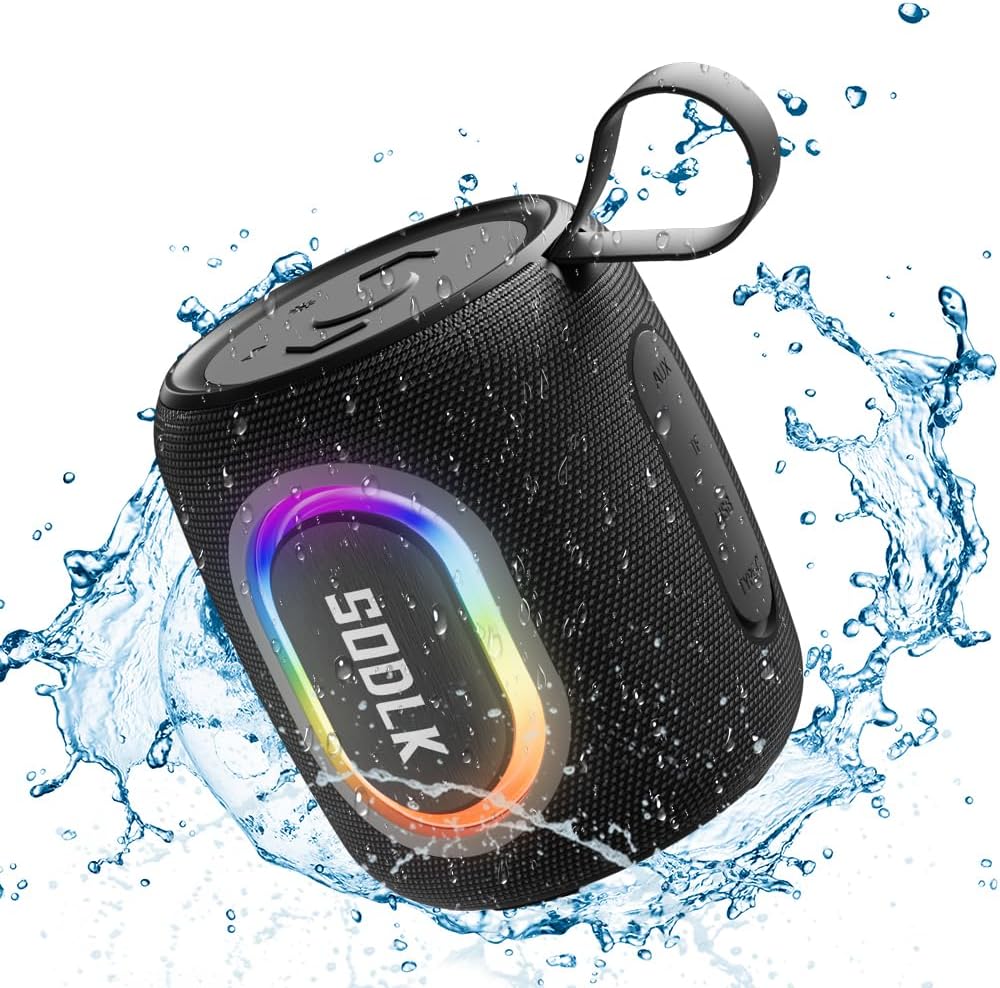
Figure 1: The SODLK T13 Portable Bluetooth Speaker demonstrating its IPX7 waterproof capability amidst splashing water.

Figure 2: Internal components of the SODLK T13 speaker, illustrating its sound engineering for loud sound and bass boost.
3. סעטאַפּ
3.1 אויפלאָדן דעם רעדנער
Before first use, fully charge the speaker. Connect the provided USB-C power cable to the speaker's charging port and the other end to a compatible USB power adapter (not included) or a computer's USB port. The charging indicator light will show the charging status and turn off when fully charged.
3.2 מאַכט אויף / אַוועק
- צו מאַכט אויף: דריקן און האַלטן די מאַכט קנעפּל (U) for approximately 3 seconds until you hear an audible prompt and the indicator lights illuminate.
- צו מאַכט אַוועק: דריקן און האַלטן די מאַכט קנעפּל (U) for approximately 3 seconds until you hear an audible prompt and the indicator lights turn off.
3.3 בלועטאָאָטה פּערינג
- Ensure the speaker is powered on and in Bluetooth pairing mode (indicated by a flashing blue LED). If not, briefly press the Bluetooth button.
- אויף אייער דעווייס (סמאַרטפאָן, טאַבלעט, קאָמפּיוטער), אַקטיווירט בלועטוט און זוכט פֿאַר פֿאַראַן דעווייסעס.
- Select "SODLK T13" from the list of found devices.
- Once connected, you will hear a confirmation sound, and the Bluetooth indicator light will turn solid blue.
דער רעדנער וועט אויטאָמאַטיש פּרובירן זיך ווידער צו פֿאַרבינדן מיטן לעצטן פֿאַרבונדענעם מיטל ווען עס ווערט אָנגעצונדן.
4. אַפּערייטינג ינסטרוקטיאָנס
4.1 מוזיק פּלייבאַק
- שפּיל / פּויזע: דריקן די שפּיל / פּויזע קנעפּל (||).
- באַנד אַרויף: דריק דעם "Volume Up" קנעפל (+).
- באַנד אַראָפּ: דריק דעם באַנד אַראָפּ קנעפּל (-).
- ווייַטער שפּור: דריק און האלט דעם "Volume Up" קנעפל (+).
- פֿריִערדיקע שפּור: דריק און האלט דעם באַנד אַראָפּ קנעפּל (-).
4.2 ליכט מאָדעס
The SODLK T13 features dynamic RGB lighting. Press the Light Mode button (often indicated by a lightbulb icon or similar) to cycle through different light patterns and colors. Press and hold to turn the lights off or on.

Figure 3: The SODLK T13 speaker illuminating a party atmosphere with its integrated RGB lighting.
4.3 Stereo Dual Pairing (TWS Function)
To achieve true wireless stereo (TWS) sound, you can pair two SODLK T13 speakers together:
- זיכער מאַכן אַז ביידע T13 רעדנערס זענען אנגעצונדן און נישט פארבונדן צו קיין בלוטוט דעווייס.
- On one speaker (this will be the primary speaker), press and hold the TWS button (often indicated by two interlocking circles or similar icon) for approximately 3 seconds. You will hear a prompt indicating it's searching for another speaker.
- The two speakers will automatically connect to each other. You will hear a confirmation sound once paired.
- איצט, פֿאַרבינדט אייער דעווייס צום הויפּט רעדנער דורך בלועטוט ווי באַשריבן אין סעקציע 3.3. אַודיאָ וועט שפּילן דורך ביידע רעדנער אין סטערעאָ.
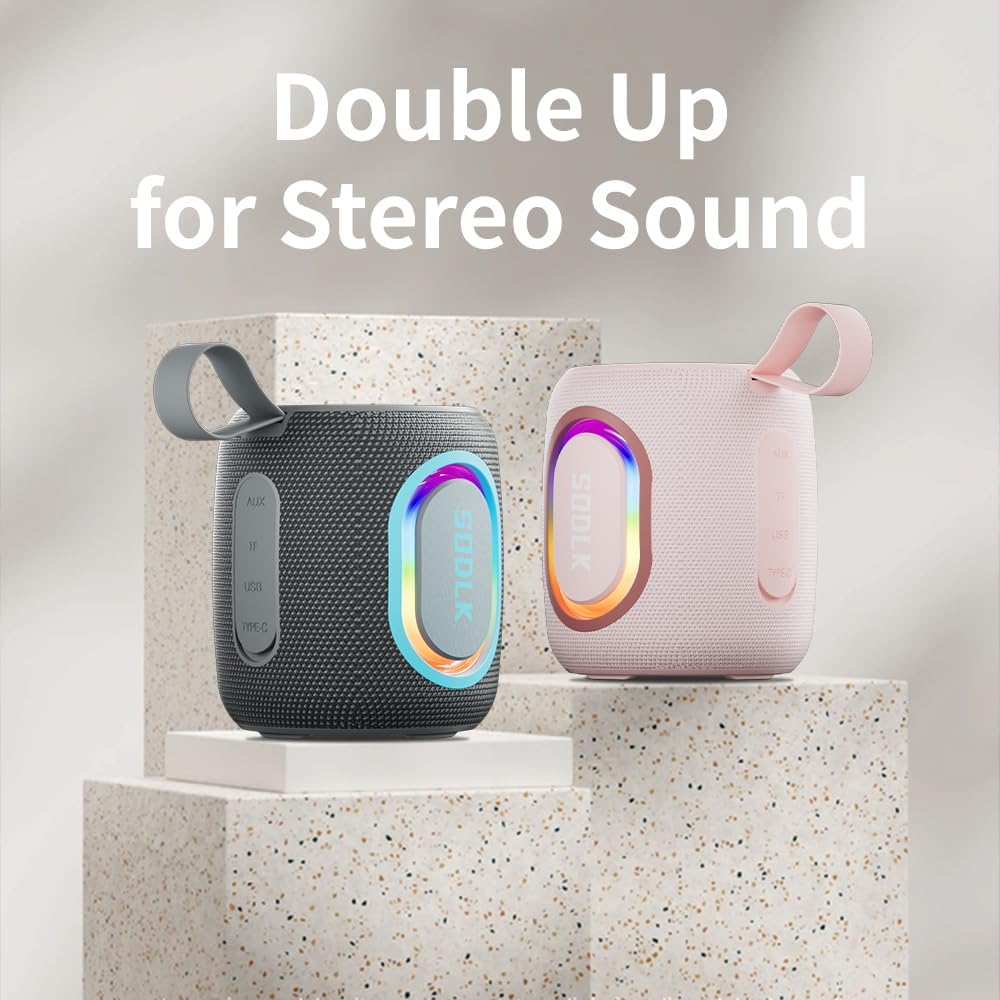
Figure 4: Two SODLK T13 speakers ready for stereo dual pairing, enhancing the audio experience.
4.4 Auxiliary and USB/TF Card Modes
- AUX אַרייַנשרייַב: שטעקט אריין דעם 3.5 מ״מ AUX קאַבל אין דעם רעדנער'ס AUX פּאָרט און פֿאַרבינדט דעם אַנדערן עק צו אייער אַודיאָ מקור. דער רעדנער וועט זיך אויטאָמאַטיש איבערקערן צו AUX מאָדע.
- USB/TF Card Input: Insert a USB flash drive or a TF (microSD) card with audio files into the respective port. The speaker will automatically detect the media and begin playback. Use the playback controls (Play/Pause, Volume Up/Down) to manage your music.
5. וישאַלט
5.1 רייניקונג
צו רייניקן דעם רעדנער, ניצט א ווייכן, דamp cloth. Do not use harsh chemicals, cleaning solvents, or strong detergents, as they may damage the surface or internal components. Ensure all ports are dry before charging or connecting other devices.
5.2 סטאָרידזש
Store the speaker in a cool, dry place away from direct sunlight and extreme temperatures. If storing for an extended period, charge the battery periodically (e.g., every 3 months) to maintain battery health.
6. טראָובלעשאָאָטינג
| פּראָבלעם | מעגלעך סיבה | לייזונג |
|---|---|---|
| דער רעדנער גייט נישט אן. | באַטערי איז דיפּליטיד. | לאָדט דעם רעדנער גאָר אויף. |
| קען נישט פארבינדן דורך בלוטוט. | דער רעדנער איז נישט אין פּערינג מאָדע אדער שוין פארבונדן צו אן אנדער דעווייס. | Ensure speaker is in pairing mode (flashing blue LED). Disconnect from other devices. Restart speaker and device. |
| קיין קלאַנג פֿון רעדנער. | די קול איז צו נידעריג; נישט ריכטיגע איינגאבע מאָדע; די דעווייס שפּילט נישט. | Increase speaker and device volume. Check if correct input mode (Bluetooth, AUX, USB/TF) is selected. Ensure audio is playing on the connected device. |
| TWS פּאָרינג פיילז. | רעדנערס זענען צו ווייט איינער פון צווייטן; איין רעדנער איז שוין פארבונדן מיט א דעווייס. | זיכער מאַכן אַז די רעדנערס זענען נאָענט איינער צום אַנדערן. אָפּשטעקן ביידע רעדנערס פֿון יעדן בלוטוט דעווייס איידער איר הייבט אָן TWS פּאָרינג. |
7. ספּעסאַפאַקיישאַנז
| מאָדעל נאָמען | T13 |
| קאַנעקטיוויטי טעכנאָלאָגיע | בלועטאָאָטה, אַגזיליערי, וסב |
| ווירעלעסס קאָמוניקאַציע טעכנאָלאָגיע | בלועטאָאָטה |
| רעדנער מאַקסימום רעזולטאַט מאַכט | 15 וואטס |
| וואַסער קעגנשטעל מדרגה | IP67 וואָטערפּרוף |
| מאַכט מקור | באַטאַרייע פּאַוערד (1 ליטהיום יאָן באַטאַרייע אַרייַנגערעכנט) |
| קאָנטראָל מעטאָד | ריר |
| פּראָדוקט דימענשאַנז | 4.4"ד רענטגענ 3.8"וו רענטגענ 3.8"ה |
| פּונקט וואָג | 1.34 פונט |
8. וואָראַנטי און שטיצן
8.1 לימיטעד וואָראַנטי
The SODLK T13 Portable Bluetooth Speaker comes with a limited warranty. Please refer to the warranty card included in your product packaging for specific terms and conditions. This warranty typically covers manufacturing defects and material flaws under normal use.
8.2 קונה שטיצן
For any questions, technical support, or warranty claims, please contact SODLK customer service. Contact information can typically be found on the product packaging or the official SODLK webפּלאַץ.