
1. הקדמה
א דאנק פארן קויפןasing the HOMIDEC 140CM L-Shaped Gaming Desk with LED Lights. This manual provides essential information for the safe assembly, operation, and maintenance of your new desk. Please read these instructions carefully before beginning assembly and retain them for future reference.
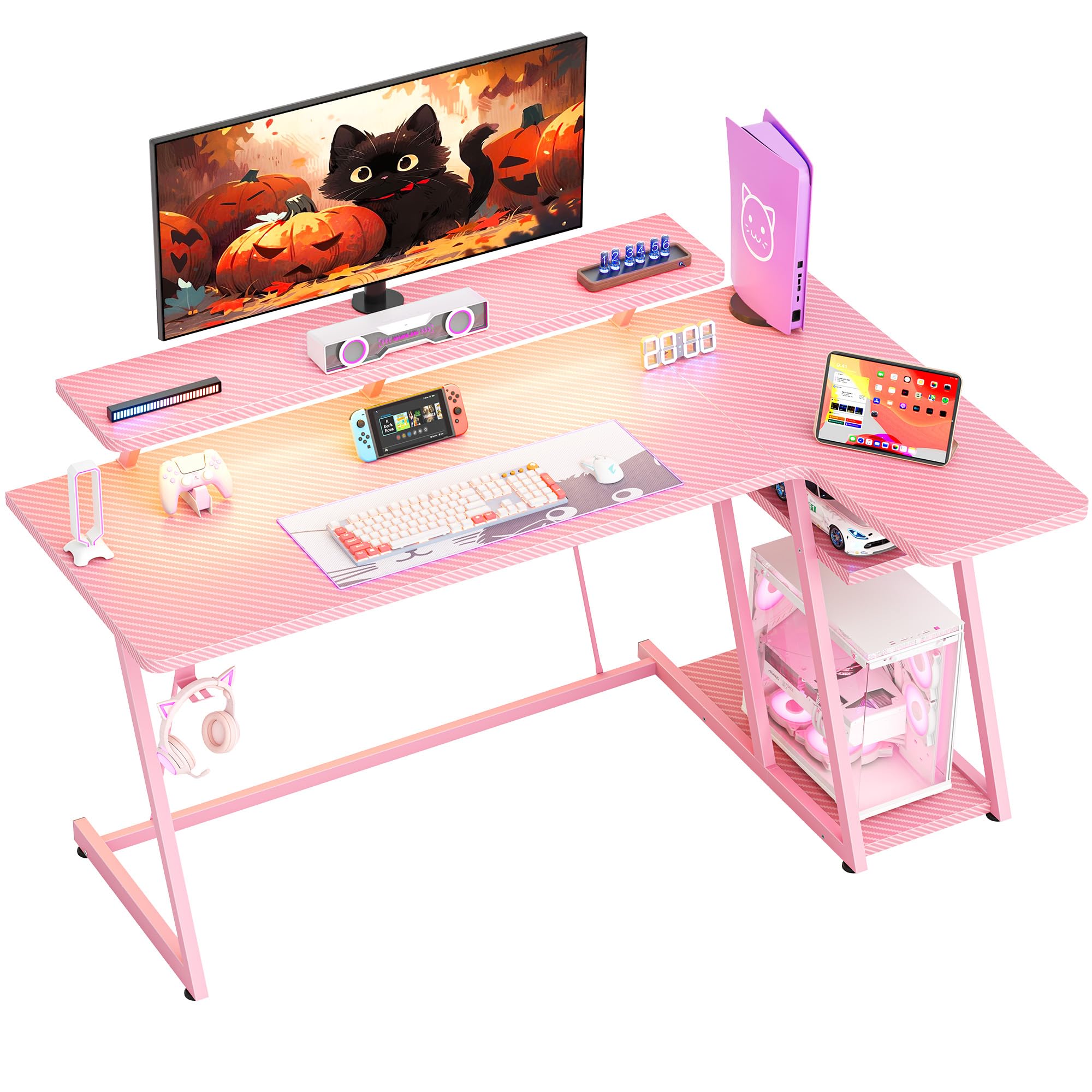
בילד: אינגאנצן view of the HOMIDEC 140CM L-Shaped Gaming Desk with LED Lights, showcasing its design and features in a gaming setup.
2. זיכערקייַט אינפֿאָרמאַציע
- שטענדיק צוזאַמענשטעלן דעם טיש אויף אַ ווייכער, ריינער ייבערפלאַך צו פאַרמייַדן קראַצן.
- זיכער מאַכן אַז אַלע שרויפן און פֿאַרשטאַרקערס זענען זיכער צוגעצויגן איידער נוצן. קאָנטראָלירט פּעריִאָדיש און פֿאַרשטאַרקט ווידער ווי נייטיק.
- Do not exceed the maximum weight capacity of 220 pounds (100 kg) for the desktop.
- האַלטן קליין טיילן און פּאַקקאַגינג מאַטעריאַלס אַוועק פון קינדער צו פאַרמייַדן טשאָוקינג כאַזערדז.
- פֿאַרמײַדט צו שטעלן הייסע זאַכן גלייך אויף דער טיש־פֿלאַך אָן שוץ.
- Ensure electrical connections for the LED lights are properly secured and away from liquids.
3. פּעקל אינהאַלט
וועריפיצירט אז אלע קאמפאנענטן וואס זענען אויסגערעכנט אונטן זענען פאראן איידער איר הייבט אן צוזאמענשטעלן. אויב עפעס טיילן פעלן אדער זענען געשעדיגט, ביטע קאנטאקטירט קאסטומער סופארט.
- Gaming Desk Components (MDF board sections, steel frame parts)
- LED Light Strip with Remote Control
- מאָניטאָר שטייט
- כעדפאָון קרוק
- פֿאַרזאַמלונג האַרדווער (שרויף, באָלץ, מכשירים)
- ינסטראַקשאַנז מאַנואַל
4. סעטאַפּ און אַסעמבלי
The HOMIDEC gaming desk is designed for straightforward assembly. A detailed installation manual with step-by-step instructions and necessary tools are included in the package. Please follow the provided manual carefully for proper assembly.
- אויספּאַקן אַלע קאָמפּאָנענטן און קאָנטראָלירן קעגן דער פּאַקעט אינהאַלט ליסטע.
- Identify the main desktop sections, monitor stand, and steel frame parts.
- Assemble the steel frame structure, ensuring all connections are secure. The desk features a double Z-shaped leg design for stability.
- Attach the desktop sections to the assembled frame.
- Install the monitor stand, headphone hook, and any other accessories.
- Connect the LED light strip according to its specific instructions.
- Adjust the footpads to ensure the desk is level and stable on uneven surfaces.

Image: Illustration of the desk's stable Z-shaped leg structure and integrated storage shelves, highlighting its robust design.

בילד: נאָענט-אַרויף view of the convenient headphone hook and the adjustable footpads designed for stability on various floor types.
5. אַפּערייטינג ינסטרוקטיאָנס
5.1. LED Light System
The integrated LED light strip enhances your gaming or work environment. It offers various customization options:
- קאלירן: Choose from 20 static colors.
- דינאַמיש ווירקונג: Select from 22 dynamic effects (e.g., fade, flash, jump).
- קאָנטראָל: Use the included remote control to adjust color, speed, and brightness.
- זכּרון פֿונקציע: The light strip retains the last selected color and mode when powered off and on.

Image: The LED light strip under the monitor stand, displaying various color options, along with the remote control for customization.
5.2. Ergonomic Monitor Stand
The elevated monitor stand is designed to position your screen at an optimal viewing height, reducing neck and back strain. The space beneath the stand can be utilized for storing small devices or accessories.

Image: The ergonomic monitor stand elevating a display, illustrating how it helps maintain proper posture and provides additional storage space.
5.3. כעדפאָון כאָק
A dedicated hook is provided for convenient storage of your headphones, keeping them within reach and off the desktop surface.
5.4. Storage Shelves
The L-shaped desk includes 2-tier storage shelves, ideal for placing a computer case, books, or other gaming and office essentials, helping to keep your workspace organized.
6. וישאַלט
To ensure the longevity and appearance of your HOMIDEC gaming desk, follow these maintenance guidelines:
- רייניקונג: The desk surface features a carbon fiber texture, which is scratch-resistant and waterproof. Wipe clean with a damp שטאָף און מילד וואַשפּולווער. ויסמיידן אַברייסיוו קלינערז.
- ספּילז: Promptly wipe up any spills to prevent water damage, especially around electrical components.
- פאַסטענערס: קאָנטראָלירט פּעריִאָדיש אַלע שרויפן און באָלטן צו זיכער מאַכן אַז זיי בלייבן פעסט. פֿעסטשטײַערט ווידער אויב נייטיק צו האַלטן די פעסטקייט.
- LED לייץ: Ensure the LED light strip and its connections are free from dust and moisture.

Image: Close-up of the desk surface, highlighting its carbon fiber texture which is designed to be scratch-resistant and waterproof for easy maintenance.
7. טראָובלעשאָאָטינג
אויב איר טרעפט פראבלעמען מיט אייער טיש, זעט די פאלגנדע אלגעמיינע עצות פאר פראבלעם-לייזונג:
- שרייַבטיש איז וואַבבלי: Ensure all assembly screws are tightened. Adjust the footpads on the bottom of the legs to level the desk on uneven floors.
- געפירט לייץ נישט ארבעטן: Check if the power adapter is securely plugged into both the light strip and a working power outlet. Ensure the remote control has working batteries and is pointed directly at the receiver.
- פעלנדיק טיילן: Review the package contents list. If parts are missing, contact HOMIDEC customer support with your purchase details.
8. ספּעסאַפאַקיישאַנז
| שטריך | באַשרייַבונג |
|---|---|
| סאָרט | HOMIDEC |
| מאָדעל נומער | LDJZ-140-PK |
| קוילעלדיק דימענשאַנז (L X W X H) | 140cm x 80cm x 94cm (55.12"D x 31.5"W x 37.01"H) |
| מאַטעריאַל | MDF board, Steel frame |
| נעץ וואָג | 21.8 קג (48 לבס) |
| וואָג קאַפּאַסיטי | 100 קג (220 לבס) |
| קאָליר | ראָזעווע |
| דעסק פּלאַן | ל-פאָרעם קאָמפּיוטער טיש |
| אַרייַנגערעכנט קאַמפּאָונאַנץ | Desk, Monitor Stand, LED Light Strip, Headphone Hook |
| אַסעמבלי פארלאנגט | יא |

Image: Detailed diagram illustrating the dimensions of the HOMIDEC Gaming Desk, including the main desktop, monitor stand, and storage shelves.
9. וואָראַנטי און שטיצן
For warranty information or technical support, please refer to the specific warranty card included with your product or contact HOMIDEC customer service directly. Ensure you have your purchase receipt and model number (LDJZ-140-PK) available when contacting support.