
1. סעטאַפּ און ייַנמאָנטירונג
This section provides detailed instructions for setting up and installing your Havion K02 Smart Lock. Ensure all components are present before beginning.
1.1 אויספּאַקן און קאָמפּאָנענטן איבערview
Familiarize yourself with the contents of your Havion K02 package.
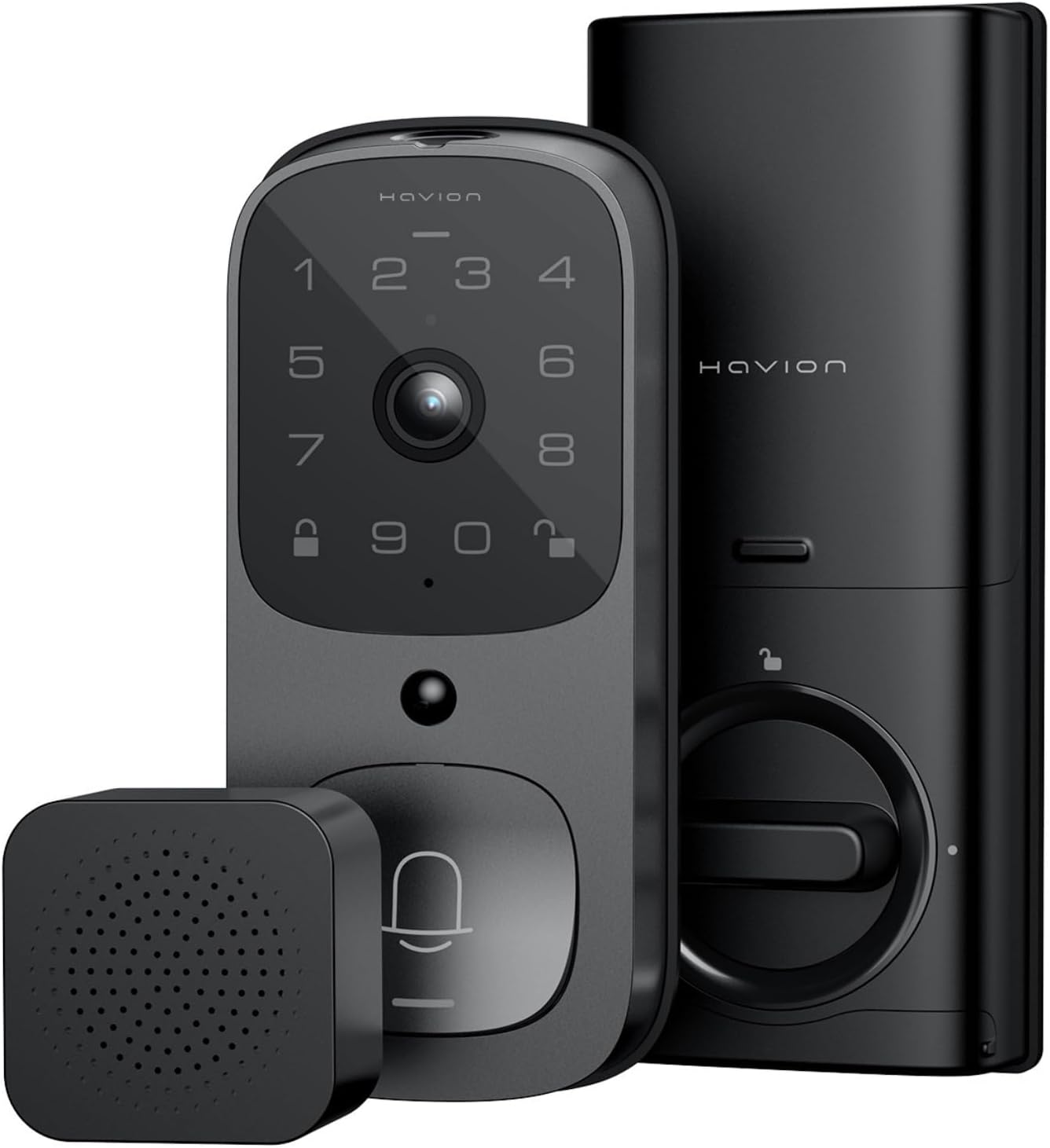
Figure 1: Havion K02 Smart Lock, Camera, and Chime.

Figure 2: The Havion K02 combines a doorbell, security camera, and smart lock into one device.
1.2 פאַר-ינסטאַלירונג סטעפּס
- Before installation, measure the distance between the lock cylinder.
- To fit the backset 60mm or 70mm, ensure the word "Top" on the deadbolt faces up.
- If the door hole is 54mm, direct installation of the door lock is possible.
- Before installation, rotate the tail of the lock cylinder to the horizontal position.
1.3 גשמיות ינסטאַלירונג
The Havion K02 is designed for easy installation and is suitable for door thicknesses from 1-3/8" to 2-1/8", working with both left and right door directions.
- Install the lock cylinder into the door frame.
- Pass the connection wire through the button of the cylinder. Align the protruding position of the latch with the concave position of the lock body and insert.
- Take two screws (Type A or E) and pass them through the mounting plate. Tighten them to secure the Exterior Assembly.
- Secure the door lock with 2 screws (Type B).
- ינסטאַלירן די באַטאַרייע פּאַק.
- שטעלן אויף די באַטאַרייע דעקן.
- ינסטאַלירן די דעקאָראַטיווע דעקל.
Video 1: Havion K02 Deadbolt Lock Installation Guide. This video demonstrates the step-by-step process for installing the deadbolt lock component.
Video 2: Havion K02 Smart Door Knob Installation Video. This video provides visual guidance for installing the smart door knob.
1.4 App Registration and Wi-Fi Connection
Download the Havion app from your device's app store to register your device and connect to Wi-Fi.
Video 3: Havion K02 APP Registration Installation. This video guides you through the app registration and initial setup process.
Video 4: Havion K02 Guide to Connecting Devices to WIFI. This video demonstrates how to connect your smart lock to your home Wi-Fi network.
2. אפערירן אייער סמאַרט שלאָס
The Havion K02 offers multiple convenient ways to access your home and monitor activity.
2.1 עפֿענען מעטאָדן
Choose the method that best suits your needs:
- אַפּ קאָנטראָל: Unlock your door remotely via the Havion app.
- פינגערפּרינט: Use the integrated fingerprint sensor for quick and secure access.
- שפּריכוואָרט: Enter your personalized password on the keypad.
- פיזישער שליסל: A traditional key is provided for manual unlocking as a backup.

פיגורע 3: איבערview of multiple unlocking methods including fingerprint, password, smart app, and physical key.
2.2 מאָניטאָרינג און קאָמוניקאַציע
Stay connected and aware of activity at your doorstep.
- 2K QHD Camera: Provides clear video with a 170° wide-angle lens.
- Enhanced Night Vision: See clearly up to 33 feet in low-light conditions.
- צוויי-וועג אַודיאָ: Communicate with visitors directly through the app.
- פאַקטיש-צייט אַלערץ: Receive push notifications for motion detection and doorbell rings.
- גאַסט קאָודז: Manage visitor access by creating temporary or permanent guest codes via the app.

Figure 4: Two-way audio feature for clear communication with visitors.

Figure 5: The Havion app allows remote unlocking and real-time notifications for activity at your door.
2.3 קלוגע היים אינטעגראַציע
The Havion K02 works with Amazon Alexa and Google Assistant for seamless integration into your smart home ecosystem.
3. וישאַלט
3.1 באַטערי מאַנאַגעמענט
The smart lock is powered by a 10,000mAh Lithium Polymer battery, providing up to 270 days of use per charge (based on 10 uses per day). An emergency charge port is included for convenience.
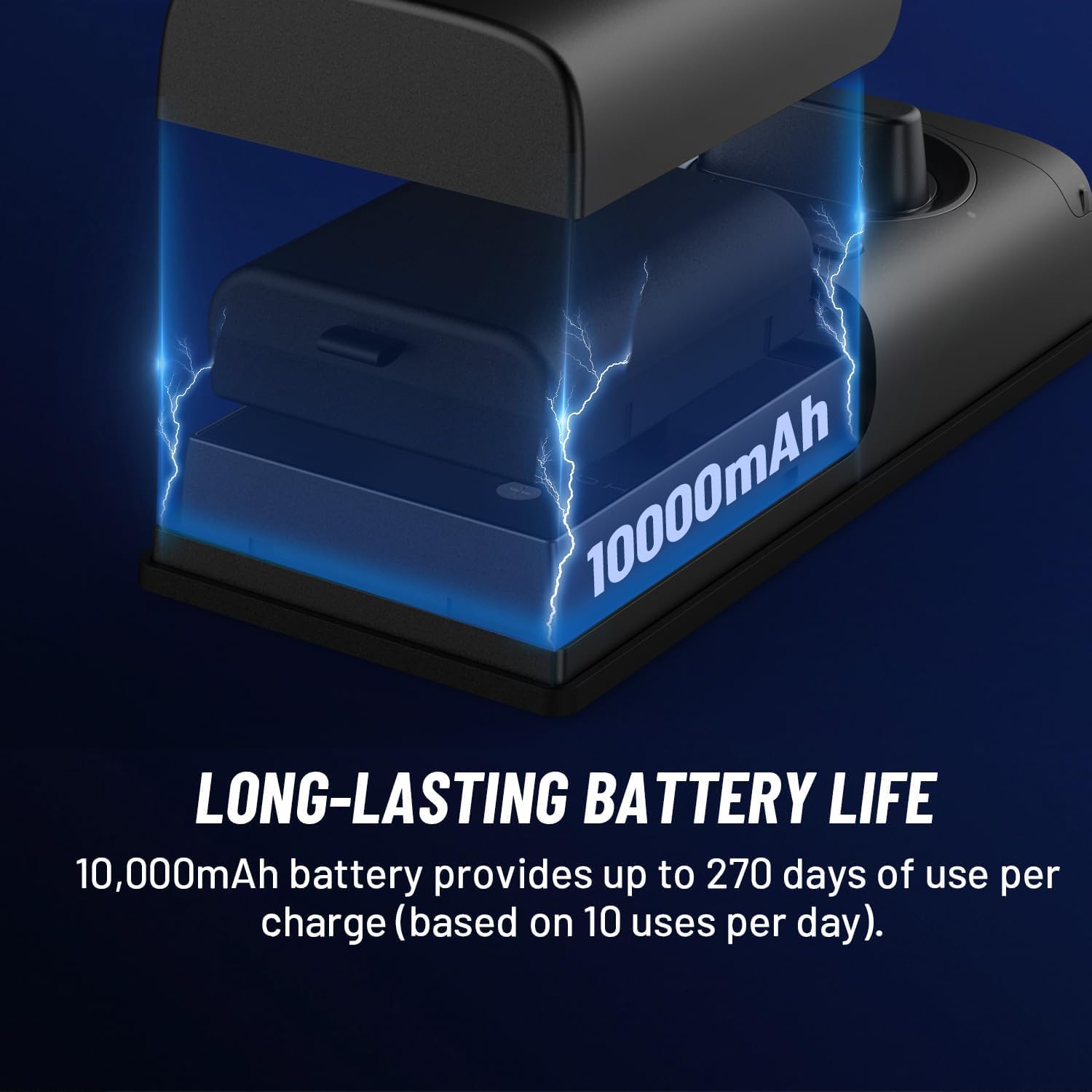
Figure 6: The 10,000mAh battery provides extended usage between charges.
3.2 Durability and Environmental Conditions
The device features IP65 waterproof rating and operates in temperatures from -22°F to 140°F, ensuring reliable performance in various weather conditions.
4. טראָובלעשאָאָטינג
4.1 False Alarm Reduction
The Havion K02 utilizes PIR and radar dual motion sensors to significantly reduce false alarms by up to 95%. This dual detection system enhances accuracy and optimizes battery life.

Figure 7: The additional radar sensor combined with PIR dual motion sensors prevents false alarms.
4.2 קאָנעקטיוויטי פּראָבלעמען
If you experience connectivity problems, refer to the 'Guide to Connecting Devices to WIFI' video in the Setup section or consult the Havion app for troubleshooting steps. Ensure your device is within 30 feet of your 2.4GHz Wi-Fi router for optimal signal strength.
5. ספּעסאַפאַקיישאַנז
| שטריך | דעטאַל |
|---|---|
| מאָדעל נאָמען | K02 |
| דרינענדיק / דרויסנדיק באַניץ | דרינענדיק, דרויסנדיק |
| מאַכט מקור | באַטעריע געטריבן (10,000mAh ליטהיום פּאָלימער) |
| קאַנעקטיוויטי | ווי-פי (2.4 גהז), בלועטאָאָטה |
| אַפּאַראַט האַכלאָטע | 2K QHD (1920p) |
| אַפּאַראַט View ווינקל | 170° ברייט-אַנגלע |
| נאַכט זעאונג | אַרויף צו 33 פֿיס |
| באַוועגונג דעטעקשאַן | PIR & Radar Dual Sensors |
| לאקאלע סטאָרידזש | 32GB eMMC Built-in |
| וואַסער קעגנשטעל | IP65 |
| אַפּערייטינג טעמפּעראַטור | -22°F צו 140°F |
| טיר גרעב קאָמפּאַטאַביליטי | 1-3/8" to 2-1/8" |
| דימענסיעס (L X W X H) | 6.2 X 2.7 X 1.1 אינטשעס |
| וואָג | 4.09 פונט |
6. וואָראַנטי און שטיצן
The Havion K02 Smart Lock comes with a 2-year warranty. In case of any issues, the policy is 'replace only' rather than repair. For detailed warranty information and further support, please refer to the official Havion webפּלאַץ אָדער קאָנטאַקט קונה דינסט.