
1. פּראָדוקט איבערview
The Vieta Pro VM-BS1000WH is a portable, battery-powered Bluetooth speaker designed for high-quality audio playback. Its elegant design allows it to integrate seamlessly into various environments, while its robust features make it suitable for both indoor and outdoor use.
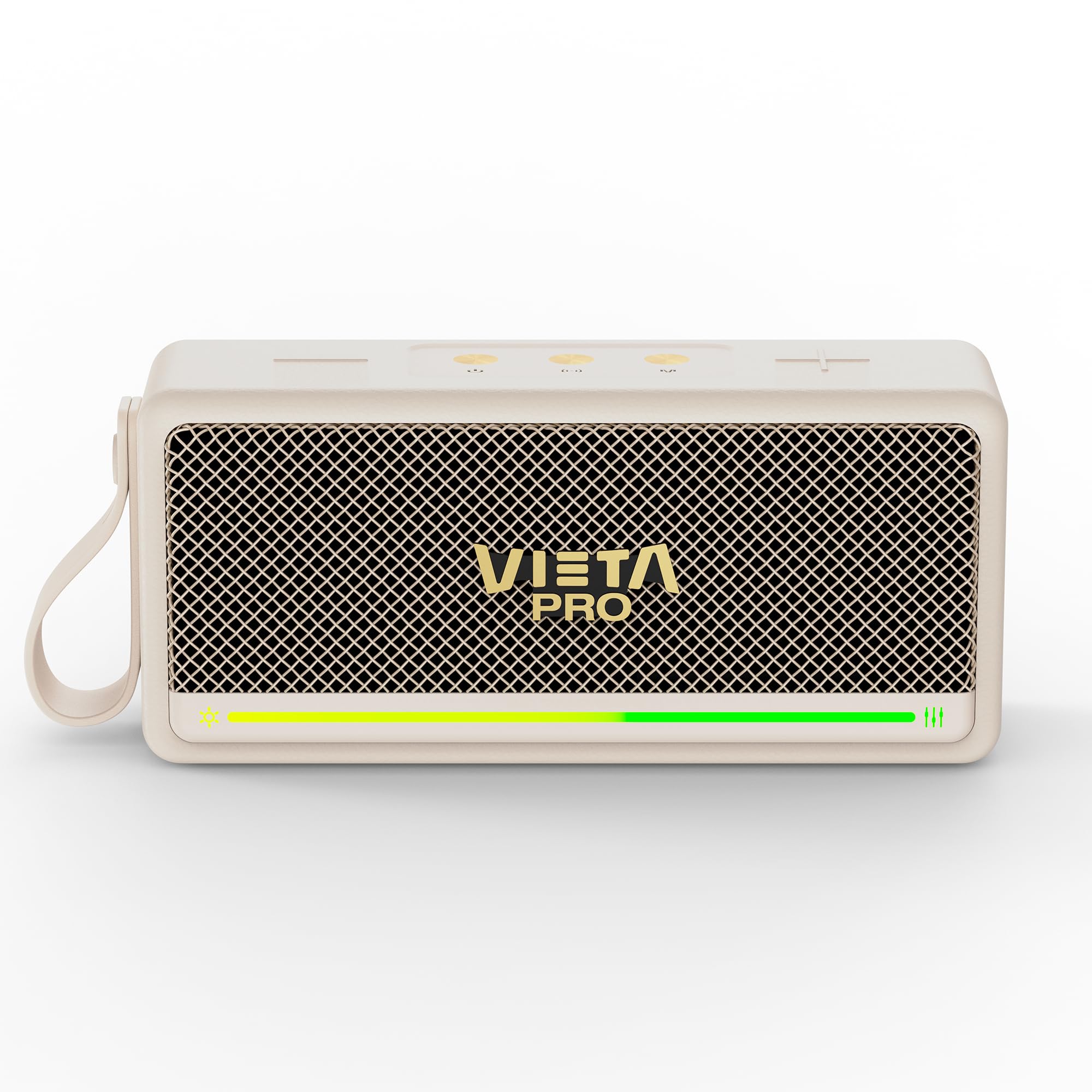
פיגורע 1: פראָנט view of the Vieta Pro VM-BS1000WH Portable Bluetooth Speaker.
2. שליסל פֿעיִקייטן
- בלועטאָאָטה 5.3: Advanced wireless technology for fast and stable connections.
- TWS (True Wireless Stereo) מאָדע: Enables a true wireless stereo sound experience for immersive listening.
- IPX7 וואַסער קעגנשטעל: Certified to withstand splashes and brief immersion in water.
- וסב שפּילער: Allows direct music playback from a USB drive.
- 10 שעה באַטאַרייע לעבן: Provides extended use without frequent recharging.
- Shock-resistant design: Enhanced durability for active lifestyles.
- ריר קאָנטראָל: Intuitive control method for ease of use.
3. סעטאַפּ גייד
3.1. טשאַרדזשינג די ספּיקער
Before initial use, fully charge the speaker. Connect the provided USB charging cable to the speaker's charging port and a compatible USB power adapter (not included). The charging indicator light will illuminate during charging and turn off when fully charged. A full charge provides up to 10 hours of playback.
3.2. פּאָווערינג אויף / אויסגעלאשן
To power on the speaker, press and hold the power button located on the control panel until you hear an audible prompt and the indicator light turns on. To power off, press and hold the power button again until the indicator light turns off.

פיגורע 2: זייַט view of the speaker, highlighting the control panel and ports.
4. אַפּערייטינג ינסטרוקטיאָנס
4.1. בלועטאָאָטה פּערינג
- זיכער מאַכן אַז דער רעדנער איז אנגעצונדן און אין בלועטוט פּערינג מאָדע (אנגעצייכנט דורך אַ בלינקנדיקע LED).
- אויף אייער דעווייס (סמאַרטפאָן, טאַבלעט, לאַפּטאָפּ), אַקטיווירט בלועטוט און זוכט פֿאַר פֿאַראַן דעווייסעס.
- Select "Vieta Pro VM-BS1000WH" from the list of devices.
- אַמאָל פּערד, וועט דער רעדנער אַרויסלאָזן אַן אָודאַבאַל באַשטעטיקונג, און די LED אינדיקאַטאָר וועט ווערן האַרט.
4.2. TWS (True Wireless Stereo) Mode
To achieve a true wireless stereo experience, you can pair two VM-BS1000WH speakers together:
- זיכער מאַכן אַז ביידע רעדנערס זענען אנגעצונדן און נישט פארבונדן צו קיין אַנדער בלוטוט מיטל.
- On one speaker, press and hold the TWS button (refer to the control panel diagram) until you hear a pairing tone.
- The two speakers will automatically connect to each other. Once connected, one speaker will act as the master and the other as the slave.
- Now, connect your device to the master speaker via Bluetooth as described in section 4.1. Audio will play in stereo through both speakers.
4.3. וסב פּלייַבאַקק
אַרײַנשטעלן אַ USB דרייוו מיט MP3 אַודיאָ files into the USB port on the speaker. The speaker will automatically detect the USB drive and begin playing music. Use the playback controls to navigate tracks.
4.4. וואָלומען און ווידערשפּיל קאָנטראָל
The speaker features touch controls for volume adjustment and music playback:
- באַנד אַרויף: Tap the '+' button.
- באַנד אַראָפּ: Tap the '-' button.
- שפּיל / פּויזע: Tap the Play/Pause button.
- ווייַטער שפּור: דריק און האלט דעם '+' קנעפל.
- פֿריִערדיקע שפּור: דריק און האלט דעם '-' קנעפל.
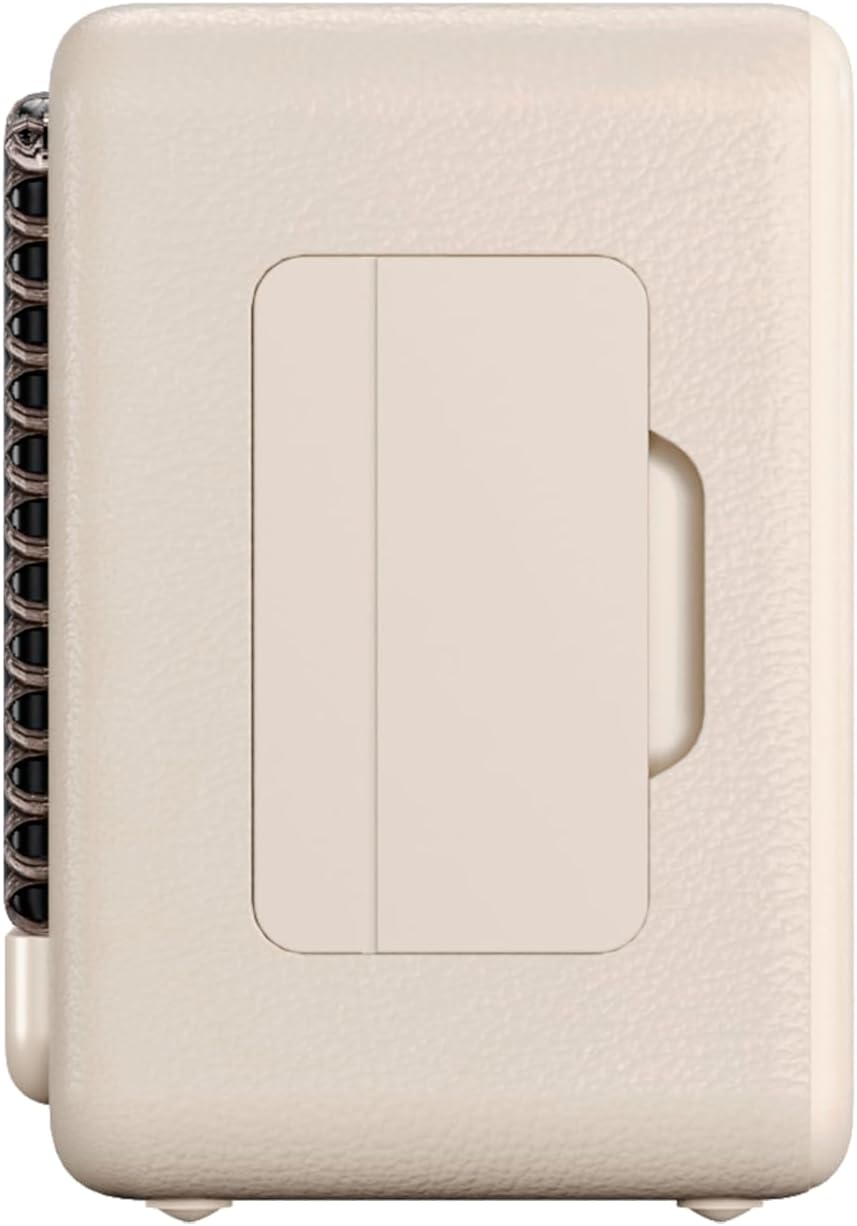
פיגור 3: זייט פּראָfile of the speaker, illustrating its compact design.
5. וישאַלט
5.1. רייניקונג
Wipe the speaker with a soft, dry cloth. Do not use abrasive cleaners, alcohol, or chemical solvents, as these may damage the surface. Ensure all ports are dry before charging or connecting other devices.
5.2. וואַסער קעגנשטעל (IPX7)
The VM-BS1000WH speaker is IPX7 water-resistant, meaning it can be immersed in water up to 1 meter for up to 30 minutes. However, it is not designed for continuous underwater use. Always ensure the charging port cover is securely closed before exposing the speaker to water. After exposure to water, dry the speaker thoroughly before charging.
6. טראָובלעשאָאָטינג
- קיין מאַכט: זיכער מאַכן אַז דער רעדנער איז אויפגעלאָדן. פֿאַרבינדט עס צו אַ שטראָם־מקור און פּרוּווט ווידער.
- קען נישט צוזאמענשטעלן בלועטוט: Make sure the speaker is in pairing mode and within range of your device. Disconnect from any previously paired devices. Try restarting both the speaker and your device.
- קיין קול: קאָנטראָלירט די וואָלומען לעוועלס אויף ביידע דעם רעדנער און אייער פֿאַרבונדענעם מיטל. מאַכט זיכער אַז דער רעדנער איז ריכטיק פֿאַרבונדן.
- נעבעך געזונט קוואַליטעט: ריקט דעם רעדנער נענטער צו אייער בלוטוט דעווייס צו רעדוצירן אריינמישונג. זיכערט זיך אז עס זענען נישטא קיין שטערונגען צווישן דעם רעדנער און דעם דעווייס.
- USB ווידערשפּיל אַרבעט נישט: Ensure the USB drive is formatted correctly (FAT32) and contains compatible audio files (MP3). Try a different USB drive.
7. טעכניש ספּעסאַפאַקיישאַנז
| שטריך | באַשרייַבונג |
|---|---|
| סאָרט נאָמען | Vieta Pro |
| מאָדעל נאָמען | VM-BS1000WH |
| רעדנער טיפּ | פּאָרטאַטיוו בלועטאָאָטה רעדנער |
| מאַקסימום רעדנער אַרויסגאַנג מאַכט | 25 וואטס |
| קאַנעקטיוויטי טעכנאָלאָגיע | בלועטאָאָטה |
| בלועטאָאָטה ווערסיע | 5.3 |
| אַודיאָ רעזולטאַט מאָדע | סטערעאָ |
| וואַסער קעגנשטעל מדרגה | IPX7 (וואַסער קעגנשטעליק) |
| באַטערי לעבן | אַרויף צו 10 שעה |
| מאַכט מקור | באַטעריע געטריבן (1 C באַטעריע אַרייַנגערעכנט) |
| קאָנטראָל מעטאָד | ריר |
| רעדנער גרייס | 7.5 סענטימעטער |
| פּראָדוקט דימענשאַנז (ד רענטגענ וו רענטגענ ה) | 7.7 X 5.6 X 17.1 סענטימעטער |
| קאַמפּאַטאַבאַל דעוויסעס | Smartphone, Tablet, Laptop, MP3 Player |
| ספּעציעלע פֿעיִקייטן | Shock-resistant, Wireless speakers, USB port |
8. וואָראַנטי און שטיצן
8.1. לימיטעד וואָראַנטי
This Vieta Pro VM-BS1000WH speaker comes with a Limited Warranty. Please refer to the warranty card included in the product packaging for detailed terms and conditions, including coverage period and limitations. Keep your proof of purchase for warranty claims.
8.2. קונה שטיצן
For technical assistance, troubleshooting, or warranty inquiries, please contact FRAMASON AUDIO S.A., the manufacturer. Contact information can typically be found on the product packaging or the official Vieta Pro website. Please have your model number (VM-BS1000WH) and proof of purchase ready when contacting support.