
1. הקדמה
The Triplett WS230 Wall Scanner is a versatile and compact tool designed for accurately detecting hidden objects behind walls. It features advanced capabilities to locate wood studs, metal objects (ferrous and non-ferrous), and live AC wiring, providing essential information for construction, home improvement, and maintenance tasks. This manual provides detailed instructions for safe and effective use of your WS230 Wall Scanner.
2. זיכערקייַט אינפֿאָרמאַציע
ביטע ליינט אלע זיכערהייט ווארענונגען און אינסטרוקציעס קערפול איידער איר ניצט דעם אפאראט. נישט נאכפאלגן די אינסטרוקציעס קען רעזולטירן אין עלעקטרישן שאק, פייער, אדער ערנסטע שאדן.
- Always assume that live electrical wires are present behind walls. Exercise extreme caution.
- Do not rely solely on the detection results. Always verify findings through other means if possible.
- Keep the device dry and clean. Do not expose it to moisture or extreme temperatures.
- פרובירט נישט צו עפענען אדער מאדיפיצירן דעם אפאראט. לאָזט איבער אלע סערוויסעס צו קוואַליפֿיצירטע פּערסאָנעל.
3. פּעקל אינהאַלט
באַשטעטיקן אַז אַלע זאכן זענען פאַראַן אין דיין פּעקל:
- Triplett WS230 Wall Scanner
- 3.7V/300mAh Lithium Ion Battery (pre-installed)
- Soft Protective Pouch Case
- באַניצער מאַנואַל (דעם דאָקומענט)
- וסב טיפּ C טשאַרדזשינג קאַבלע

Figure 3.1: WS230 Wall Scanner with Pouch and USB-C Cable
4. פּראָדוקט איבערview
Familiarize yourself with the components of your Triplett WS230 Wall Scanner.

פיגורע 4.1: פראָנט View of WS230 Wall Scanner

פיגורע 4.2: צוריק View of WS230 Wall Scanner (QR Code: C242594011)
4.1 שליסל קאַמפּאָונאַנץ
- קאָליר לקד פאַרשטעלן: Displays detection mode, depth, battery status, and object location.
- מאַכט קנעפּל: טורנס די מיטל אויף / אַוועק.
- Mode Selection Buttons: Allows switching between Stud, Metal, and AC Voltage detection modes.
- סענסאָר געגנט: Located on the back of the device, this area must be in contact with the wall for accurate scanning.
- USB-C טשאַרדזשינג פּאָרט: For recharging the internal Lithium-ion battery.
5. סעטאַפּ און טשאַרדזשינג
5.1 טשאַרדזשינג די באַטאַרייע
The WS230 is equipped with a rechargeable 3.7V/300mAh Lithium-ion battery. Before first use, ensure the device is fully charged.
- Connect the provided USB Type C charging cable to the charging port on the device.
- פֿאַרבינדט דעם אַנדערן עק פֿונעם USB קאַבל צו אַ נאָרמאַלן USB מאַכט אַדאַפּטער (נישט אַרייַנגערעכנט) אָדער אַ קאָמפּיוטער USB פּאָרט.
- דער באַטעריע אינדיקאַטאָר אויף דעם LCD עקראַן וועט ווייַזן דעם טשאַרדזשינג סטאַטוס. א פולע טשאַרדזשינג נעמט טיפּיש אַ פּאָר שעה.
5.2 פּאַוערינג אויף / אַוועק
- צו אָנפאַנגען, דריקן און האַלטן די מאַכט קנעפּל (red button) until the screen illuminates.
- צו האַלטן אַוועק, דריקן און האַלטן די מאַכט קנעפּל ווידער ביז דער עקראַן שליסט זיך אויס.
6. אָפּעראַציע
6.1 General Usage Guidelines
- זיכער מאַכן אַז די וואַנט ייבערפלאַך איז ריין און טרוקן.
- Avoid scanning over freshly painted or wallpapered surfaces until they are completely dry, as moisture can affect accuracy.
- Hold the scanner flat against the wall, ensuring the sensor area is in full contact.
- Move the scanner slowly and steadily across the surface.
6.2 אָטאַמאַטיק קאַלאַבריישאַן
The WS230 features automatic calibration for accurate results. Calibration occurs automatically upon power-on or when switching detection modes.
- Place the scanner flat against the wall in an area where you are certain there are no studs, metal, or live wires.
- דרוק די מאַכט קנעפּל or select your desired mode. The screen will display "Calibrating, please wait."
- Keep the device still against the wall until calibration is complete.

Figure 6.1: Calibration in Progress
6.3 דעטעקציע מאָדעס
The WS230 offers three primary detection modes:

Figure 6.2: Multiple Detection Mode Displays
6.3.1 Stud Detection
This mode locates the center and edges of wood or metal studs behind walls.
- Select the Stud Detection mode using the appropriate button.
- Place the scanner flat against the wall and slowly move it horizontally.
- The display will indicate the presence of a stud, its center, and depth (up to 1.5 inches / 38mm). Audio alerts will also sound.

Figure 6.3: Wood Stud Detection
6.3.2 Metal Detection
This mode identifies ferrous and non-ferrous metals, such as pipes and electrical wiring (even if not live).
- Select the Metal Detection mode.
- Scan the wall slowly. The display will show "Detect metal" and indicate the object's location and type (magnetic/non-magnetic).
- Maximum detection depth is 4.0 inches (100mm).

Figure 6.4: Metal Detection

Figure 6.5: Non-Magnetic Metal Detection
6.3.3 אַק בtage דעטעקטיאָן
This mode specifically detects live AC wires behind walls, providing an essential safety feature.
- Select the AC Voltage Detection mode.
- Scan the wall slowly. The display will show a lightning bolt icon and indicate the presence of live AC wiring.
- Maximum detection depth is 2 inches (50mm).
7. וישאַלט
- רייניקט דעם אַפּאַראַט מיט אַ ווייכן, טרוקענעם שטאָף. ניצט נישט קיין שרײַבנדיקע רייניגערס אדער סאָלווענטן.
- Store the device in its protective pouch in a cool, dry place when not in use.
- Regularly charge the battery to maintain its health, even if the device is not used frequently.
8. טראָובלעשאָאָטינג
If you encounter issues with your WS230 Wall Scanner, try the following:
- ומפּינקטלעך רידינגז: Ensure the device is properly calibrated on a clear section of the wall. Check for moisture on the wall surface.
- קיין מאַכט: Verify the battery is charged. Connect the USB-C cable and allow it to charge for at least 30 minutes before attempting to power on again.
- Intermittent Detection: Ensure the sensor area is in full contact with the wall and you are moving the device slowly and steadily.
If problems persist, contact Triplett customer support.
9. ספּעסאַפאַקיישאַנז
| שטריך | באַשרייַבונג |
|---|---|
| פּראָדוקט דימענשאַנז | 4.8 X 1 X 2.4 אינטשעס |
| פּונקט וואָג | 4 אונס |
| מאָדעל נומער | WS230 |
| באַטעריז | 1 ליטהיום יאָן באַטאַרייע (אַרייַנגערעכנט) |
| מאַכט מקור | באַטאַרייע פּאַוערד |
| Stud Detection Depth | ביז 1.5 אינטשעס (38 מ"מ) |
| Metal Detection Depth | ביז 4.0 אינטשעס (100 מ"מ) |
| AC Voltage Detection Depth | ביז 2 אינטשעס (50 מ"מ) |
| אָפּטימום אַפּערייטינג טעמפּעראַטור | 0 צו 40 °C |
| סטאָרידזש טעמפּעראַטור | -20 צו 60 °C |
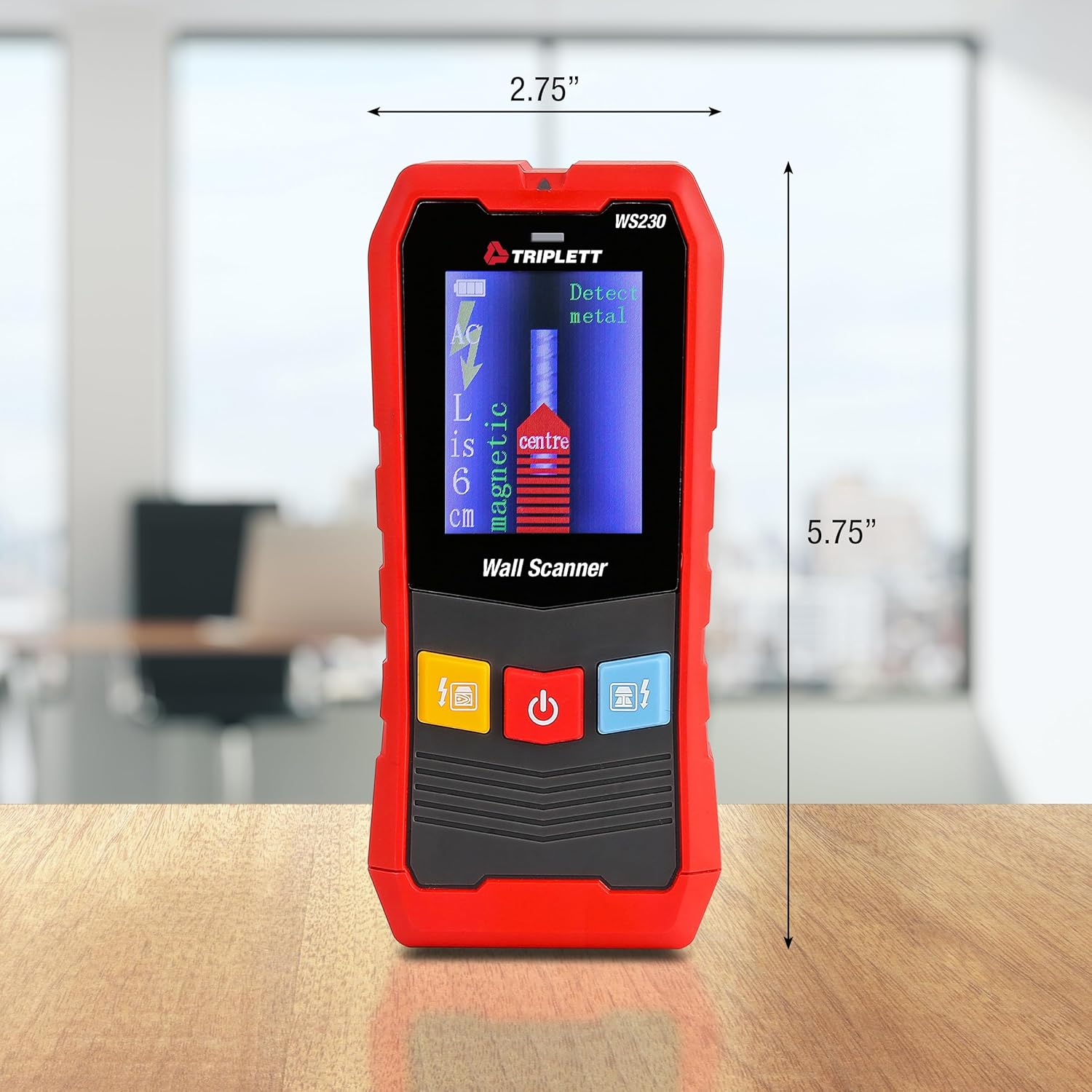
Figure 9.1: WS230 Dimensions
10. וואָראַנטי און שטיצן
For warranty information or technical support, please refer to the official Triplett webזייטל אדער קאנטאקט זייער קאסטומער סערוויס דעפארטמענט. האלט אייער קויף קוויטל אלס באווייז פון קויפן.
Visit the official Triplett Store: טריפּלעט קראָם אויף אַמאַזאָן