
הקדמה
This manual provides detailed instructions for the installation, operation, and maintenance of your AKAMATE Wireless CarPlay Portable Motorcycle Dash Cam. Please read this manual thoroughly before using the product to ensure proper function and safety. Keep this manual for future reference.
זיכערקייַט אינפֿאָרמאַציע
- Ensure all components are securely mounted to prevent detachment during operation.
- Route all cables away from moving parts, heat sources, and sharp edges to prevent damage and interference.
- Do not attempt to disassemble or modify the device. Unauthorized modifications may void the warranty and pose safety risks.
- The device is waterproof (IP67 rated); however, avoid prolonged submersion or high-pressure water jets.
- Operating the device while riding should be done with caution to avoid distraction. Utilize voice control features for safer interaction.
- Connect the power supply correctly to avoid electrical shorts or damage to your motorcycle's electrical system.
פּעקל אינהאַלט
באַשטעטיקט אַז אַלע זאכן וואָס זענען אויסגערעכנט אונטן זענען אַרייַנגערעכנט אין אייער פּעקל:
- Motorcycle Dash Cam Unit (Main Display)
- פראָנט אַפּאַראַט
- דערציען אַפּאַראַט
- מאַונטינג טול
- ייַנמאָנטירונג טול
- וויירינג קיט
- האַרדווירע קיט
- באַניצער מאַנואַל
פּראָדוקט איבערview
The AKAMATE Wireless CarPlay Portable Motorcycle Dash Cam is designed to enhance your riding experience with smart connectivity and recording capabilities. It features a 5.5-inch waterproof touch screen, dual 1080P HD cameras for front and rear recording, and supports wireless CarPlay and Android Auto. Integrated Bluetooth 5.3 allows for seamless connection to your smartphone and headset, enabling voice control and hands-free communication.
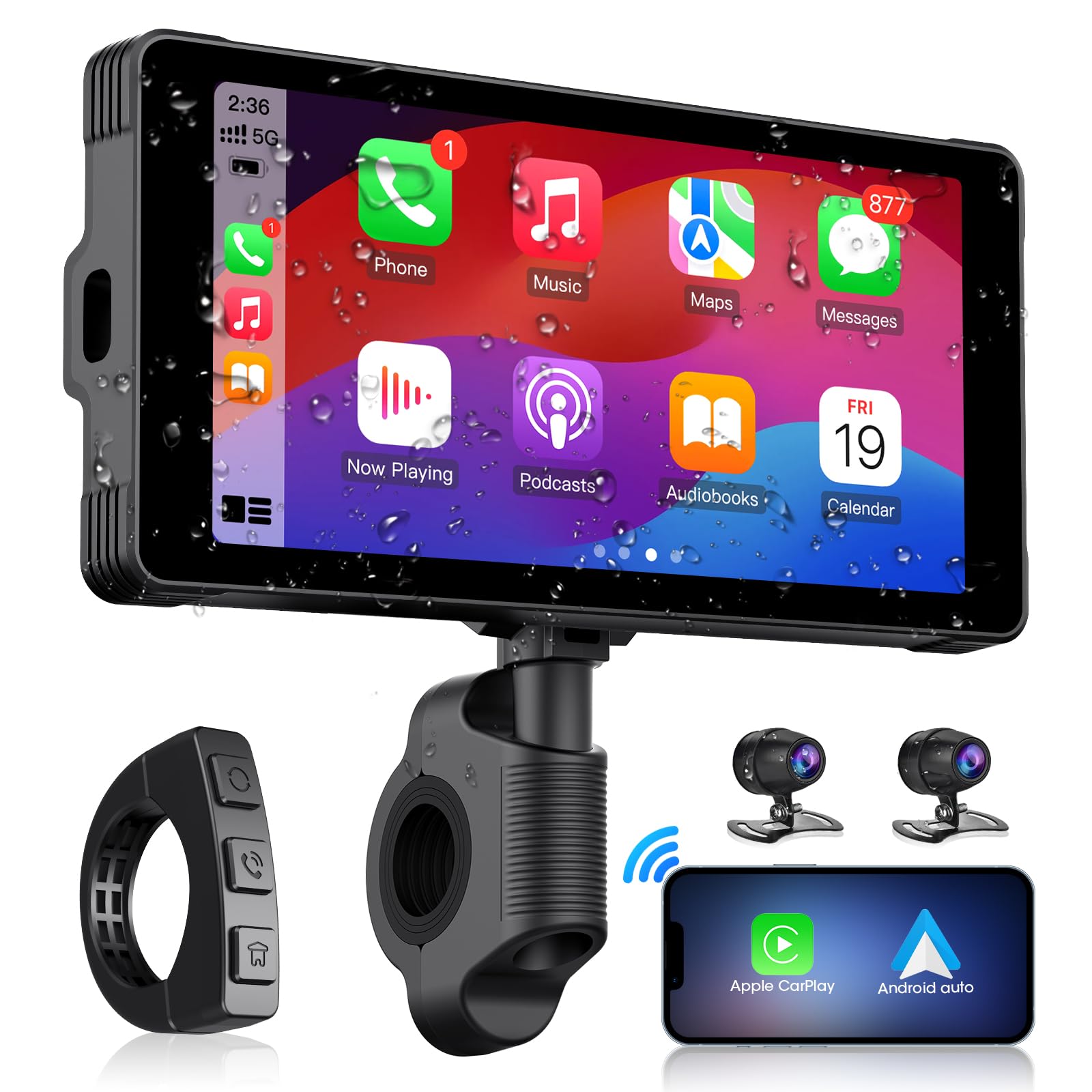
Image: The main AKAMATE dash cam unit, showing its compact design and display.
סעטאַפּ
1. ינסטאַלירונג
Proper installation is crucial for the device's performance and your safety. Follow these general steps:
- מאַונטינג די הויפּט אַפּאַראַט: Use the provided mounting tools to securely attach the main display unit to your motorcycle's handlebar. Ensure it is positioned for clear visibility without obstructing your view of the road or controls.
- קאַמעראַ פּלייסמאַנט: Install the front and rear cameras in locations that provide a clear, unobstructed view. Typically, the front camera is mounted near the headlight or on the fairing, and the rear camera near the license plate or tail light.
- וויירינג: Connect the wiring kit. The hardwire kit typically connects directly to your motorcycle's battery (for constant power) and an accessory wire (for ignition-switched power). Ensure all connections are secure and insulated. Route cables carefully, avoiding hot engine parts, sharp edges, and areas where they might be pinched or snagged. Use zip ties or cable clips to secure wiring.
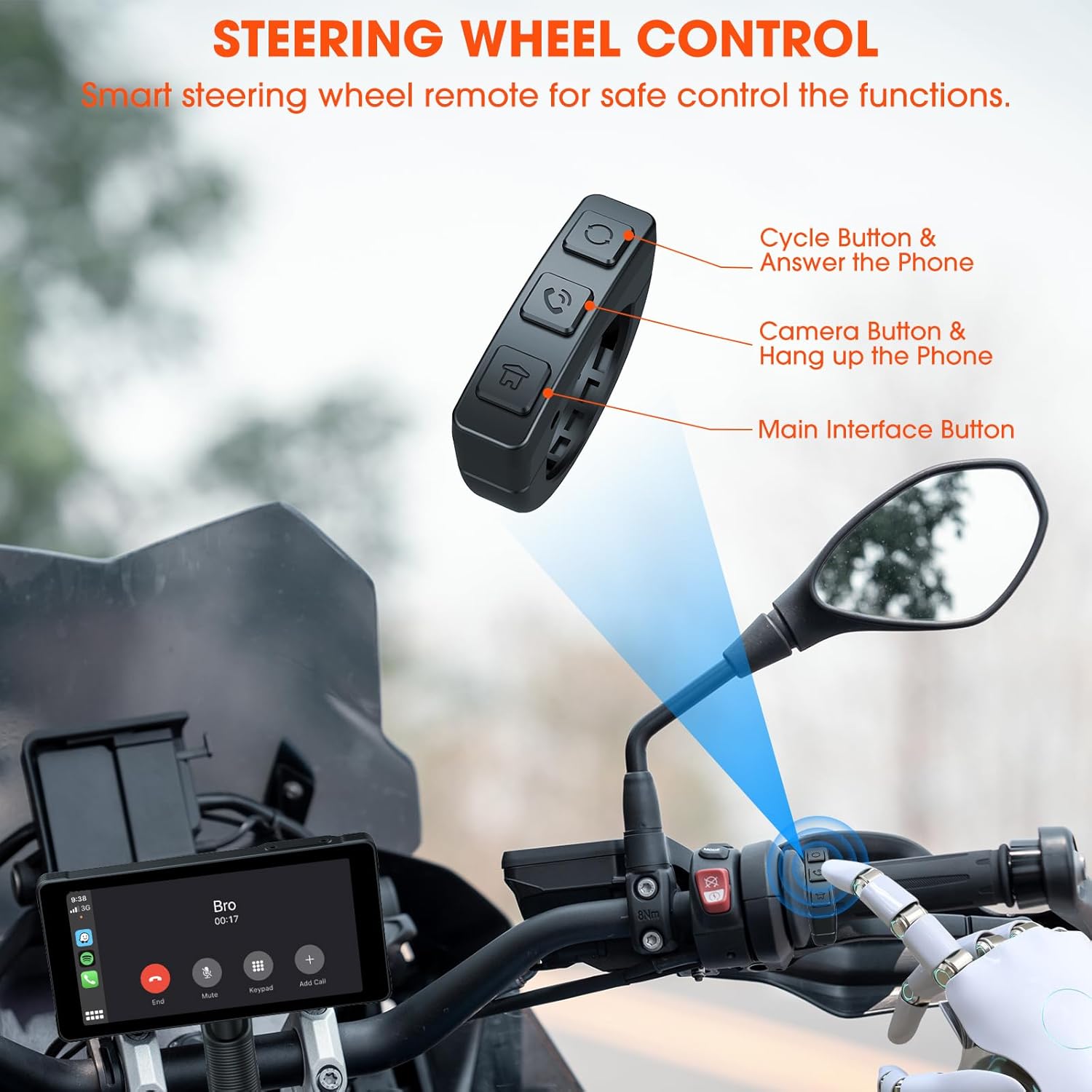
Image: Comparison showing a motorcycle handlebar before and after the installation of the AKAMATE dash cam, highlighting the integrated look and IP67 waterproof rating.
2. ערשטע אויפשטעל
Once installed and wired, turn on your motorcycle's ignition. The dash cam should power on automatically. Follow the on-screen prompts for initial setup, including language selection and time zone settings.
אַפּערייטינג ינסטראַקשאַנז
1. Wireless Connection (CarPlay/Android Auto)
The device supports wireless Apple CarPlay and Android Auto for seamless smartphone integration.
- מאַכן זיכער אַז בלועטאָאָטה און Wi-Fi זענען ענייבאַלד אויף דיין סמאַרטפאָנע.
- On the dash cam, navigate to the 'Wireless Connection' or 'CarPlay/Android Auto' settings.
- זוכן פֿאַר available devices on your phone and select the dash cam's Bluetooth name.
- Confirm the pairing code on both devices. Once paired via Bluetooth, the device will automatically establish a Wi-Fi connection for CarPlay or Android Auto.
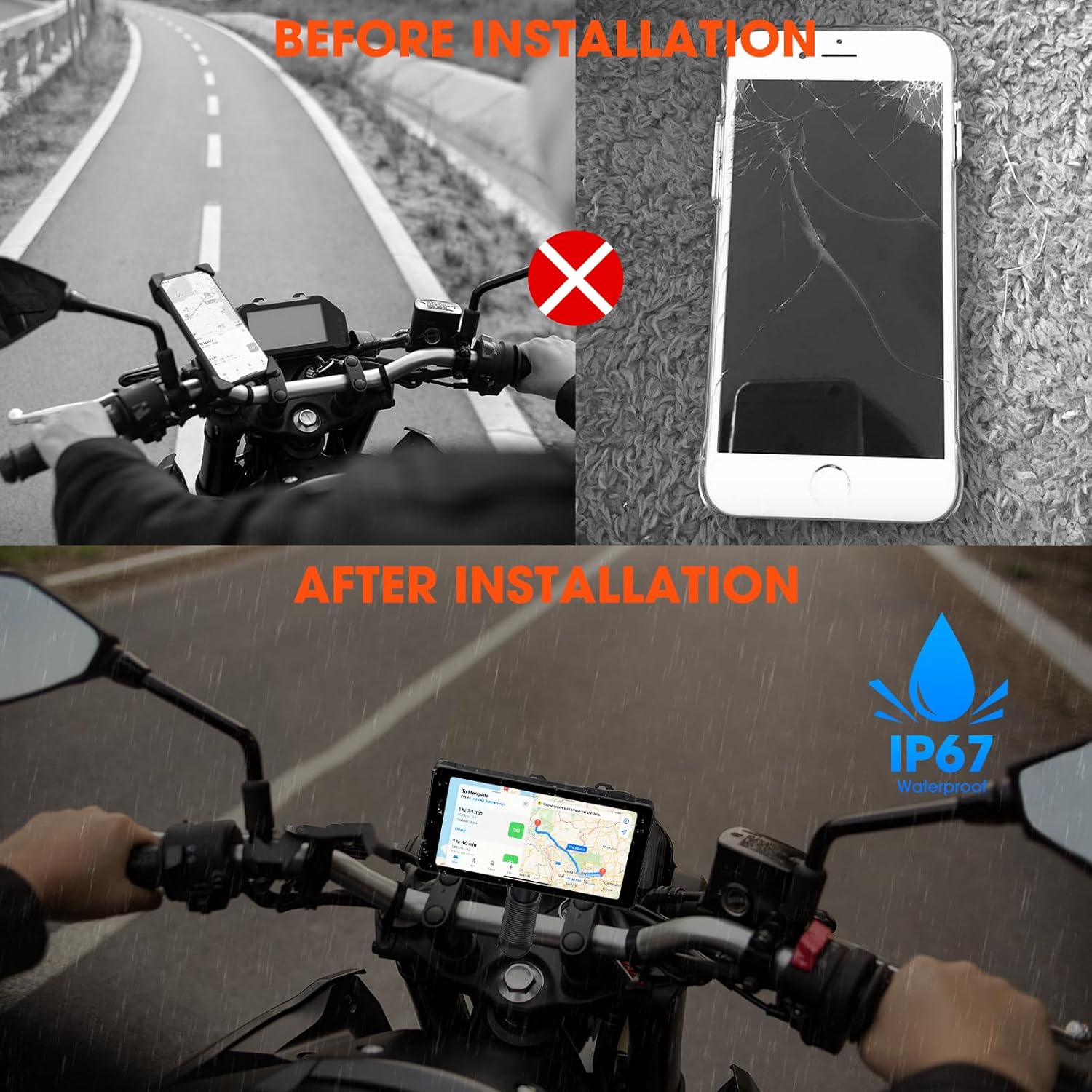
Image: Illustrates the wireless connection feature, showing the dash cam displaying navigation and music, with voice commands for Siri and Google Assistant.
2. Dash Cam Operation (Video Recording)
The device automatically begins recording upon power-on. It features 1080P HD front and rear cameras.
- שלייף רעקאָרדינג: The system records video in continuous loops, overwriting the oldest footage ווען די זכּרון קאָרט איז פול.
- נויטפאַל רעקאָרדינג: In the event of a sudden impact or collision, the G-sensor will trigger emergency recording, locking the current footage צו פאַרהיטן עס פון ווערן איבערגעשריבן.
- Viewינג פוtage: רעקאָרדעד ווידיאס קענען זיין viewed directly on the dash cam's screen or by removing the memory card and inserting it into a computer.

Image: Demonstrates the 1080P HD front and rear camera views, highlighting the 170-degree wide-angle recording and loop recording function.
3. בלועטאָאָטה קאַנעקטיוויטי
The device utilizes Bluetooth 5.3 for stable connections.
- טעלעפאָן פּאָרינג: Pair your smartphone via Bluetooth for CarPlay/Android Auto functionality and hands-free calls.
- כעדסעט פּאָרינג: Connect your Bluetooth helmet or earphones to the dash cam to receive audio (navigation prompts, music, calls) directly.

Image: Illustrates the dual Bluetooth connection capability, allowing simultaneous pairing with a smartphone and a Bluetooth helmet or earphones.
4. קול קאָנטראָל
With CarPlay or Android Auto connected, you can use voice commands (Siri or Google Assistant) for navigation, music playback, calls, and messages, minimizing manual interaction while riding.
5. Steering Wheel Control (Remote)
A smart remote control is included for convenient operation of key functions without reaching for the main unit.
- Cycle Button & Answer Phone: Used to cycle through modes or answer incoming calls.
- Camera Button & Hang up Phone: Activates camera functions (e.g., take a snapshot) or ends calls.
- Main Interface Button: Navigates to the main menu or home screen.
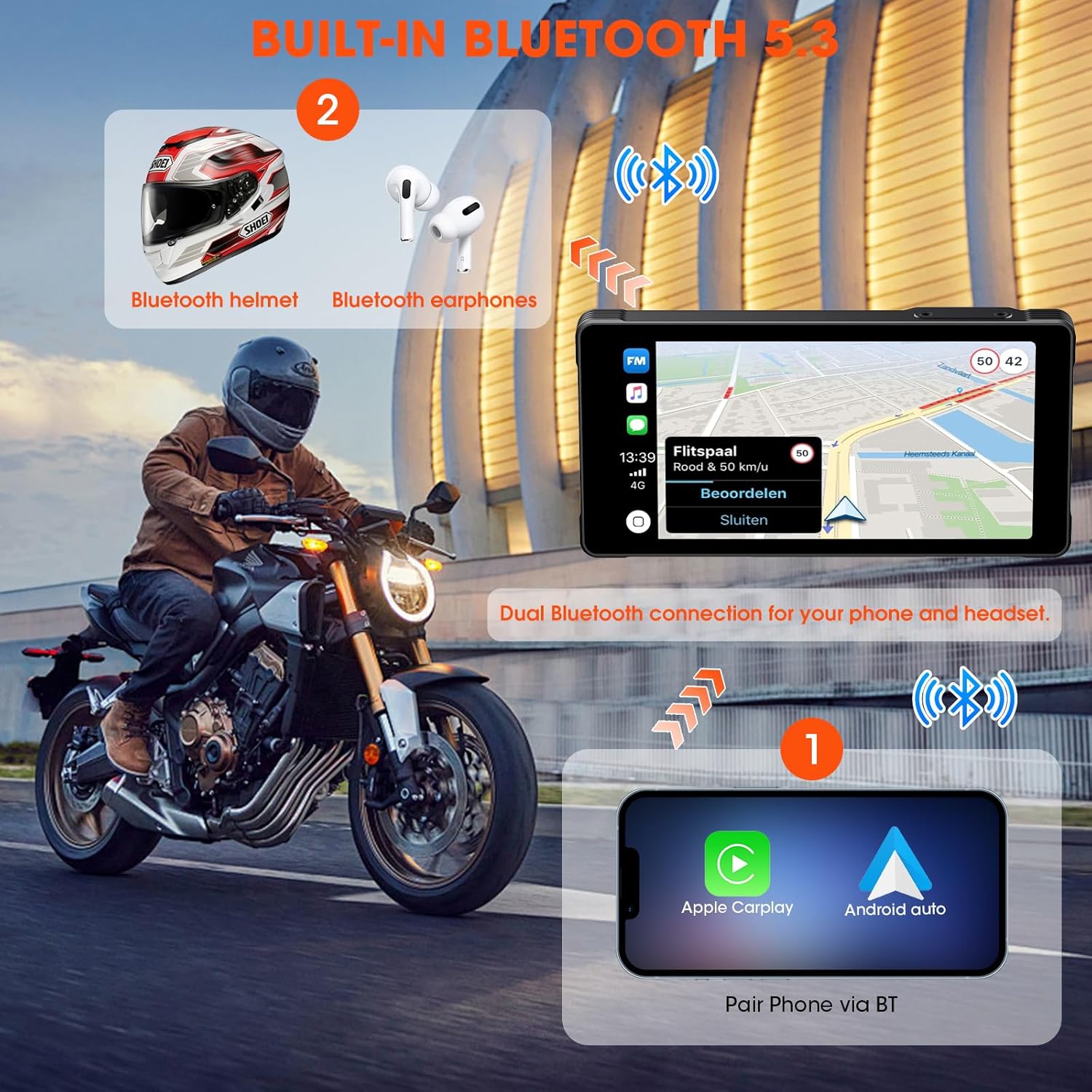
Image: Shows the smart steering wheel remote control and its functions, designed for safe operation while riding.
6. דזשי-פי-עס נאַוויגאַציע
GPS navigation is provided through your smartphone's CarPlay or Android Auto application. The dash cam acts as a display for your phone's navigation system, offering real-time directions on its screen.
וישאַלט
- רייניקונג: ניצן אַ ווייך, דamp א שטאָף צו רייניקן דעם עקראַן און דעם אַפּאַראַט. פֿאַרמייַדן אַברייסיוו רייניגער אָדער סאָלווענטן.
- Firmware דערהייַנטיקונגען: קאָנטראָלירט פּעריִאָדיש דעם פאַבריקאַנט'ס webזייטל פֿאַר פירמווער דערהייַנטיקונגען צו ענשור אָפּטימאַל פאָרשטעלונג און אַקסעס צו נייַע פֿעיִקייטן.
- זכּרון קאָרט: Format the memory card regularly (e.g., monthly) to maintain optimal recording performance and prevent data corruption. Back up important footage איידער פֿאָרמאַטירן.
- קאַבלע דורכקוק: Regularly inspect all cables and connections for wear, damage, or loose fittings.
טראָובלעשאָאָטינג
| פּראָבלעם | מעגלעך סיבה | לייזונג |
|---|---|---|
| די מיטל טוט נישט מאַכט אויף. | Incorrect wiring; Blown fuse; Low battery voltage. | Check power connections; Inspect fuse; Ensure motorcycle battery has sufficient charge. |
| קאַרפּליי/אַנדרויד אויטאָ פֿאַרבינדט זיך נישט. | Bluetooth/Wi-Fi off on phone; Incorrect pairing; Interference. | Ensure phone's Bluetooth/Wi-Fi is on; Re-pair devices; Move away from sources of interference. |
| Cameras not recording or footage איז פארדארבן. | Memory card full/faulty; Incorrect card format; Loose camera connection. | Format memory card; Replace card if faulty; Check camera cable connections. |
| קיין אַודיאָ פֿון כעדסעט. | Headset not paired; Volume too low; Incorrect audio output selected. | Ensure headset is paired and connected; Adjust volume; Check audio settings on device. |
ספּעסאַפאַקיישאַנז
| שטריך | דעטאַל |
|---|---|
| פאַבריקאַנט | AKAMATE |
| פּראָדוקט דימענשאַנז | 0.99 x 14.99 x 7.49 ס״מ (אומגעפער 1 x 15 x 7.5 ס״מ) |
| פּונקט וואָג | 907.18 גראַם (אומגעפער 2 פונט) |
| ASIN | B0D9B3T8SL |
| סאָרט | AKAMATE |
| פאָרמיטל סערוויס טיפּ | Motorcycle, Bicycle |
| קאַנעקטיוויטי טעכנאָלאָגיע | בלועטאָאָטה, ווי-פי |
| ספּעציעלע פֿעיִקייטן | Voice Control, Wireless Android Auto, Portable Wireless CarPlay, Waterproof (IP67) |
| ווידעא קאַפּטורע רעסאָלוטיאָן | 1080 פּ |
| אַרייַנגערעכנט קאַמפּאָונאַנץ | Motorcycle Dash Cam Unit, Front Camera, Rear Camera, Mounting Tools, Installation Tools, Wiring Kit, Hardwire Kit, User Manual |
| מאַונטינג טיפּ | האַנדלעבאַר בארג |
| קאָנטראָל מעטאָד | ווייַט |
וואָראַנטי און שטיצן
For warranty information and technical support, please refer to the documentation included with your product or visit the official AKAMATE webזייטל. האַלט אייער קויף קוויטל ווי אַ באַווייַז פון קויפן פֿאַר וואָראַנטי קליימז.